Page 3 Not working

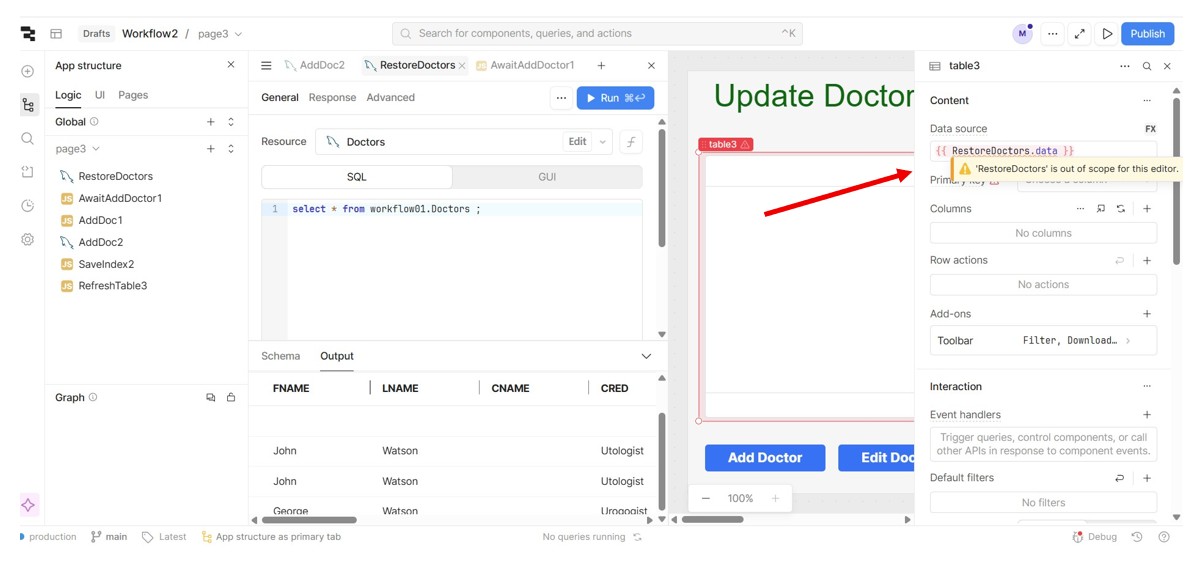
I have shown my screen to the full with with a red arrow on the right.

I have a table that is loading properly from the rows shown under the code section.

But the rows are not loading into the table on screen.

The red arrow is pointing at an error message "RestoreDoctors is out of scope".

I think Retool is perceiving that the table on screen is not part of Page 3 .

I have built this screen 4 times and I continue to get this error message.

Pages 1 and 2 have similar tables and they all work fine.

I use GoDaddy cPanel and it is showing the table with 3 records, the same as what shows under the code.

Any suggestions?

Mike

Hi @mdsmith1,

I have run into this before. I think it's a bug. Try dragging your query to Global. It should work there. Then try dragging it back to page3. I've had luck getting it to work that way. Worst-case scenario you could leave it in the global area.

Shawn:
Its true that I can add the Table to Page 3 if I put the RestoreTable code on the Global section but then it adds the same table to Page 1.

But if I go to Page 1, and delete the table, it also deletes it from Page 3.

I have tried a number of workarounds and I am unable to build a meaningful table on Page 3.

I don't think this is ready for Prime Time.

I am going to have to rebuild this with separate apps for each page. I cannot waste any more time on this.

Mike

Mike,

FWIW: As an alternative to creating separate apps, I still create modules and embed them in pages. This gives you the advantages of just one app and allows you to isolate each module with its own version control (very handy when rolling out multiple modules/pages).

1 Like

Shawn:

But I need to have a Table with Buttons around it.

If I can't have a table, then it won't work for me.

Mike

Ok, let's try and fix the issue at hand. Modules can be for another day. :slight_smile:

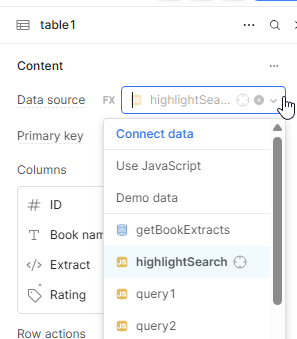
In your data source, can you select your query from a dropdown instead of using FX?

Shawn:

I have tried everything with this screen. It works for Page 1 and Page 2. But for Page 3, I have to make RestoreTable global which then causes other problems. I will ping you later on.

Mike

Sounds good Mike. I'm around most of the day. We'll figure something out.

There's also Retool Office hours today 11-12 PST if you're available.

2 Likes

Hi folks!

Thank you so much @Shawn_Optipath for helping troubleshoot this!

I think office hours is the best option where we can get some hands and eyes on the app to see why page 3 is behaving differently than pages 1 and 2 for getting data from a query and setting a table's data source to be the data from said query :sweat_smile:

Making the query global should not affect table 1, unless you have set the same query to be the source for both page 1's table and page 3's table.

Also deleting the table from page 1 should not be deleting the table from page 3 :thinking:

I tried to reproduce this issue where I built out three tables on three pages each with unique queries as their source. Let me know if I missed any steps on reproducing this so I can tweak my example to see if I can get the same error message.

Please excuse my lack of remembering what table had demo data in it for page 3 :sweat_smile:

Also let me know if you have using the same query as data sources for different tables on different pages. In that case we may have to quickly duplicate the query so that each page has a unique one scoped to it. Or have two that are both global.

Jack:

I replied in another thread that I now have Page 3 working.

I was blocked from entering the Table Loading code but when I opened Page 3 after 2 weeks, the Table Loading code was working.

I don't like this instability so I don't plan to use the Page feature. I don't think there is any need to work on this unless someone else complains about this.

Thanks for your help.

Mike

2 Likes

@mdsmith1 ,
@Jack_T 's suggestion about office hours is a great idea. A lot of your questions could be worked out pretty quick while sharing a screen. :smiley:

1 Like

Shawn:

Since the problem seemed to disappear while the App was inactive, I am not sure how that would make good use of people's time.

Could you explain how I would join the Office Hours group in case something comes up that needs screen sharing ?

Mike

Hi @mdsmith1,

Here's the link to the information on Office hours.

You will need an account at Discord. Once you have an account it's best to download the app.

Once you are connected to Discord and have followed the Retool link, you can go there and jump in. It's just like a Zoom meeting.

Let me know when you're going to be there, and I'll try to pop in.

Shawn:

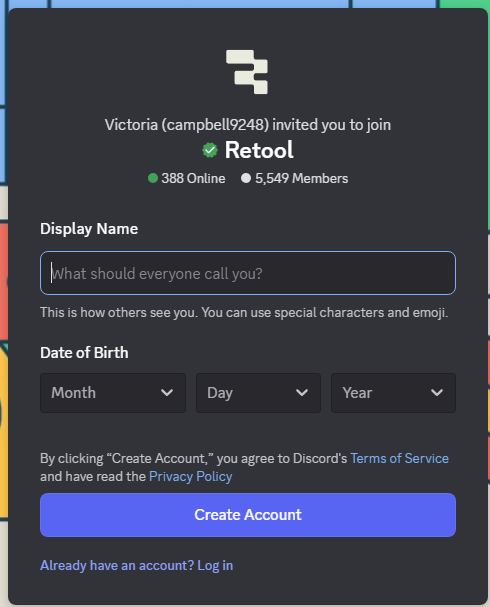
Apparently I joined Discord over 2 years ago and my Invite is now Invalid.

The instructions say I need to ask for a new Invite but there is no place for me to request that.

Mike

Mike,

Try clicking on this link. Retool's link is permanent so you should see this if you are not logged in yet.

If this still doesn't work, reach out to @Jack_T, @Tess, or @Darren. They are usually around for office hours and could likely help you resolve this.

Shawn:

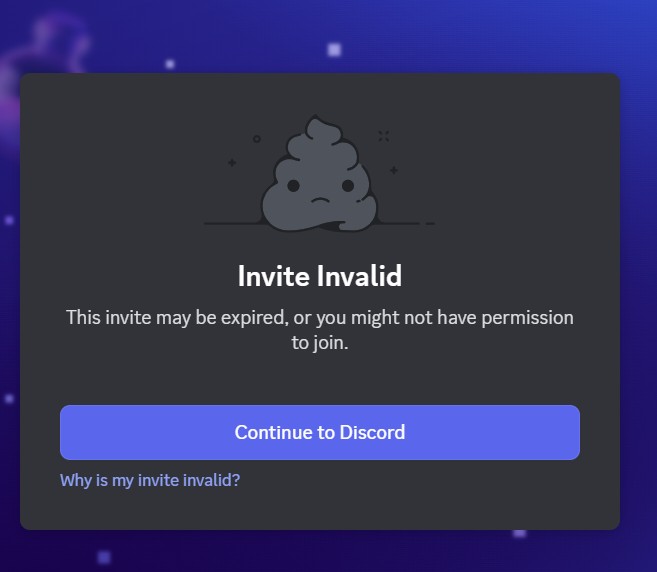
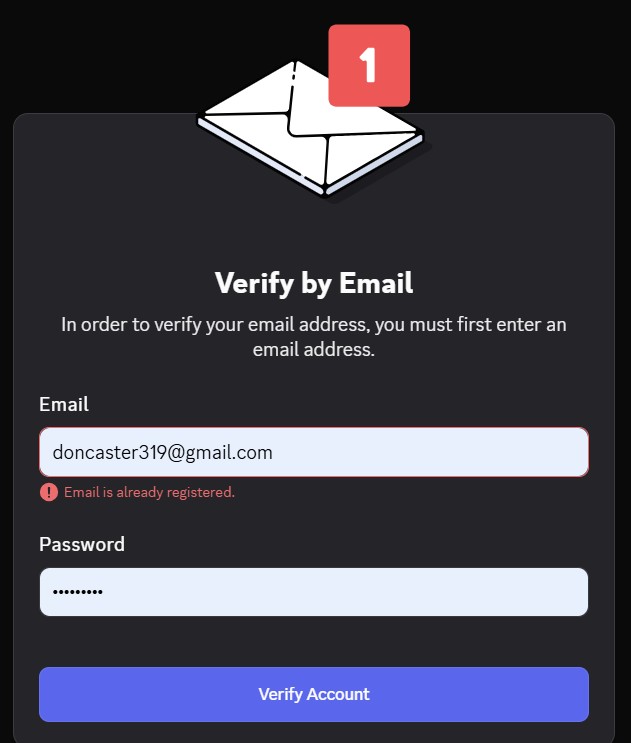
The problem is I was a member over 2 years ago. So I do not proceed to the Create Account screen. Instead I het the screen below:

When I click "Continue To Discord" I get the screen below:


The small print in red says "Email is already registered"

Mike

I think this means you are already registered in Discord. Try logging into Discord first.

Then try this link. I created a new invite to office hours.

Shawn:

I followed your steps and ended up with the same Invalid Login messages that I got before.

I am guessing that the skill sets in this group are not that high given that they have no process for expired logins.

Mike

Mike, are you able to log into Discord?

Hi Mike, just checking in on this thread and saw that there is a mikesmith user in our discord server from 2 years ago. Discord is set up in a way where no one can see each other's emails, even admins, so I don't know for sure if it's you.

Either way, you can try to log into Discord from the app itself, without using the invite link, and you'll have access to our server and office hours. If the regular login isn't working you may have to reset your password.