I used to be able to use folders for storing my apps.
The Page feature will only let me put 2 Pages on an App so the Folder Feature which used to work fine is important to me.
I am on the Team Plan.
Is there any way of giving the Folder Feature back to Team Plan members?
Mike
@mdsmith1,
I'm pretty sure you can add as many pages as you want!
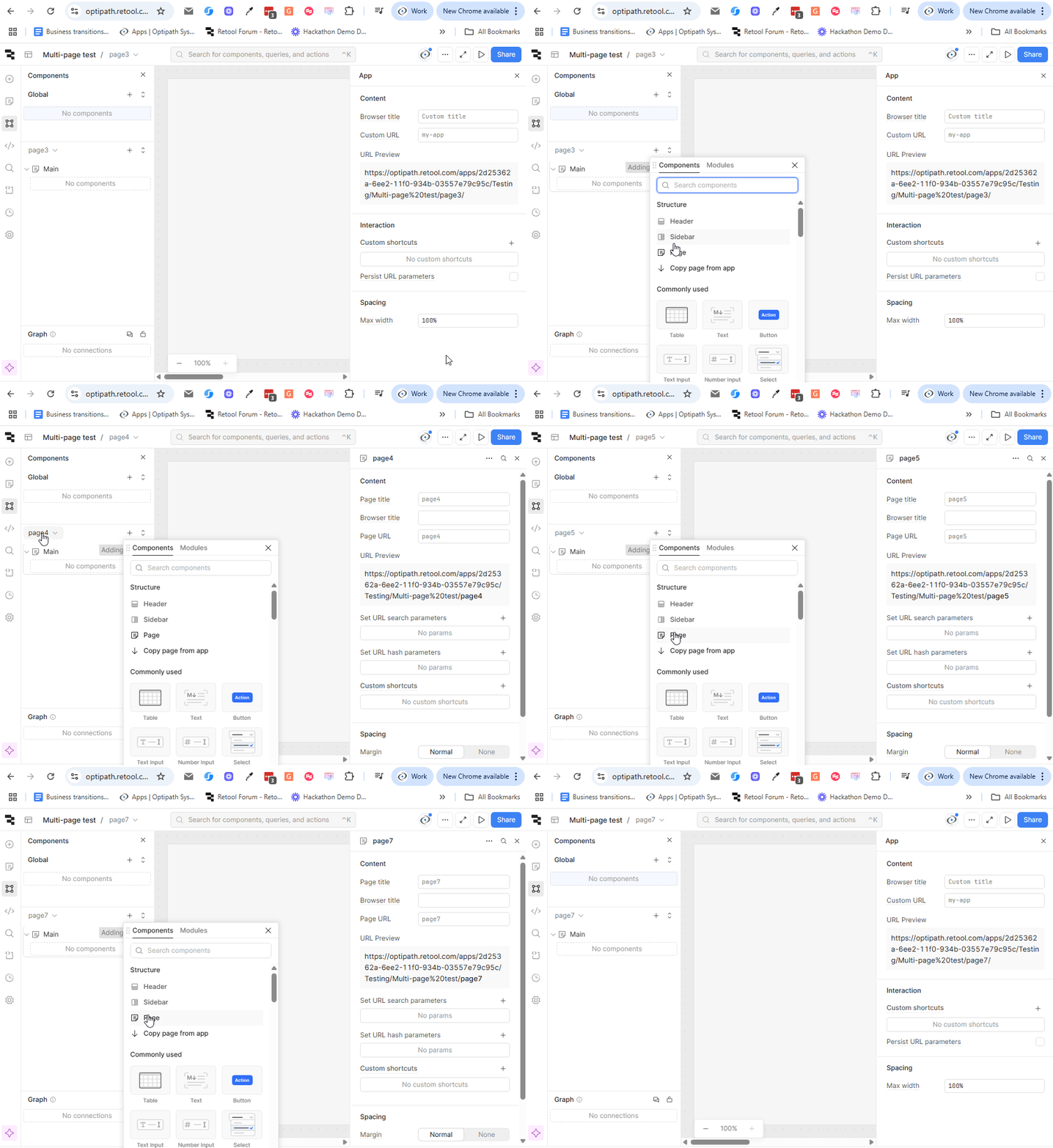
And here you can create folders for your code/variables
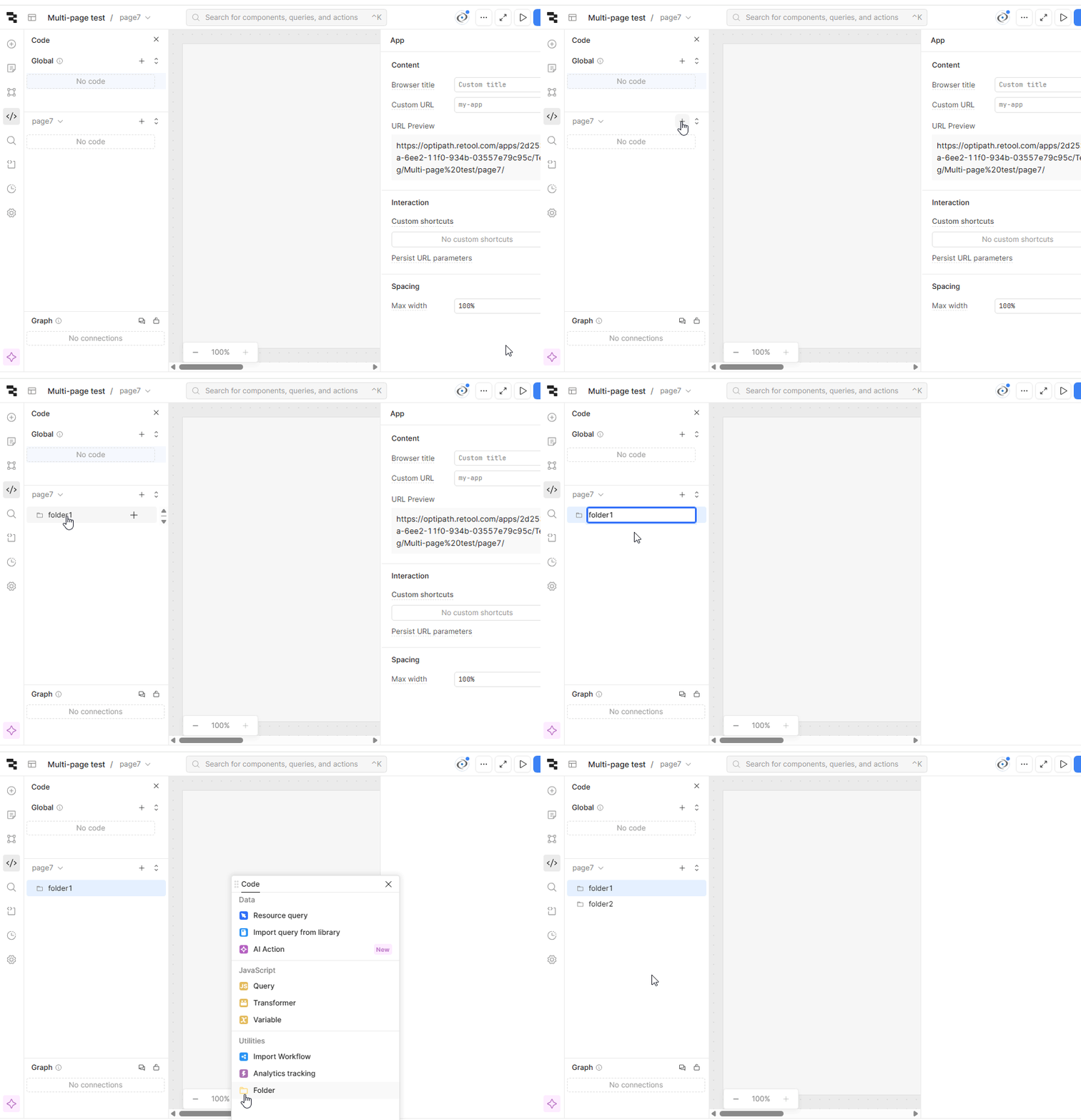
Shawn:
Yes, you can have as many pages as you want but you can't have tables in Page 3 or above.
For some reason the RestoreData code to populate the table will not work on Page 3 or higher.
Mike
I'm sorry @mdsmith1 I think I'm a bit confused here. I don't use tables too often (I don't think I have used the legacy one before and I've only used the new one to help answer questions), so I was hoping you could help me out with some extra info.
these folders? you can still store your apps in these. To view them, click on
Published which gives you the drop down that says
All types which you can change to folders to view only those items.
these foldes from the old single-page style apps?
which can also be done from multi-page apps:
this is where I'm super confused

- are these what you're referring to when you say 'RestoreData code to populate the table'?
- also, what does the table on Page3 have to do with Folders?
Bob:
You are right, this is all very confusing. Let me try to explain.
First about the Pages.
For some reason, when you get to Page 3 or higher, you can not use a Table because the code to populate the table will not work. i.e. you are prevented from entering your loading code for populating the table. It works fine for Page 1 and 2 but not for higher pages.
So I am forced to build separate 1 Page apps and use the "Go To App" feature to get from App to App.
I don't mind doing this. But I did waste several hours to make this discovery.
Now about the folders
Before the Pages Feature was developed, I would have several Apps for a particular service. I was able to store the Apps in Folders so I could keep them together.
I see that they have taken away the Folder feature from Team Members, so the Apps must be found on their own.
If the Pages feature, worked properly, this would not be an issue. I don't know why the Folder feature was taken away from Team Members. I don't recall any advance announcement about this.
I hope this makes my issue a bit clearer.
Mike
I assume you have the Data Source for the table set to a variable, then you have some query that populates the variable?
or are you using a query directly as the Data Source?
or do you dynamically set the Data Source using {{ }}?

or is there some other way you're loading data for your table?
I'm still lost here, was there a Folder component you used in an App to display other apps?
or wait, are you saying each page is now a full app? where before the Pages Feature you would have a tabbed container where each tab contained an imported 'module/app' (so you would have 'MainApp', 'Tab1App', 'Tab2App', 'Tab3Module' as separate Apps listed at https://your_org.retool.com)?
Bob:
As you know, we only have had the Page feature for less than a year. Treating each screen as a separate App has been standard procedure for most of the time I have been using Retool.
Please see the screens below.
The first screen shows the opening screen with the 3 Apps at the top.
The next screen shows the Doctor Setup screen. The navigation is done with the black buttons at the top. The functions are done with the blue buttons a the bottom.
The next screen shows the Patient Setup screen which operates the same way..
There is a 3rd screen for Appointments. I think you get the idea.
This is the way we have been doing things for years and it has worked well but we need the Folder Feature in the opening screen for storing the Apps.
Mike
Bob:
This is a different message on a different point from your previous correspondence.
I am showing a screen which explains how I populate my tables.
I hope this helps.
Mike
the folders are still there, just on a different tab:
this is what my screen looks like on the 'Recent' tab (same as yours, no folders)
and after I click 'Published':
by default, when you create a folder it is placed in the 'Drafts' tab (just to the right of 'Published')
I noticed you have a 'Drafts' tab, which means any folders you create are automatically put under 'Drafts'. While the folder is here, it is only accessible to you and anyone with the 'Admin' permission group.
to make the folder accessible to everyone, click the ... on the far right then select 'move'
while will give you this window:
you can select 'Published' then click 'Move' and now you and everyone else in your org will see the folder under the 'Published' tab
if I had to guess, you'll see your existing folders under 'Drafts' which is why those black buttons won't work (unless you're an Admin). If they aren't there, or if they are already under 'Published' but others still can't navigate to them with those buttons then it's probably a permission issue
ok so 1 more questions for the table problem.
does each page have a RestorePatients query that does the exact same thing (I'm guessing you have like RestorePatients2, RestorePatients3 and so on depending on the page?
if they all do the same thing, move it to the 'Global' section. every page is able to use any query in the 'Global' section. the only bug I could find was that when I first add a new table to any page, the 'Data Source' drop down is populated with only 'Global' level queries (left pic below) and is missing all 'Page' level ones (restorePatients). This was fixed simply by deselecting the table, then selecting it again and the dropdown will now contain both 'Global' and 'Page' queries (right pic below).
I created 5 pages, every page has at least 1 table with the 'Data Source' set to restorePatients. Both the 'Refresh' and 'Regenerate Columns' buttons work on all pages for me. On page 4, I added a second table and i was able to set its 'Data Source' to page4RestorePatients.... still no bugs with populating the tables though.
what do you mean by this? maybe I'm misunderstanding. In what way is it preventing you and where is it preventing you from entering your loading code?
Bob:
One page is for Patients another is for Doctors.
The code for loading the Doctors table is shown below.
I would stay clear of Global Code. I have not found that to be stable.
The App Feature is tried and tested and it works. I believe the Page feature works well for the first 2 pages. After that it does not work so well. I plan to wait for a year before trying it again.
I will miss the Folder Feature which we used to have. I don't like the Retool attitude that they can take things away without any discussion with the customers.
Mike
Bob:
The folders are there if you are a Business or Enterprise Client.
They are not there if you are a Team Client.
See below.
Mike
Bob:
I went back to Page 3 (Appointments) and now it is working.
But 2 weeks ago, I tried for half and hour and I could not get my "RestoreAppts" code to be accepted for loading the table.
Now 2 weeks later I go back and find that my code is now accepted.
Its not what I would call stable code.
I am going to stay with "Go To Apps". It has never failed me before.
I guess there is no hope for getting he Folder Feature for Team Members. I will not mention this again
Mike
I think folders need to be published before you can move an app into them.
How do I publish a folder?
Mike
Hi @mdsmith1,
Here is a quick video on how to create folders, where the folders are kept, and how you can move apps to folders. Hope this helps!
2 Likes


