Our organization uses a module for the header across all apps, the header includes the default Navigation component with manually defined Apps.
The issue is that on the user's first login, the navigation component doesn't load at all, however once the user refreshes the page and from there on out, the navigation component loads everything properly.
The navigation component is great as it automatically hides Apps depending on what the user has permission for, but it seems this detection doesn't work properly on the first login and it only shows the current app until a refresh fetches the correct information to show everything.
Hey @connorjan - I thought this would be fairly easy to reproduce, but it's working as expected in all my testing. The underlying issue is likely a lot more nuanced.
A few clarifying questions:
How are you logging in? With SSO or email and password?
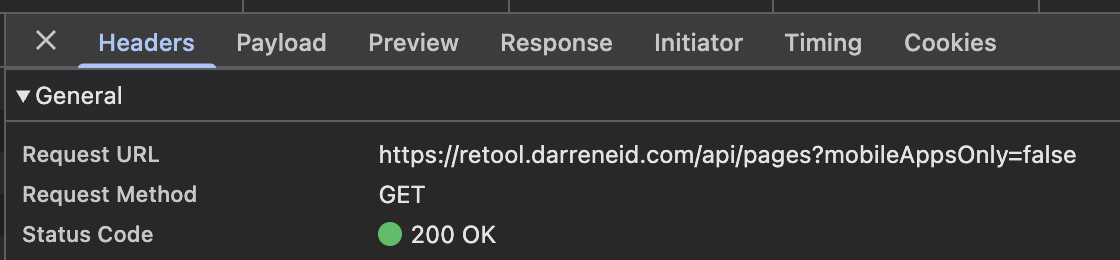
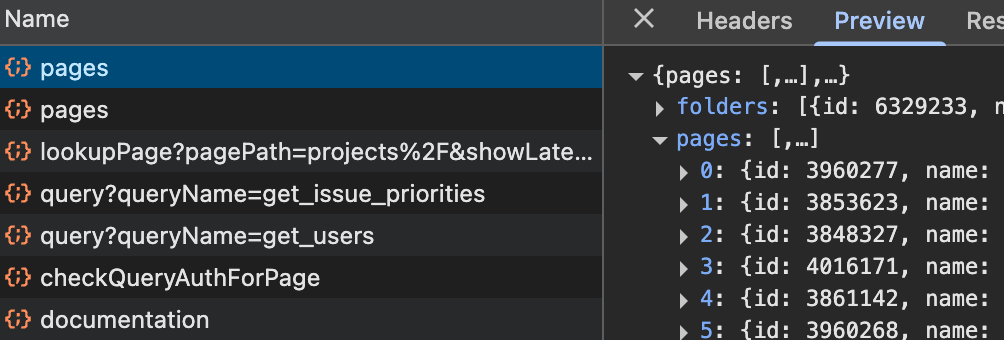
I see two separate requests to the /api/pages endpoint and both responses include the full list of pages I am expecting, but the module still does not populate.
I'm at a bit of a loss, I'm afraid. The only way I can reproduce this behavior is by blocking the api/pages request entirely. It's possible that the behavior you're seeing could be the result of that query taking a longer time to run, however. And it's odd that you're seeing two of them. Do you mind sending me a JSON export of your module?
In my production header module I am using the Get user apps and folders query to add some behavior, I'm guessing this calls the same endpoint under the hood which would explain the 2nd request. However in my debugging when stripping out features of the production header to narrow the issue down, even removing this extra request doesn't solve it.
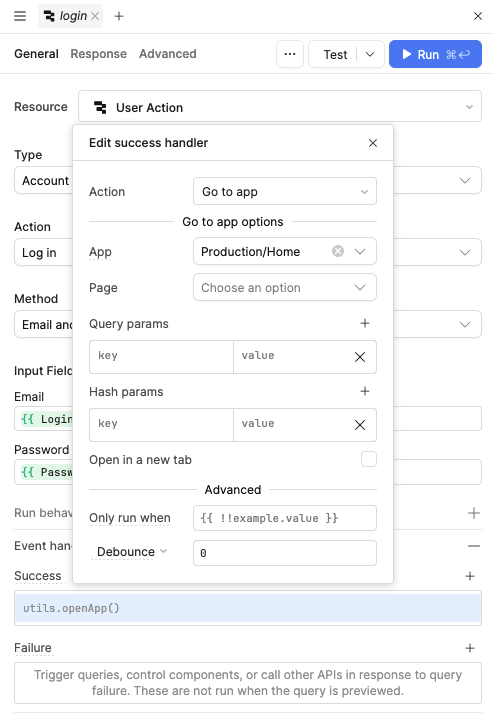
One extra piece of info that may be relevant is that we are utilizing the custom log in screen functionality:
It does seem that even though the openApp call is hardcoded in the GUI to go to the Home app, it does re-direct properly if attempting to visit a different app URL while signed out (which I like the behavior of although it could be confusing I guess).
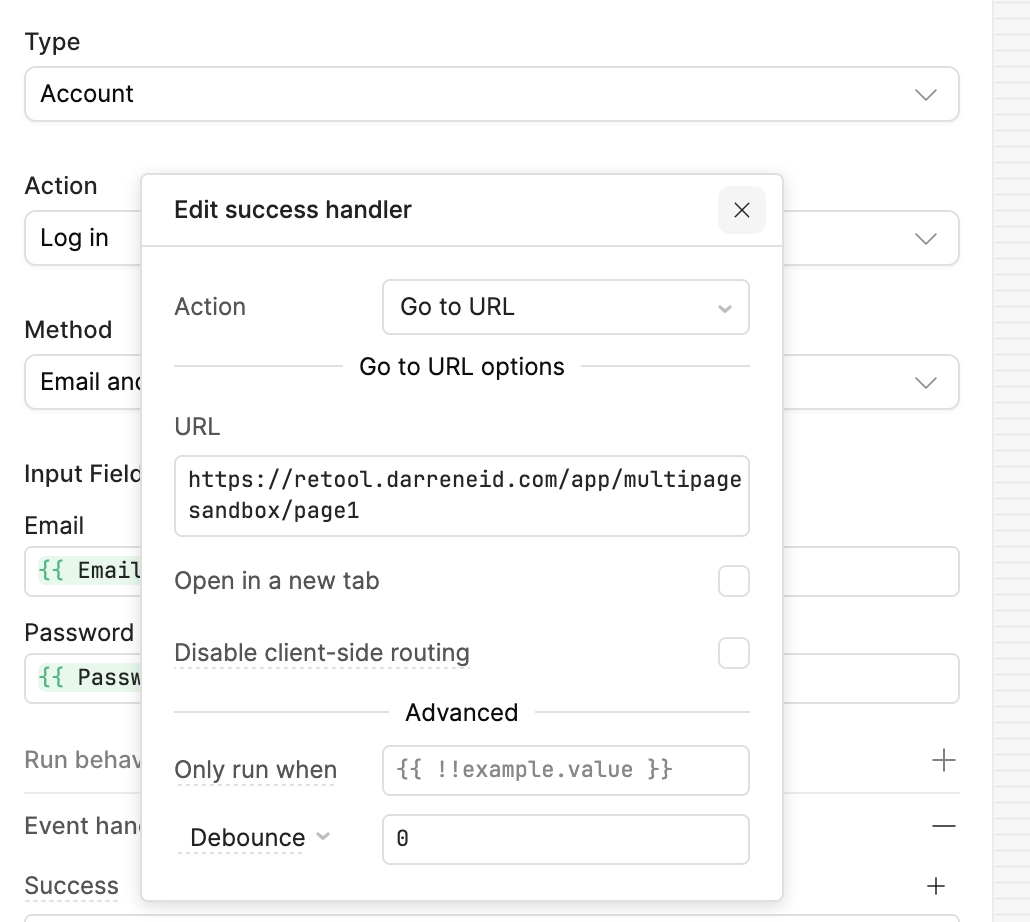
There's the culprit! I'm not sure how or why, but something about the Go to app action is preventing the expected behavior. I can dig into it and file a bug with the team, but a quick fix is to use the Go to URL action on query success, instead.
Perfect just verified that this works, and it still respects the user's intended URL and redirect's properly even though the URL is hardcoded which is great to see.