Hi our team is on a business / enterprise plan for Retool but I don't see the floating user documentation button in my app.
What button are you talking about?
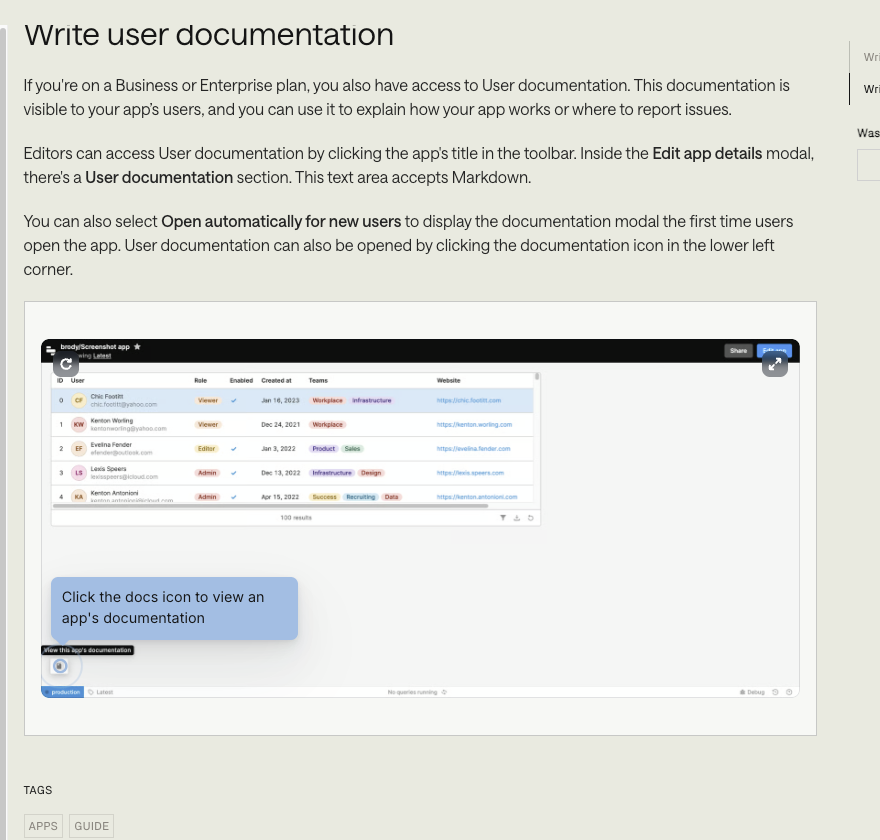
Do you have a link to the docs page that shows that button?
I was just testing out User Documentation and I was only able to get it to show up when a checked off the "Open automatically for new users" checkbox.
apologies for the delayed response.
Here's the link to the document I am referring to Add documentation to web apps | Retool Docs
Thank you for sharing the link!
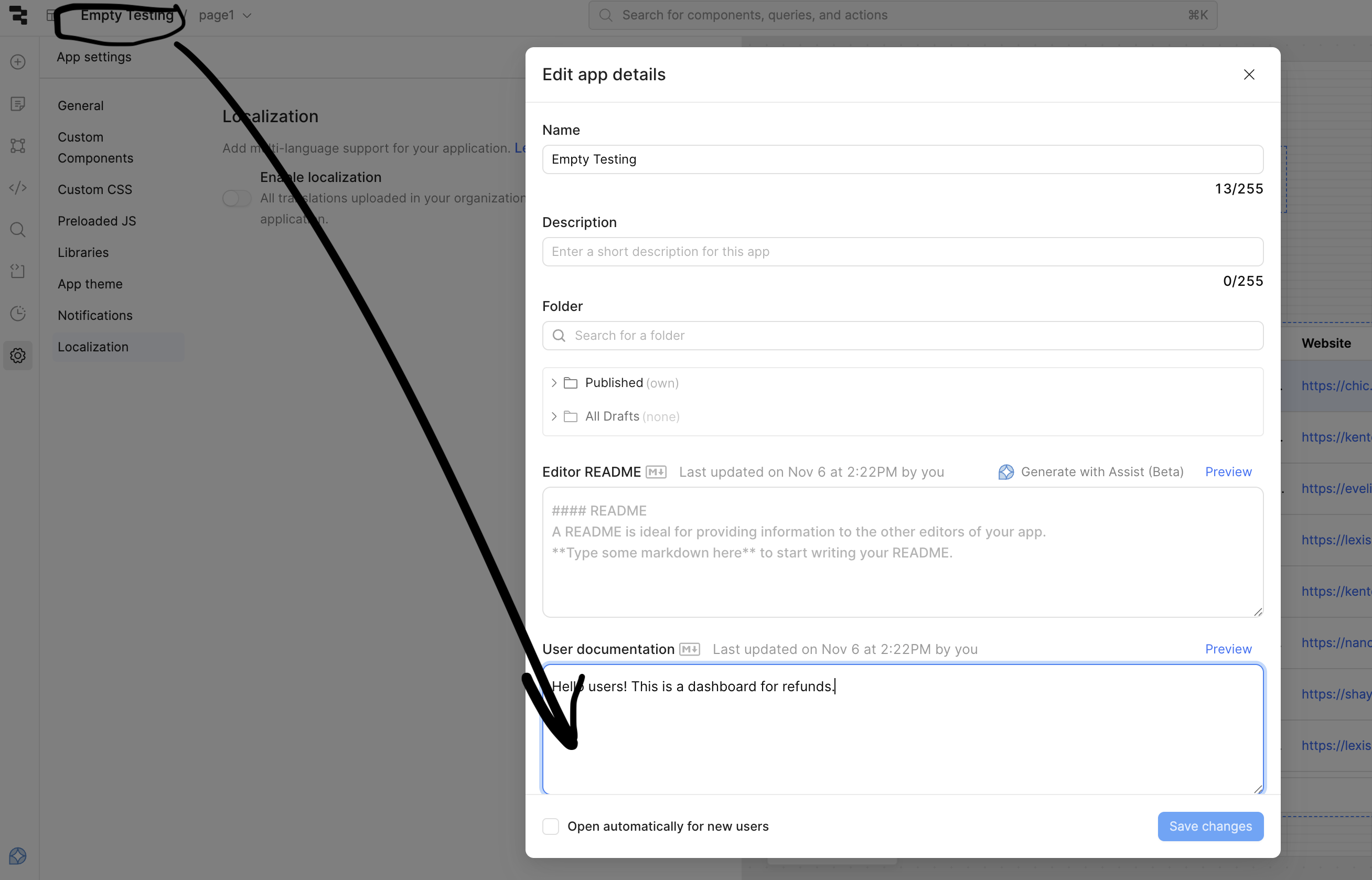
I just tested it out, the button will only appear once content has been added to the "User Documentation" input field. You can add in this text by clicking the app's name in the top left and then writing in some content.
Let me know if you already did this and the button is still not appearing.
I also noticed that the button looks different for me than in the example in the docs.
In the docs, it appears that the user removed the Retool branding. Whereas in my app, the button appears on the right side of the little popup that says "Powered by Retool" and looks like a book icon.
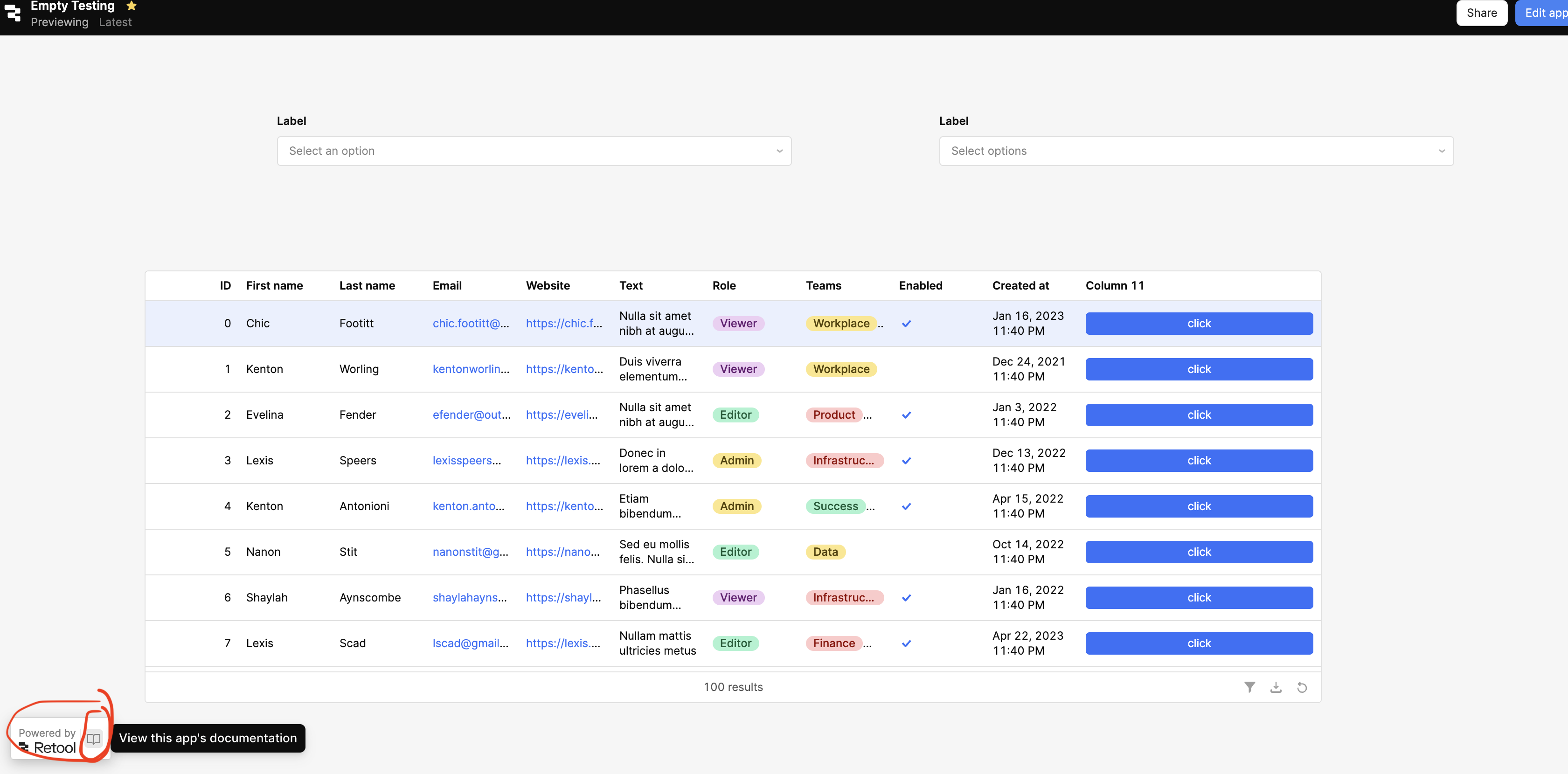
Let me know if you see this once you add in documentation notes to your app!

That is odd 
Do you have any custom theming or set your org to turn off the Retool branding "Powered by Retool" where the button would live?
You may need to send me an export JSON of your app so I can poke around and see. Are you self hosted or on cloud?