- My goal:To successfully navigate to the app in user mode while developing a mobile application using Retool.
- Issue:When I click on "Navigate to app in user mode" in the web interface, the app does not load and instead shows a blank white screen. This issue persists across different apps during mobile app development.
- Steps I've taken to troubleshoot:
- Used different web browsers to access Retool.
- Cleared the browser cache.
- Updated the browser to the latest version.
- Restarted the device.
- Additional info: (Cloud or Self-hosted, Screenshots)
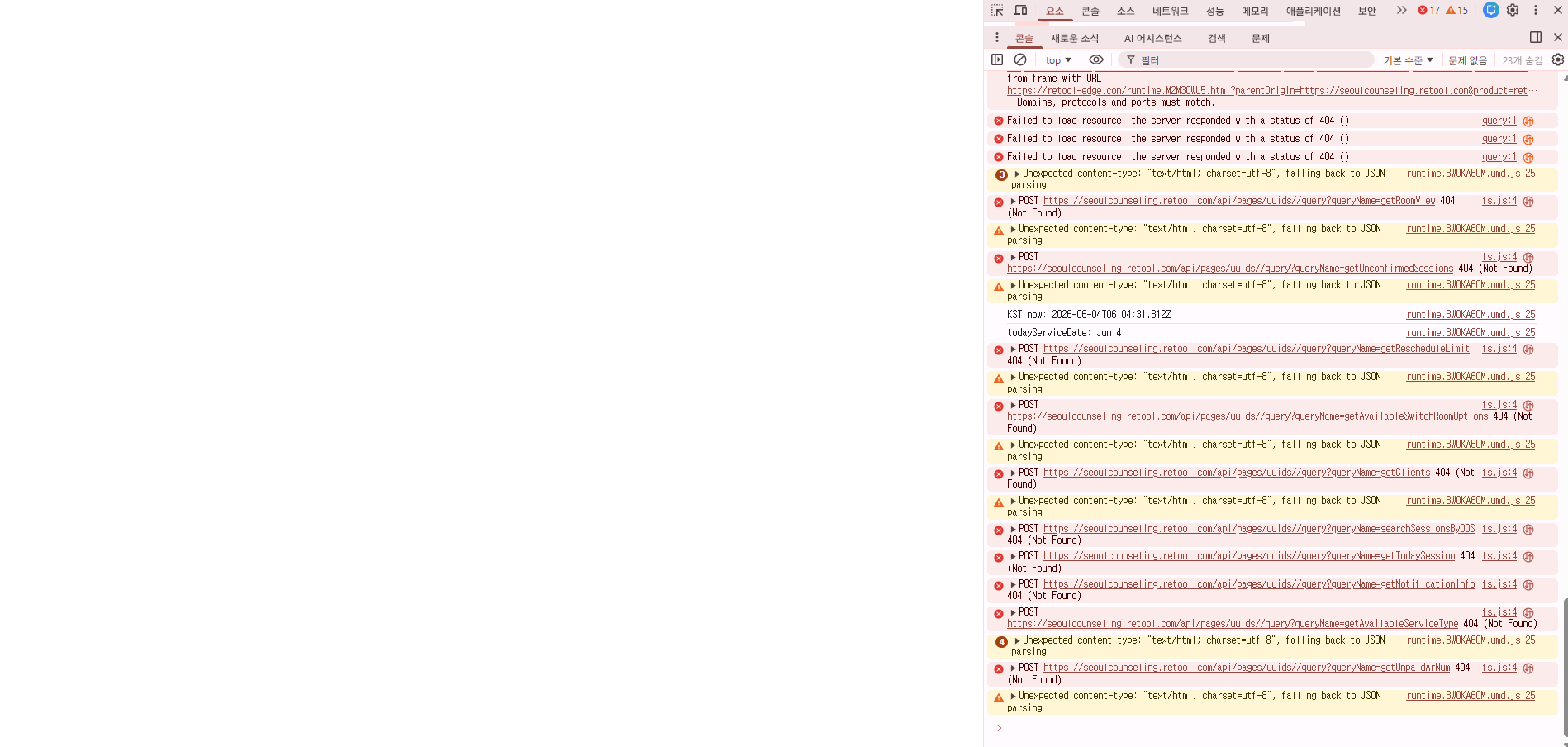
- In the browser's developer console, the following errors are displayed:
- 404 Errors: Multiple instances of "Failed to load resource: the server responded with a status of 404 (Not Found)" indicating that certain API endpoints are not accessible.
- JailMonkey Module Warning: "JailMonkey native module is not available, check your native dependencies have linked correctly and ensure your app has been rebuilt."
- Auth Credentials Warnings: "missing accessToken or xsrfToken, removing" indicates issues with user authentication.
- Unexpected Content-Type Warning: "Unexpected content-type: 'text/html; charset=utf-8', falling back to JSON parsing" suggests that the expected JSON response is not being received.
- QR Code Generation Errors: "bad rs block @ typeNumber:1/errorCorrectLevel:undefined" indicates an issue during QR code generation.
- In the browser's developer console, the following errors are displayed:
I’m also encountering this issue might be a retool bug not sure why all the mobile apps “View” is not working, editing is fine but when i click view it also looks like its loading then is a blank page
UPDATE: This is fully resolved on version 4.4.0!
Hey all - thanks for flagging this! We're aware of the issue and investigating internally. 