-
My goal: update a mobile app
-
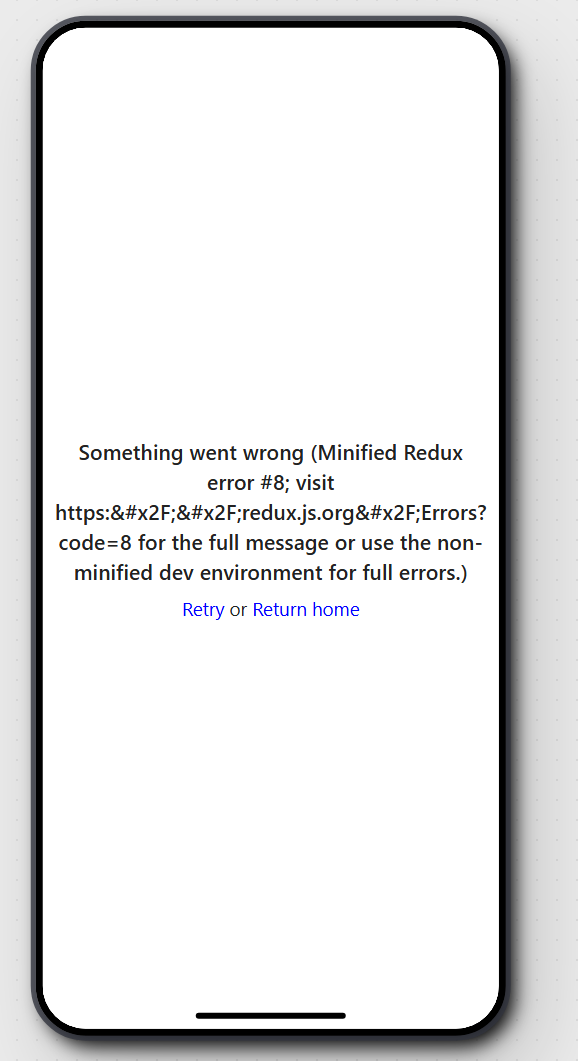
Issue: as soon as I get in the editor all I see is this with screen
-
Steps I've taken to troubleshoot: wait for a few days and retry. Reload the app, refresh the page, etc.
-
Additional info: (Cloud or Self-hosted, Screenshots) I am on cloud
The mobile app itself works, but I need to edit it and now I am stuck with this screen as soon as I select the page in the app editor. I saw the same issue occured in 2024, but it seems it was resolved on retool side.
Summary
On a Cloud instance, opening the Retool mobile app editor and drilling into a page immediately throws a "minified Redux Error #8" and a broken/blank screen, making the app uneditable even though it still runs fine in production.
AI Response
This matches a known issue with native multipage mobile apps where stray "$main[number]" subcontainer IDs (which are meant for web apps, not mobile) get added and crash the editor as soon as you drill into a screen or select a component. The confirmed workaround is to open the Search tab, locate the offending "$main#" entries (e.g. $main2, $main3, $main6), and delete them — Retool staff noted these don't belong to mobile apps and removing them clears the error without breaking the app. Retool also shipped fixes for this on Cloud, so a hard refresh after clearing the entries is worthwhile. Legacy (non-multipage) mobile apps were reported to be unaffected.
Sources
Mobile editor unusable
Solved report of the mobile editor erroring out when drilling into a screen; the fix was to search for and delete the stray $main# IDs, with Retool confirming a fix on Cloud.
Solved multipage mobile app crash when selecting a component, caused by the same $main subcontainer issue, with a staff-provided workaround to delete $main via the Search tab.
The Community Team is testing out a new automation. Let us know if it's helpful (or not) by leaving a  ,
,  , or
, or  . Or by marking this post as the "Solution"! Let us know if you have any feedback here.
Hi @MRConcept, thanks for reporting this, and sorry you’re stuck. I’ve passed it to our mobile team to investigate. I’ll update this thread once I know more!