- My goal: I want to restrict some users to view or use apps only — they should not be able to edit, duplicate, or create apps. I’m an on-premise RedTool Business Plan customer running RedTool in Docker Compose.
- Issue: Even when users are in the “Employees” group (with Use-only permissions), they still inherit edit and add permissions from the “All Users” group. This seems to override the restriction and allows actions I want to block.
- Steps I've taken to troubleshoot: I created a custom group called “Employees”, giving them Use permission only for certain apps. Despite that, members of this group can still edit or add apps, which defeats the purpose of having “use-only” access.
- Additional info: (Cloud or Self-hosted, Screenshots)
Also, I’m just curious — even for Business Plan customers, is there no direct email or priority support?
I tried reaching out via email but only saw the option to post here in the community.
Hey @appbuildernyc ,
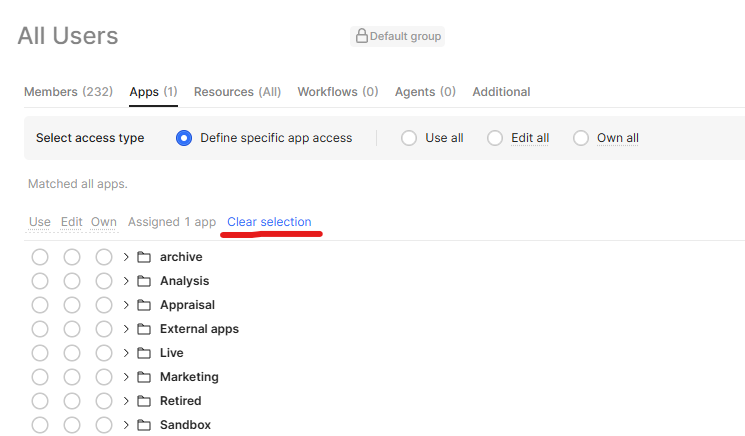
For the first part of your question it sounds like you need to remove the access from the “All Users” group. Users will get the highest permission level for each app (or resource, workflow, etc) from the groups they are in. Just navigate to the “All Users” group and clear selection to remove all the default access. We’ve got a blog post all about permissions which I recommend giving a read through.
For the All Users group I’d recommend taking all the permissions out of that to avoid exactly the type of issue you’re running into.
1 Like
Hey Mitchel,
I got it, thanks!
What I’ve also noticed, in your image, it looks like folders have a drop-down; I guess you can set per-page permissions from there, which I also need.
How can I set per-page access for my users?
Sounds like you’ve got the right idea already!
Permissions are handled via permission groups so if you needed to limit a particular user to a specific set of pages you’d create a permission group, configure the page permissions on that group - expand the folder→app and you’ll see the pages assuming your app is multipage - and assign the user to that group.
A couple things to keep in mind here:
- Permissions are OR. So if a user is in two groups and has access permission from either one of them, then they will have access. Again, this is why we generally recommend taking all permissions out of the All Users group and making permissioning an opt-in task.
- If you have a navigation component set up then a user can still see the page there, even if they don’t have permissions. They won’t be able to navigate to it - clicking the page in the navigation component just won’t do anything and trying to navigate directly via URL will give an access denied error - but this can be confusing. If you’re setting up page level permissions, I’d recommend also hiding the navigations using something like _.intersection of the allowed groups and the currentuser groups.
Hi Mitchel,
Sorry for the very late response, I was working on something else, and almost forgot to check replies.
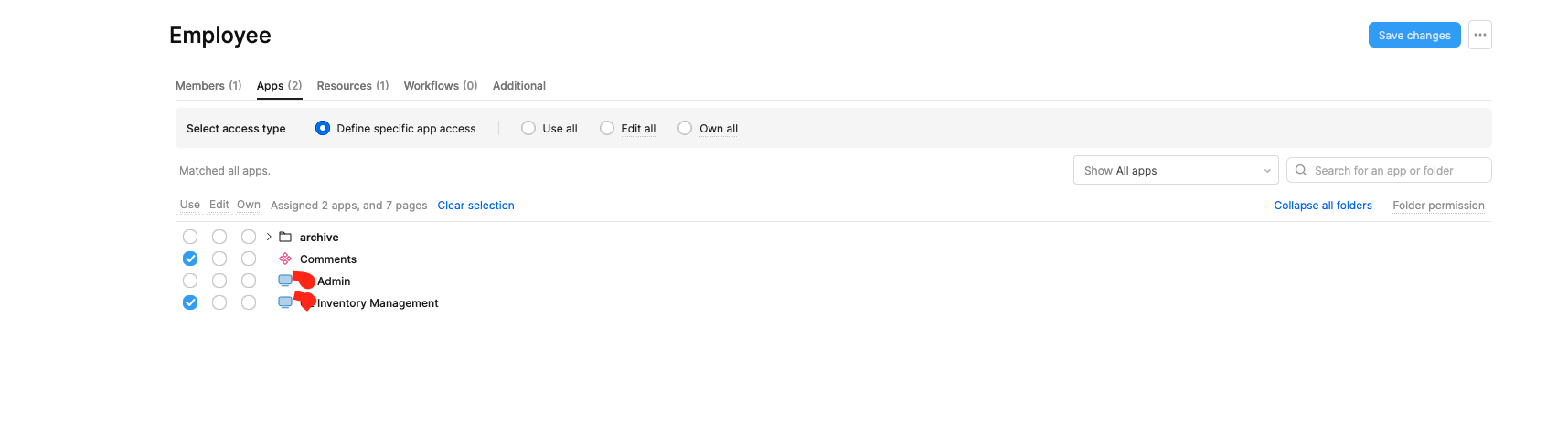
This is how my permissions page looks. There is no arrow to have a list of pages to provide use/edit access per page.
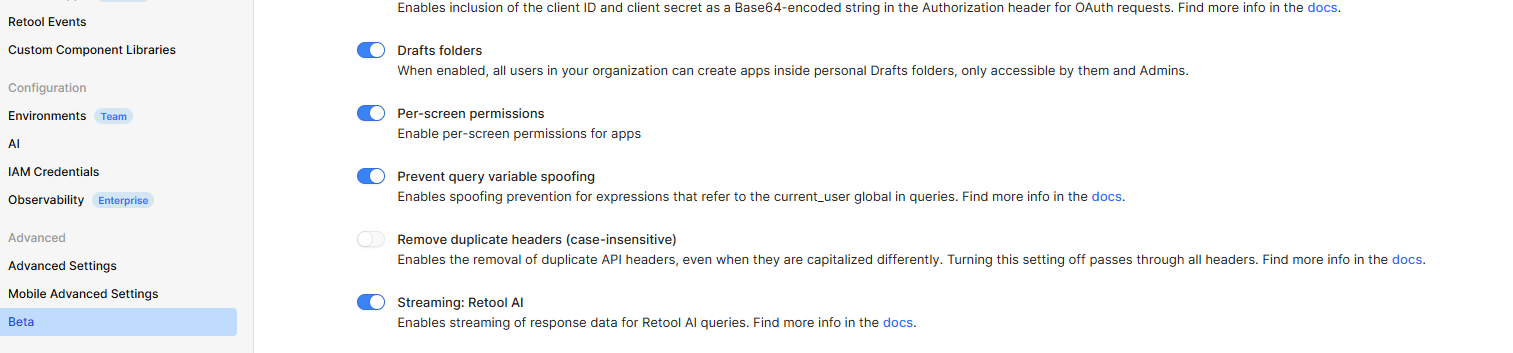
Will you double check that you have per-screen permissions enabled?
Go to your settings→beta→per-screen permissions
1 Like