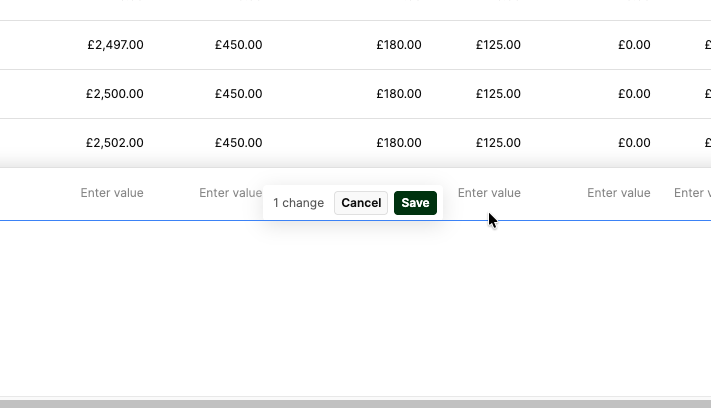
The native dialog for cancelling or saving a new row in the table component blocks editing the very row you have just added. Please can this be fixed?
1 Like
Hi @Ell_Harman,
I understand the UX issue you're experiencing where the UI gets blocked. I’d suggest the following improvements for your table component:
- Enable client-side pagination (a page size of around 10 is a good starting point).
- Set the table height to Auto instead of Fixed.
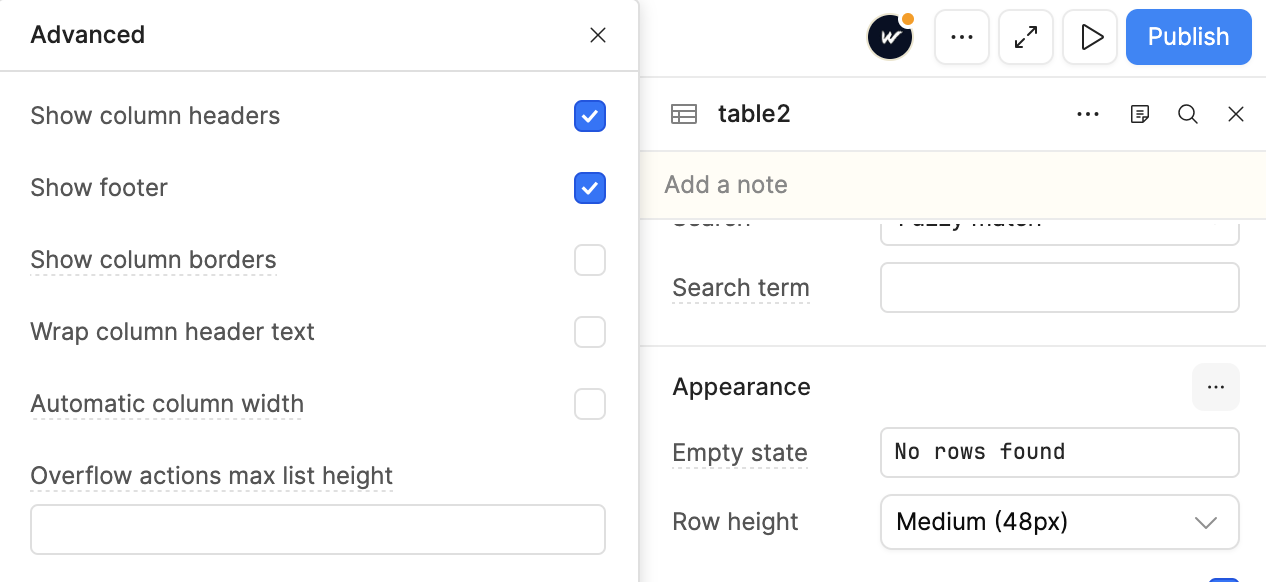
- Ensure Appearance → Show Footer is enabled (as shown in the second screenshot). If the footer is not enabled, this issue may occur.
These changes should help resolve the issue and prevent the UI from blocking when adding new rows.
I’ve implemented the same approach on my end, and it works smoothly without blocking. Sharing screenshots for your reference.
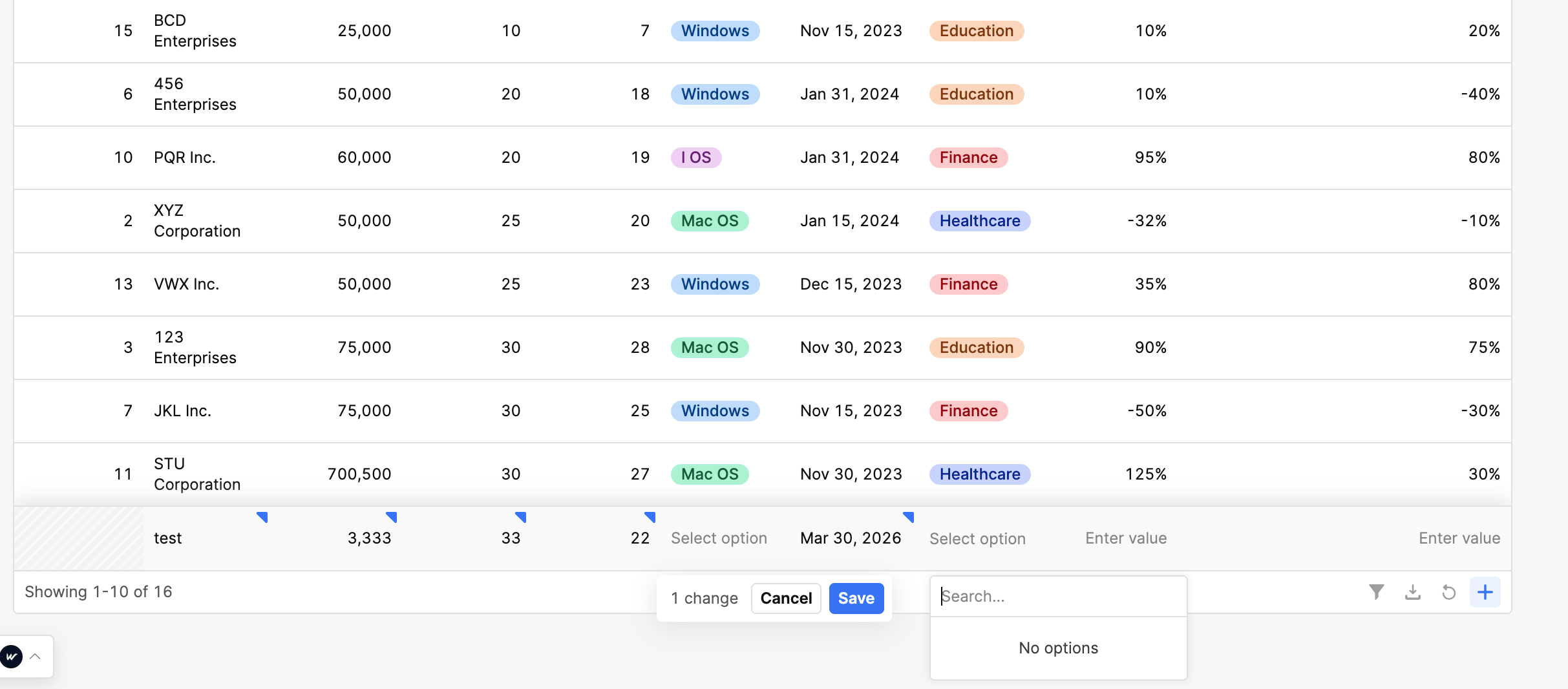
Hope this helps. Please let me know if you need any further assistance.
Hey, welcome back! Great to have you here again. @Ell_Harman 
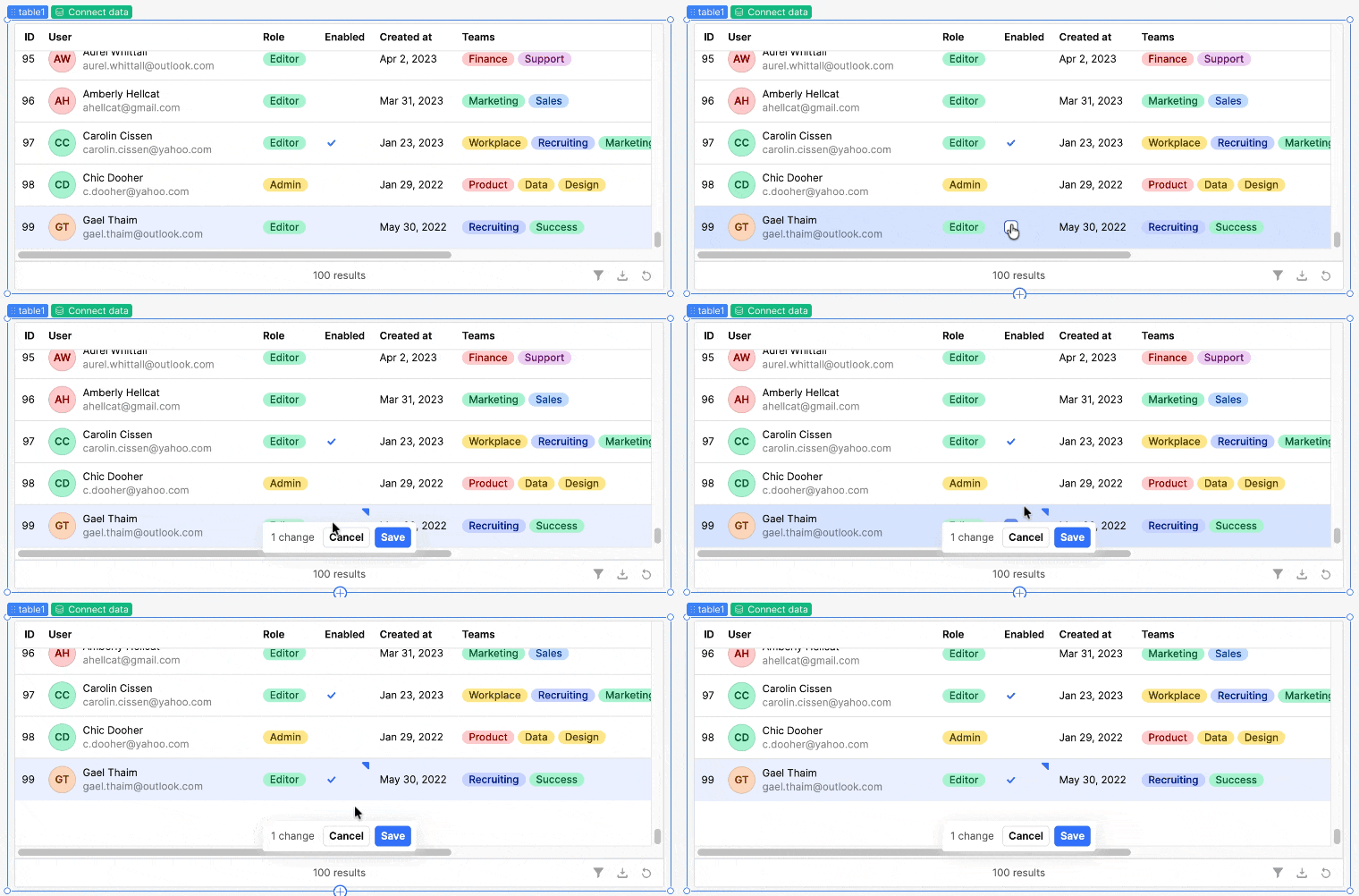
I tried what you suggested: when editing the last row, I scrolled down and noticed that the Save and Cancel buttons stayed fixed in place while the row itself scrolled up, which made the full row visible. That does seem to work for me, can you try that?
1 Like
Hi @ChiEn - is that also true if the table height is set to auto? I think that was the issue here, or that it was in a container with Expand Content to Fit set to true.
1 Like
@Ell_Harman , as you mentioned, the issue may be caused by “Expand content to fit” or the height being set to auto. Could you please try adjusting these settings and check whether the issue still persists?
well yes, I could, but that doesn’t work for my use case - if the table doesn’t work with the height set to auto then it shouldn’t be an available option
1 Like
@Ell_Harman , Please keep the table height set to Auto and uncheck “Expand to fit”, then test whether the issue still persists.
Hey @Ell_Harman Thanks for waiting, I gave this another try with table height set to Auto and the table inside a container with Expand Content to Fit enabled, and I could still scroll down to see the full row, same as in my recording.
Could you try recreating the table and container from scratch to see if the issue persists? It's possible your current table is in a corrupted state.
1 Like
Hey @Ell_Harman how's it going? Were you able to try out my suggestion?
1 Like