We’re experiencing an issue where our Retool app autoscrolls part-way down the page immediately after a load or refresh, and I’m struggling to identify what’s triggering it. Initially, I thought it was scrolling to a particular tabbed container containing a table, but I’m no longer convinced this is the cause.
Steps I've taken to troubleshoot:
Confirmed there are no components calling scrollIntoView()
Confirmed there are no scripts calling .focus()
Tried various appearance/layout edits, e.g. changing table height from fixed to auto (this seemed to solve it initially, but the issue returned)
Re-created the tabbed container from scratch
For reference, the page contains multiple containers and tabbed containers, all of which contain tables.
I’m wondering whether tabbed containers can affect scroll position during render, and if there’s any workaround for this. I’m aware I could force the page to scroll back to the top on load, but that feels clunky.
If you have already set the Table height to Auto , please also make sure that all parent containers are configured with their height set to Auto as well. This is important because fixed-height containers can still cause scrolling behavior inside the table.
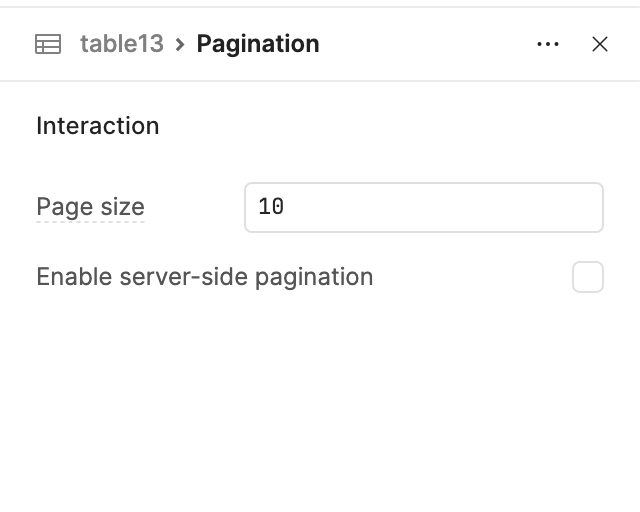
Additionally, if your table contains a large dataset, I would recommend enabling Client-side Pagination . This helps limit the number of rows rendered at once (for example, 10 rows per page),
which prevents unnecessary internal scrolling and allows the container and table height to adjust automatically.
This combination usually resolves most table scrolling and auto-height issues.
If you are still experiencing problems, please share a screenshot or screen recording of the issue so the community can better understand and assist you.
Hey @mewood welcome to the Community!!
Thanks for the detailed troubleshooting steps! I was able to reproduce this on my end as well, it's a known issue where the Tabbed Container can sometimes cause the page to scroll vertically to the container on refresh. I've filed an internal ticket and will update this thread once it's been fixed.
In the meantime, placing the Tabbed Container at or near the top of your page will prevent the visible scroll jump!
Confirmed this is happening to containers with Multi views. I still see the bug occur even when the container is already positioned at the top of the overall page/dashboard. Very disruptive bug for both viewing and editing within Retool.
Our team and users have been voicing frustration with this as well. We would love to get a fix for this rather than having to go into and update/test all of our affected apps with a work around. @ChiEn Thanks for passing along our +1 as well!
Great news everyone, the fix for this is live as of Cloud v4.14.0! The page should no longer autoscroll on refresh when you have a Tabbed Container or Multi-view container on the page.


 The page should no longer autoscroll on refresh when you have a Tabbed Container or Multi-view container on the page.