Hi there @RojanKmh,
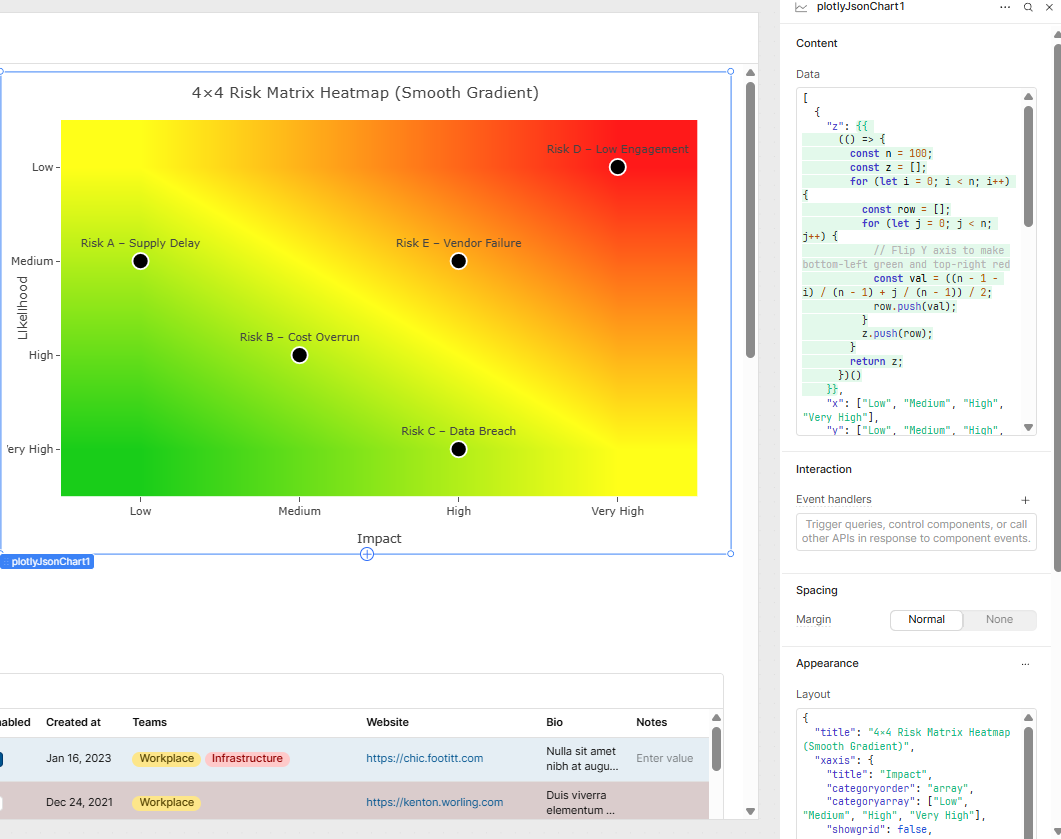
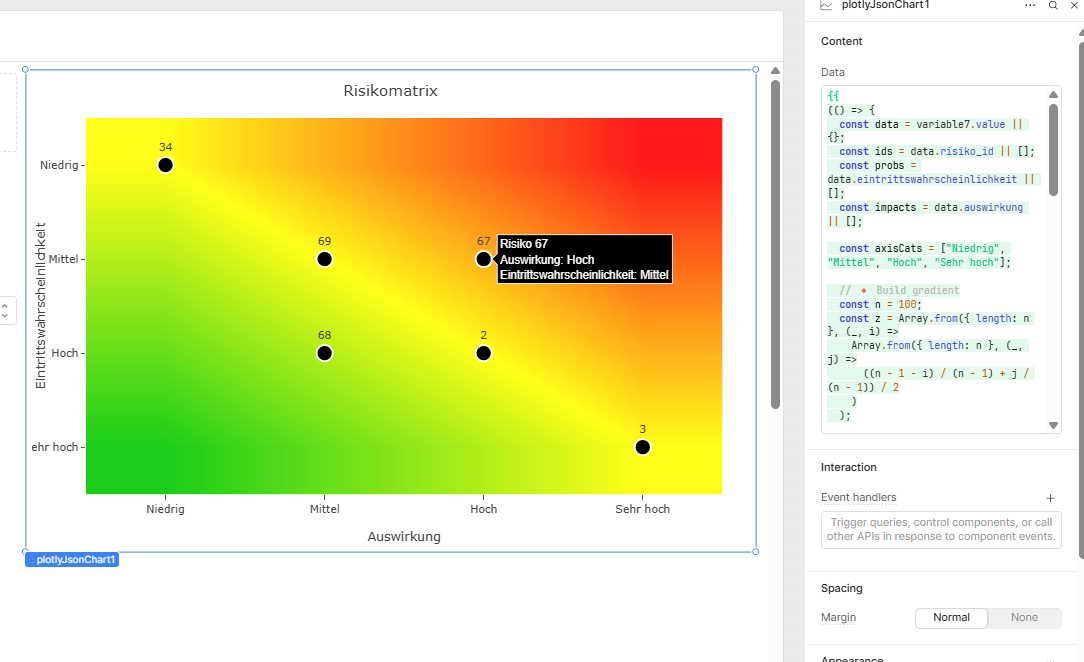
Yup, you can absolutely achieve that, see below example:
I added a plotly json Chart, and this is the data;
Content
[
  {
    "z": {{
      (() => {
        const n = 100;
        const z = [];
        for (let i = 0; i < n; i++) {
          const row = [];
          for (let j = 0; j < n; j++) {
            // Flip Y axis to make bottom-left green and top-right red
            const val = ((n - 1 - i) / (n - 1) + j / (n - 1)) / 2;
            row.push(val);
          }
          z.push(row);
        }
        return z;
      })()
    }},
    "x": ["Low", "Medium", "High", "Very High"],
    "y": ["Low", "Medium", "High", "Very High"],
    "type": "heatmap",
    "colorscale": [
      [0, "rgb(0,200,0)"],
      [0.5, "rgb(255,255,0)"],
      [1, "rgb(255,0,0)"]
    ],
    "showscale": false,
    "hoverinfo": "skip",
    "opacity": 0.9,
    "zsmooth": "best"
  },
  {
    "x": ["Low", "Medium", "High", "Very High", "High"],
    "y": ["Medium", "High", "Very High", "Low", "Medium"],
    "text": [
      "Risk A – Supply Delay",
      "Risk B – Cost Overrun",
      "Risk C – Data Breach",
      "Risk D – Low Engagement",
      "Risk E – Vendor Failure"
    ],
    "mode": "markers+text",
    "type": "scatter",
    "textposition": "top center",
    "marker": {
      "size": 18,
      "color": "black",
      "line": { "width": 2, "color": "white" }
    },
    "hovertemplate": "%{text}<extra></extra>",
    "customdata": [1, 2, 3, 4, 5]
  }
]
layout
{
  "title": "4×4 Risk Matrix Heatmap (Smooth Gradient)",
  "xaxis": {
    "title": "Impact",
    "categoryorder": "array",
    "categoryarray": ["Low", "Medium", "High", "Very High"],
    "showgrid": false,
    "zeroline": false
  },
  "yaxis": {
    "title": "Likelihood",
    "categoryorder": "array",
    "categoryarray": ["Low", "Medium", "High", "Very High"],
    "showgrid": false,
    "zeroline": false,
    "autorange": "reversed",
  },
  "plot_bgcolor": "rgba(0,0,0,0)",
  "paper_bgcolor": "rgba(0,0,0,0)",
  "hovermode": "closest",
  "margin": { "l": 60, "r": 30, "t": 50, "b": 60 },
  "height": 500
}
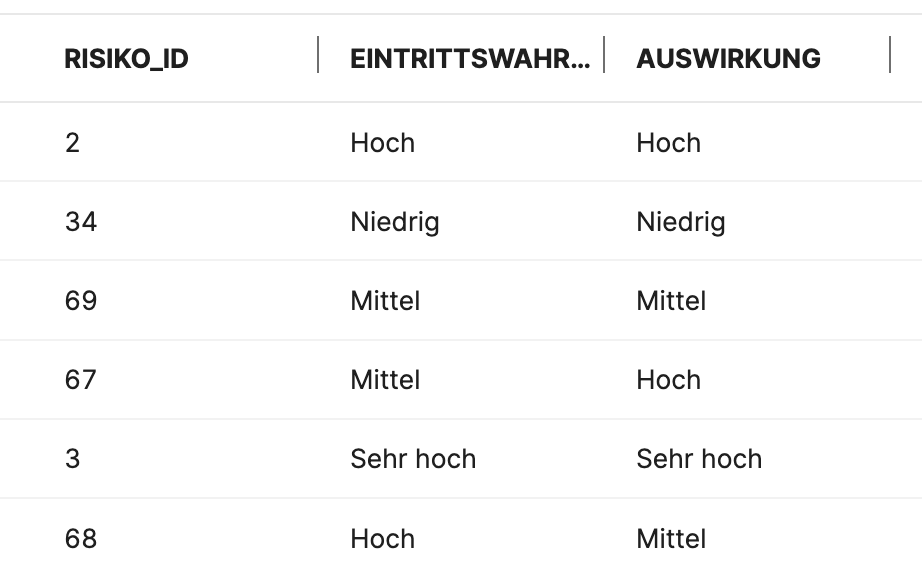
You can plug in your data dynamically within the data section.
Hope this helps, chat gpt should be able to guide you through the rest!