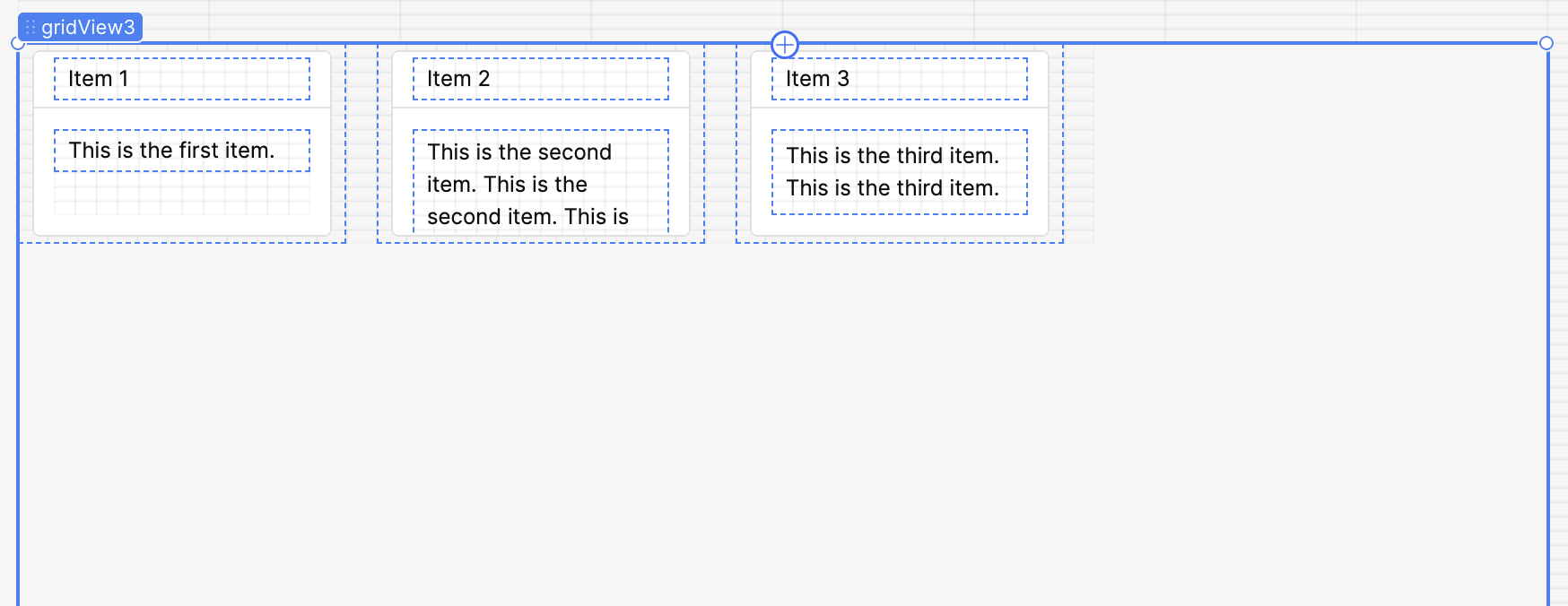
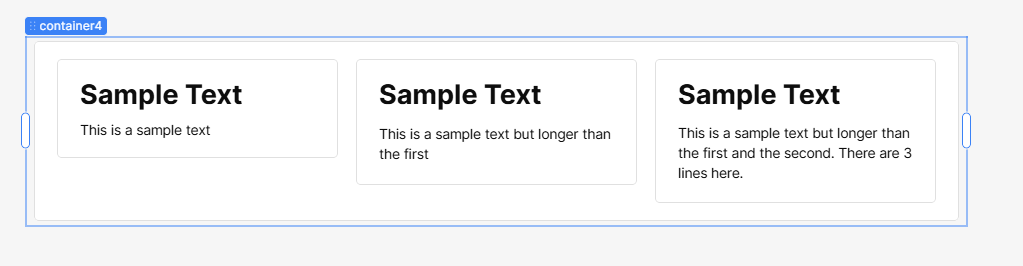
Hey everyone, I'm trying to make my app as responsive as possible and running into some issues with container heights. I have a grid view with some text inside each container set to auto height. I would like for the container heights to stay the same for all elements of the grid view when I change the screen size (ideally they should all line up with the tallest element.
Hi @pench. One solution for this is to add those containers inside a parent container. Then set the Layout -> Display of the parent container to 'stack'. Then set each child container's height to 'Fill'.
You will also have to set the height of the parent container to Fixed. A scroll bar will show but you can hide it by setting the overflow to hidden.
Hey thanks for the reply! They are already inside a parent container (kind of?) because this is within a GridView with auto height.
At a larger size, it looks fine:
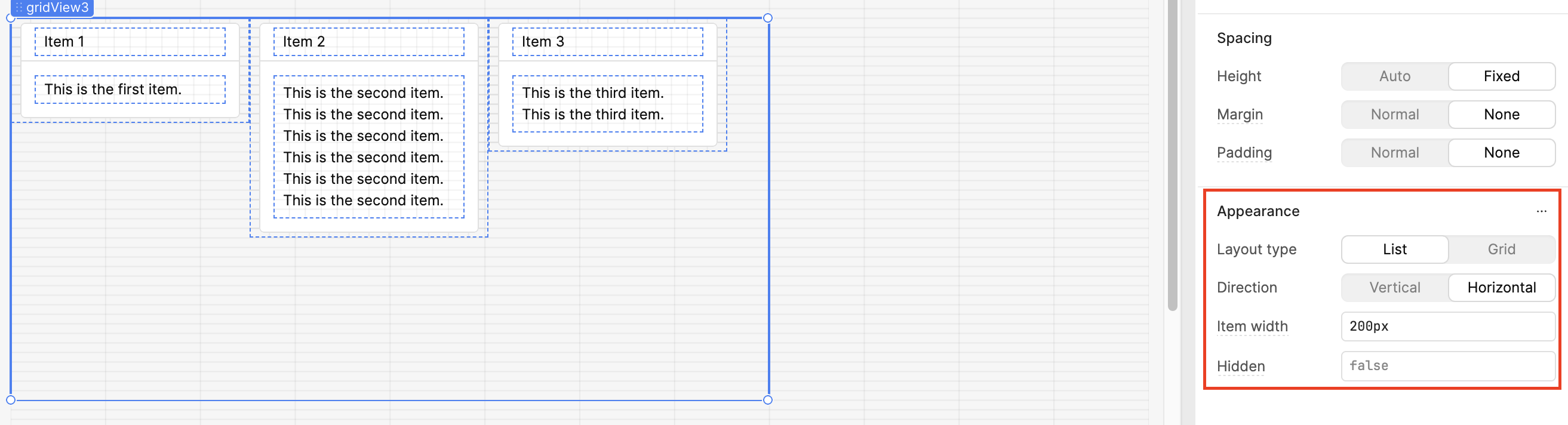
One way to do this on a GridView is to set the 'Layout Type' of your gridView1 to List and its 'Direction' to Horizontal. You can set a fixed width of each item so that when you resize your browser, the width stays the same and you won't have that text wrap.
Another way is to put each item into a 'Container' component (which is what I used on my first reply). But the downside is it doesn't support adding a datasource.
Hey @pench, thanks for sharing the issue, and welcome to the Community! @Christian_Pelitones, really appreciate you jumping in so quickly to help out!
You're absolutely right, at the moment, there's no official way to make the height of containers inside the Grid View component uniform. That said, I spent some time tinkering with the app and was able to come up with a workaround that might help.
Set the Layout Type of your Grid View component to List, and set its Direction to Horizontal.
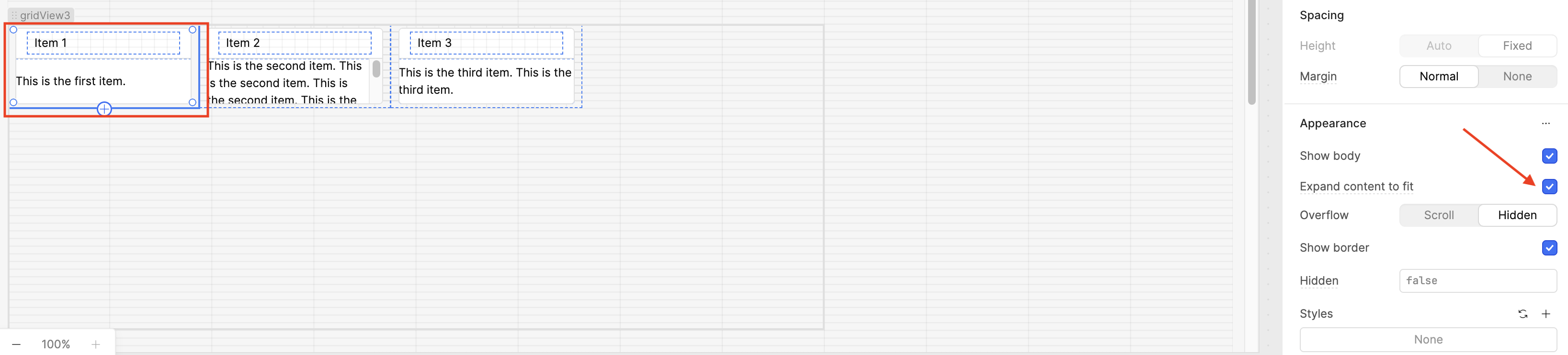
Click on the first container inside the Grid View component. In the Inspect panel, (here's the tricky part) check then uncheck the Expand content to fit box.
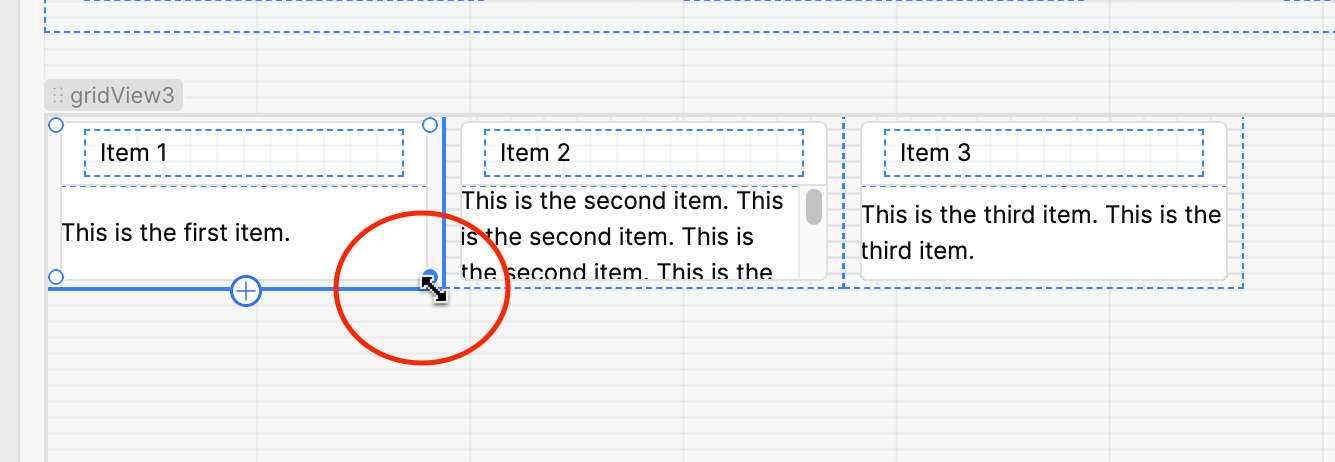
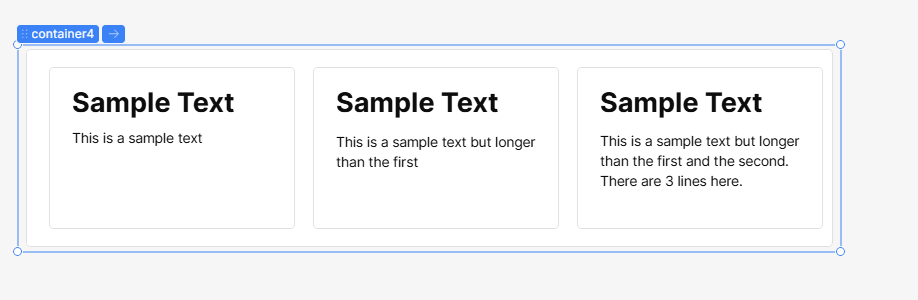
Drag that arrow diagonally to resize the first container, your other containers should follow and match its height for a uniform layout. All your containers should now be the same height, regardless of the length of the content.
Hi @ChiEn - thanks! This kind of works, but because horizontal listview requires an item size in px, while your trick works, the component is not responsive to different screen sizes this way.
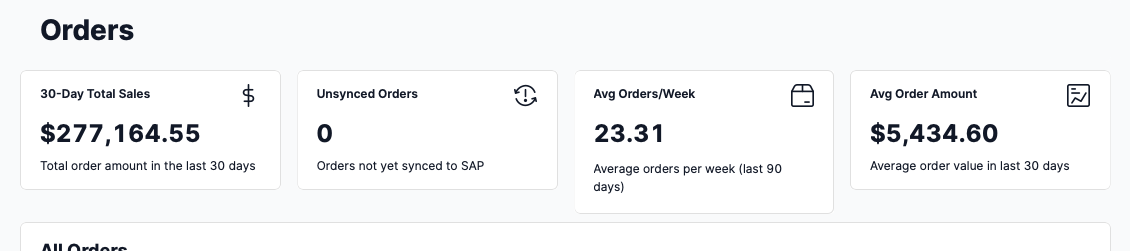
I want the items to still be responsive to different screen sizes but for them to maintain the same height as they do





 check then uncheck the Expand content to fit box.