I'm fairly new to Retool and currently working on building an external form. I didn’t see an obvious option for this, but I wanted to ask: is there a way to place two fields on the same line?
For example, I’d like one field (checkbox) to take up half the page, and another field (options) to occupy the other half, side by side.
Any tips or guidance would be greatly appreciated!
Unfortunately horizontal styling is not possible for Retool Forms all the input fields are stacked vertically in a single column.
You could build the desired layout inside a Retool App using the Form component!
And then you could make this a Public App to allow for users outside your org to access and submit the form. Or use the Retool Form but be limited by the styling options.
@Jose_Luis_Santos_Montiel No, there’s no extra cost. Making a Retool app public doesn’t add any additional charges compared to a regular form. The pricing depends on usage and seats, not on whether the app is public or private.
Asking since it seems possible to create apps where the public user has more access than internal users (based on internal permissioning) - I’m assuming the public user gets the ‘viewer’ access which is defaulted to accessing everything?
The public user will have access to use any resources that are present on the page?
Is there any risk of data leakage? For instance if I’m running a query in the background to facilitate the usage of the application - is there anyway for an end user to access any information that is being brought into the application (but not displayed) ?
By their very nature, public apps don't have any permissions associated with them. They are accessible to anybody with the URL and do not distinguish between end users. For this reason, there are some restrictions on the type of resources that can be queried from a public app.
Yes - end users can generally see the response body of all queries that run on the page, regardless of whether that data is being displayed on the canvas.
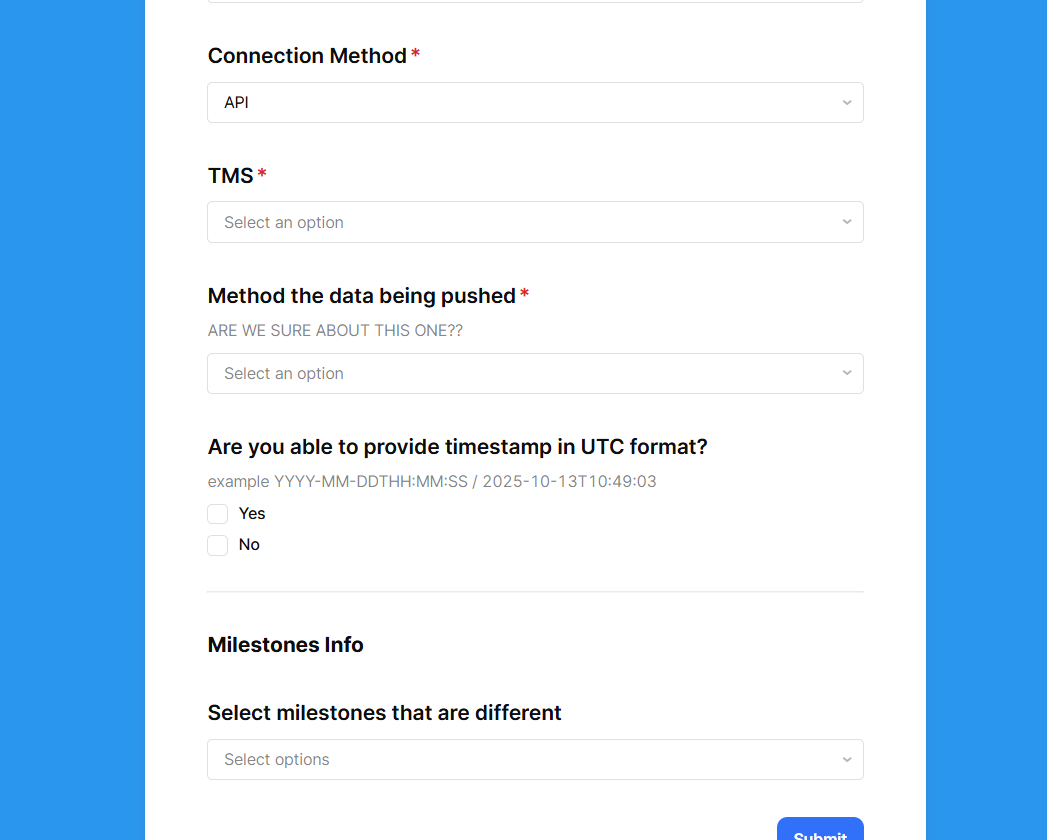
 all the input fields are stacked vertically in a single column.