Current plan level (Free, Team, Business, or Enterprise: Pricing | Retool): Business
Monthly/Annual (if Team or Business): Monthly
Version of Retool (if self-hosted):
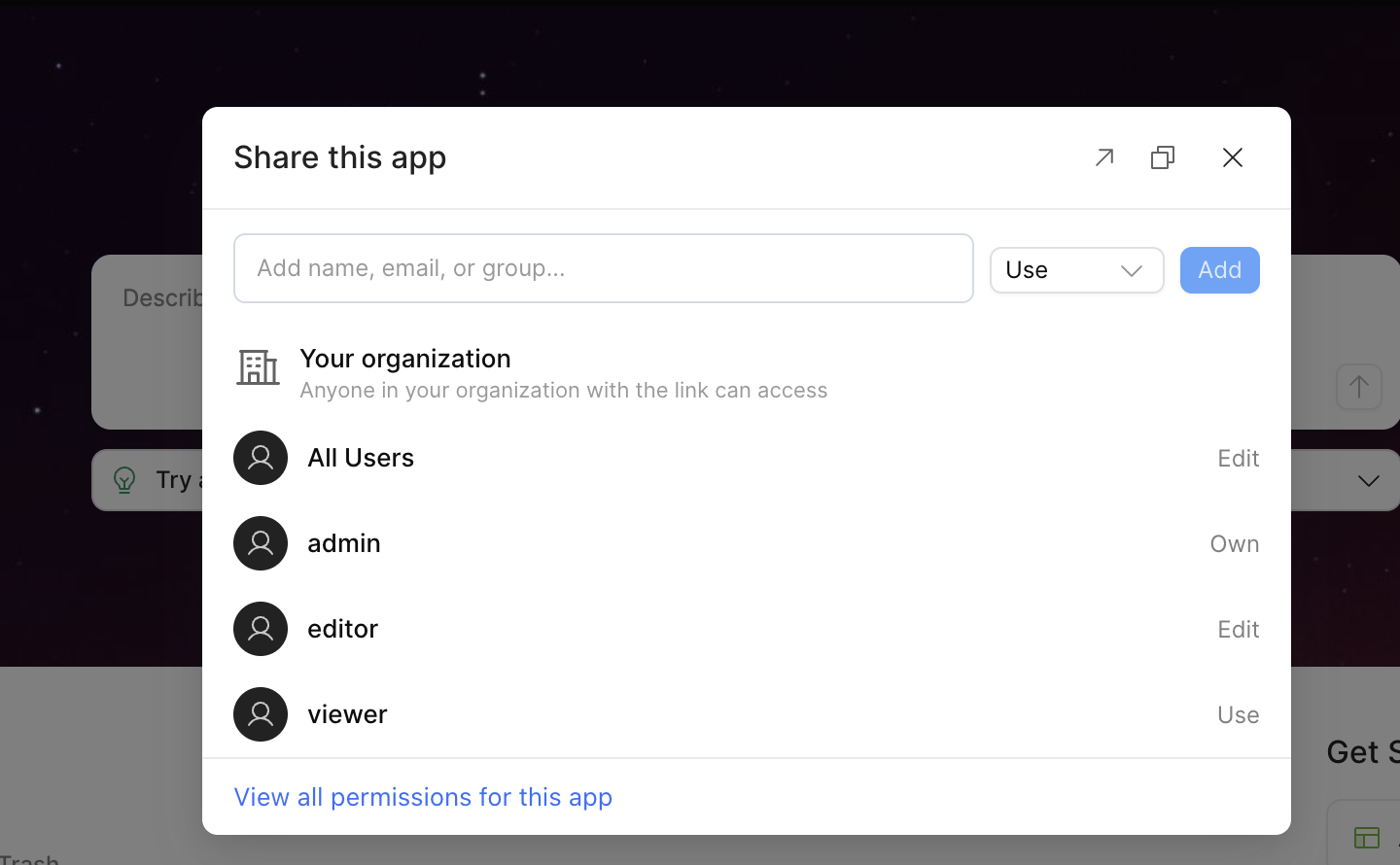
Question / Description: Hello everyone, I just published my first app, but I just saw that the permissions are set to "organization only." I want it to be truly public so that anyone with the link can access it. I've been trying to change this but haven't been able to.
Could someone help me?
Summary
After publishing a first app, the sharing permissions are set to 'organization only' and there appears to be no way to make it a truly public app accessible to anyone with the link (no login required).
AI Response
This is expected behavior rather than a misconfiguration: public link sharing (unauthenticated, anyone-with-the-link access) is currently only available for classic apps and is not yet offered in the new app builder, which is likely where this app was created. Retool staff have confirmed public links for the new app builder are planned to ship in Q4, beginning with Enterprise customers. For now, the only supported route to a public link is to rebuild the app in the classic app builder, since there is no reverse converter from the new builder back to classic. Note that Retool does not currently support fully public, unauthenticated links for the new builder at all—so external access today relies on authenticated flows such as the embed/external-user path.
Sources
 Public link sharing missing for new app builder
Staff confirm public link sharing is currently classic-only, outline that rebuilding in the classic builder is the present workaround, and note public links for the new builder are planned for Q4 starting with Enterprise.
Embed a published app | Retool Docs
Official docs state Retool does not currently support public (unauthenticated) links for apps and document the supported authenticated embed/external-user flow for sharing with people who lack Retool accounts.
The Community Team is testing out a new automation. Let us know if it's helpful (or not) by leaving a  ,
,  , or
, or  . Or by marking this post as the "Solution"! Let us know if you have any feedback here.
Hi @JeffersonSegura.
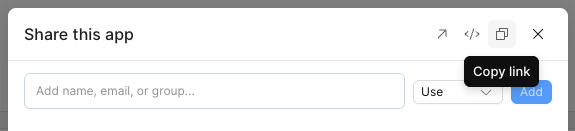
If you’re trying to share a classic app, you can do so publicly by clicking the “copy link’ button in the top right of the modal you can see in the screenshot you provided.
I’ve also provided my own here:
Here’s a Retool wiki page outlining this feature: Preview and share classic apps with users | Retool Docs
I’d be interested if this is the same for apps created in the new app builder.
I hope this helped!
1 Like
Thank you @Welsman, but my app isn’t a classic app, I’m using the new app editor, I read that this public link is not yet available to new app editor, and that I also cannot convert my current app into a "classic" app—is that true?
I’m running into a lot of issues because of this; I just finished an app that I needed to make public for everyone, but now they have to log in to Retool in order to use it. 
Hi @JeffersonSegura, welcome to the forum! And thanks @Welsman for jumping in, you're spot on for classic apps.
Thanks for confirming that this app is from the new app builder and I'm sorry that this has been giving you trouble!
You're right on both counts: public links aren't available yet for apps built with the new app builder, and there's no way to convert a new app builder app back to classic. Our Product team plans to ship public links in Q4, starting with Enterprise plans before considering expansion to other plans. Details are in this thread. I'd recommend watching it and adding your +1 there.
In the meantime, your options are:
- Rebuild the app in the classic builder if it needs to be open to anyone without a login. Classic apps support public links on the Business plan.
- Add the people who need it as External Users. They'll still need to sign in, but they won't be full members of your org, and Business plans include 50 external users per month at no extra cost.
Happy to help further if needed!