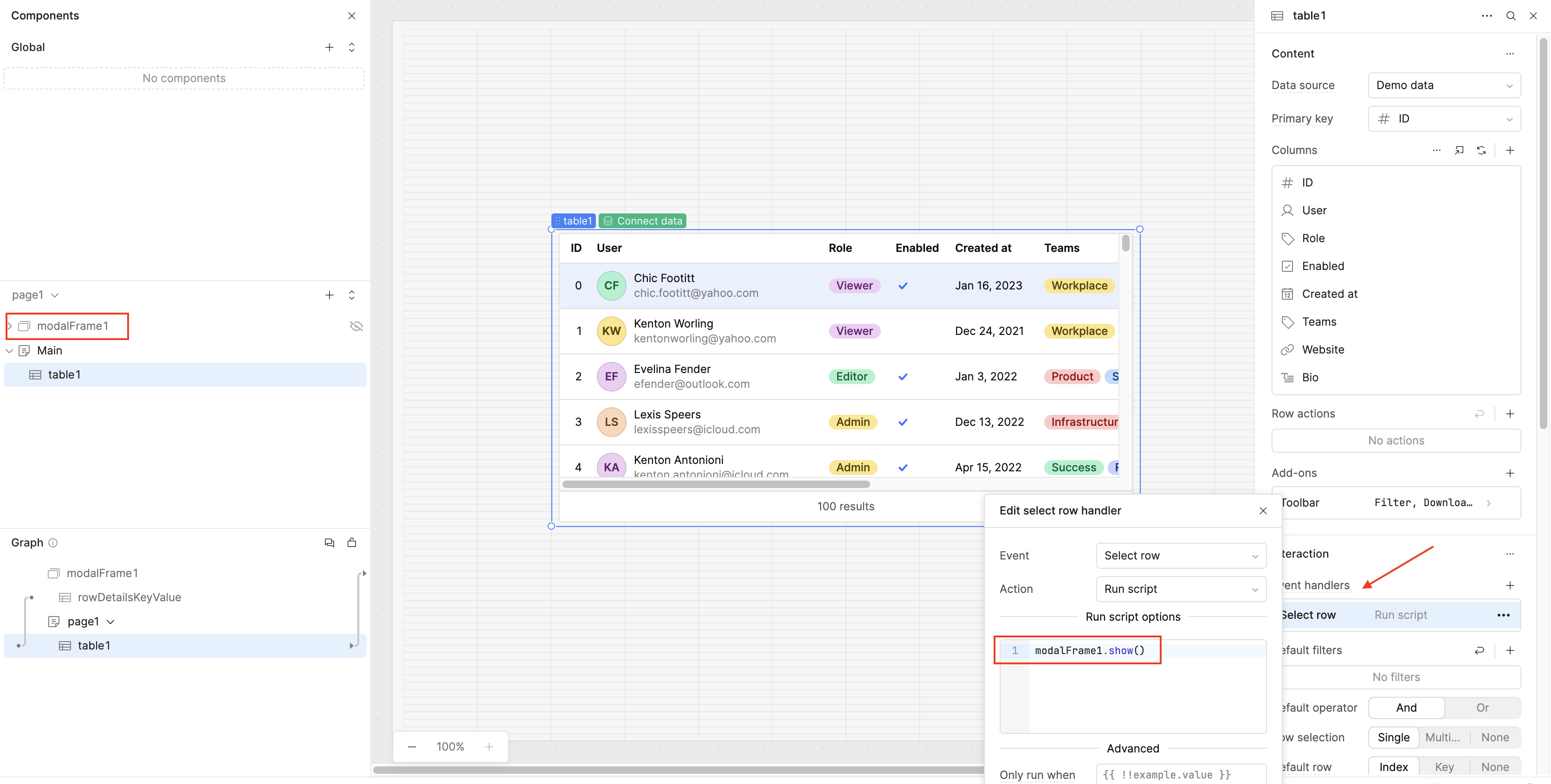
I want to configure a way for my users to open a modal window with more information about a specific table row.
I've read Opening modal on click of table row and both suggestions mentioned sound great, however, the custom column certainly seems more elegant (no hidden modal buttons).
Question:
Is it still possible to create a custom column of type Modal that opens a modal window? I can't seem to find this functionality anywhere in the new table component.
Is there a way to configure a model to open from a table row Action that doesn't require me to use a hidden Modal button?
Been awhile everyone, coming back to update this topic with the latest way to open a modal from a table row! The Legacy Modal component is now deprecated. The current version is called Modal Frame and it has been available to everyone for quite a while now, so most of you have probably already used it!
On your Table component, go to Inspect, add an Event Handler, choose Select row or Click row, then set the Action to Run Script with modalFrame1.show(). Just make sure to replace modalFrame1 with the actual name of your Modal Frame component.
 The Legacy Modal component is now deprecated. The current version is called