Hello
I am writing about some login requests that arrived at my email this morning. My account is connected to two Retool organisations. So, when I log in with a username and password, I usually receive a message saying it is not allowed.
When I log in via Google, instead, I am redirected to the default organisation.
This morning, I received an email with the subject "Choose your Retool organisation to log in" and two links to the different organisations (obviously, I didn't click).
Is this what happens when you try to reset the password? If this is the case, I suppose it could be a phishing attack. What do you think?
Many thanks for all your support.
Best Regards
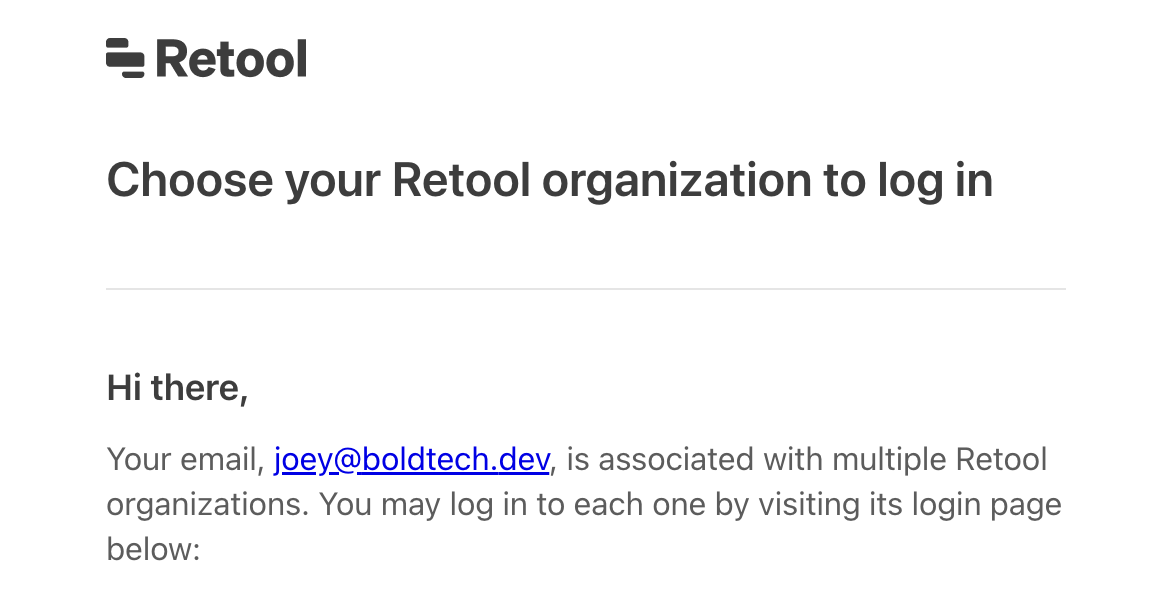
Hey @marajah I get the same screen here - no way to be certain exactly what you are seeing, but figured this would help!
Hey @marajah, welcome to the Community, glad to have you here! 
Thanks for reaching out and for being cautious about unexpected emails. The message you received with the subject “Choose your Retool organization to log in” is likely a legitimate Retool email. We send it when a login attempt is made with an email address that is associated with multiple Retool organizations.
How are you doing? Do you still need help? If you are unsure, please share a screenshot of the email content and the sender address so I can confirm.
I need to specify that I became suspicious because I always receive that kind of email after logging in; to me, it meant that someone got my password.
Trying to repeat the entire process, I think I've found the issue: I never use this functionality, but it's possible to log in using one-time links received via e-mail. So, someone tried to log in to my account, in a common malicious activity, asking to log in via email. Usual kid-scripting activities, nothing serious.
Thank you all for your help and assistance.
Hey @marajah, just to clarify, this is expected behavior. Since you are already logged in, the email is showing you all the Retool organizations associated with your email.
If you want to avoid this, go directly to your organization’s login page, for example https://<subdomain>.retool.com/auth/login. Hope this helps, thank you! 
Hey been awhile! @marajah, just checking in to see how you’re doing and if you still have any questions about this topic?