- My goal: I’m trying to use my mobile app, and have a smooth, uninterrupted experience zooming in and out.
- Issue: However, when I try to fill in an input box, Retool automatically zooms in on the box. This is fine, except when I zoom out to see the rest of the app, it interprets this as a request to reload the entire app. Furthermore, upon reloading, it then ports to a failure screen, saying “A problem repeatedly occurred on [our website]”
- I’m not sure why this is happening; when I zoom out on any other static page (like Wikipedia) it doesn’t reload the page and app like this. This is really frustrating because often times, we are in the middle of completing a process like assigning an essay, when it resets our progress, or the app fails entirely and we can’t use it.
- Steps I've taken to troubleshoot: I’ve tried looking up any features in Retool that might be causing this, like an extra mobile property, but couldn’t find it. I’ve also tried doing this on different wifi networks (some fast, some slow), but the error pops up on both.
- Additional info: (Cloud or Self-hosted, Screenshots) This is on Retool cloud, using the “show on mobile?” features in Retool’s app development. I’ve recorded a video of this happening on our devices, which are modern-day iPhones. (generation 16)
Hi @Jeffrey_Yu,
Just watched the video, that is very odd behavior. Are you using two finger to zoom out? I have noticed that mobile browsers can often times think that a hard 'zoom out' is the user trying to go to the tab navigation, but even in that case we on the Retool side should not try to reload the entire app.
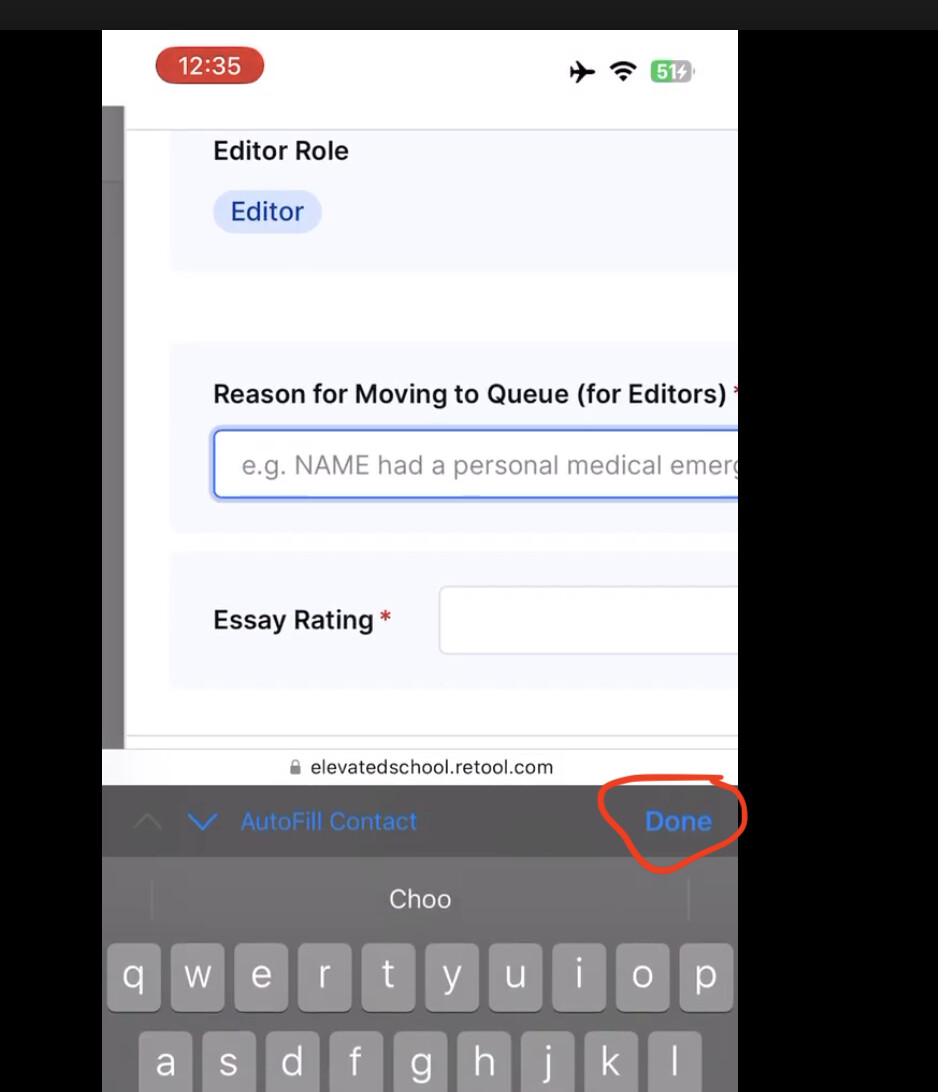
I can flag this behavior to our mobile team, as a work around, have you tried tapping on the 'done' button from the text input pop up? This should reset the app to default zoom after an input field has been entered without the mobile browser thinking you are trying to leave the browser tab.
Hi Jack,
Thanks for looking into this! Yes, when the app IS working, I usually just click “Done” and then zoom out. However, I notice when I try to use the mobile app on a fast wifi connection, it works just fine.
I think perhaps the issue occurs when I’m trying to use the app on a slow wifi or data connection. I’ll keep an eye out on this though and leave any updates I find in this thread!
Hi @Jeffrey_Yu,
Ok good to hear, the zoom out functionality can vary by mobile devices and may be inconsistent, but clicking 'Done' should consistently close out of the typing window.
That is interesting that you are noticing different behavior based on the wifi 
Maybe a slow data connection or slow wifi is causing the finger touch/drag event on the mobile device to occur repeatedly due to lag.
Yes let me know if you have any other updates 
1 Like