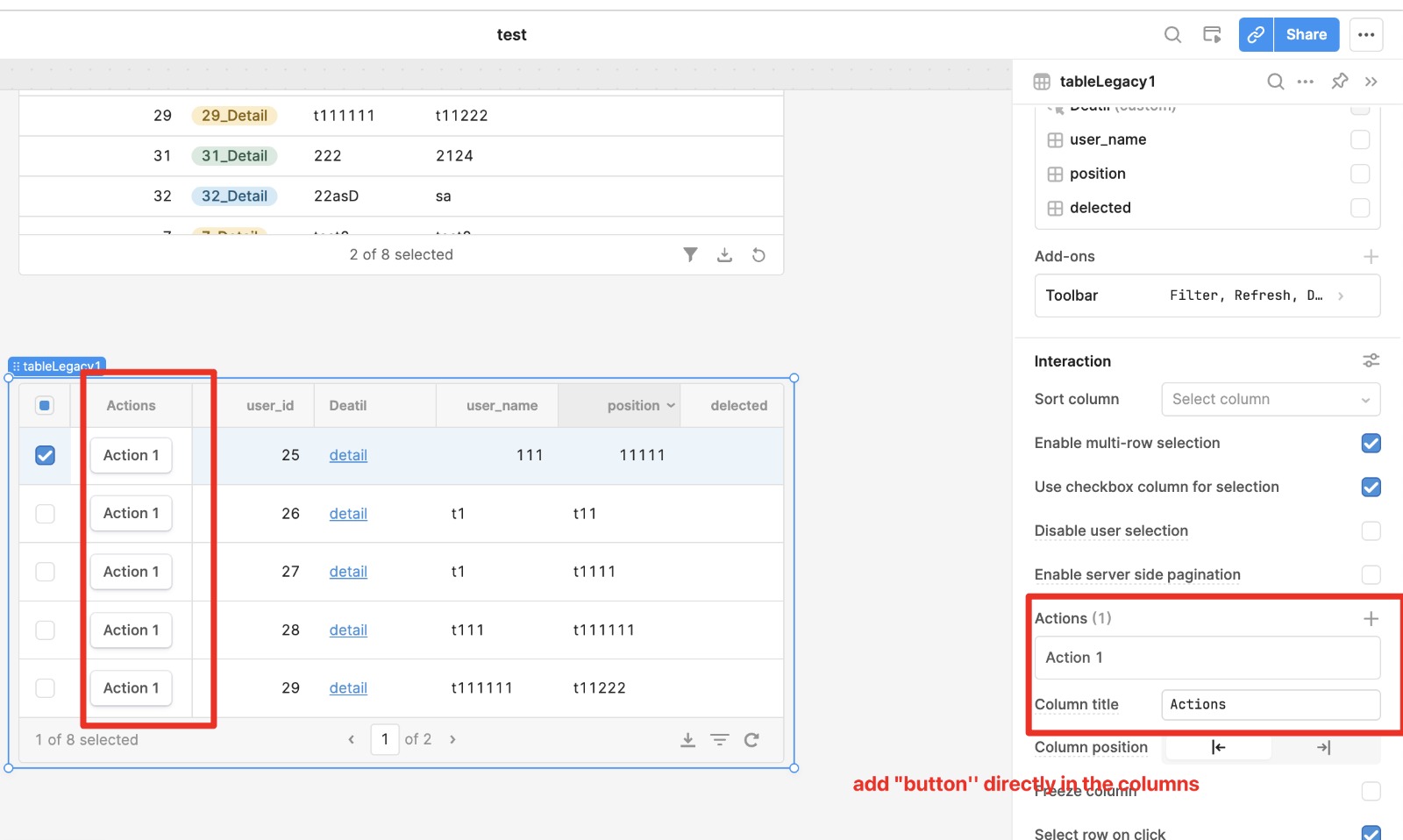
I'm seeking help on creating a popup view button inside the new Retool table. We achieved this in the legacy table but are struggling with the new version.
Any tips or guidance would be greatly appreciated.
The new Table components don't have a Modal type column. Our currently recommended workaround is:
Use a Button type column
Add a regular Modal component anywhere in your app
In the Modal's settings, set its Hidden property to true
Add an event handler to Control Component > modal1 > Open or Run Script > modal1.open(), where modal1 is the standalone Modal that is hidden from the canvas (so it can only be opened from the table)
Let me know if something like this might work for you, or if you need any clarification getting this set up!
Also, plugging our new Drawer Frames, as they might be helpful here!
Hey all! Coming back to update this topic with the latest way to create a popup view button inside the latest Table component. The Legacy Modal component is now deprecated. The current version is called Modal Frame and it has been available to everyone for quite a while now, so most of you have probably already used it!
Here is how you can set it up
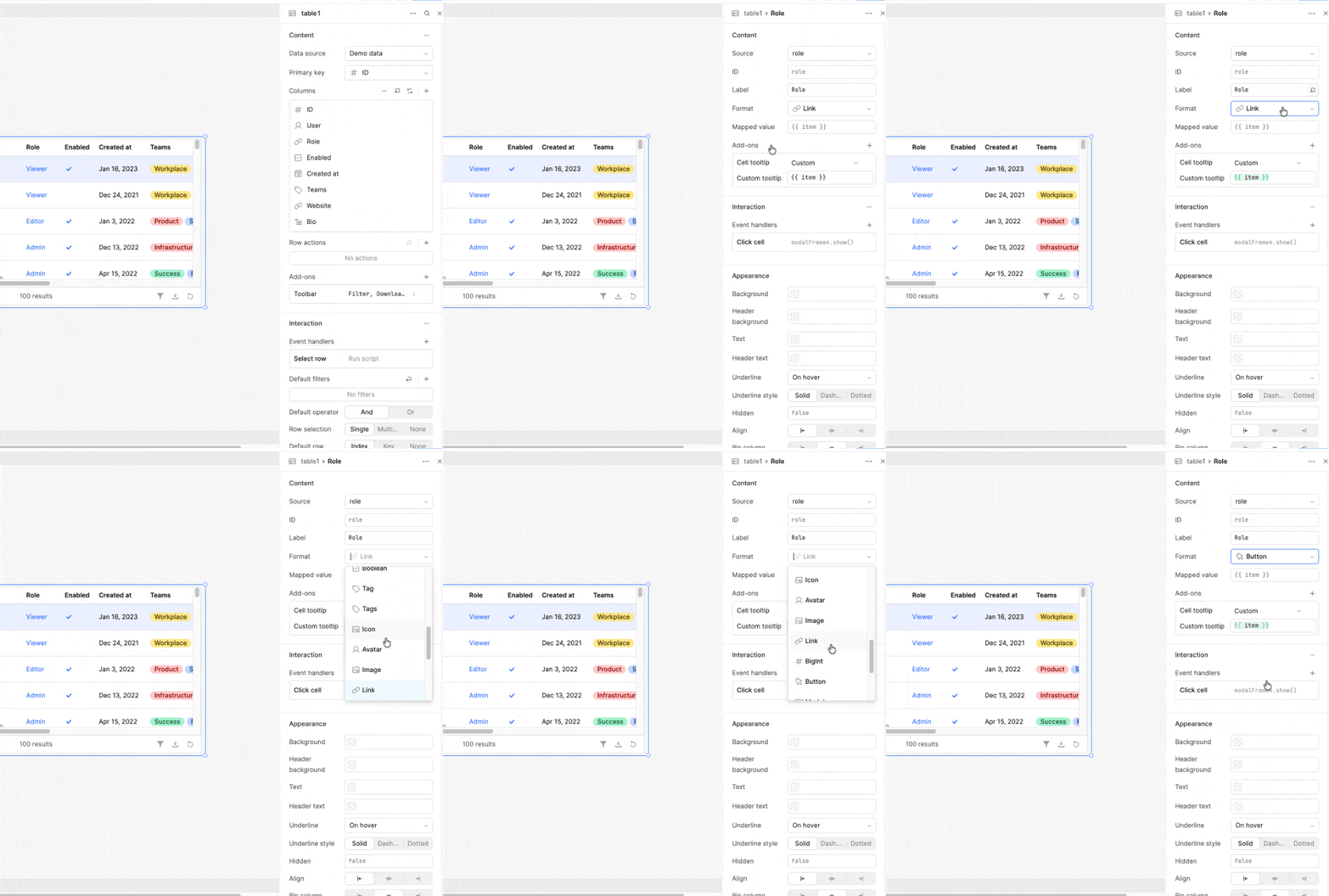
On your Table component, go to Inspect, select the column you want to turn into a button, and change the format to Button.
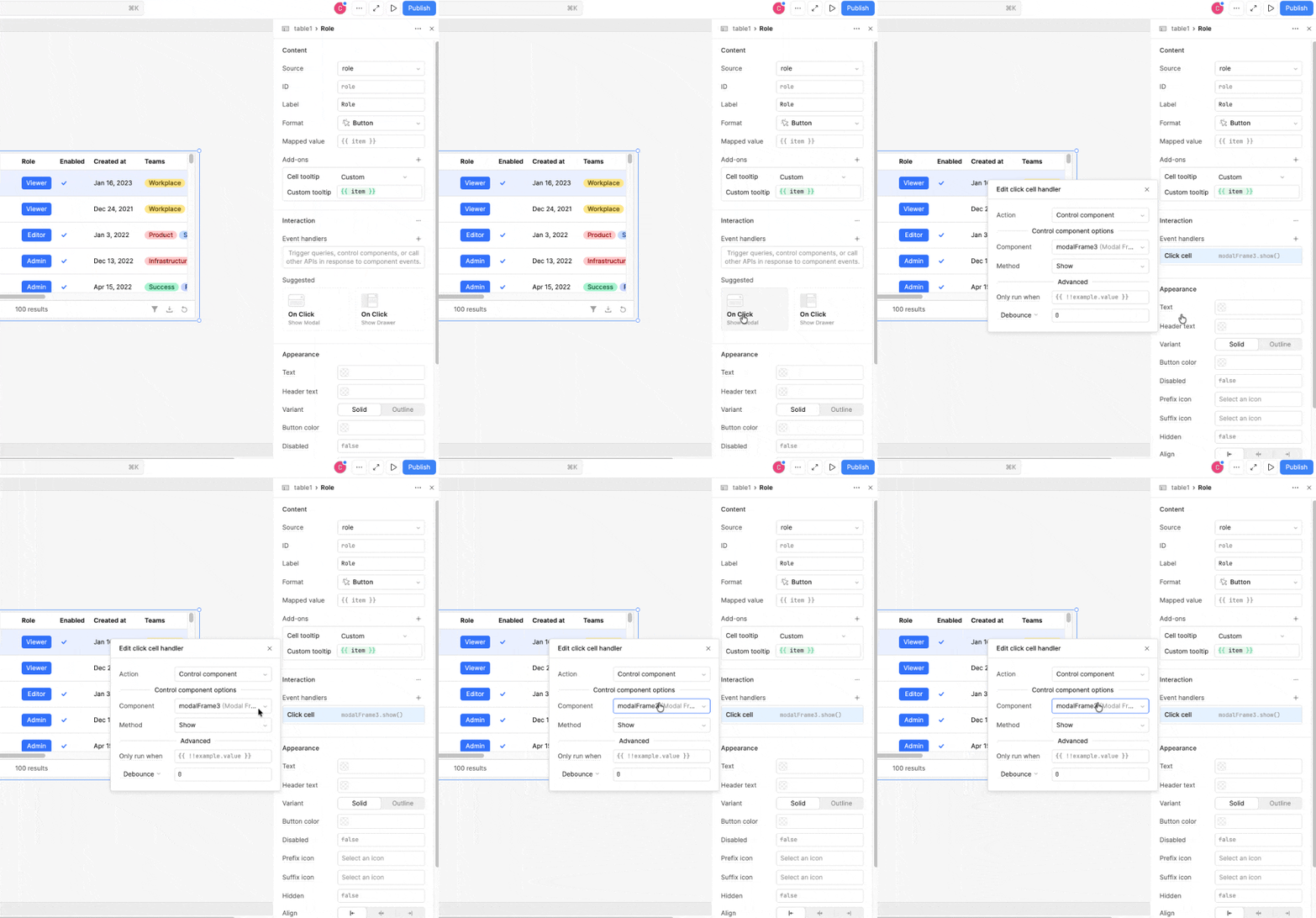
Add an Event Handler for On Click, choose Show modal, and select the Modal Frame you want to open.
Let me know if you have any questions. Happy building!

 The Legacy Modal component is now deprecated. The current version is called