I am experiencing an issue with the code editor within components (Script Editor). While actively typing code, the cursor frequently starts jumping automatically, deleting characters, or inserting unwanted newlines. This makes effective coding nearly impossible.
Just to add my 2 cents, there's this very long thread on this topic here:
I can confirm that this happens to my a lot, but exclusively when writing code in the event handlers within components (same as your video). Doesn't happen at all (or almost never) elsewhere.
I too feel the UI is every day less reliable for effective coding. Just my humble suggestion: it should be important to make sure that nothing disturbs code writing. What ever internal process is triggered it should never disturb coding. This is a low code platform but this only makes the little code that’s needed even more important. If the input field suddenly creates a new line, or a space, or it looses focus, it makes coding very ineffective.
Thanks for reporting this on the Retool community forum.
I was able to reproduce this in my own testing via what appears to be most modal pop-ups for code editing. I began typing, did auto-completes, delete a few characters, etc more auto-complete, and the cursor would jump around a good bit.
We have an internal bug on this which was linked for the original Community thread that Miguel shared as well. I went ahead and added you and your team as a +1 on it and even myself as I was able to reproduce this on the latest Cloud version too.
The bug is marked as high so hopefully we get some progress or a fix on this soon. Let me know if you have any other specific steps or situations where it always occurs and I can reproduce this to the team.
I was away from Retool for a time, and now that I come back I find that this issue has gotten worse!
For example when renaming a resource, if in the process the name clashes with another resources, the focus will jump automatically to the end of the line, which is annoying because I am writing something for example at the start of the line, and suddenly it has jumped to the end. Also it will sometimes restore the original name, which is even more annoying (I have many resources so I forcefully have to be using long names) because I am typing the new name and when I finish typing it is not what I meant it to be.
When writing code in any field that accepts code it will constantly make the focus jump to line end.
Tested on latest version of Chrome and Firefox, on Retool Cloud.
It seems that you have made the UX to be even more intrusive then before. I get the why, it is just that seeing some of the messages in this forum it is clear that many Retool employees faill to see how differently each user can be using each Retool feature, meaning: a nice automation for one person can be a nightmare for another person!
So in the end if the UX is doing the opposite of what I intend to do, the UX is basically fighting me and making code edition a real pain.
Thanks for sharing your feedback and flagging a similar issue. I wasn’t able to reproduce this in the way you described. Would you be able to provide some more detailed steps on how this issue occurs for you?
Since this issue is different than what was originally reported here, we can follow this on the community post you raised here
Thank you and look forward to hearing back from you!
 I was able to reproduce this in my own testing via what appears to be most modal pop-ups for code editing. I began typing, did auto-completes, delete a few characters, etc more auto-complete, and the cursor would jump around a good bit.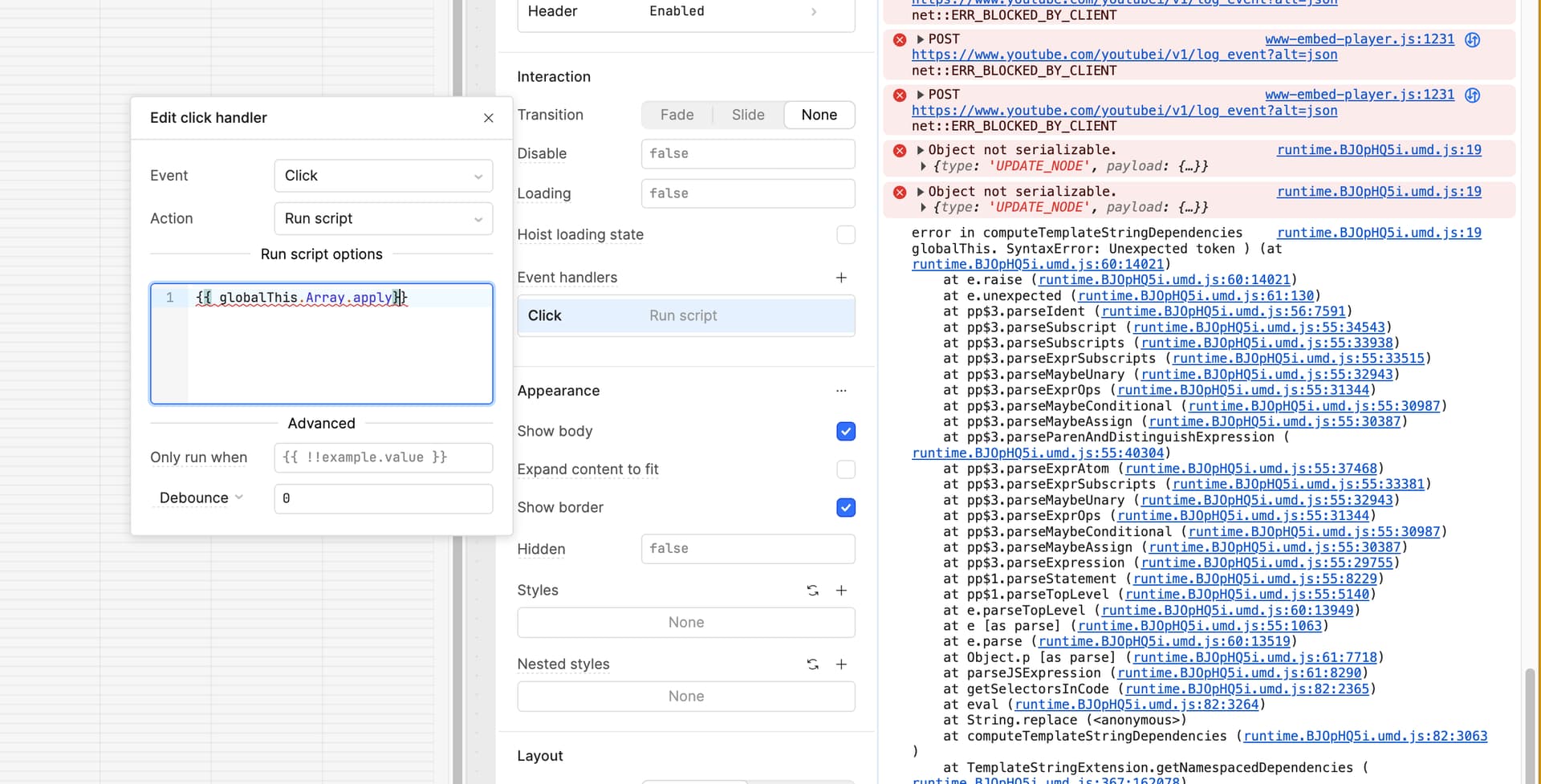
 We have an internal bug on this which was linked for the original Community thread that Miguel shared as well. I went ahead and added you and your team as a +1 on it and even myself as I was able to reproduce this on the latest Cloud version too.
 The bug is marked as high so hopefully we get some progress or a fix on this soon. Let me know if you have any other specific steps or situations where it always occurs and I can reproduce this to the team.