- My goal: Add My App to Homescreen on Android
- Issue: When I click the “Add to Homescreen “ in chrome on android device, is not giving any error message but is not adding the app to the homescreen
Hey welcome back to the Forum! @lcverduzco
Thanks for flagging this! I believe this is a Chrome issue. When we were trying to reproduce it on Chrome on an Android device, pressing the button didn't work, but dragging the icon did. Can you try that?
Hi @Chien, thanks for your response. I think we might be talking about two different things, because I don't get what you mean by 'dragging the icon' in the context of Chrome.
Let me show you what I am doing.
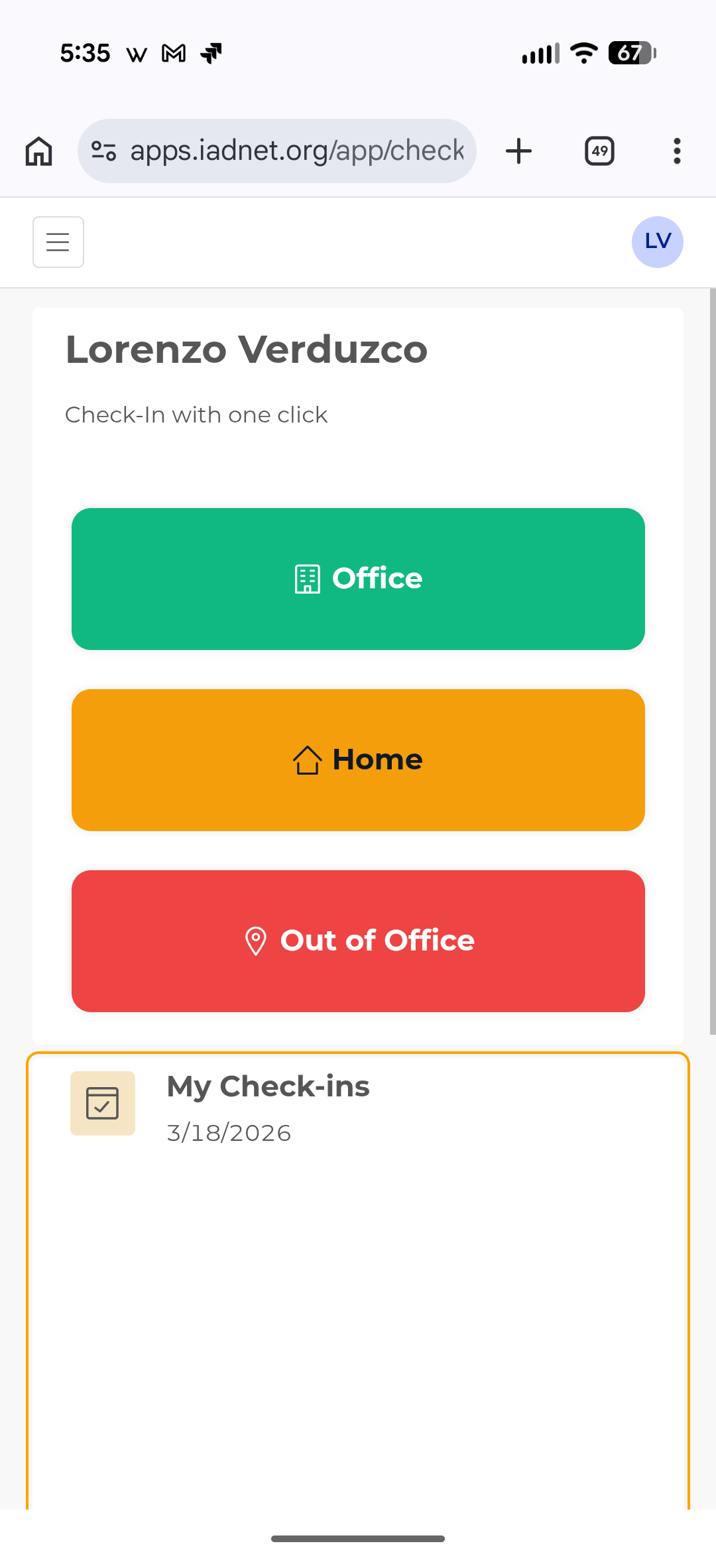
My retool app is not a mobile app is a “web app“, here are the steps that I am following.
- I open the app in chrome on my android device
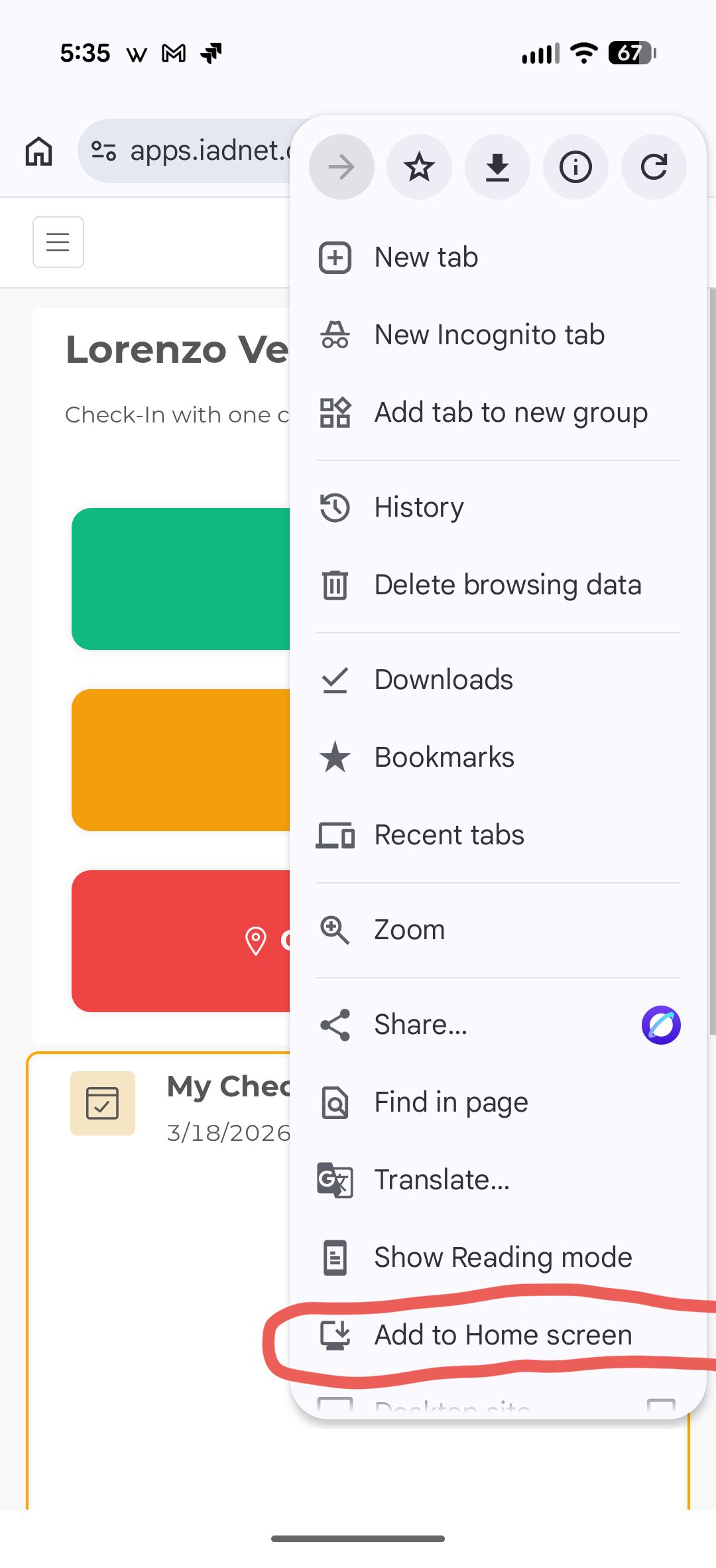
- I want to add the app to my home screen. I think it is considered a shortcut. I click on the menu “Add to Home screen“
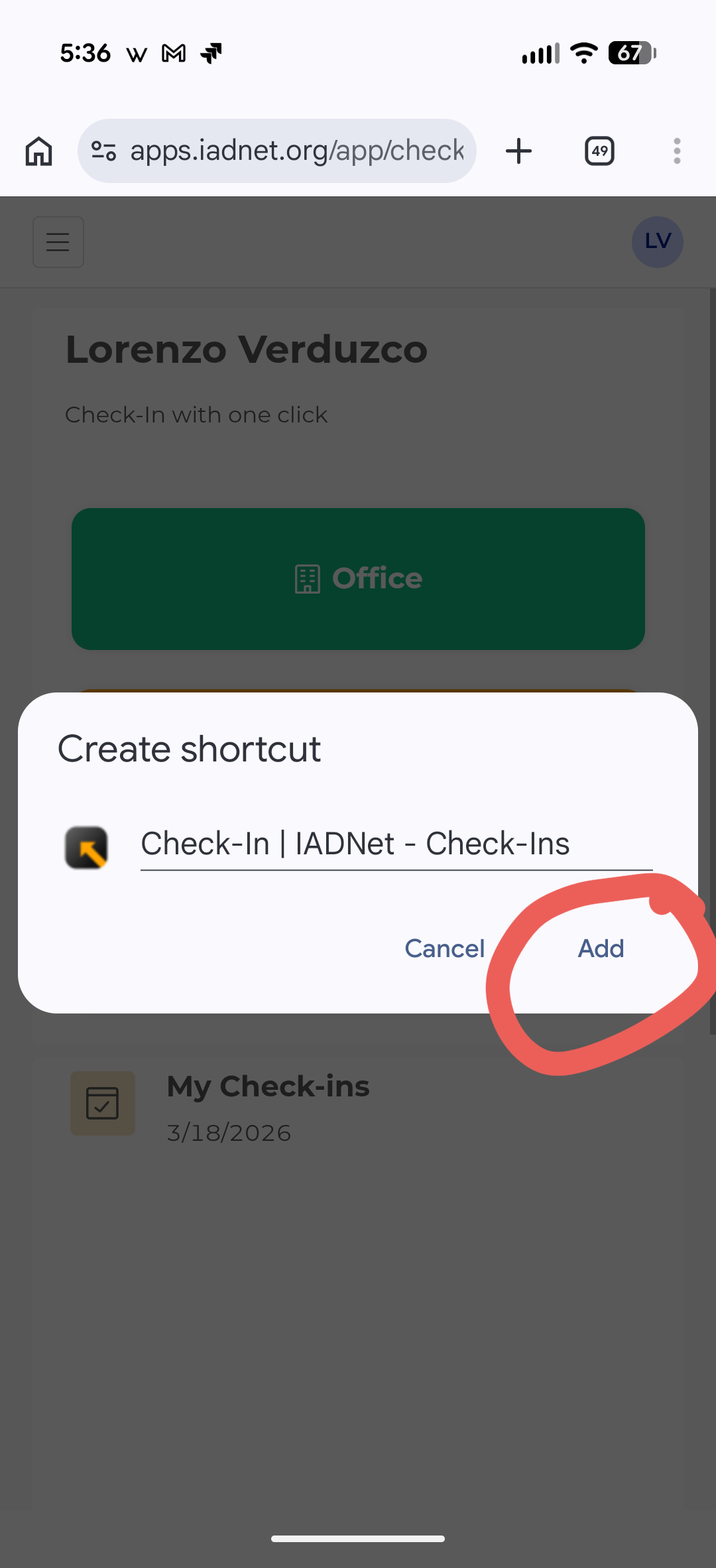
- It opens a modal with the icon and the name of the app. I click 'Add', and nothing happens.
Thanks for the help.
Hello again @lcverduzco Sorry for the confusion! What I meant to say is: if you click "Create Shortcut" from the Chrome browser menu, you should then be able to drag and add the icon to your home screen. Can you try that instead? 
Hello @ChiEn , I don’t see that option on the Chrome browser menu. Could you be so kind as to share a screenshot with me?
Thank you.
Sorry I shouldn't been clearer, do you see this pop up "touch and hold the widget to move it around the home screen" when you click "Add to home screen"?
"I don’t see that pop up. I don’t know why. This is strange.
Hello again @lcverduzco do you mind sharing a screen recording of the Chrome behavior you're seeing? If a screen recording isn't possible, a couple of screenshots would work too. I'm having a hard time picturing the issue without a visual. Also, if possible, try to join us for our weekly Office Hours. It's much better to debug live on video. Thank you!
Hi @ChiEn , sorry for not answering sooner but I was on a short vacation  .
.
Here is a short video of the behavior, after clicking the add button nothing happens.
Thank you.
@lcverduzco oh no worries, hope you enjoyed your short vacation! 
Thanks for the recording, that's interesting, do you have the latest version of Chrome?
Hello @ChiEn , the Chrome app is up to date.
Hey @lcverduzco, got word from our engineering team, this is likely a Chrome issue. It's a known bug where Chrome on Android doesn't always allow adding websites to the Home screen. A quick Google search will show this is a widely reported Chrome bug, so you're definitely not alone!
Hi @ChiEn , that’s bad news. But thanks for the clarification. Hopefully, Google will address this bug in a future Chrome update.
1 Like
I hope so too!! All the best  Thanks for checking in with us!
Hi @ChiEn Quick update: I was able to get it working. I cleared the Chrome Android app's data and cache, specifically the app data in the device settings, not just the browser cache, and it started working right after..
1 Like
Thanks for the follow-up, @lcverduzco!
1 Like