I have an app that works in editor, but doesn't in preview. I've checked they're on the same version, tried publishing new versions and reverting to old ones, duplicate and creating resources from scratch, downloading the TypeScript app and creating a copy app. Basically I have a query (uploading file to GCS) that seemingly never completes and never times out according the status in the bottom right, however the console shows my logging that a response was returned. This all happened after I introduced a staging environment (which I've tried removing etc.). Kinda at my wits end, because it definitely works in Editor. What might I be missing?
Hey @sk-benbateman welcome to the forum!
When entering preview mode, do you get an error stating an issue with any url parameters you may be passing? I've noticed that the auto-appending url parameter in preview mode ?releaseVersion=latest can get in the way of any other possible url parameters you may need to pass for filtering specific data if your SQL query has any clauses like "WHERE id = {{url.params.id}}".
When entering preview mode, simply removing ?releaseVersion=latest from your url should fix the issue where no data gets returned.
Is that what's happening? If not, it's very useful for people replying to your post if there's some context to go from via a screenshot of the error message on your page when the error is triggered, an expanded console.log of the error and it's reason for triggering, etc.
Hopefully it's an easy fix! 
Thanks for the suggestions. I've removed the releaseVersion from the URL when testing in preview and have even specified previously working version, which no longer works either (unless in editor). I don't use any params in this app, like the ones you suggested. The specific resource that's being triggered is one that uploads a file to a GCS bucket. This is managed in a list of tasks through javascript.
Here are some screenshots, from what I can share. I just ran another test on a version that worked previously.
Editor mode - works
I've reverted changes to the same version that I test in the preview below and compared changes to make sure it's exactly the same.
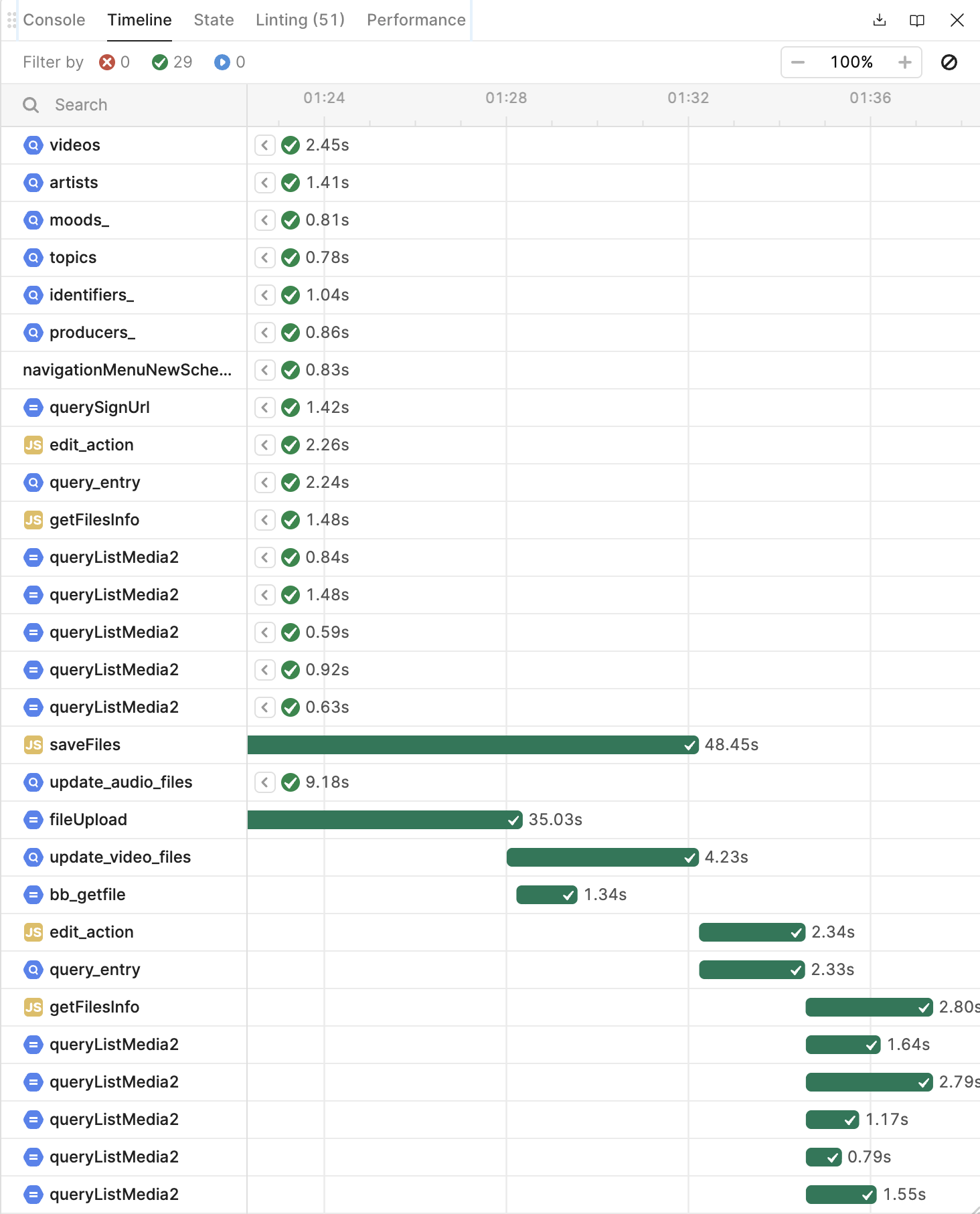
You'll see in the timeline that fileUpload completes in about 35 seconds and continues fine.
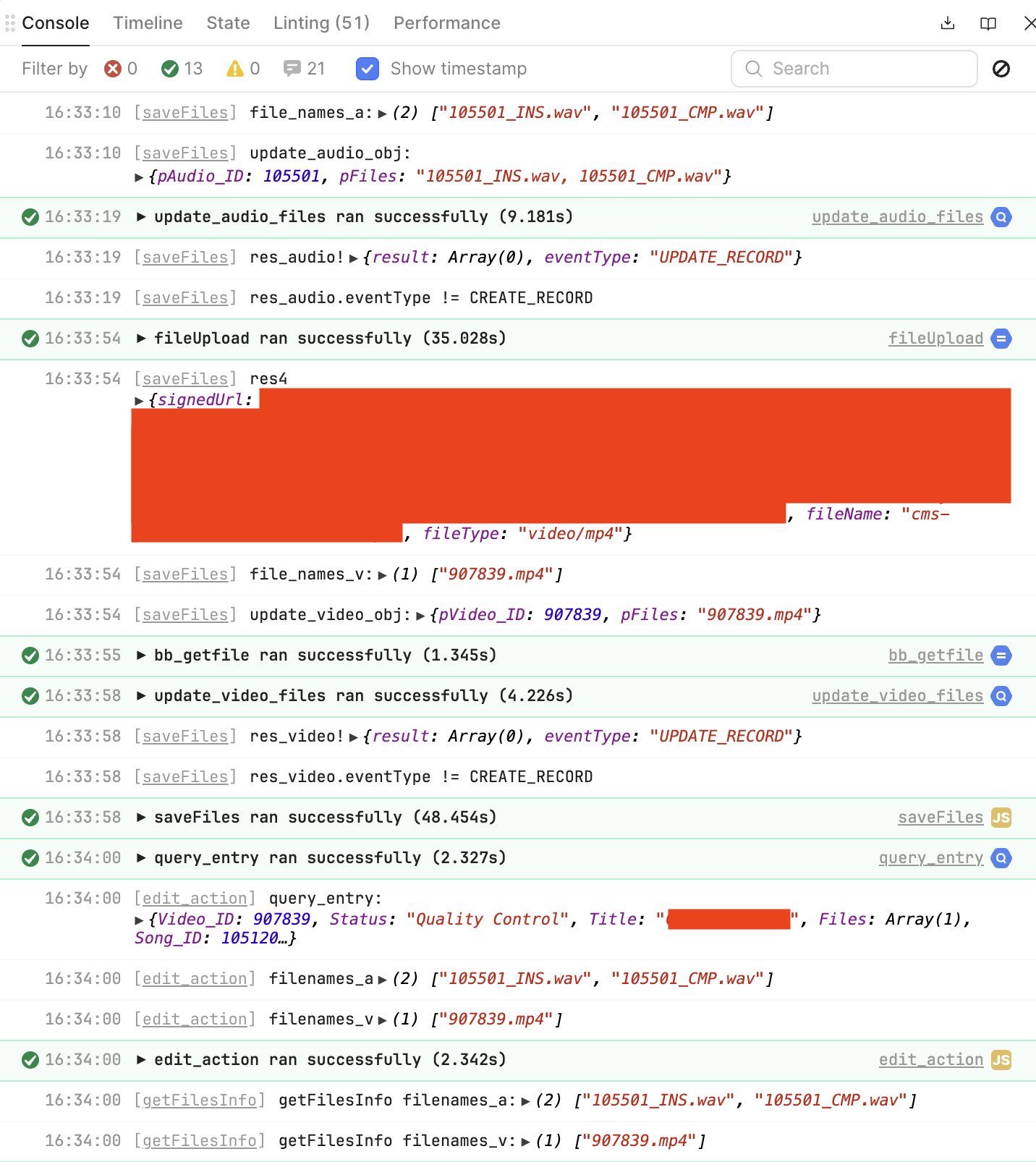
The logs echo that it was successful.
Preview mode - doesn't work
So, running in preview mode (not editor) making sure that the releaseVersion parameter is correct.

In the timeline, you'll see that saveFiles is the script that is driving 'fileUpload' and that seems never to complete. I know it says 233 seconds here (we're uploading an MP4 to GCS) but this continues indefinitely every time I've tried.
Here are the logs:
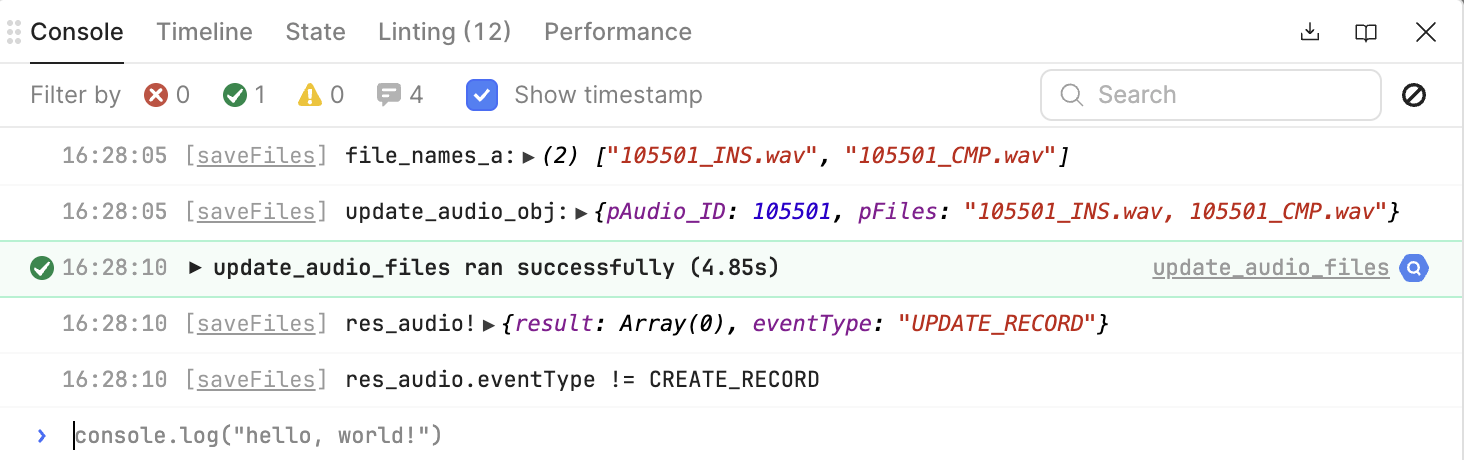
You'll notice that it doesn't show that a response is returned in retools debug console, but in Chromes console I actually do see it's finished uploading, how we would expect:

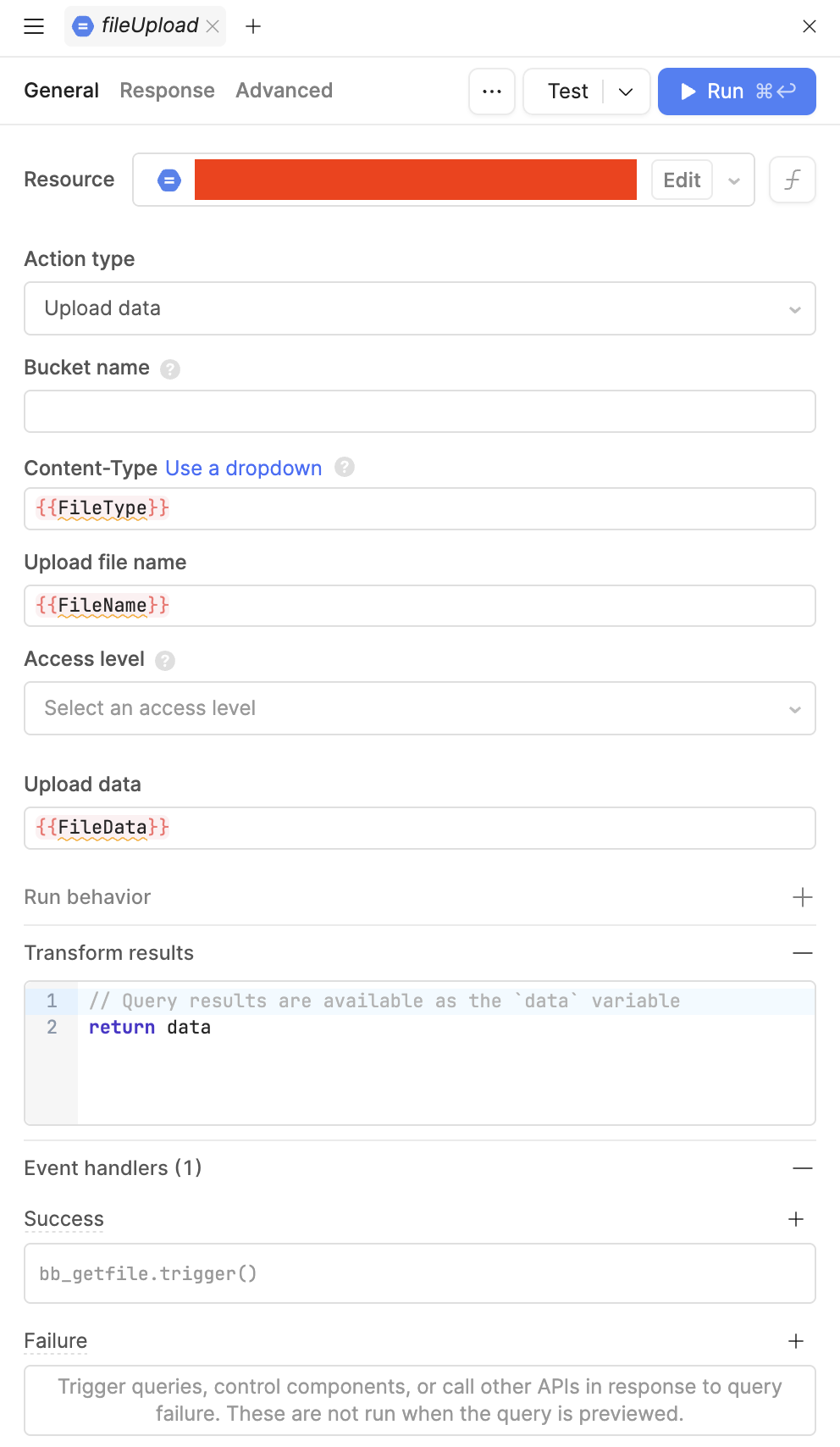
Here's the relevant lines in saveFiles as well as a screenshot of the GCS resource.
...

  let res4 = await fileUpload.trigger({
    additionalScope:{
      FileType: mManagerFileButton4.value[0].type,
      FileName: folder + filename4,
      FileData: mManagerFileButton4.value[0].base64Data,
    }
  });
  if (file_names_v.indexOf(filename4)==-1) file_names_v.push(filename4);
  console.log("res4", res4);
}

console.log("file_names_v:", file_names_v);

//video update
let update_video_obj = {
  pVideo_ID: video_id,
  pFiles: file_names_v.join(", ")
};
console.log("update_video_obj:", update_video_obj);

const res_video = await update_video_files.trigger({
  additionalScope: update_video_obj
})
console.log("res_video!", res_video);
if (res_video?.eventType != "CREATE_RECORD") {
  console.log("res_video.eventType != CREATE_RECORD");
  //return false;
}

edit_action.trigger();
Any thoughts would be appreciated. Very much at a loss here. As I said, everything worked before I added staging environments to all resources - which I've tested against both and again staging works in Editor but not Preview.
I've inherited this codebase, and it's not the best, but I'm reluctant to refactor it unless I have to.
Hey @sk-benbateman
You can use the preview mode directly from the app editor. Simply click the play button, and you’ll be redirected to a new tab with the latest preview.
Thanks for engaging. The issue is that regardless of how I preview the app (such as your suggestion) that the GCS trigger never completes, but it does in-editor.
Hi @sk-benbateman, I think its possible that there are some environment/permissions issue that has to be taken into account, either with the resource configuration on Retool's end or with on the GCS end with the IAM (or both). For example, resources often have to be specifically configured to work on staging.
It’s the same resource though. I can upload to gcs in editor, and in preview it uses the same resource and therefore configuration (they’re both in production)
I've been unable to repro this on my own just based on what I see here. Can you share your app export, and a HAR file of saveFiles running from your editor and a HAR file of saveFiles running in preview mode? This will help us track down the issue.
Something that would also be worth trying is to separate some of this from the larger JS query. We think it could be some funky business with await. Since it's hanging on file upload, can you create a button that just runs the file upload and test if it works in editor and preview?
Something else to test: can you wrap the whole saveFiles function in an async function and invoke the function at the end?
Thanks for your support. In the end I’ve abandoned this issue. What I believe to be happening is that the size of some of the files we’re using is causing memory issues for the browser because retool encodes them into BASE64. We were seeing that the users device specifications meant it worked for some people and not others. Similarly, our assumption is that developer environments and preview modes had some impact on memory.
It looks like our only option is to create a custom upload component that doesn’t encode the data and uses fetch to send it to our GCS endpoint.
1 Like
That makes sense. Although I've heard more often that the editor is worse on memory so it's still curious to me that it broke on preview.
Either way, it's not uncommon to have to go for custom components as your app evolves. Let us know how it goes!
Hi @sk-benbateman, did you find any success with the custom component?