Workflow Trigger Section is not working

I am using the Work Flow Builder.
After naming the Workflow Project, the next step is to Click on the Trigger Block.
When I click on this nothing happens. Is the Trigger Block working properly?
I am showing the Trigger Block below.
Mike

I
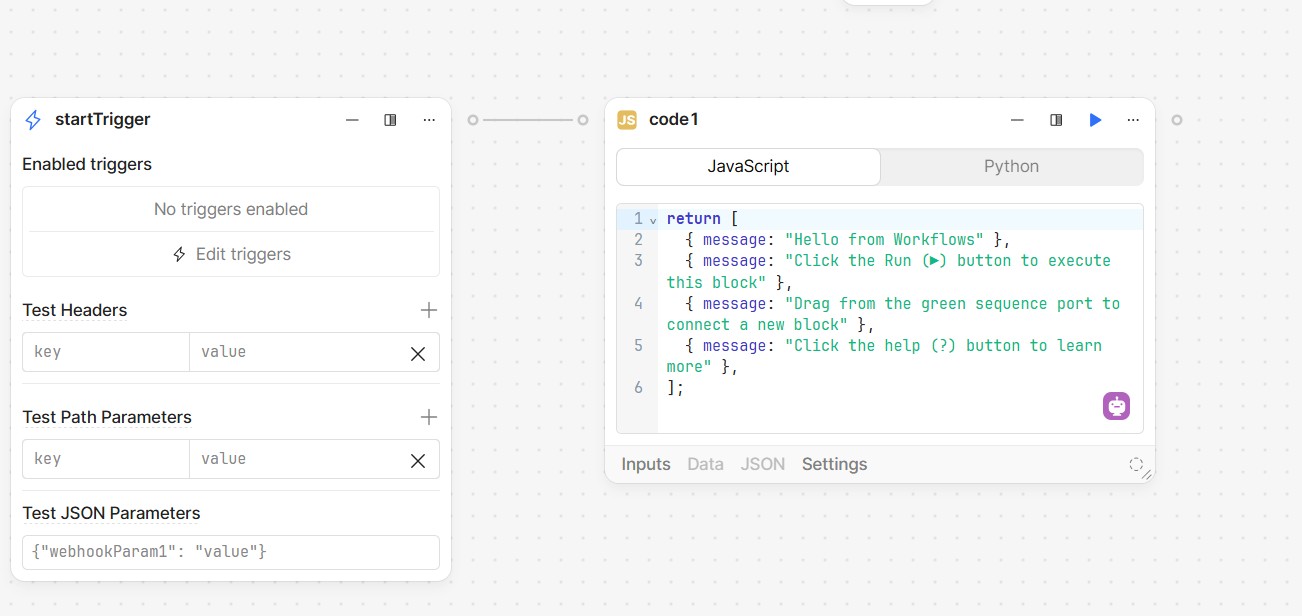
Hey @mdsmith1 - thanks for reaching out. The startTrigger block isn't something that you run manually. Instead, this is where you can configure the conditions under which the workflow runs - the two primary methods being a webhook and schedule.

If you want to test or simulate a single block, you can run it by clicking the arrow at its top right:

If you want to test or simulate a specific sequence of blocks, you can find the option to do so in the meatballs menu - yes, that is its technical name - in the top right of the final block in the sequence:

If you want to test the workflow as a whole, hit the Run button in the top right of the IDE:

I hope that helps! Let me know if you have any additional questions.

Darren:

What if I want to run manually. Can I run the same code as a traditional app?

Mike

Hey @mdsmith1 - I don't quite understand the question. Workflows can utilize the same resources as apps, but otherwise execute in a completely different environment. They are fundamentally "headless" and run on a backend server without the need for user interaction, whereas apps run locally in the browser itself.

Darren:

Thank you for your reply.

Some other kind person in this forum has already answered this question, so I have the manual feature working.

It is complicated, but I now have it working.

Mike

1 Like