Hello,
My client is on the Business plan and has workflows exceeding the 20.0MB size limit on fetched logs.
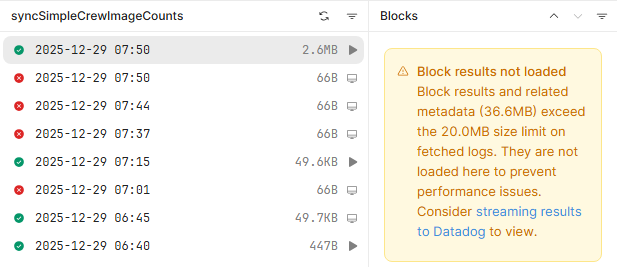
Is there a way to find or export this data? I see Datadog might work but is it still limited to Enterprise?
Hello,
My client is on the Business plan and has workflows exceeding the 20.0MB size limit on fetched logs.
Is there a way to find or export this data? I see Datadog might work but is it still limited to Enterprise?
This is a UI limitation, not a workflow or plan issue.
When a workflow’s block results + metadata exceed 20 MB, Retool intentionally does not load the results in the UI to prevent performance problems. The workflow still executes successfully; only the UI rendering is blocked.
Datadog is the recommended solution here:
Datadog log streaming works on the Business plan (it’s not Enterprise-only anymore).
The 20 MB limit does not apply once logs are streamed to Datadog.
You’ll be able to view full workflow logs, block payloads, timings, and export/search them normally.
Enable it via:
Settings → Integrations → Datadog → Enable workflow logs, then re-run the workflow.
There’s no way to expand or download >20 MB logs from the Retool UI itself.
Logs that already exceeded the limit can’t be retroactively viewed unless Datadog was enabled beforehand.
The limit cannot be increased.
Avoid returning large datasets from blocks (return counts/summaries instead).
Don’t console.log large objects or log inside loops.
Trim API/DB responses before returning them.
Persist large payloads to a DB or object storage and log only references.
So in short: yes, you can access/export the data, but Datadog is the correct and supported approach for workflows producing large logs.
Hey @Shawn_Optipath and @Saurabh_Panja
Thanks for reaching out to Retool community!
 Saurabh is pretty spot on for the next steps and how this all works from the Retool side. The best bet from here is to start exporting those to Datadog and viewing the data there or use the best practices mentioned already.
 Let me know if you have any further questions or concerns on the topic.
Regards,
John | Retool Support
Hey @John_V,
I am confused. My question is if Datadog is able to help on the business plan? In your post here, you mention Datadog is only available under the enterprise plan.
Hey @Shawn_Optipath
Sorry I missed that originally.
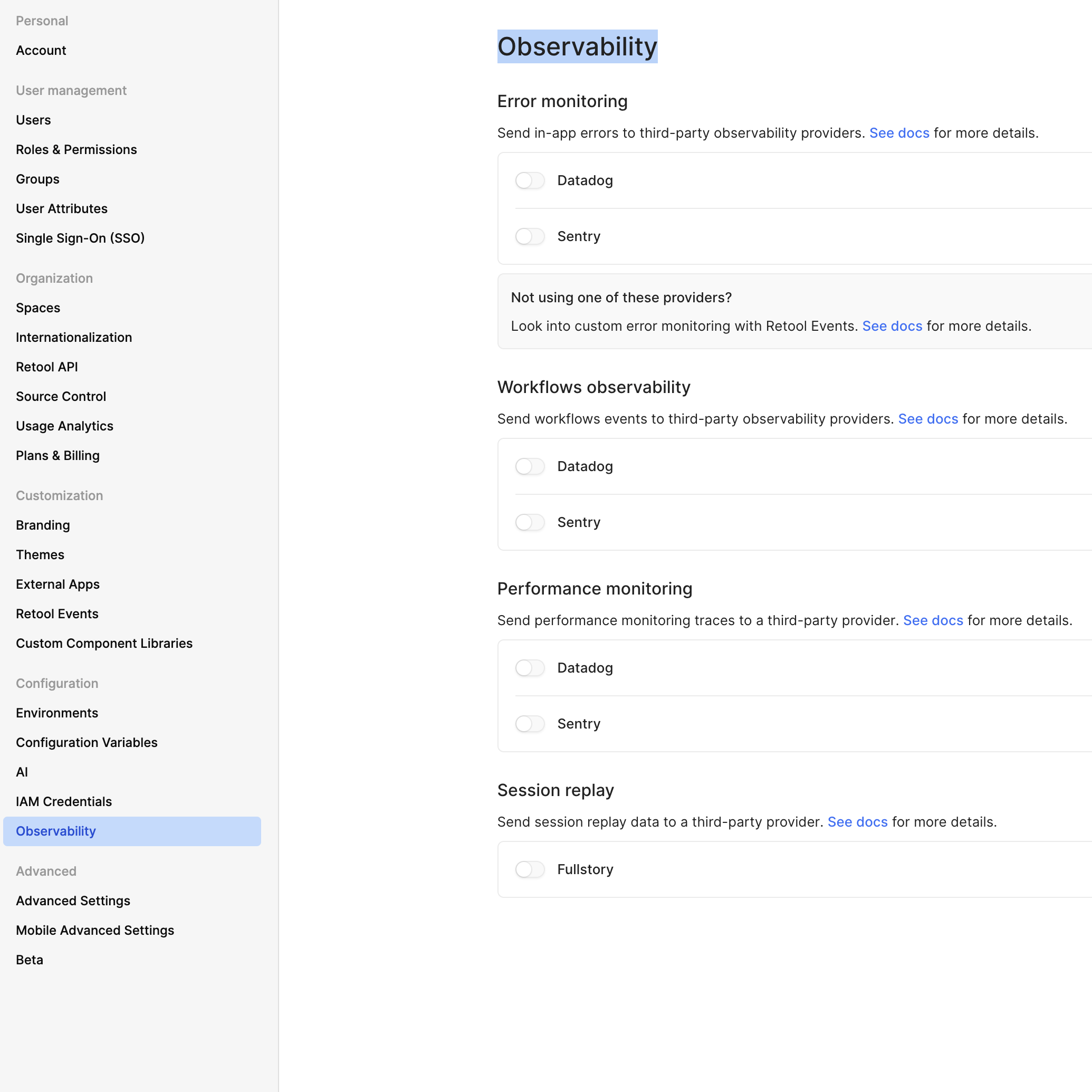
In my own testing and referencing the docs, it seems this is only enabled on Enterprise licensing. If you are on the Business plan, you should be able to verify this as well by going to Settings - App error reporting and observability | Retool Docs
There will be an “Observability” tab under the Configuration section of the settings like so:
Looking forward to hearing back.
Regards,
John | Retool Support
Thanks for confirming! That’s definitely a feature that would go a long way on the Business plan. It looks like a few folks have run into workflow log limitations recently, and having better visibility there is really helpful for day-to-day development and debugging.
Hey @Shawn_Optipath
I am right there with you! This shouldn’t be a feature for only a few plans. If anything, it could be like you said and be included in the Business plan at the very least. There might be some reasoning to this but I did not find any internally when looking.
Let me add this post to the internal feature request we have now to get some additional support for this in future releases of Retool.
Hopefully this is something that gets changed and is available soon.
Regards,
John | Retool Support
Thanks @John_V. Appreciated. Do keep me posted. I have a couple of clients who would be interested.
Hi @Darren I saw you reopened this topic. Is this becoming a feature in the Business plan anytime soon?
Sorry to get your hopes up! I just noticed that it had been closed and figured it should realistically be open so that we can continue to get signal from the community. I'll double check internally, though.