-
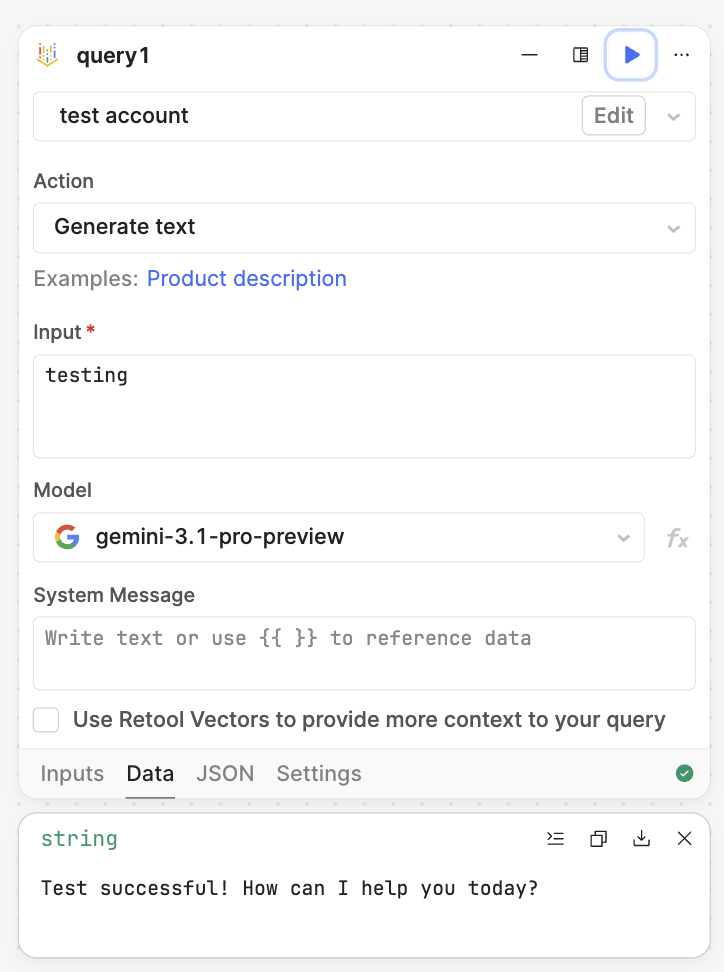
My goal: Use the native Google Vertex AI resource in a Workflow to generate text using Gemini models.
-
Issue: The query always returns the error
Instruction prompt input is required, even when the Input field is clearly filled with text. The error appears both in the Data tab and the Logs tab. The Logs tab also shows a Node.js deprecation warning:[DEP0040] DeprecationWarning: The 'punycode' module is deprecated. -
Steps I've taken to troubleshoot:
- Confirmed the Input field contains text
- Tried multiple models:
gemini-3.1-pro-preview,gemini-2.5-pro,gemini-2.5-flash - Changed Location from
globaltous-central1 - Recreated the resource (replaced a previous Vertex AI resource with the new native Service Account one)
- Service account has the Vertex AI User role (
roles/aiplatform.user) and an active JSON key
-
Additional info:
- Hosting: Cloud
- Action type: Generate text
Hello. I am also having the issue with europe-north-1 and the gemini models. The same inputs work fine with the openai chat gpt component. Even if the vertex component is set to produce example text it does not work asking for instructions.
Thanks both. Two quick checks first: do your Input or System fields contain any {{ }} expressions (e.g. {{ moment() }})? A failing expression can null the field and produce this exact error. And does it still fail with purely static text in both fields?
As you've already done the hard part (service account, JSON key, Vertex AI User role), the quickest unblock is a REST API resource calling Vertex's generateContent endpoint directly, authenticated with that same service account, instead of using the native vertex AI resource in the workflow.
Kind regards,
Jordan
Hi Jordan!
Yes, both input fields are static texts. I already switched to REST API resource and it’s working with the same authentication. Such a shame if the native one does not work, since that would have enabled also the Retool Vector inputs more easily.
Hi Jenna, I will test this out on my end to see if I can get it to work but it could very well be a bug that I need to flag internally. Thank you for sharing the detailed steps in regards to what you’ve attempted to resolve the issue at hand.
1 Like
Hi again @Jenna_Hilden, I’ve since reproduced this issue and have reported it internally with my own evidence and yours. I will inform you when I hear of any updates.
Kind regards,
Jordan
1 Like
Hi @Jenna_Hilden just updating you to inform you that this problem has been fixed and will be available from version 4.16, which will be released this week. Once you are on 4.16 please do inform me if this is indeed functional for you!
Kind regards,
Jordan
1 Like
Good morning @Jenna_Hilden, I’ve just tested this and is now working as of 4.16!
Awesome, thank you Jordan!
I have a related feature request: would it be possible for the native Google Vertex AI resource to support Vertex AI partner models as well, especially Anthropic Claude models, not only Gemini models?
1 Like
I've documented this internally, @Jenna_Hilden!
1 Like