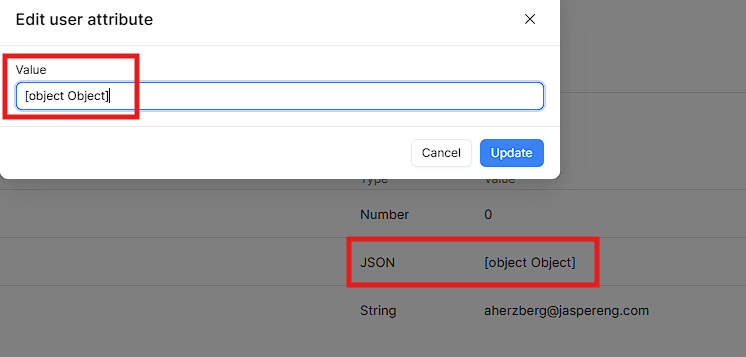
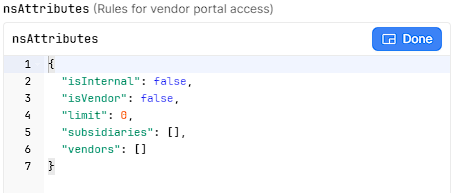
When editing a users attributes - if the attribute is JSON type, i am unable to modify the data after the initial invite creation.
See below:
This did not used to be an issue - seems after the settings page updates a few months ago, is when this emerged. Now i am unable to modify a users attributes, which is quite problematic for me.
Summary
In the org settings, JSON-type user attributes can no longer be modified after the initial invite/user creation — a regression believed to have appeared following the settings page redesign a few months ago.
AI Response
This aligns with a confirmed bug in how JSON-type user attributes are handled in the invite/settings flow, which a Retool staff member acknowledged and filed with the infra team. A reported workaround is to update the value through the user_attributes API endpoint (rather than the settings UI), which has been observed to correctly re-apply the JSON formatting. This is a Cloud instance, so no self-hosted version upgrade is required. It's worth keeping an eye on the bug thread below for status updates.
Sources
Retool's user_invites endpoint - JSON attribute is not being parsed in the front end
A staff-acknowledged bug report on JSON-type user attributes not parsing correctly in the invite/settings flow, including a workaround that editing via the user_attributes endpoint restores proper JSON formatting.
A related, solved report of user attributes not persisting after user creation, corroborating recurring issues with attribute handling in the user management flow.
The Community Team is testing out a new automation. Let us know if it's helpful (or not) by leaving a  ,
,  , or
, or  . Or by marking this post as the "Solution"! Let us know if you have any feedback here.