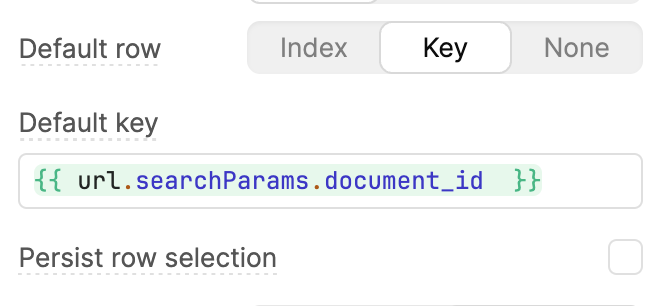
I’d like the table component to automatically have the row with key 0cc8e893-c063-4f52-9507-4250edbdf102 selected when the application loads.
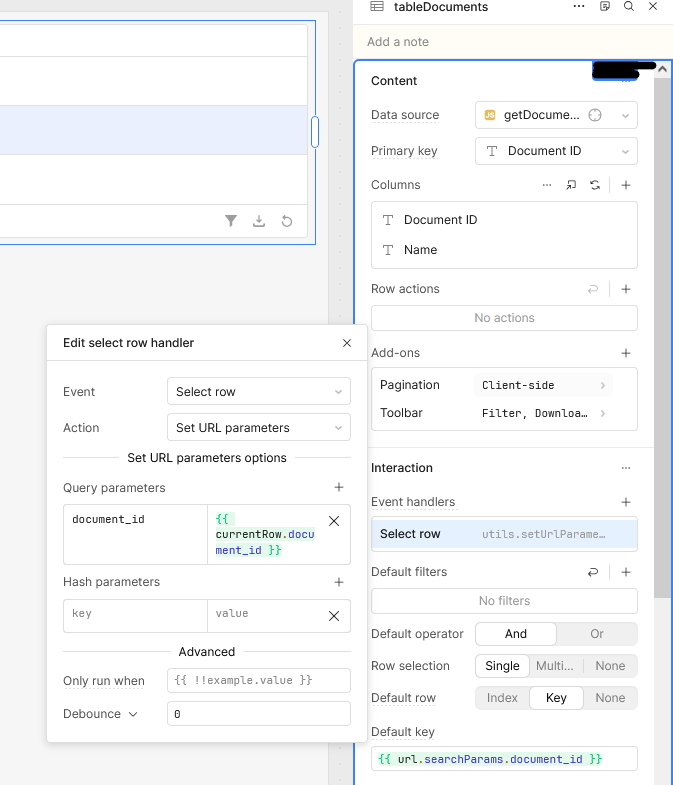
To do this, I’ve configured the application as follows:
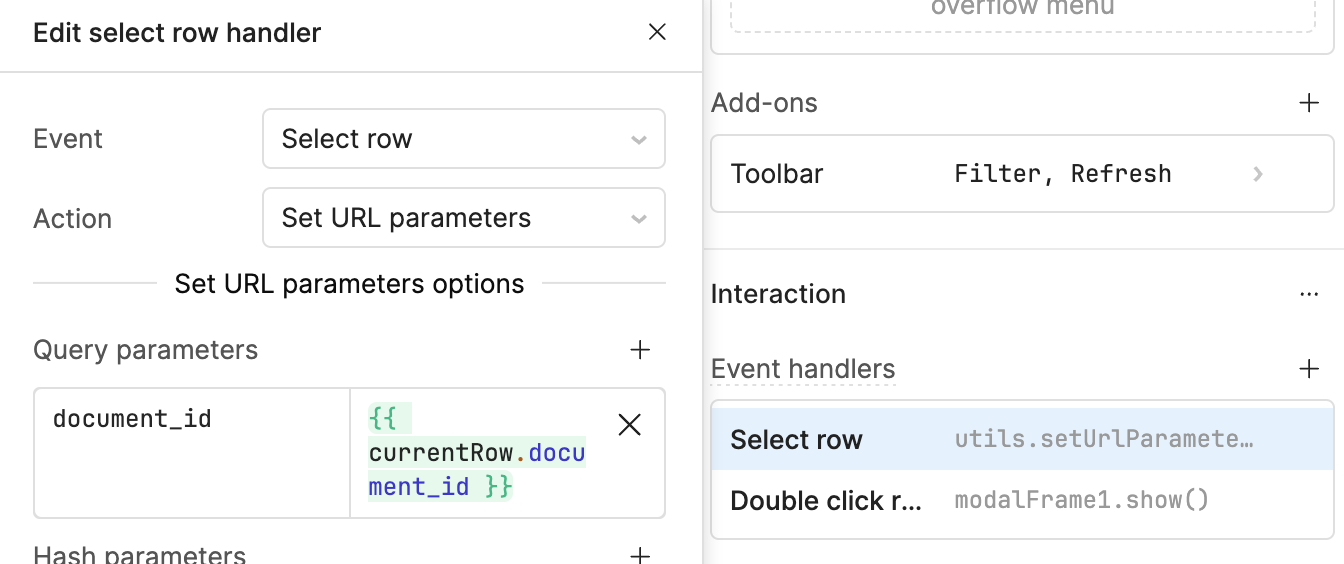
On the table, Select row handler Set URL parameters to the key identifying the row.. This part works, I can see the query parameter changing as I click on different rows in the table
Hi @jcace — I tried this in my app as a demo, and it’s working correctly on my side. If the row matching the URL param exists when the table renders, it’s selected automatically. If the data loads later (due to slower queries, refetches, filters, or pagination), Retool doesn’t re-evaluate the default key so that the row won’t be selected.
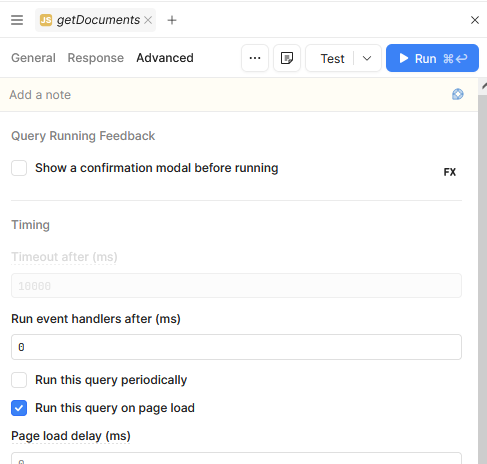
I’ve shared a screenshot showing the selected URL, and opening the same URL in another tab also works for me. Could you please re-check your query? I have mine set to run on page load.
Perhaps this is the issue, as the query to retrieve my table data fetches from a Postgres database and it takes a couple hundred milliseconds to complete. The query is set to run on page load.
Is there any way to force Retool to re-evaluate the default key / row selection after query has completed?
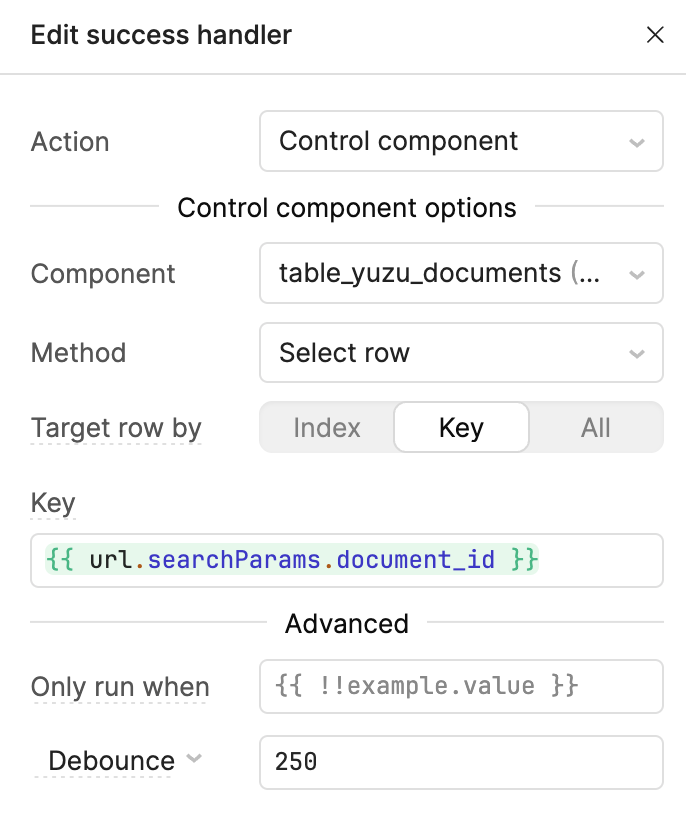
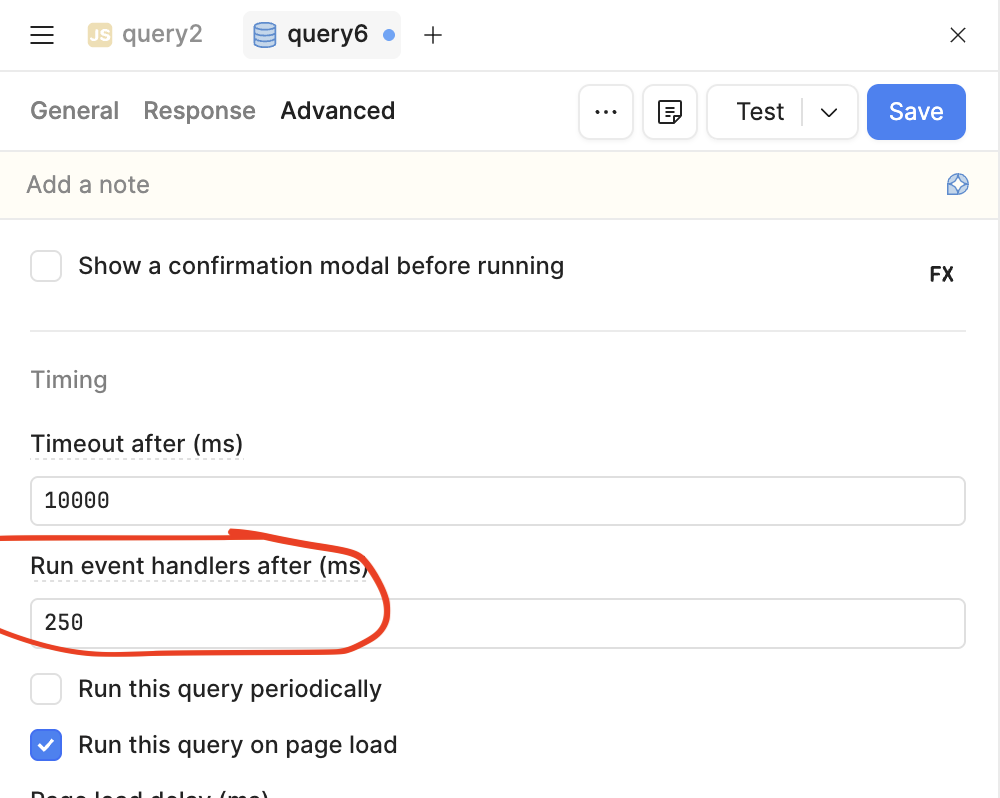
I tried adding the following Success handler to the db query, even with a short debounce delay, but it still does not appear to work.
To answer your question of "Is there any way to force Retool to re-evaluate the default key / row selection after query has completed?"
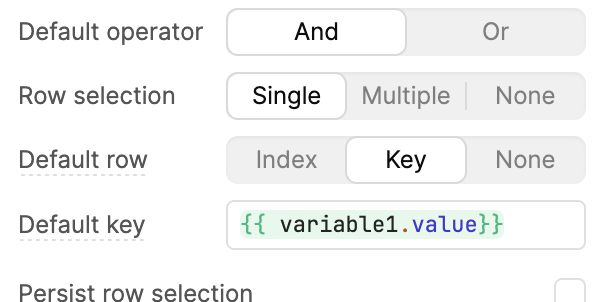
If you store this in a variable, such as a global variable, then whenever it is updated, the component will automatically notice that it has been updated and re-render with the new data accordingly.
Hi @Jack_T , thanks for the note. I don’t think that will help in this situation.
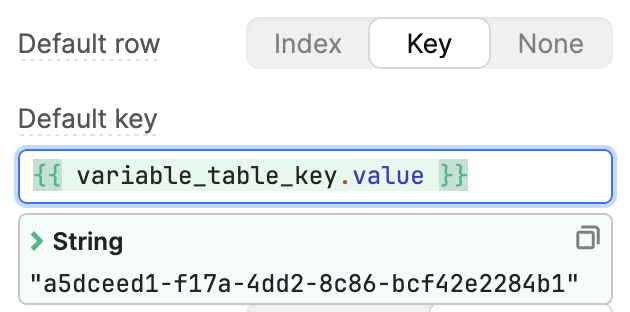
I tried creating a global variable, and setting its initial value to {{ url.searchParams.document_id }} , then using that as the table’s default key, but it did not change the behavior.
Unless you mean storing the query’s output in a variable and using that as the table’s data source? However I’m unsure how that would fix it. This problem is derived from the fact that the Default key specified on the table doesn’t seem to be applied after the data is loaded
It looks like there are two options for setting the selected row from the URL, I used hash params in my testing.
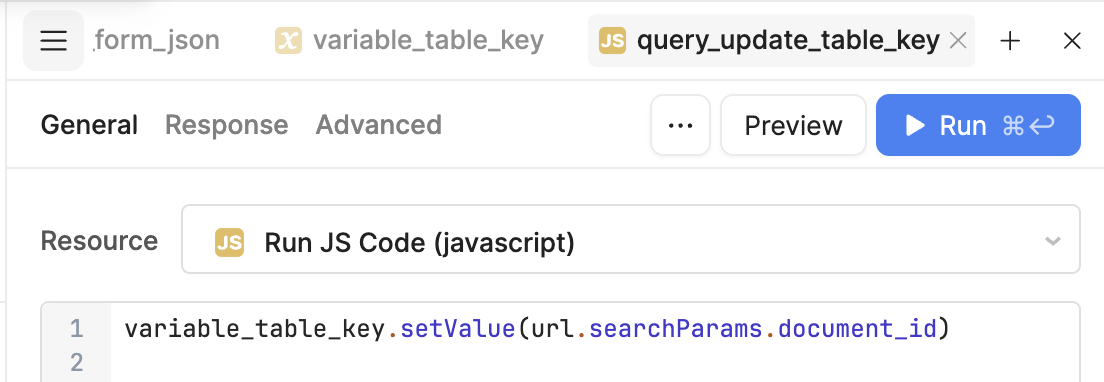
Set the table's 'Default key' to be a variable, then have a JS Query update this variable to be the value from the URL, as an integer. Then have this query run on page load and it will appear once the table's data populating query finishes(which should also be set to run on page load). The URLs are read as strings so it does need to be converted
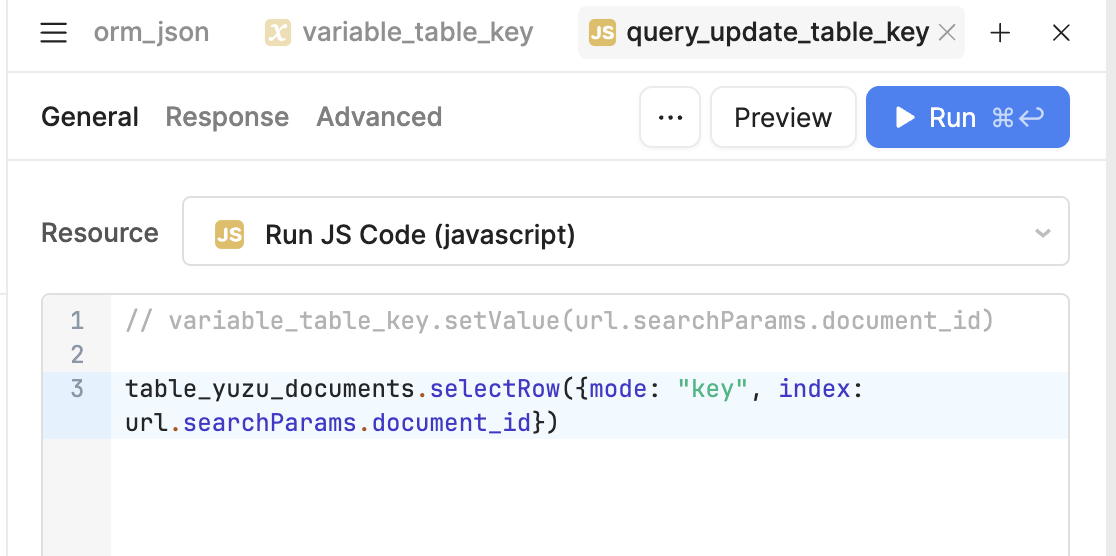
Use the table's .selectRow to select a row from the table. This shortcuts around needing a variable and then storing the variable as the 'Default Key'.
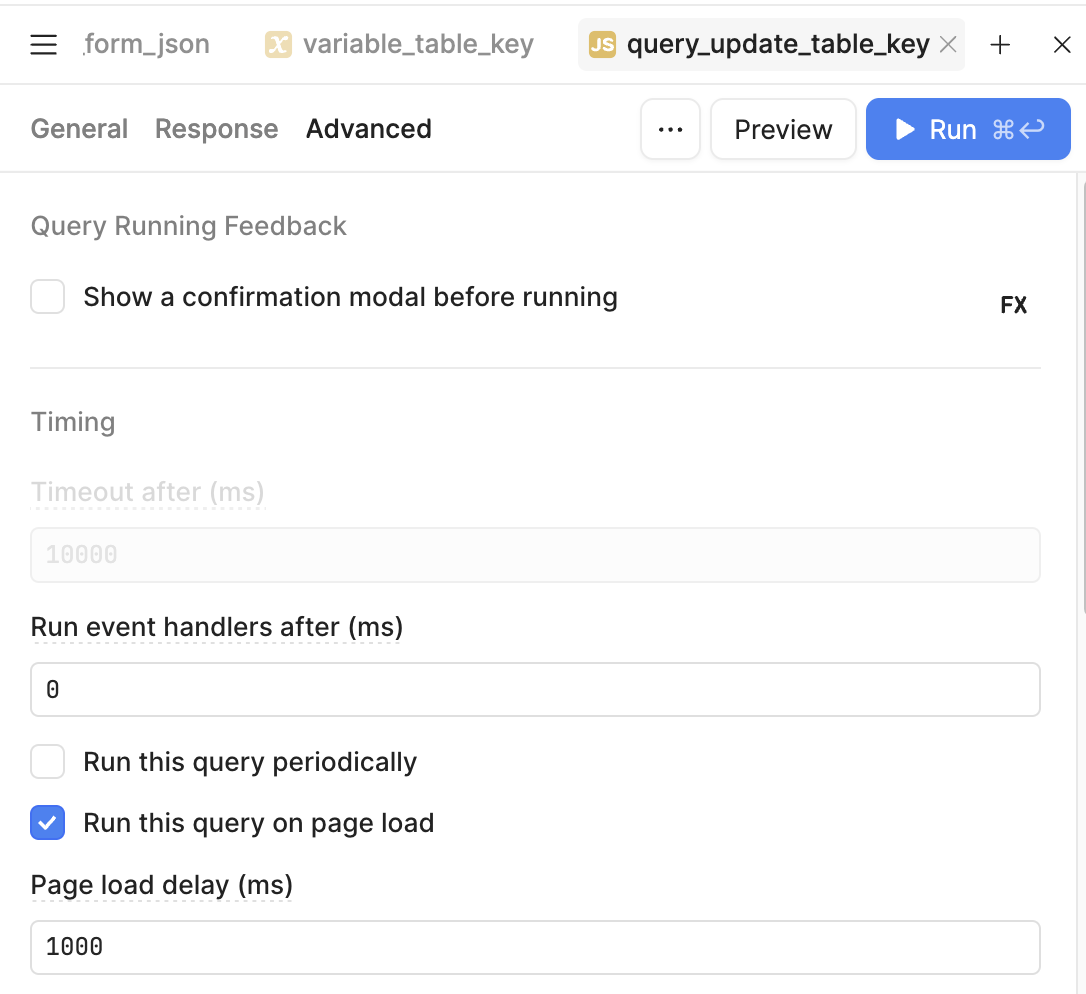
(I tried with page load delay 0, 1000, and even tried triggering this script from the query’s success handler instead of “Run this query on page load”)
I’m testing by loading up the app. Clicking a row (which triggers the url searchparam to set), and then refreshing the page. Once it loads back up, the row is not selected.
Let me know if you are able to watch this recording of me setting it up.
It starts with the run on page load where it has already switched the index from 4 to 8. Then I reload the page with the auto query run turned off and manually run the query to update the variable that is assigned to the default index for the table.
Hi @Jack_T Thanks for the recording. I’ve reviewed it and confirmed that we have it configured in the same way, however it still does not work - rows do not get selected when we refresh the page or navigate there with the hash params / search params present.
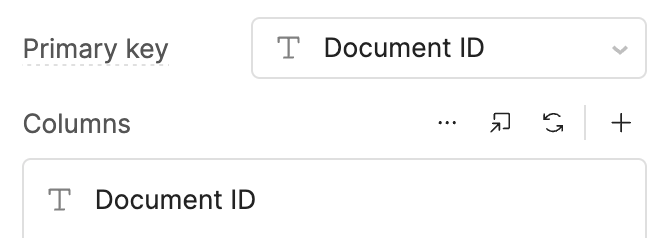
The only difference between our setups, as far as I can tell, is our table’s keys are UUIDs instead of numbers.
I’ve recorded a loom to demo the bug in action, would be happy to share it with you but it contains some internal information - can I share it with you using a private link / message / email? Also happy to jump on a quick call to demo it live.
As you mentioned that your table's primary key is UUIDs(String), that is making me think that the reason the row is not being selected is because of the data types.
I just tested it out, and it seems that if the table's primary column is of type String, the value used to select a row needs to be an integer.
It would not match a string of '8' to a row with an ID of 8 when that column type was changed to a string.
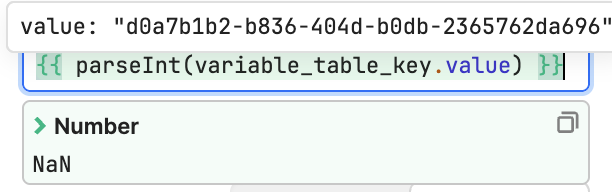
But if I used parseInt() inside the snippet, such as
it works to select the row when the primary key is a String. Let me know if that works for you and I will keep my eyes out for a direct message from you as well.
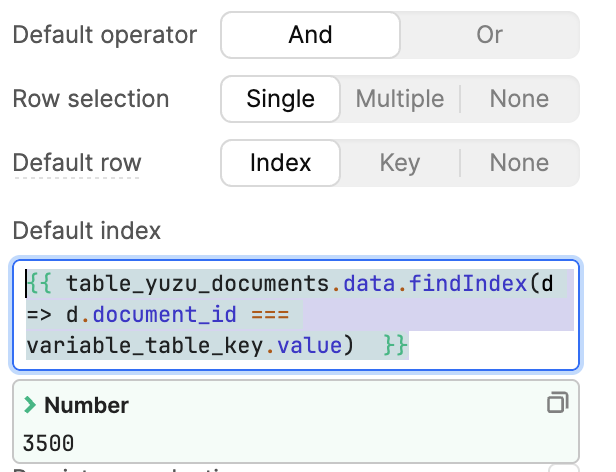
Additionally, setting it to default row based on Index and attempting to look up the index also does not appear to work, seemingly because the data array is not ordered based on Default Sort , so the wrong one gets selected.
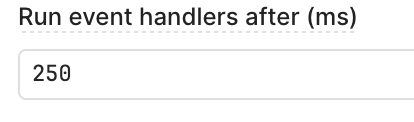
On the data fetch query that the table is filled from, set an event handler onSuccess → execute js script. In advanced, set delay running event handlers:
The main thing was to use the key in selectRow instead of index
Note: for some reason it did not appear to work in the editor, but in the live app / preview things were working fine. Increasing the delay even more (to 1000ms ) fixed it for the editor too.
Worked, with the JS query that runs the above code set to run on success of the query that populated the table. With a small delay between the table's query and the row selecting query.