Hi, I have an app that gets information from a query on page load and feeds it into a table component. The table component has Multi-row-select enabled, and the page data is dependent on which rows are selected.
I would like a URL parameter to reflect the currently selected table rows, so that they can share that page to someone else and then on page load, the table will select the rows from the URL parameters.
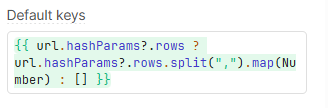
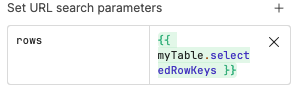
I would like this to work by making use of the Default Keys parameter on the table component but I cannot get this to work, I have tried setting the URL parameters by using the page settings like so:
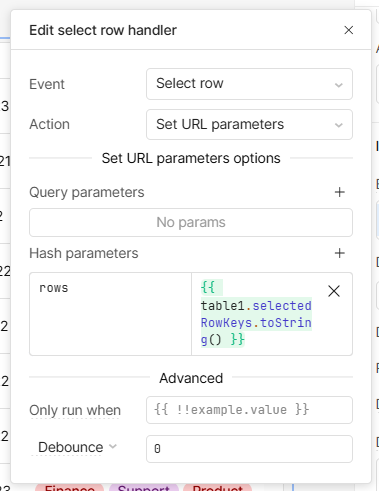
And I have also tried workaround such as adding event handlers to change update the URL parameters when the table row selection changes.
I have gotten this to work with complicated workarounds such as having a variable that tracks if it is the first load of the data, and event handlers that when the data is done loading for the first time call the selectRow function on the table with the URL parameters, but not only is this a complicated workaround for what I would think is a semi-common design pattern, it also is inconsistent depending on how much data the table is loading.
It seems that for large data sets the event handler for fetching the data will run before the table component has populated with everything, and so then you have to add sleep functions in but this is terrible because then on slow connections the sleep might not work, etc.
Any help would be appreciated.