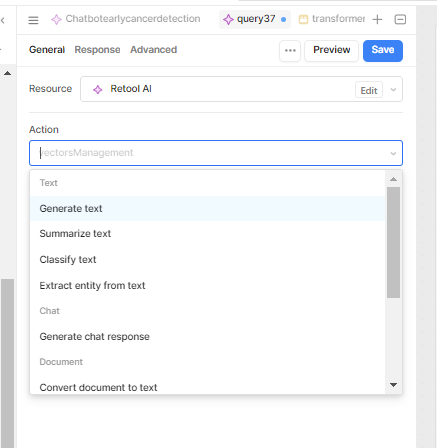
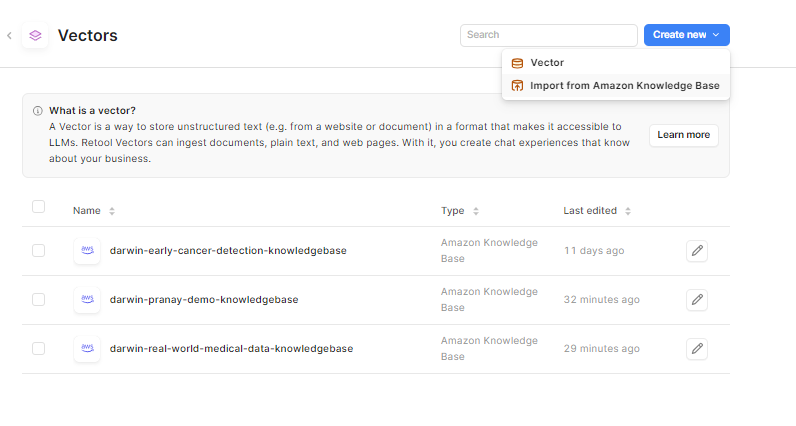
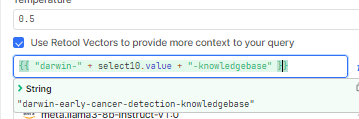
Thank you for outlining the issue and providing screenshots, unfortunately this is a feature that has been requested that our team is still working on.
I can add your +1 to the feature request and keep you updated on any news I hear from our AI eng team. For now, vectors must be manually created.
I just checked the ticket and there are not any recent updates on it, unfortunately.
I added your +1 for that feature request. For now the best option is manually creating the Vector via the "Import from Amazon Knowledge Base" in the drop down GUI.
Ok but if I import via Amazon Knowledge Base (integrating Confluence) is there a way to make this import refrehsed automatically? like every day @Jack_T
Thank you for the additional context, I do not believe there currently is a way to have that import refresh automatically.
I just tried to set that up with a workflow to make a query on a scheduled time, but it seems that the only way I connect to Amazon Knowledge base is via the GUI in the vector creation page.
But this is a great Feature Request that I can send to our AI team right now! I understand how useful that will be to have any new confluence docs sync to AKB and then into a vector for a model to use. I can definitely see this type of integration being on our roadmap.