As you can see with the timescale in week and the split into days. It just show the number of the beginning of the week which is only set to Monday and there doesn't seem to a way to change it or remove it. It very confusing to our users. Rather not have it or be able to change it to show something else like the Month etc.
Cloud version.
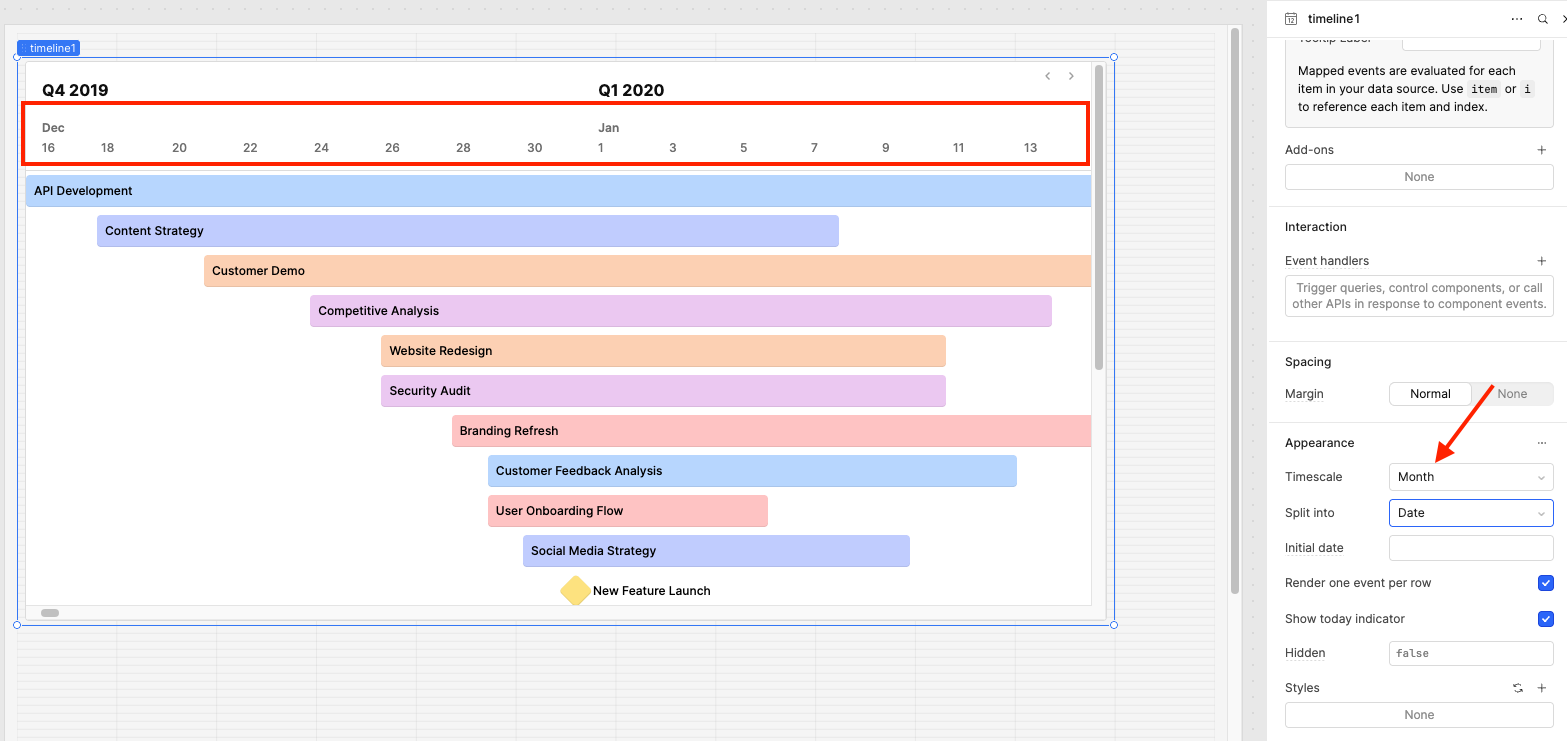
I hear you that this can be confusing to users. There is not a way to remove the header for now, but you can change what is displayed. I do have a suggestion: if you change the Timescale to Month, you will see the months in the header. What do you think?
Hello there @Edgardo_Vega, just checking in to see how you’re doing and if you had a chance to take a look at the suggestion I shared above. Do you still need help with this?
Oh I totally missed you first message. I appreciate you checking in. I tested this . But our Quarters are different than whats displays is there a way to adjust that?
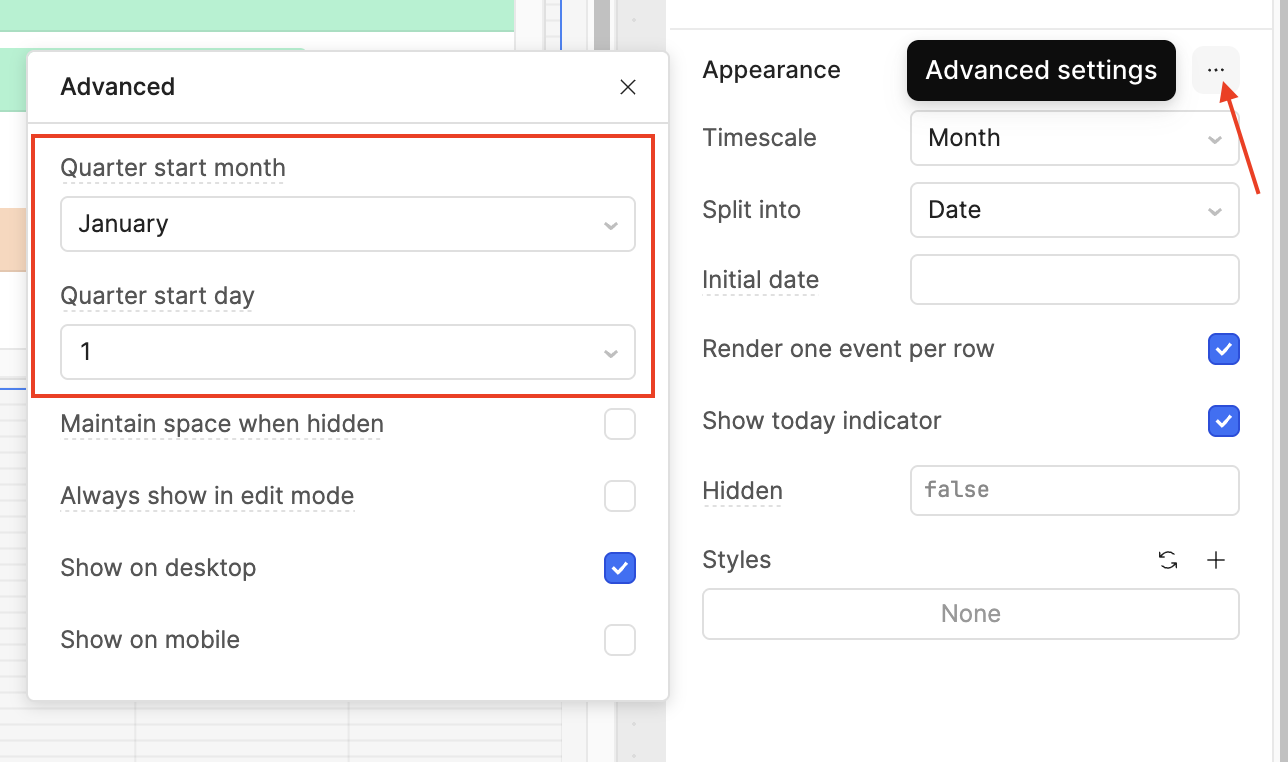
No worries @Edgardo_Vega, glad you got a chance to try it out! You can adjust both the starting month of the quarter and the starting date by clicking the three little dots and opening the Advanced Settings. Let me know if that works for you!
Hey @Edgardo_Vega happy new year Just checking in to see how things are going on your end. What do you think of my suggestion above? Happy to help more if you need anything!
@Edgardo_Vega I’m marking my comment above as the solution for visibility. Let me know if things aren’t working as expected or if you have any other questions related to this!




 Just checking in to see how things are going on your end. What do you think of my suggestion above? Happy to help more if you need anything!