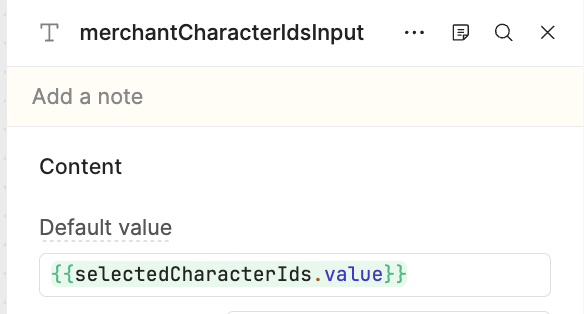
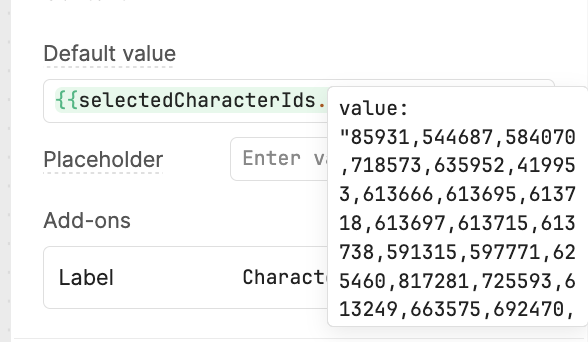
My goal: Populate a Text Input component (merchantCharacterIdsInput) dynamically using {{ selectedCharacterIds.value }} in the Default value field.
Issue: The Default value property on the Text Input component has stopped populating text into the input field.
Even though Retool evaluates the JavaScript expression correctly, the input box remains completely blank in both editor and preview modes. This app has been untouched for months/years and suddenly broke today.
Property Inspector showing Default value set to {{ selectedCharacterIds.value }}
Static String Isolation Test: Replaced {{ selectedCharacterIds.value }} in Default value with a simple hardcoded string (plain text).
Result: The input field still remained completely blank.
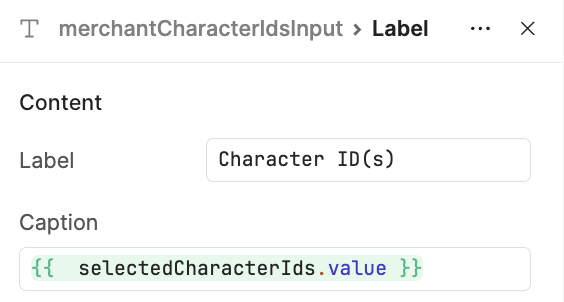
Subcomponent & State Accessibility Test: To verify that the component can read the state, I navigated to the component's subcomponent settings (Label > Caption) and set Caption to {{ selectedCharacterIds.value }}.
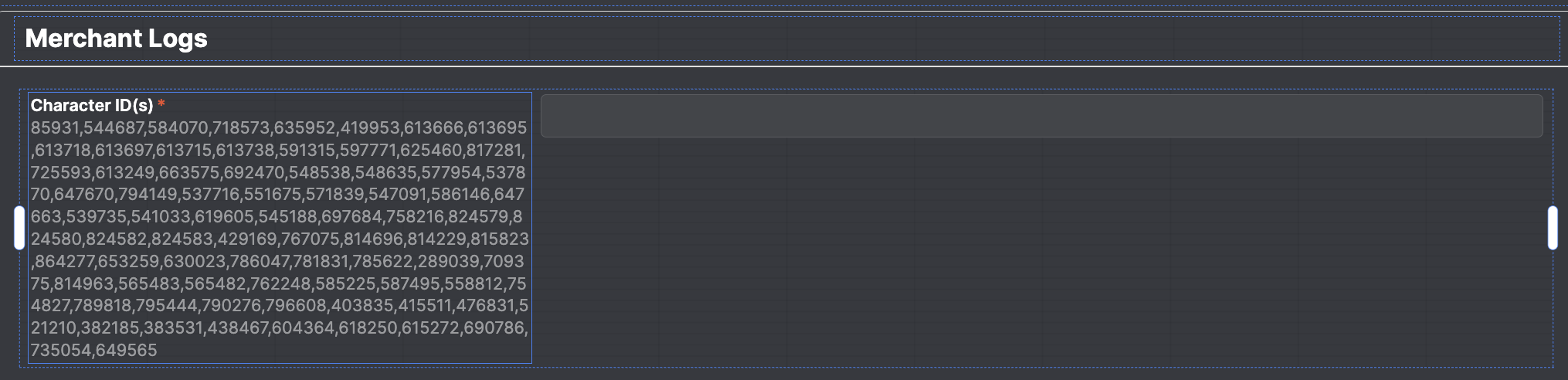
Result: The caption area rendered the full list of IDs immediately. However, the input box directly adjacent to it remained blank. This confirms the data is available to the component, but the main text input field fails to bind/display its default value.
Inspector showing Caption set to {{ selectedCharacterIds.value }}.
A Text Input's 'Default value' field ({{ selectedCharacterIds.value }}) stopped populating the input; the expression evaluates correctly (it renders in a tooltip and even in the component's Caption subcomponent), but the input box stays blank in both editor and preview—and it remained blank even after substituting a hardcoded static string. The app had been untouched for a long time and appeared to break suddenly.
AI Response
This is expected behavior of the Text Input's 'Default value', which only seeds the value on initial load or reset—once the component already holds a current value (common for a long-lived app with a persisted/cached value), changing the Default value no longer overrides what's displayed, even with a static string. The reference docs confirm the same property represents 'the current or default value,' which is why the source still renders correctly in the Caption but not in the input itself. To force the input to reflect the source, drive it programmatically with textInput.setValue({{ selectedCharacterIds.value }}) or reset it with textInput.resetValue() via an event handler (e.g., when the selection changes). The Retool status page shows no related platform incident affecting Text Input default values around that date.
Sources
The Text Input component for classic apps | Retool Docs
Documents that the Text Input's Default value maps to the 'current or default value' property and provides setValue() and resetValue() methods to programmatically populate or reset the field. Unexpected behaviour of default values in input
A solved community thread corroborating that an input's default value stops applying once the component holds a current value, with the same programmatic reset/setValue workaround.
The Community Team is testing out a new automation designed to improve resource discovery. Let us know if it's helpful by leaving a or . Or by marking this post as the "Solution"! And let us know if you have any feedback here.
Affecting us too. Could result in lots of data being corrupted inadvertently by users when trying to save forms with dynamically populated data via underlying resources.
Thanks for flagging this, everybody! The impact seems to be limited to text inputs that are nested within forms, but we're validating that now and working on a quick fix. I'll provide an update here as soon as that goes live!
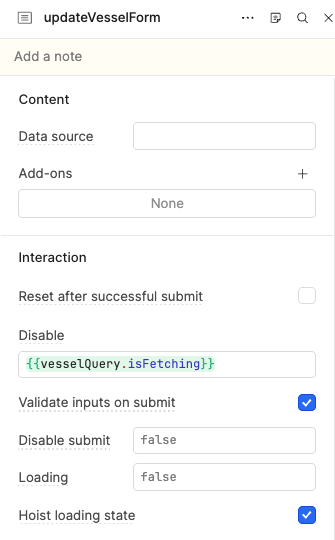
In the meantime, if you want to restore previous functionality, you can delete null from the Form Data of any Form container that has Text Input components where the Default Value is not populating correctly.
@Darren Can you explain how not updating the status page when there is a major outage/issue is an acceptable practice? For something as major as forms not working due to a bad deploy, users having to navigate to the community to learn of the issue from other users is not acceptable and from the outside feels like a ploy to keep uptime numbers high, especially when uptime numbers for classic apps are barely above 99%.
From what we’re seeing, the issue started approx 2:30 CST and your comment confirmed resolution at 5:17 CST. That is almost 3 hours of downtime that affected every single page of our application and stalled any business processes that go through Retool for the afternoon.
Below is the message from support I am referencing:
We inadvertently shipped a change to Form containers that affected the nested text input components. Due to the assessed severity of the incident, and the quick fix that we were able to apply, we chose not to update the status page.
Our apologies for the disruption, but we really appreciate the patience and the initial report.
That's fair feedback, @paul.narup. I'll pass it on, regardless, but can also give a bit more context about the decision-making process that goes on behind the scenes whenever a customer issue is found to be a clear regression and escalated.
The on-call team starts by assessing the severity of the issue based primarily on the scope of the impact, the number of affected customers, and the anticipated time to resolution. We require that issues of a certain severity be posted to the status page, but that is otherwise a discretionary step. In this particular case, the relatively quick turnaround - about 100 minutes from escalation to PR - combined with the perceived scope were the primary reasons we decided not to post anything publicly. I can assure you there was nothing duplicitous about this - just humans working hard to resolve the issue as fast as possible.
All that said, I can certainly understand the desire for an "official" way to track issues like this regardless of assessed severity. We've talked a lot about automating the status page pipeline and I think this feedback will be a valuable talking point in those conversations.
I appreciate your whole reply Darren, but PR is not the same as delivered resolution; 100min is different than ~180min.
Furthermore, for us this particular issue was worse than mere downtime, because of how easily inadvertent writes of real data could occur in the context of a standard form setup. I.e. we hooked up inputs in a normal manner, not in some bizarre, hacky way.
Again, I and my colleagues appreciate your and others’ work here, but seeing such a severe incident, even if relatively short, reflected on the status page seems a fair want.
To be clear, @dguzzo, I don't disagree! I'm just giving some insight into the overall thought process here. There's clearly room for improvement in the way we provide users with visibility into known issues and allow them to track progress, whether that is the status page or not.
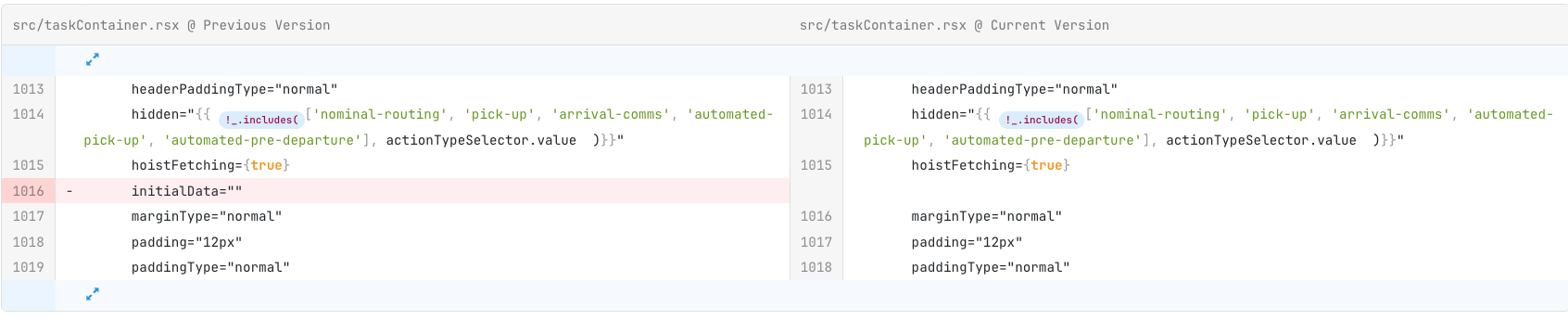
We are experiencing this issue again as of 10 AM PST. One of the forms our team didn’t manually edit last week had the same issue as this thread. Typing in null and then deleting worked, but this seems like a regression again. Here is the diff from the version that doesn’t work [left] and version that works [right]
Thanks for flagging this, @brookehale! I'll take a look. Just to clarify, has the app and form in question been operating normally since last week? Could this just be an artifact from that incident that was preserved via source control?
Thanks Darren!! Yes, the app had been operating normally since this incident was resolved last week. It was just flagged by our internal team today as not working. They would have noticed if it had not been working in the meantime since the team uses the app daily.


 or
or  . Or by marking this post as the "Solution"! And let us know if you have any feedback