Hey @toddat,
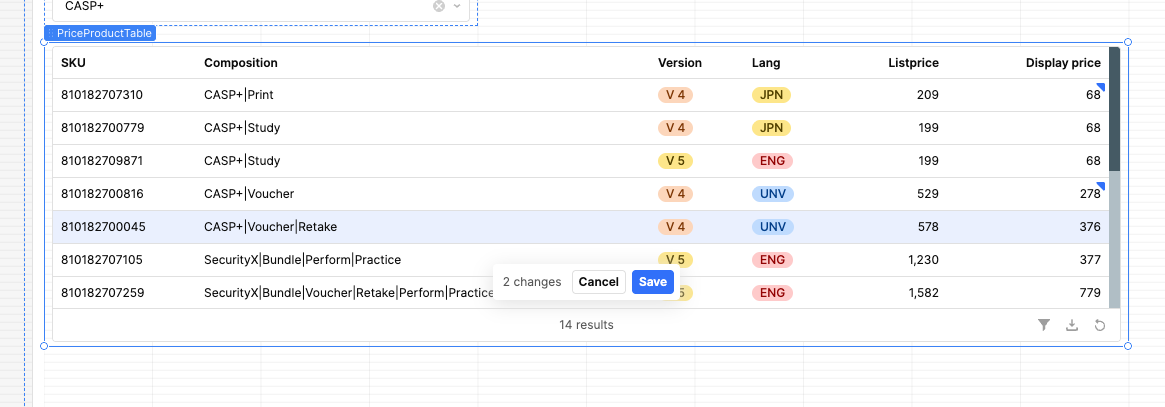
I ran into the same problem and was able to solve it by matching the table’s changesetArray back to the main table data using the primary key.
I tested this with mock data first, then applied the same logic to my real table.
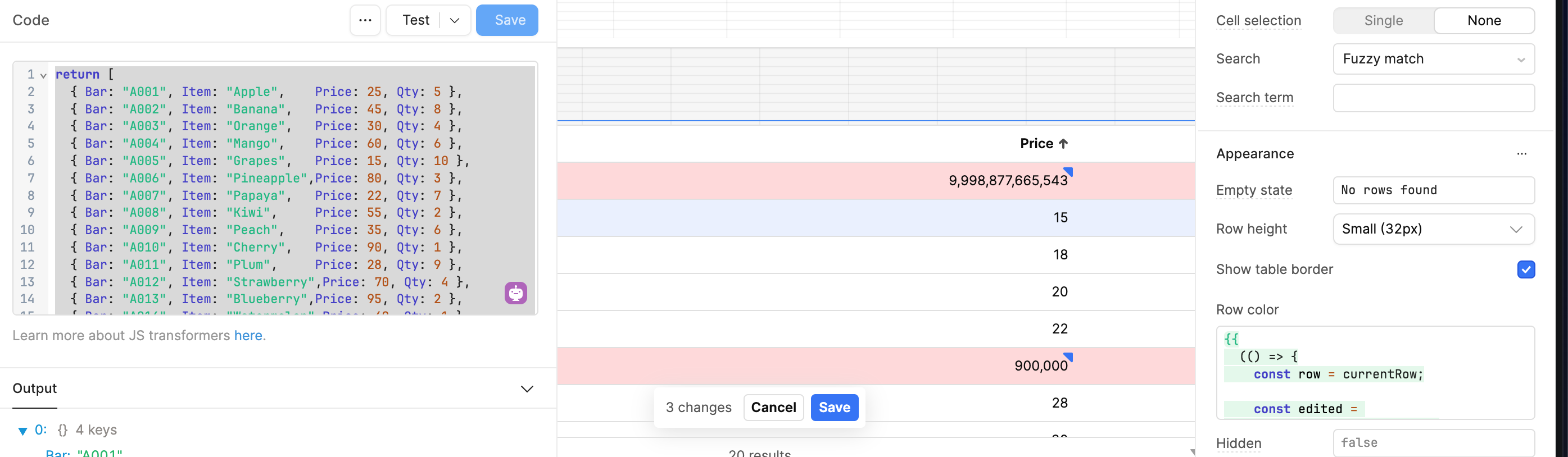
(See screenshot above for reference — only edited rows turn light red.)
1) Mock data (table source)
return [
  { Bar: "A001", Item: "Apple",    Price: 25, Qty: 5 },
  { Bar: "A002", Item: "Banana",   Price: 45, Qty: 8 },
  { Bar: "A003", Item: "Orange",   Price: 30, Qty: 4 },
  { Bar: "A004", Item: "Mango",    Price: 60, Qty: 6 },
  { Bar: "A005", Item: "Grapes",   Price: 15, Qty: 10 },
  { Bar: "A006", Item: "Pineapple",Price: 80, Qty: 3 },
  { Bar: "A007", Item: "Papaya",   Price: 22, Qty: 7 },
  { Bar: "A008", Item: "Kiwi",     Price: 55, Qty: 2 },
  { Bar: "A009", Item: "Peach",    Price: 35, Qty: 6 },
  { Bar: "A010", Item: "Cherry",   Price: 90, Qty: 1 },
  { Bar: "A011", Item: "Plum",     Price: 28, Qty: 9 },
  { Bar: "A012", Item: "Strawberry",Price: 70, Qty: 4 },
  { Bar: "A013", Item: "Blueberry",Price: 95, Qty: 2 },
  { Bar: "A014", Item: "Watermelon",Price: 40, Qty: 1 },
  { Bar: "A015", Item: "Guava",    Price: 18, Qty: 11 },
  { Bar: "A016", Item: "Lemon",    Price: 12, Qty: 15 },
  { Bar: "A017", Item: "Lime",     Price: 20, Qty: 14 },
  { Bar: "A018", Item: "Avocado",  Price: 85, Qty: 3 },
  { Bar: "A019", Item: "Coconut",  Price: 50, Qty: 2 },
  { Bar: "A020", Item: "Fig",      Price: 65, Qty: 5 }
]
In your real app:
- Replace
Bar with your SKU
- Replace
Price with Display Price
2) Row color condition
Put this in:
Table → Appearance → Row color
{{
  (() => {
    const row = currentRow;

    const edited = table12.changesetArray?.find(
      r => r.Bar === row.Bar
    );

    const original = Number(row.Price);
    const updated  = Number(edited?.Price);

    if (!edited || isNaN(updated)) return "";

    if (updated === original) return "";

    return updated >= 10000 ? "rgba(255,0,0,0.15)" : "";
  })()
}}
3) What this solves
- Only edited rows are evaluated
- Original vs edited values are compared
- Rows only highlight when the value is out of range
- No random coloring, no index mismatch
4) Adapt for your case
If your key is SKU and your column is Display Price:
r.SKU === row.SKU
Number(row["Display Price"])
Then adjust the threshold (e.g., min/max range) however you like.
This gives you a clean “validation highlight” pattern using changesetArray before saving.