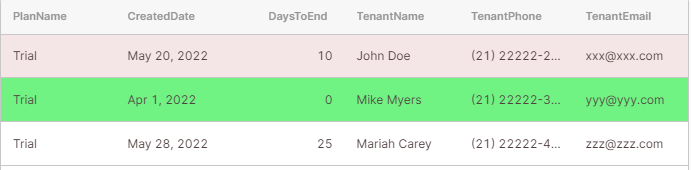
Hi guys, I need help. I intend to do the minipulling of the table but via js script. Like I want to paint each line a different color depending on the condition I'm going to apply
example
Hi guys, I need help. I intend to do the minipulling of the table but via js script. Like I want to paint each line a different color depending on the condition I'm going to apply
example
You can add the condition in the row color field of the table
@ScottR
I have these conditions and given one of them on the line that is found paints a different color
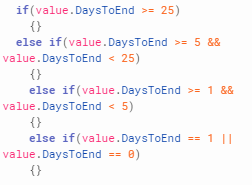
You don't need write script - remove the if and for each condition you should use a ternary operator within {{ and }}
{{(currentRow.DaysToEnd >= 5 && currentRow.DaysToEnd < 25) ? 'green':' red'}}
where green is for when the condition is true and red if condition is false.
@ScottR , Could you give me some help to leave a table column like this
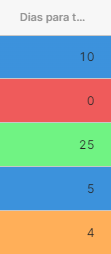
thank you very much it worked.
Hi everyone, as part of our community curation efforts we are updating old solutions, and this topic could use a refresh to the current table syntax 
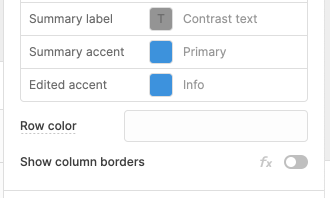
For changing the color of a whole row, there is still the Row color property in the table's appearance section. An example of dynamically coloring whole rows could look like this:
{{ self.data[i].quantity > 20 ? 'green' : 'red' }} with self referencing the entire table and i referencing the row index.
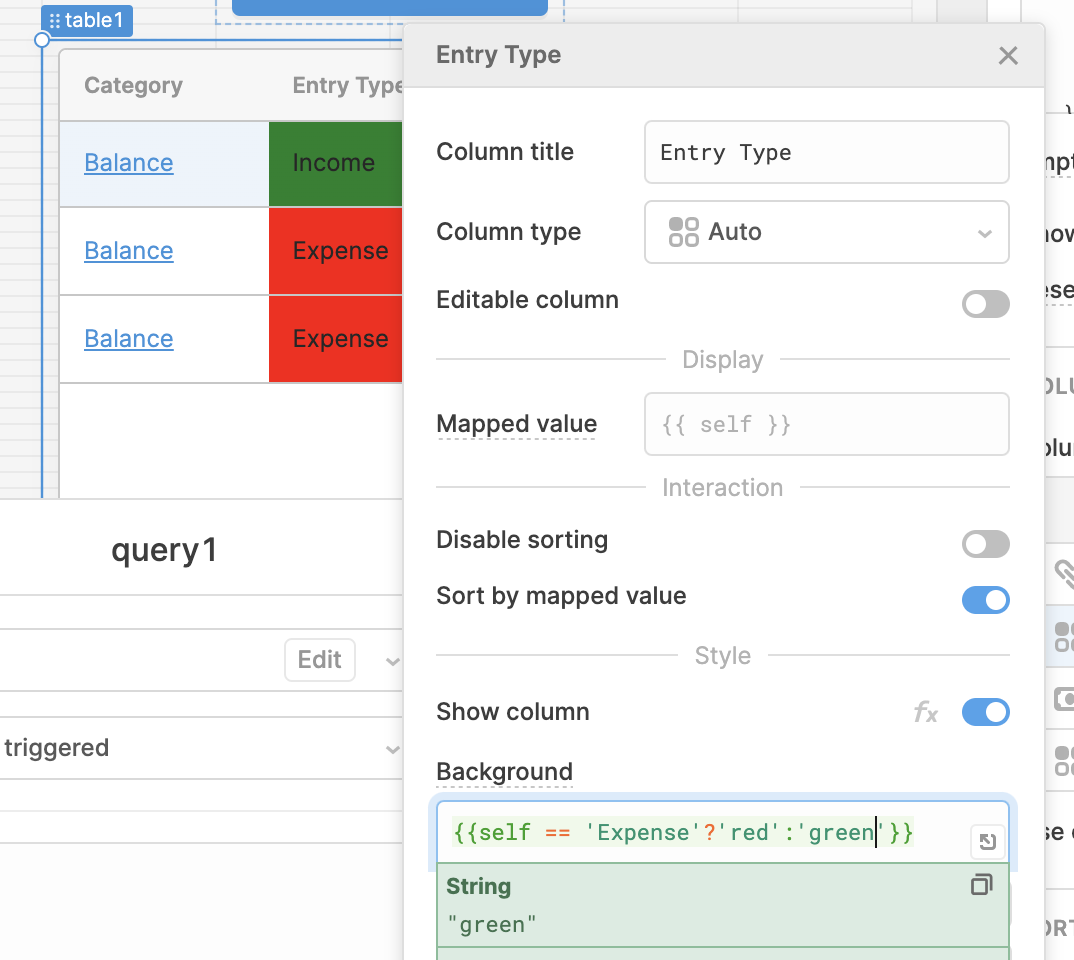
To change individual cell colors, you would go into the column settings under Appearance and either input a color or a javascript ternary in the Background property. To use an example similar to ScottR's, the syntax would be: {{ item == 'Expense' ? 'red' : 'green' }}. The color decided here would overwrite the color returned by the Row color property.