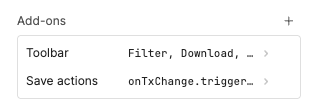
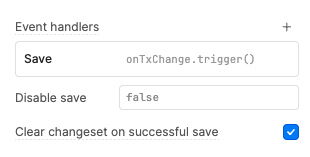
On the above, when I enable table refresh and reset the table state through the interface (see screenshot below), the issue resolves and the row is updated and is editable.
Is there a way to programatically update the state of the table though JS in Retool?
Apologies for the issue. I am still very confused as to why the table UI is giving you an infinite spinner when you try to save.
Does the onTxChange query run and finish? If you are able to join our office hours, the team and I can further trouble shoot as to what could be causing this to happen.
For short term work arounds, you could try table1.refresh() and that should run the query to fetch the table data from the DB.
If the row is updated after you click the GUI to hard refresh, then it sounds like the onTxChange query is successfully updating the DB, do you have attached to that query in its On Success event handler to fetch the query to fetch the fresh DB data for the table?