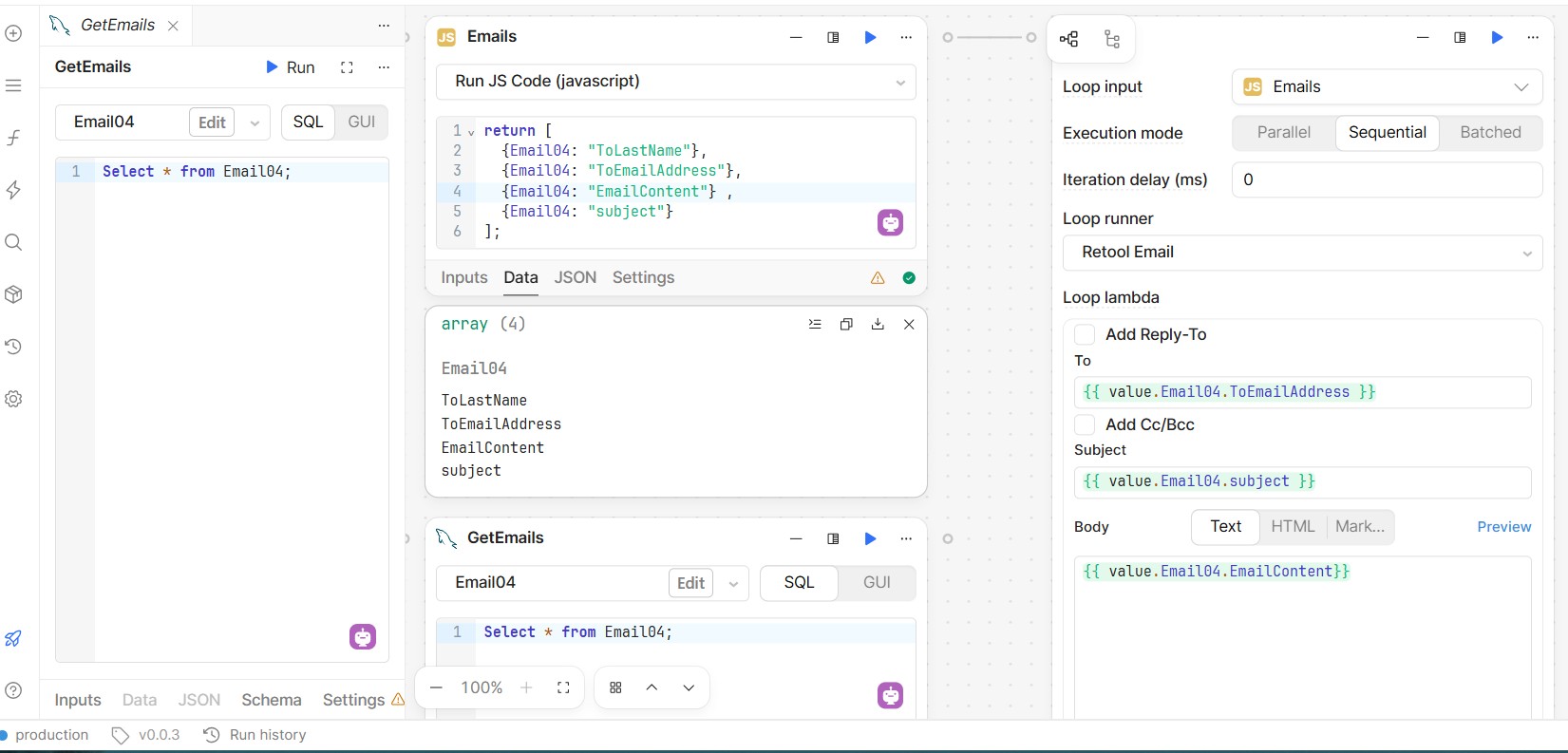
I am making small steps of progress with work flow.
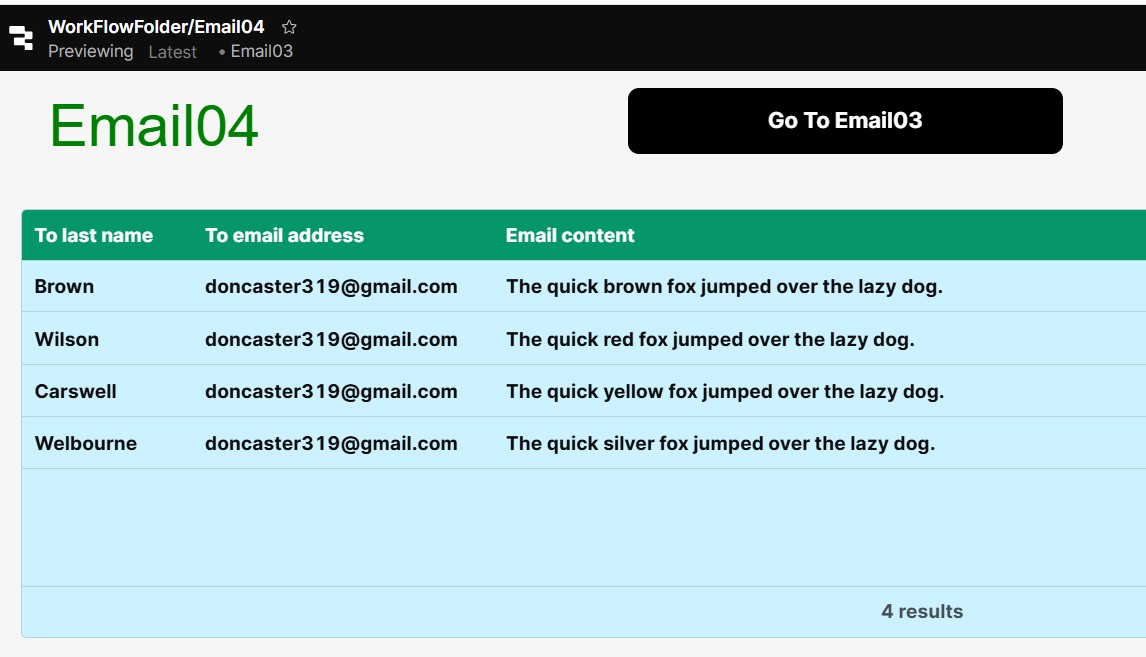
I have a table called Email04 that contains 3 columns: ToLastname, ToEmailAdress and EmailContent.
I am able to pull the data out with a block called GetMails.
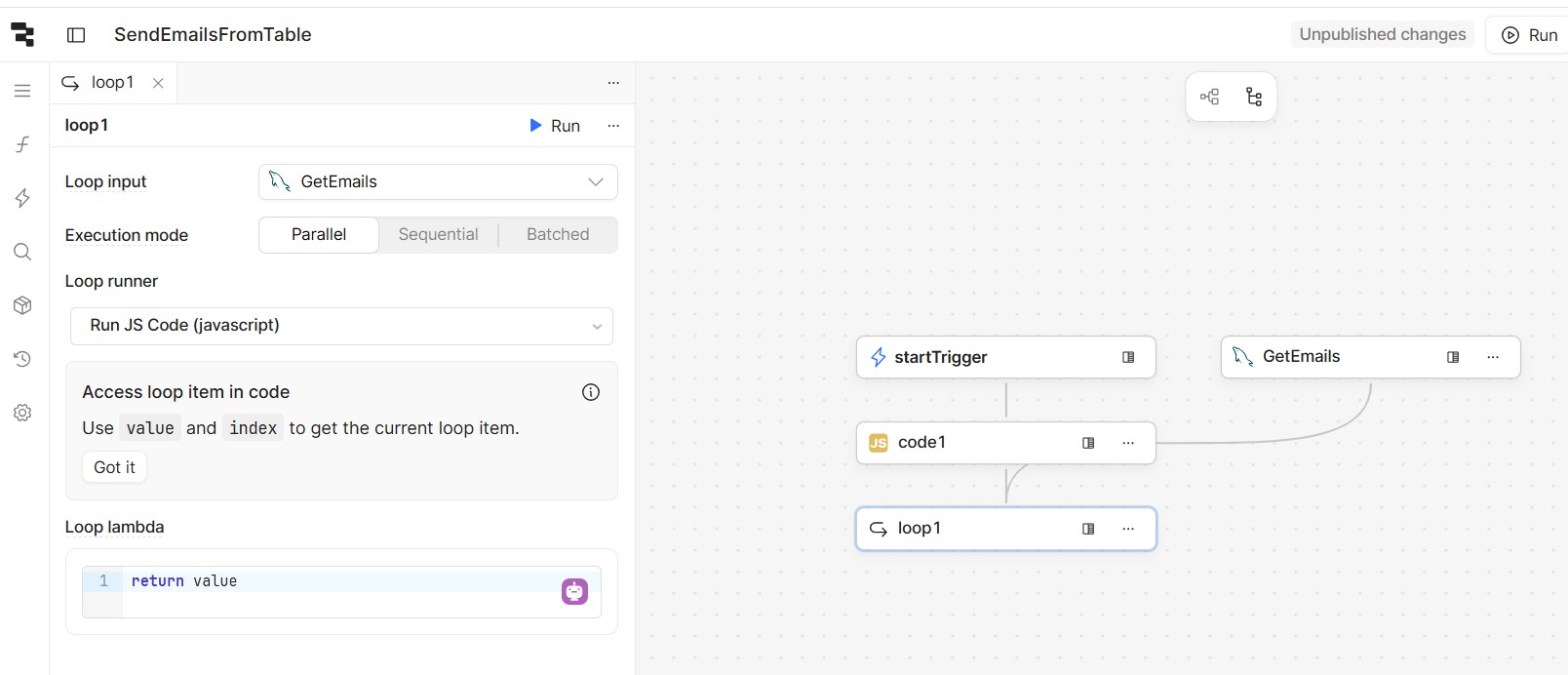
I have added a loop block. This is blank.
What code should I put in the Loop Block to send out emails using the data in Email04?
Mike
I am showing screen captures for the block layout and Email04.
Hi @mdsmith1
in the Loop Block you have to set the service you want to call for each item in the array, in your case an email service, such as:
Hope this help.
1 Like
abusedmedia:
I am trying to send out my emails using a table as the source for the addresses and content.
Is this possible?
Mike
The UI table is populated from where?
If the UI table is fed from a database table, then, in the workflow, instead of the array in my example, you query that database table.
Best
abusedmedia:
I must apologize. I am still learning about these blocks in workflow.
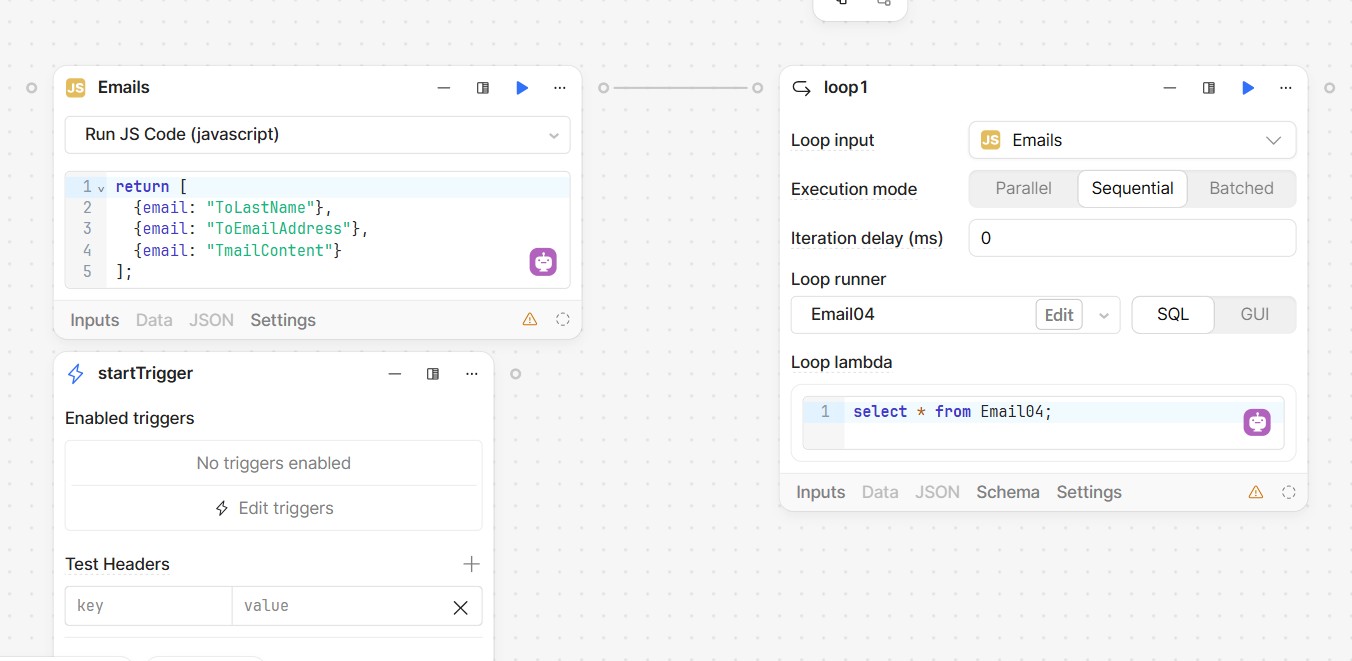
I am showing a screen capture of what I developed.
The loop1 screen won’t let me add the lines for “To” and “Subject”. It has guided me to what you see and I am unable to change this.
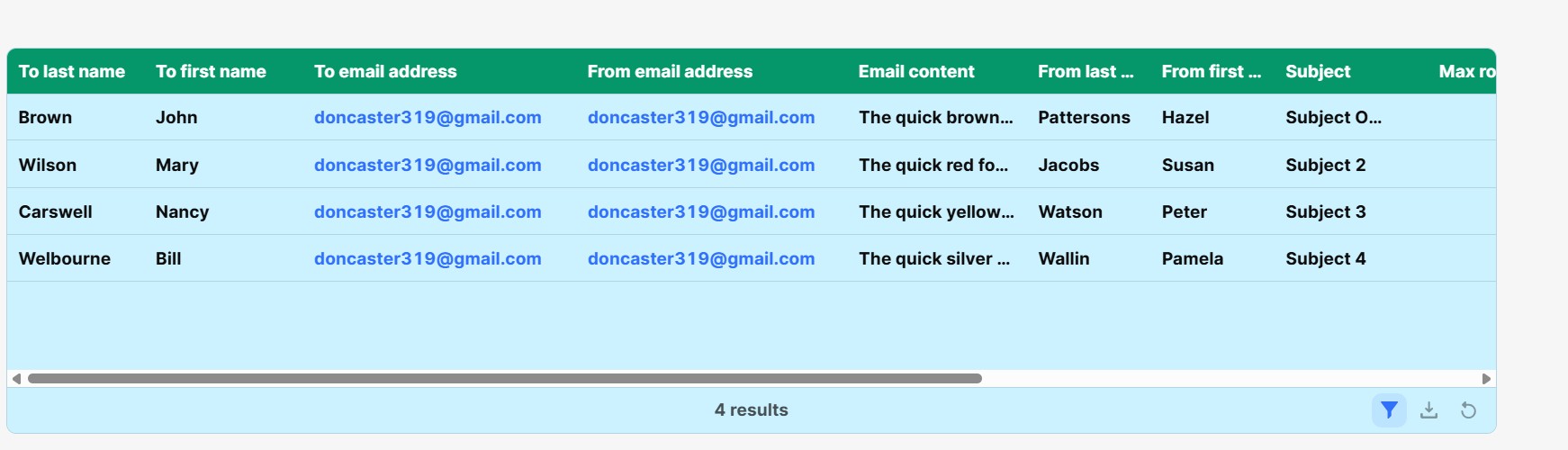
Email04 is the name of the table. I am showing that table in the second screen capture,
This code actually runs without error but no emails are generated.
How do I go about adding the “To” and “Subject” fields?
Mike
Hey @mdsmith1
You should create exactly what I showed before, and after that (you should receive emails from that), replace the JS array with a SQL query of your table.
Best
abusedmedia
I am doing my best to get your code to refer to a table rather than an array. But it still doesn’t work.
Can you tell me specifically what I am doing wrong.
Mike
Hey @mdsmith1
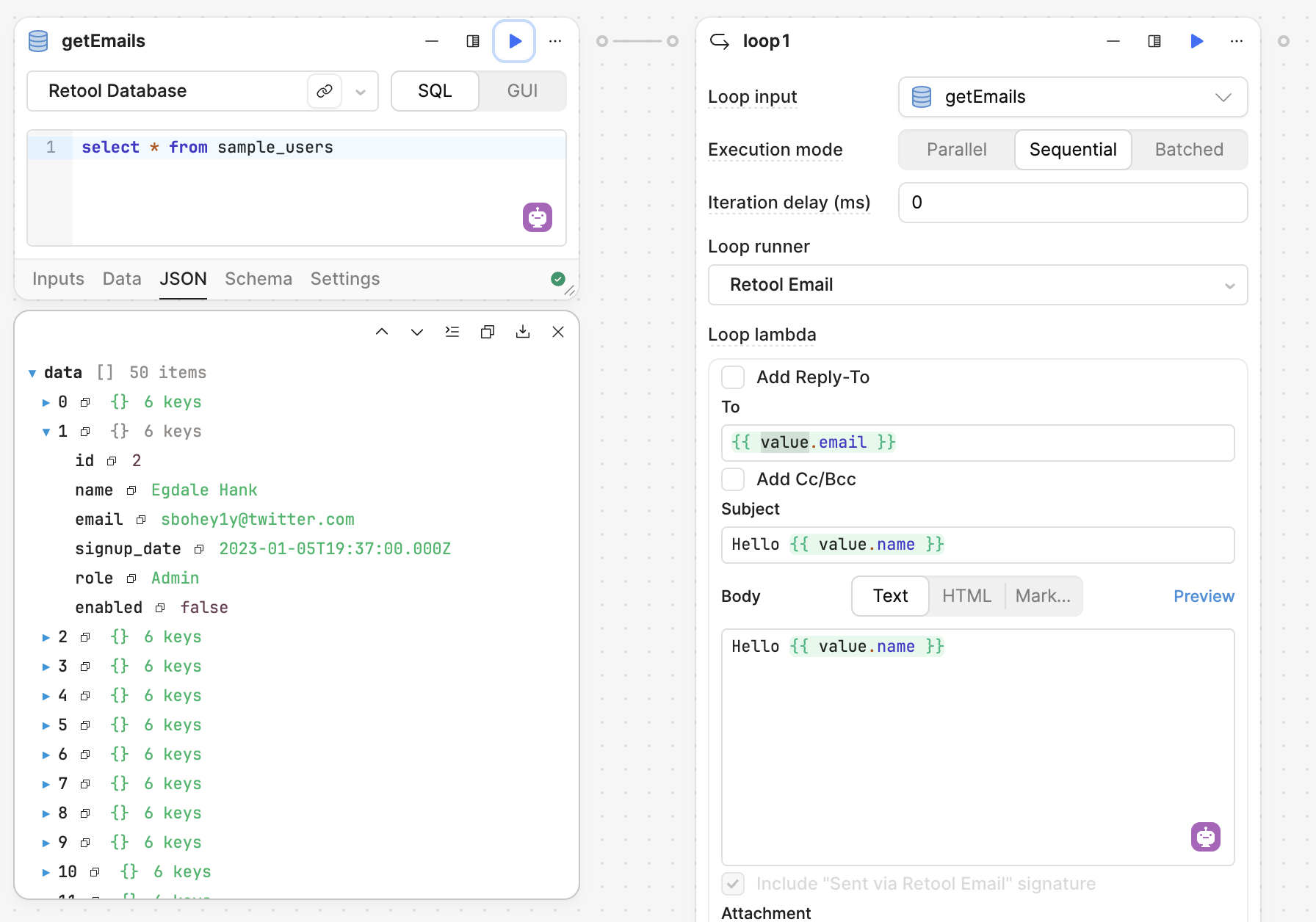
Check this:
value is the variable that contains the single record in a collection, so you can use value.email or any other existing property from your query, to compose your dynamic email.
Hope this help
1 Like
AbusedMedia:
Your solution worked perfectly !!! I really needed to learn this for an app that I am developing.
Thank you so much for helping me with this. I have marked your answer as the Solution.
Thank you again. I really, really appreciate this.
Mike
2 Likes