- My goal: Table: Set Dynamic Columns to be editable (This can be done) I want to set set row editable using Dynamic Columns
- Issue: Only columns settings are available to be editable (true/false)
- Steps I've taken to troubleshoot:
- Additional info: (Cloud or Self-hosted, Screenshots) Cloud
1 Like
Summary
Working in a Cloud instance, the aim is to make an entire table row editable using Dynamic Column settings, but only per-column editability (true/false) is exposed rather than a row-level editable option.
AI Response
There isn't a single row-level 'editable' toggle, but you can achieve the same result because each column's Editable setting accepts a dynamic expression. Instead of a static true/false, write a boolean that references the row's own data (e.g. via the current row / item) so editability is evaluated per row. Apply this expression to every column you want conditionally editable to effectively make the whole row editable based on its values. Be aware of one known caveat: when editability is controlled dynamically, newly added rows may not become editable as expected.
Sources
New Table Component - dynamically set column editability based on other column data for a given row
Solved thread showing how to make a column's Editable setting a dynamic expression tied to a given row's data, which is exactly how to drive editability per row.
Recent solved thread documenting the known limitation where new rows aren't editable when column editability is set dynamically.
The Community Team is testing out a new automation designed to improve resource discovery. Let us know if it's helpful by leaving a  or
or  . Or by marking this post as the "Solution"! And let us know if you have any feedback here.
1 Like
Hi @Kobus_van_Wyk!
As you may have seen already, the table settings do not include an "editable row" toggle when using dynamic columns.
Are you looking to only edit specific rows? If you could give me more specific details I can test things out on my end.
One workaround that you can do is setting the specific columns to "Editable", but only for a certain condition. To do this, you will need to click into the column settings, then under the "Editable" section, click the FX next to it to include your condition. For example:
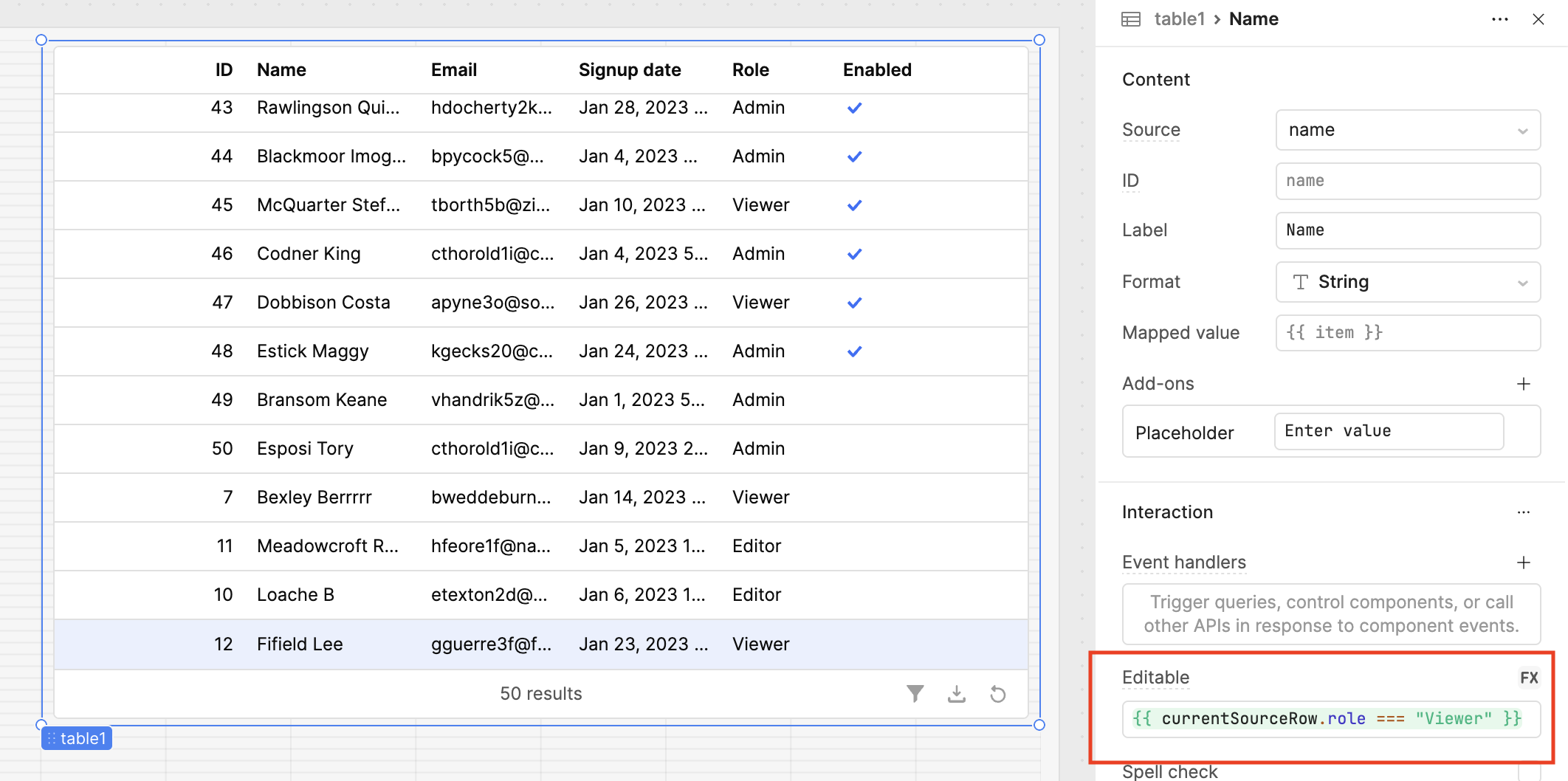
In this example, I have made the Name column editable, but only if the person's role is Viewer. Otherwise, you cannot edit the name in that specific row.
Lastly, you will need to write a SQL query to save the changes to your database.
Hope this helps! Let me know if this is not what you're looking for, and I will take another look
-Jen
1 Like
Hi @Jen
Edit Specific rows using Dynamic columns:
Request:
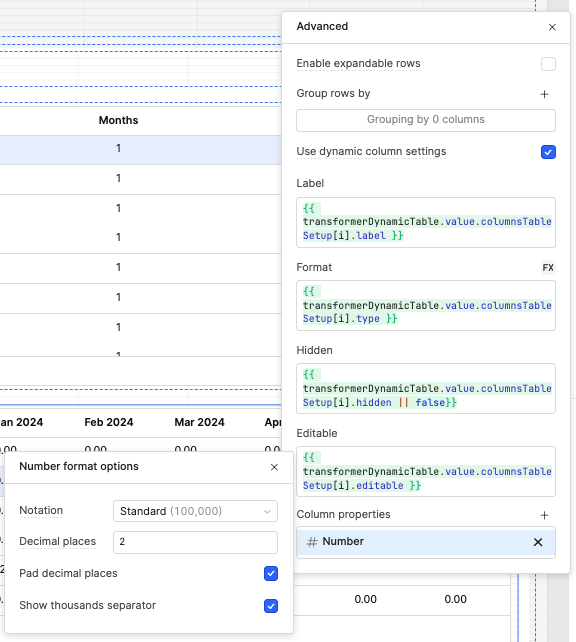
- Using Column properties
- ADD: Styles, Hidden, Editable, Align and Event handlers
- Every option to have FX possibilities
Example:
- Number
- Hide when number is below X value (Hidden)
- Change color when above X value and make it bold (Styles)
- Number for this report is right aligned (Align)
- Edit only when a condition is true (Editable)
- Nice to have Event handlers
1 Like
Hi @Kobus_van_Wyk,
@Jen, He means that Dynamic Column Properties should provide the same configuration options that are currently available for static/manual column properties, such as:
- Styling
- Formatting
- Event Handlers
- Add-ons
- And other column-level properties
As shown in the screenshot, these options are currently not available for dynamic columns.
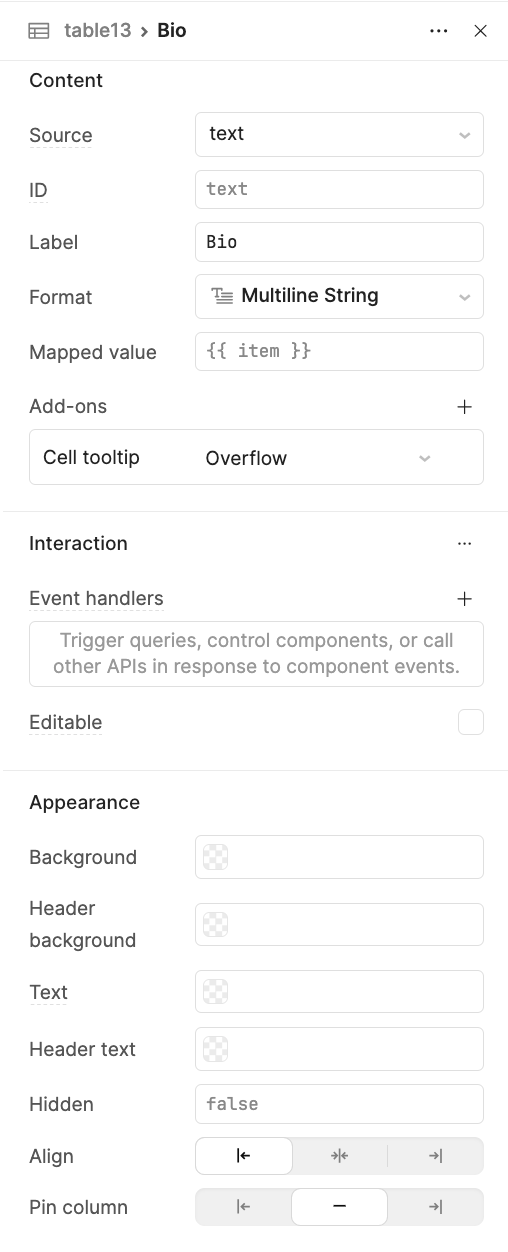
Therefore, this should be considered a Feature Request.
1 Like
Hi @Kobus_van_Wyk! Appreciate your patience, and thank you for clarifying so I can better understand your request!
As @WidleStudioLLP mentioned, the ability to edit specific rows using Dynamic Columns and custom properties are not available at this time. I have created an internal feature request for this, and I will update this thread with any updates as soon as I get them.
In the meantime, I have tried different ways to make specific rows editable based on a certain condition. For example, in my screenshot I have made the row editable only if the first name in the selected row starts with "C":
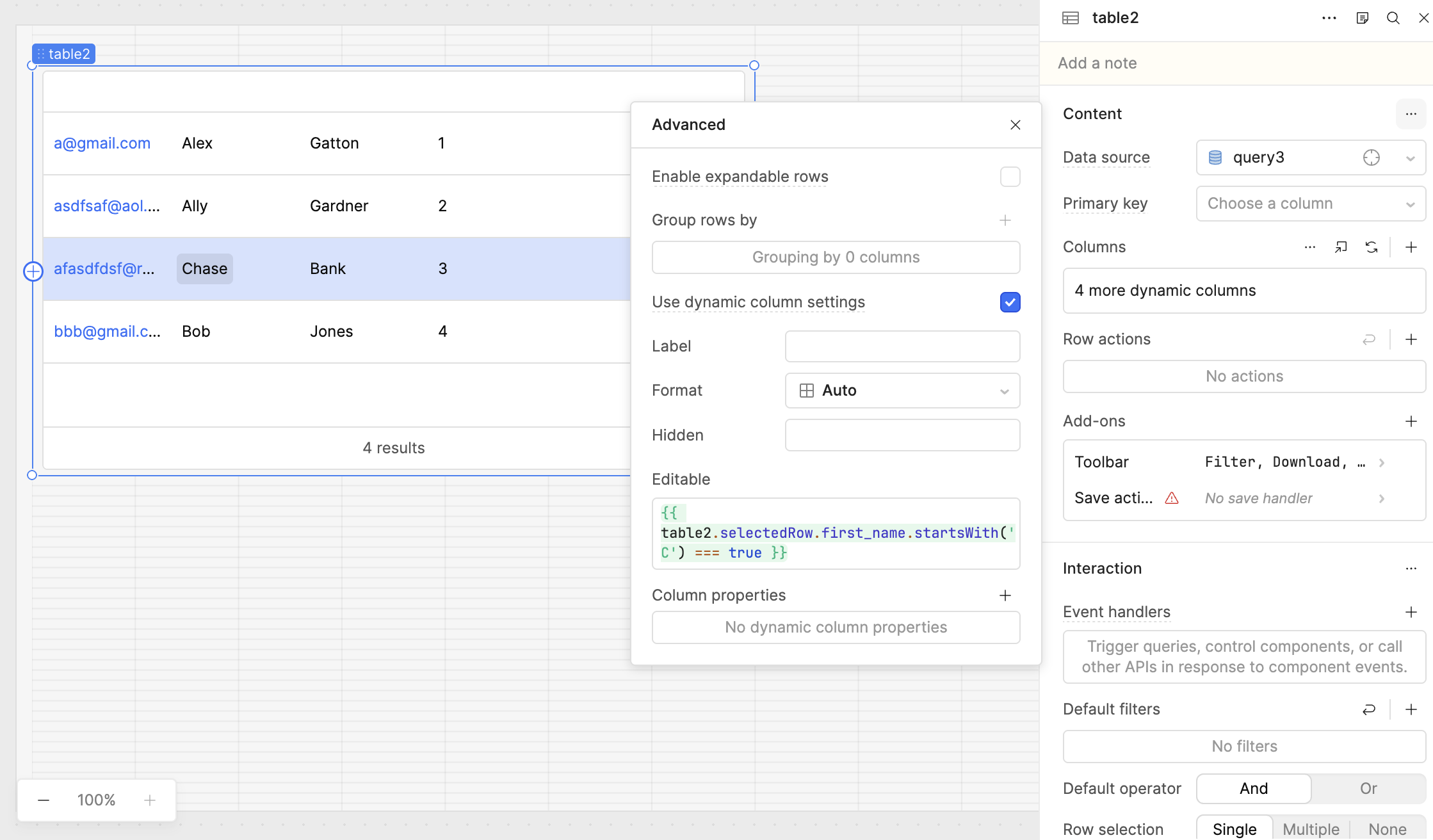
However, this is not a clean solution - after selecting that row you also have the ability to edit other rows. But if you select another row that does not meet that condition, you can disable editing.
Another suggestion is to create an external form or pop-up modal to make edits to the rows in your table. Because it is a separate component, this will decrease the number of accidental edits to other rows in your table.
Hope this helps!
-Jen
1 Like