Custom domains let your team reach Retool from a URL you own, such as apps.yourcompany.com, instead of yourorg.retool.com. Retool recently moved to a new CNAME target, custom-domain.retool.com, so this walkthrough covers the current setup from start to finish.
Who this is for: Retool Cloud orgs. (Self-hosted deployments configure domains at the infrastructure level, so this guide doesn't apply there.)
Before you start
-
You'll need admin access to your Retool org.
-
You'll need access to your domain's DNS settings (Cloudflare, Route 53, GoDaddy, etc.).
-
Pick the subdomain you want to use, for example
apps.yourcompany.com. A subdomain is recommended over a root or apex domain(yourcompany.com), since apex domains often can't hold a CNAME record.
Step 1: Create the DNS CNAME record
In your DNS provider, add a CNAME record:
| Field | Value |
|---|---|
| Type | CNAME |
| Name / Host | your subdomain, e.g. apps (for apps.yourcompany.com) |
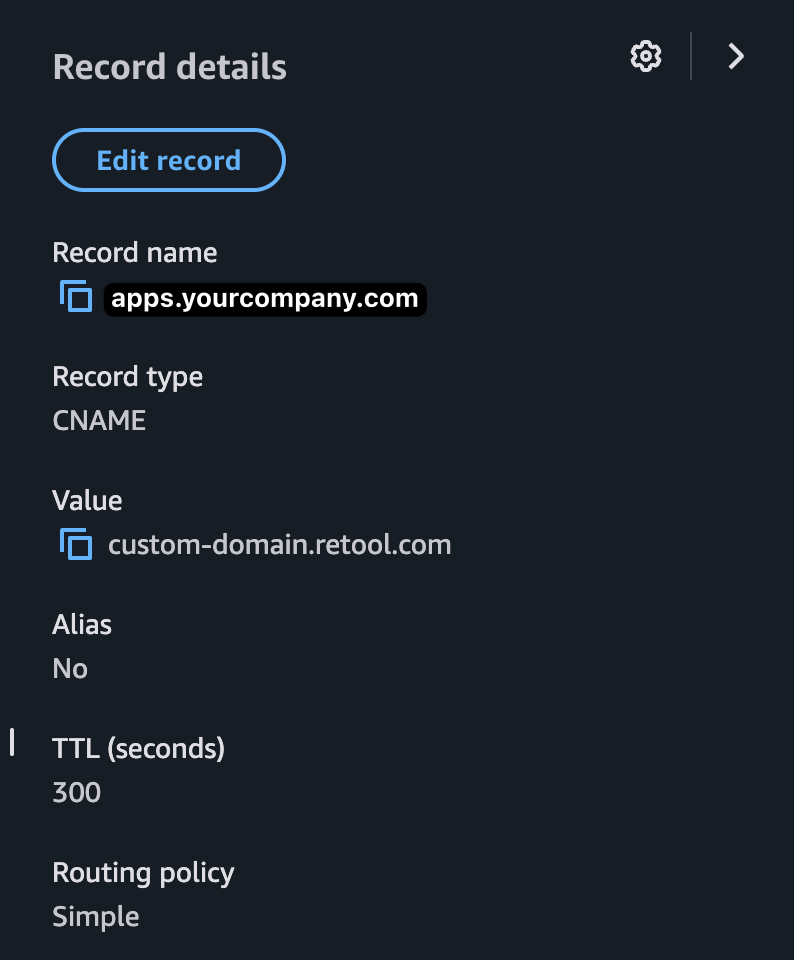
| Value / Target | custom-domain.retool.com |
| TTL | default / automatic is fine |
This is the key change: the target must be custom-domain.retool.com. If you set up a custom domain in the past against an older target, update the record to point here.
Here's an example of a correctly configured record (shown in AWS Route 53):
Step 2: Add your domain in Retool
-
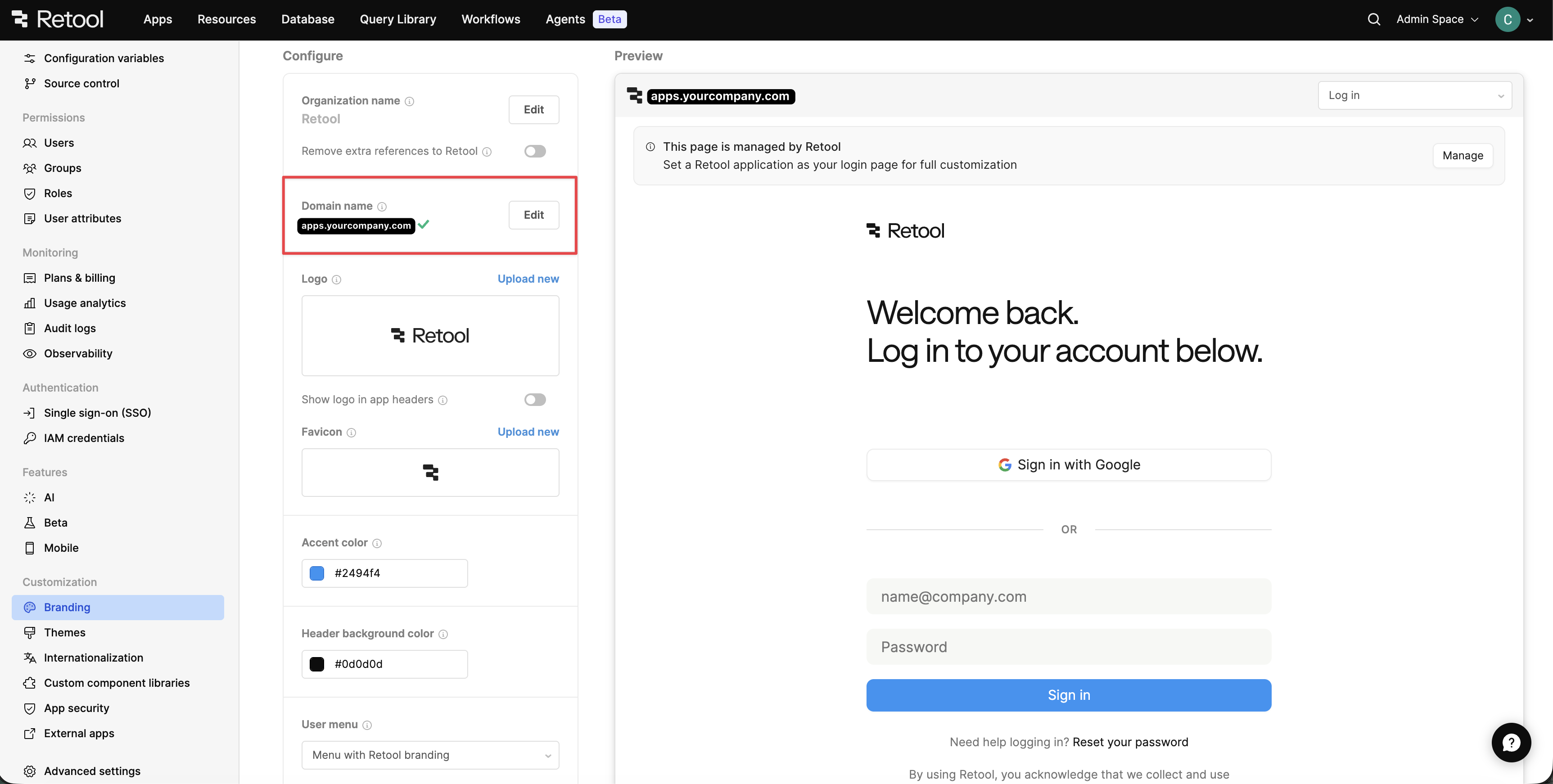
Go to Settings > Branding.
-
Find the Custom domains section and click to add a domain.
-
Enter the same domain you configured above (e.g.
apps.yourcompany.com) and click Validate domain.
Step 3: Wait for verification
Retool will now check for your DNS record, verify ownership, and issue a TLS certificate. The domain shows as verifying. This can take up to a few hours while DNS propagates. You don't need to keep the page open.
-
Verified: you'll see a "Domain successfully verified" confirmation, and your apps are reachable at the new domain.
-
Unable to verify: double-check the CNAME record, then click Try again.
Troubleshooting
If your domain won't verify, the cause is almost always the DNS record. Start here:
1. Confirm your CNAME resolves correctly. Open a terminal and run:
dig apps.yourcompany.com CNAME +noall +answer
Replace apps.yourcompany.com with your own subdomain. You should see an answer line like:
apps.yourcompany.com. 300 IN CNAME custom-domain.retool.com.
The important part is that it resolves to custom-domain.retool.com. If you get no answer line or a different value, the record either hasn't propagated yet or isn't set up correctly. Double-check the Name/Host matches your subdomain and the Value is exactly custom-domain.retool.com.
2. Give DNS time to propagate. Changes can take anywhere from a few minutes to a few hours depending on your provider and TTL. If dig returns nothing right after adding the record, wait and try again.
3. Retry in Retool. Once dig returns the correct value, go back to Settings > Branding and click Try again on the domain.
Reference
Official docs: https://docs.retool.com/apps/external/guides/custom-domains
Hope this helps anyone setting up a custom domain. Happy to answer questions below!