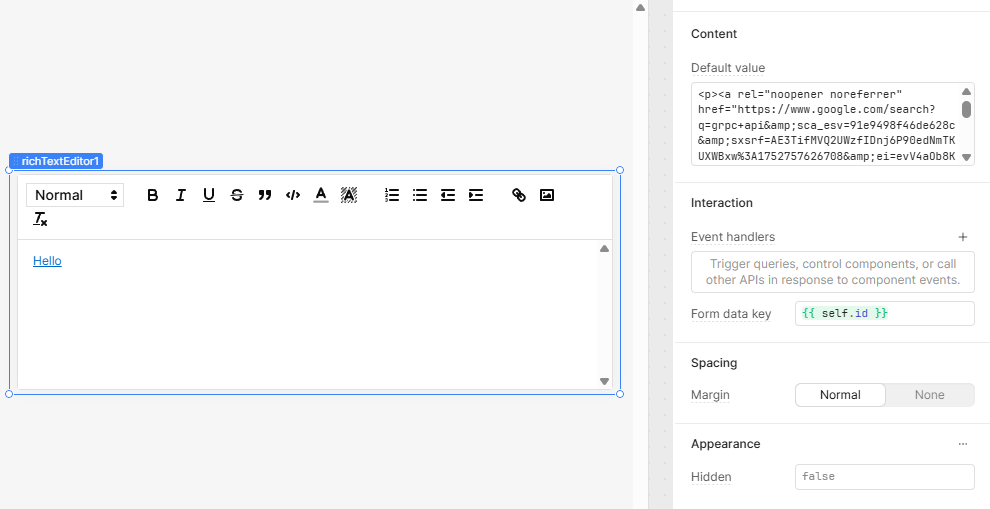
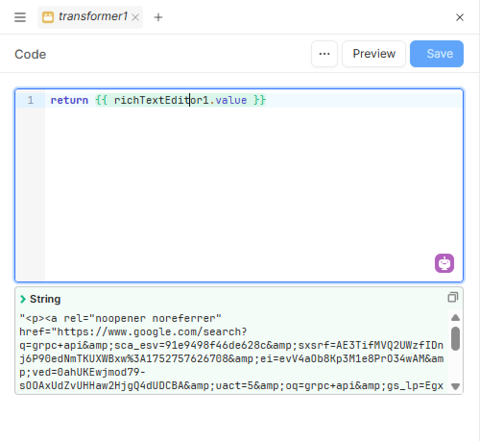
I discovered this correct format by applying a hyperlink within the editor and then inspecting the resulting value. Using that exact output as the default value ensures the hyperlink is preserved across refreshes.
Hi @Mahendra_Dassanayaka, the hyperlink will let you pass in urls to other webpages with the format: https://www.somedomain.com/page?param=2 or http://google.com or relative paths within your website: customers?user=2 -> yourretooldomain.com/someid/appname/customers?user=2.
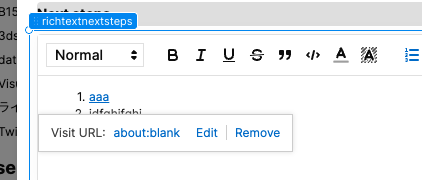
Inputting paths that it can't navigate to, whether it's an unfamiliar format or an attempted link to the filesystem (like Users/Mike/Documents/etc), will change to about:blank.
Thanks for the clarification @Mike_M. My attempt is to include an app hyperlink like app_name:://appscreen_name?param=1234. Is there any way I can achieve this ?
I think the app_name:// part is what is not working. Have you tried using the whole url? ex: https://your_username.retool.com/apps/some_alphanumeric_id/app_name?param=1234
Oh ok, mobile might change things. This is the type of link I get when I click "Copy deep link" from a mobile app: https://retool.com/mobile/link?type=APP&path=Mobile%2520test&host=...
Does that not work?
Also are you linking from one mobile app to another?
@Mike_M we are using this basically to navigate to screeens via emails and push notifs and the format is self defined that is why it starts with app_name:://screen_name?param=1 format.
In testing links in the rich text editor I found out that your example, app_name:://screen_name?param=1 actually does work, but only if there's an underscore in app_name.
Something else I tried out is a leading slash would also work (regardless of underscores), ex: /appname:://screen_name?param=1. Let me know if that is a viable solution!
Also I changed the topic category to Mobile, just for reference to anyone seeing this thread later.