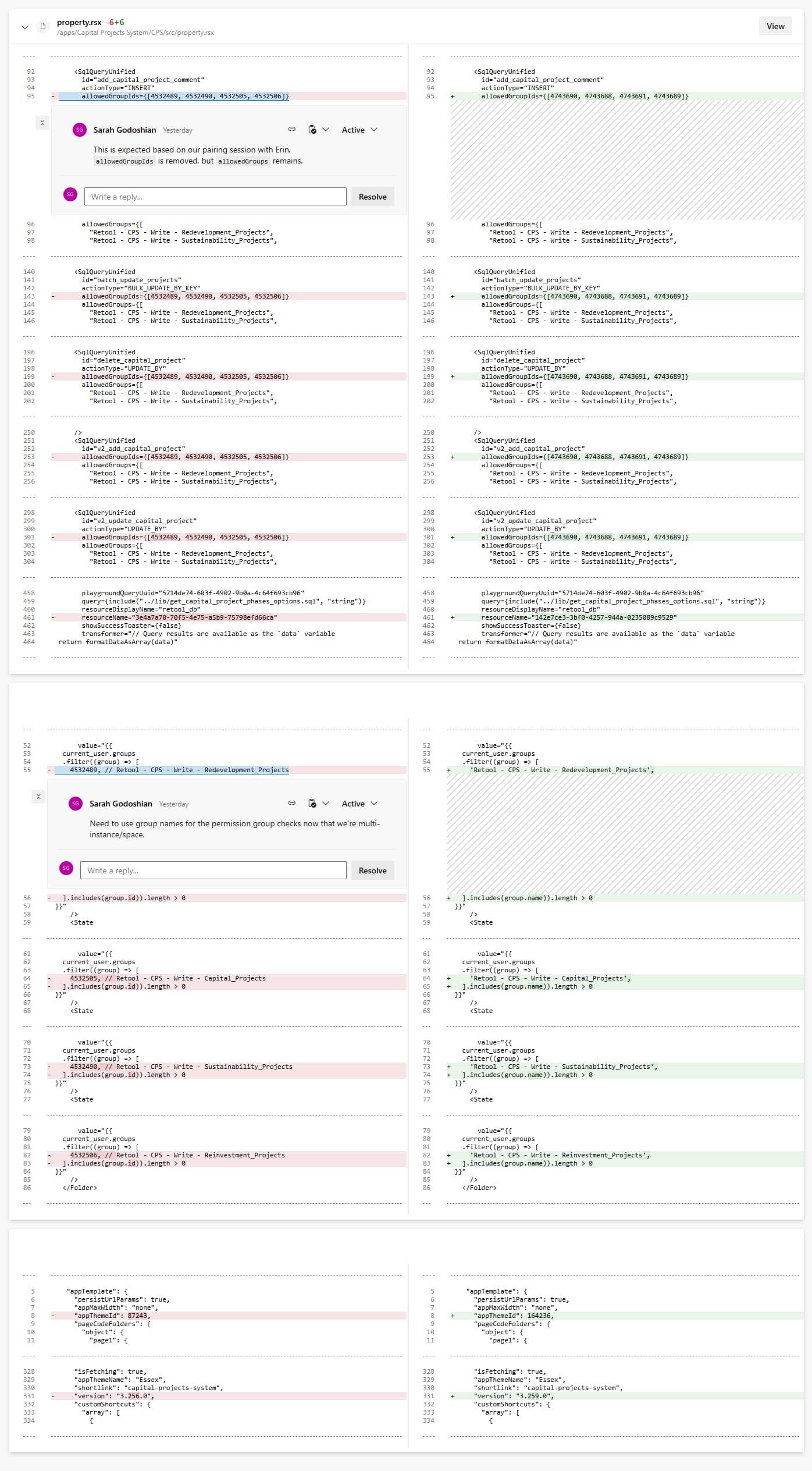
Questions
- What is the recommended way to configure and manage query-level access controls (“Groups that can run this query”) so they remain portable across spaces when using Source Control?
- Is there a supported way to share or map permission groups across spaces for orgs using a gitflow branching strategy?
Context
Our enviroment
We recently switched over to an enterprise plan and are adopting spaces and source control, and following a gitflow branching strategy. We have our main/organization space on the main branch, and out uat space on the uat branch. We will create branches off of uat, merge into uat, get approval, then cherry-pick into main. We want to enforce backend resource query access restrictions, by leveraging the Groups that can run this query access controls.
Problem
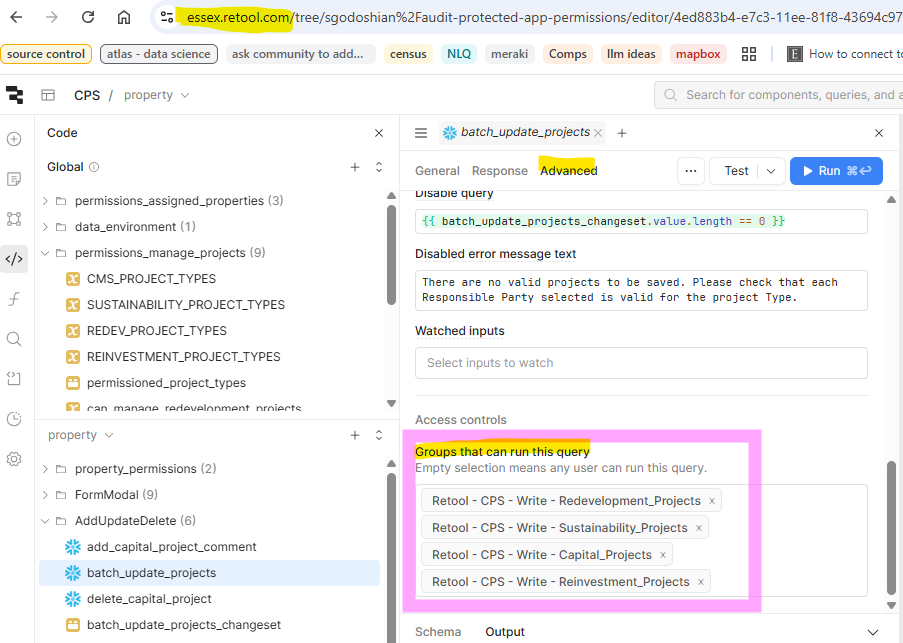
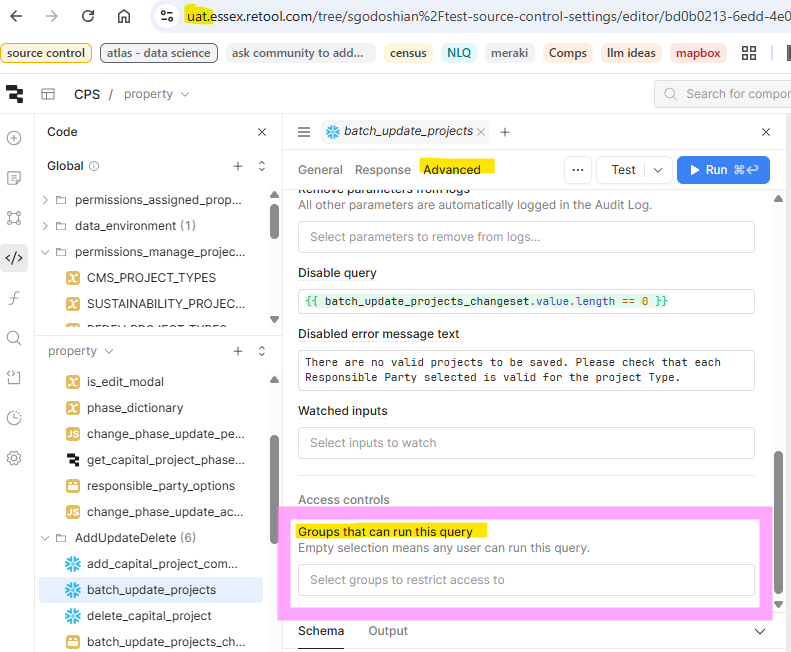
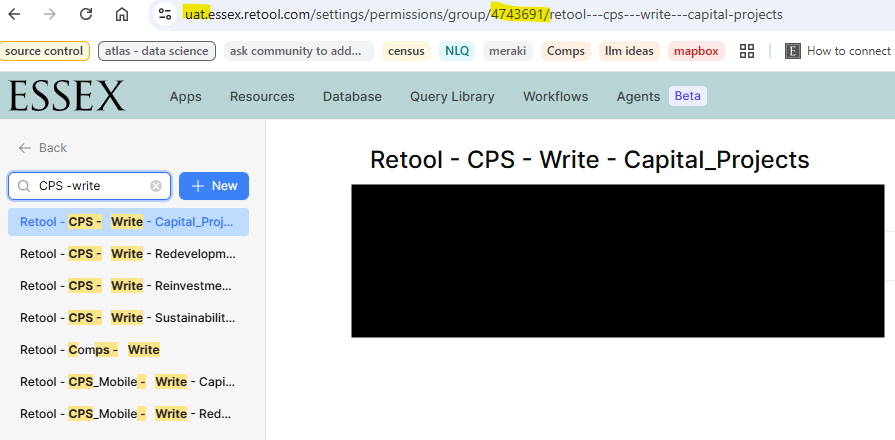
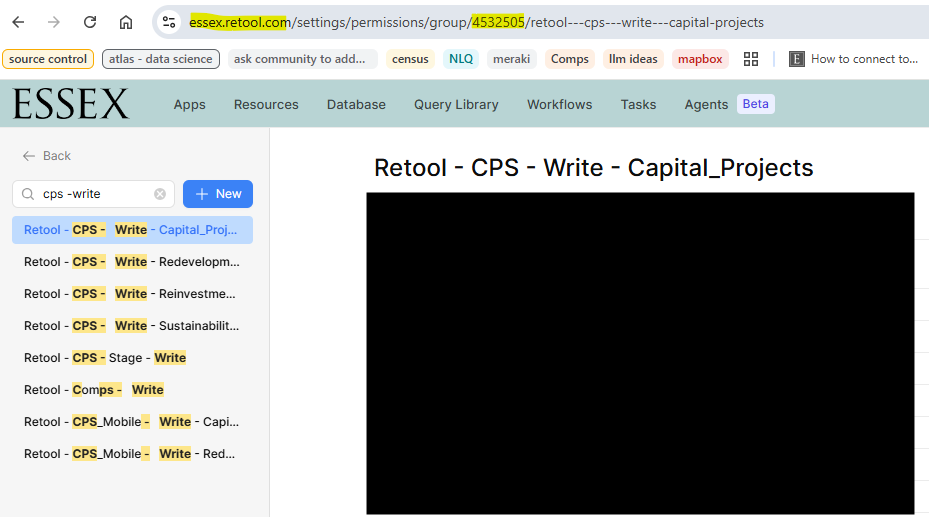
When I protect an app in main and sync it into uat, any Groups that can run this query access controls set on resource queries are removed in uat after I create a branch and make unrelated edits. This appears to happen because permission group IDs are different between spaces, so Retool can't resolve them.
Steps to Reproduce
- In main space (
mainbranch), set Groups that can run this query for several queries in an app. - Protect the app and sync it to uat space (
uatbranch). - In uat, create a feature branch and make a small change (not touching the queries).
- Observe that:
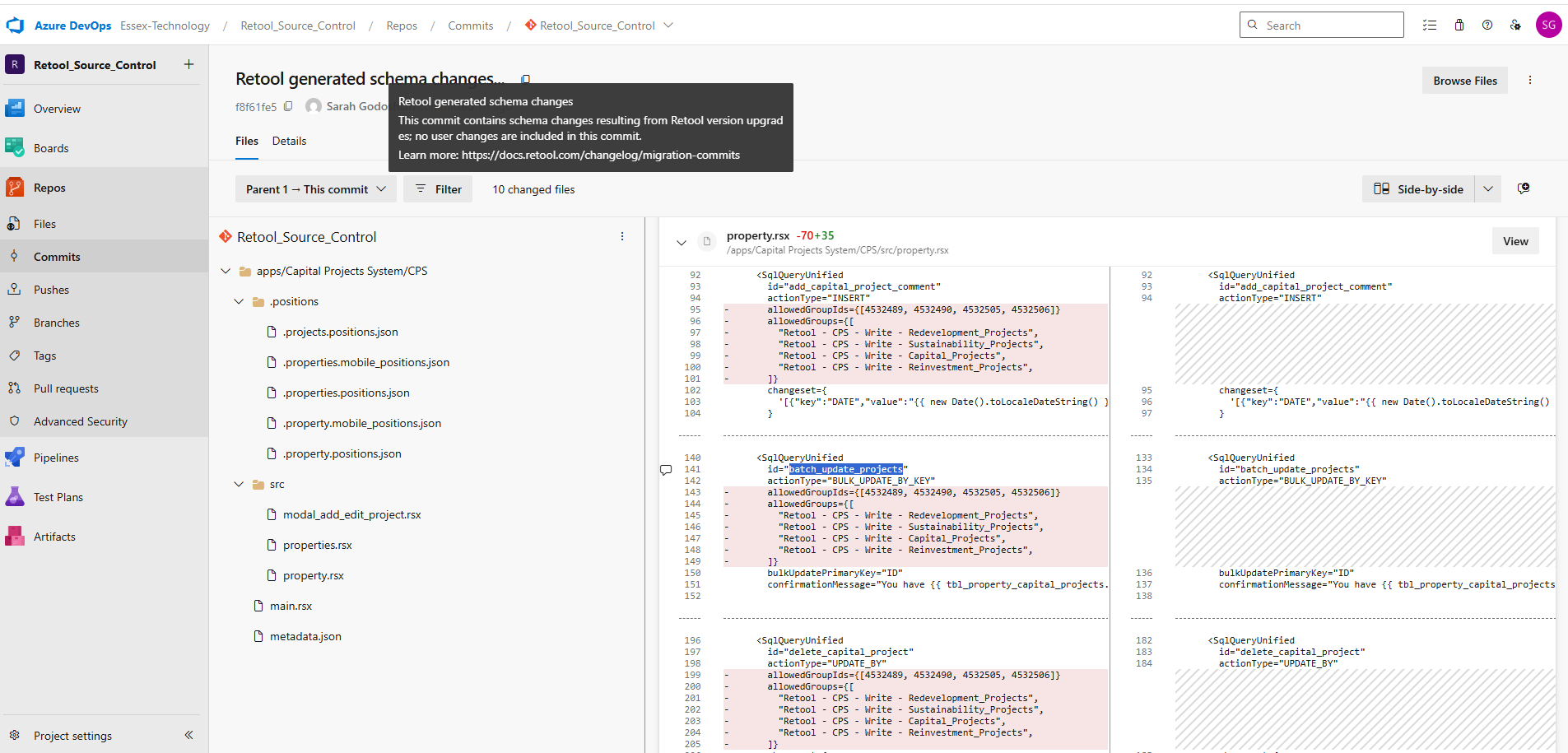
- the query-level group restrictions are now unset in uat
- the
Retool generated schema changes...auto commit reflects the removals.
What we’ve already tried
- Ensured all corresponding permission group names exist in uat
- Verified that only the permission group IDs differ
- Confirmed the removals are introduced by the
Retool generated schema changes...commit, not by our manual edits - Tried toggling these Source Control settings in uat, and making a new branch an PR, but it made no difference
- Disable auto catch up commits
- Force UUID mapping
 One point of clarification - how are you syncing the changes from