Goal: Have a list of inputs in a form that I can add and remove from.
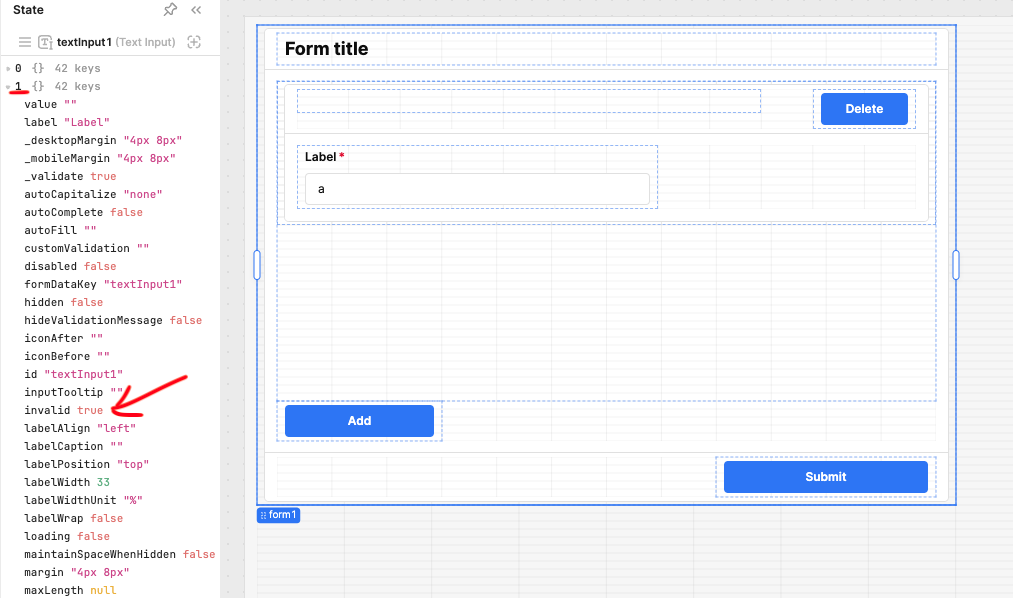
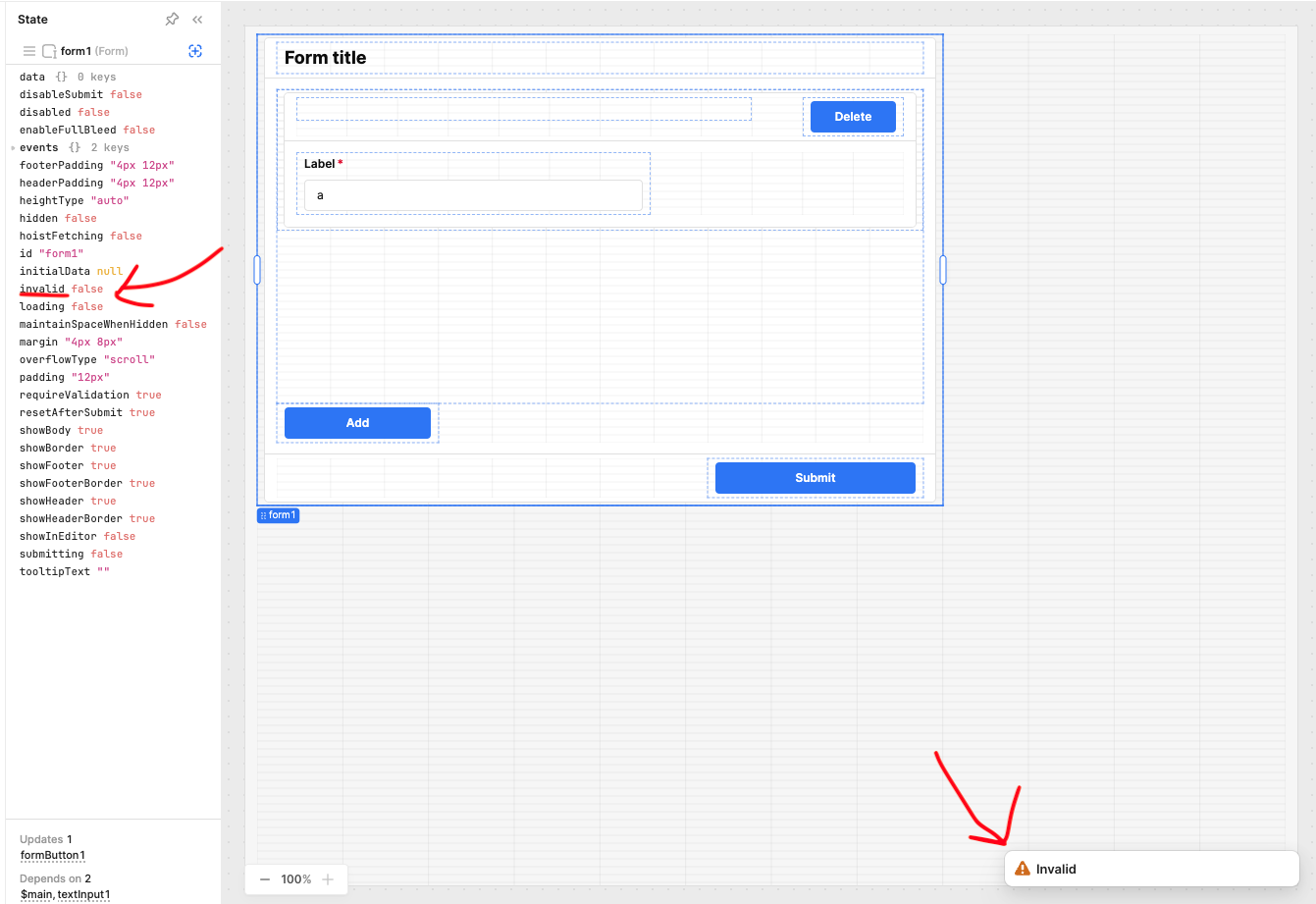
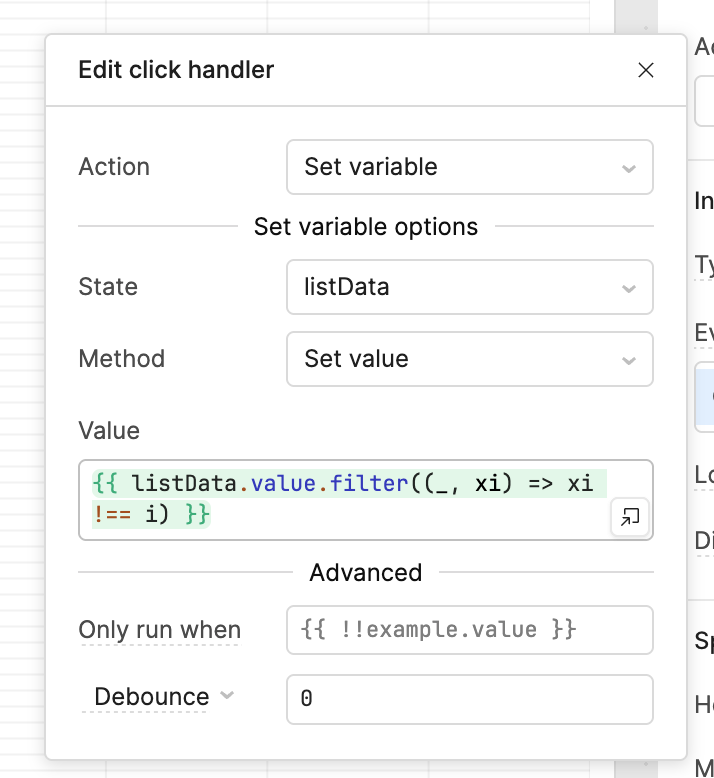
Steps: Created a form with a list view inside of it. The list view's data source is a variable which I set to an array of objects. Each item is rendered as a container with a required text area and a delete button. The delete button sets the variable equal to a new array sans the item for the given index. The UI updates but I can see that the form field still exists in the state. When I try to submit the form it throws the Invalid event even though the form "invalid" state is false.
Details: I am using the cloud version
Screenshots:
Here you can see only one component on the view but two in the state and the second is invalid after I submit.
I can definitely check this out and try to reproduce the issue.
It sounds like the state is not refreshing to properly reflect the changes made by the delete button. Let me look into work arounds for forcing the component to reload the state on delete click
If I can reproduce the behavior I will submit a bug report to the team that owns that component
Thank you for the app export, it made it very easy to reproduce the behavior.
It seems that you are correct in that the textInput1 state is not properly removing child objects when a delete is triggered by the button.
Going to pass this along to the UI team to work on. I was thinking that a work around could be to trigger a page refresh but that completely wipes the components from the list view so that won't be effective.
Just got word from our engineering team on how to edit the state to remove list view items from the form's state so that any deleted items won't interfere with validation logic.
Just got an update that the ticket I created for this issue has its status changed from “Ready to Work” to “In Progress” hopefully more good updates to come soon.


 hopefully more good updates to come soon.