I'm encountering a strange issue with my app where I import a listView based module. Below you'll find the details.
Issue Description
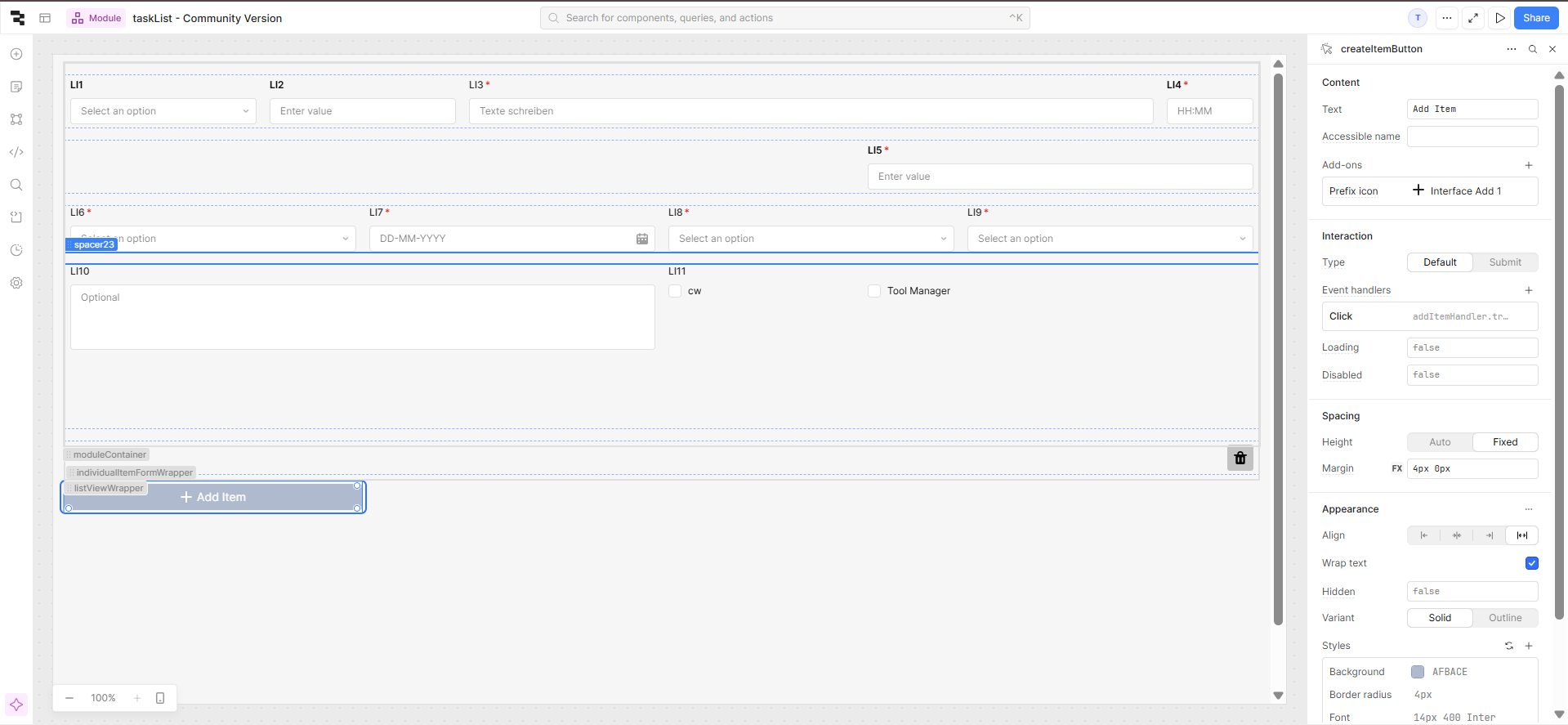
I have a main app that imports a module containing:
A list view
An "Add Item" button that inserts a new list item
Each list item is a form with multiple input fields
A Delete Item button that removes the list item
Everything works as expected until I:
Add an item to the list
Delete that item
Try to submit the main form
At this point, the submit button stops working entirely—no API call is triggered, and no console logs appear, as if the event handler is removed. However, form validations still work, so the issue seems specific to the submit action.
Steps to Reproduce
Import "Module - Community Version" and "App - Community Version" into Retool.
Import the module into the app.
Add an item using the "Add Item" button.
Delete that item.
Click the submit button → nothing happens!
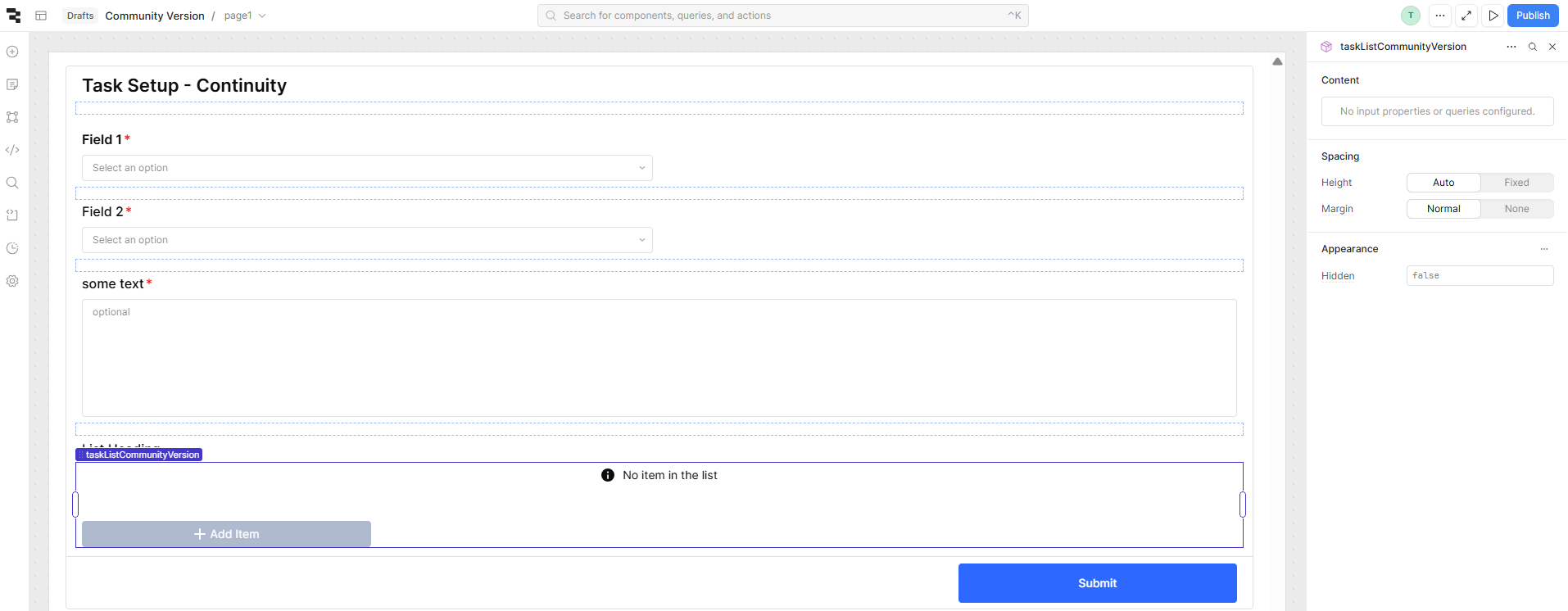
Screenshot of the standalone module as well when imported in the main app are below.
Welcome to the community, @Muneeb_ul_Hassan! Thanks for reaching out and for such thorough documentation of the issue.
After some testing, I actually think it is a validation issue - at a surface level, at least. Trying to submit the top-level form after deleting an element from the listView does still trigger the Invalid event handler. You can verify this by running tasksForm.validate() in the console, as well.
My guess is that this has something to do with the way we virtualize listView elements, in which case switching to the legacy version of the component might help. Regardless, I'll reach out to the team internally and follow up here when I have an update.
I don't have any significant updates, @Muneeb_ul_Hassan, but wanted to ask whether you tried to use the legacy listview component, instead. It's generally less performant for large data sets, but doesn't use virtualization and may be a better fit for this particular use case.
As a different Retool Developer, I just wanted to follow up with this issue . It is still a problem, and I'm not able to access the legacy listView component.
There is definitely a discrepancy within the state of the form and iterable listView items within the form. Ideally, the state of any inputs in the listView component are a part of the form's state and we can view the listViews's inputs' values. But as of now, these two seem to be separate, but together. So while the form gets the invalid value from the inputs in the listView component, but its values are not read by the form.
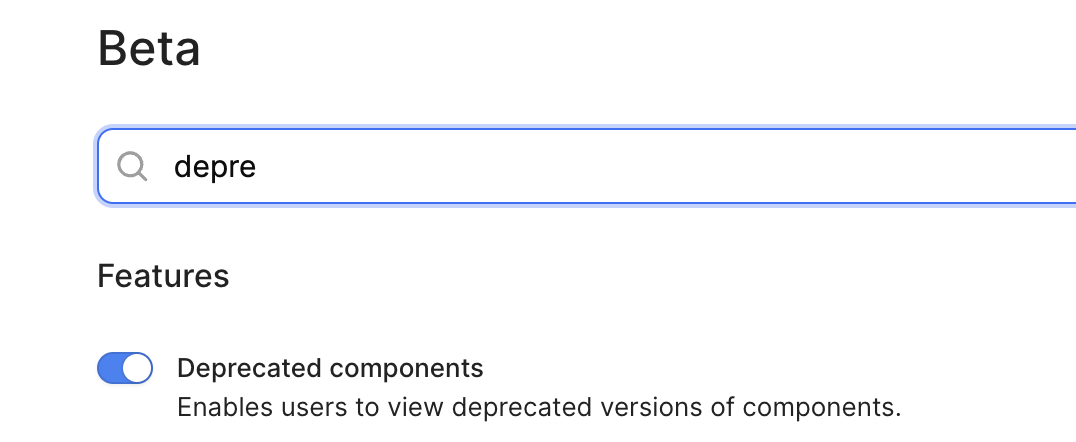
Hey @Luis_Rodriguez - there should be a toggle in your org's Beta settings to enable deprecated components, if you do want to try out the legacy version.