Hi, I’m trying to build a small app. When I click a button, I want it to trigger my Retool workflow, get a response, and display that response. Instead, it shows {}. When I manually run the trigger, it says: ‘No results returned. Query ran and did not return any results.
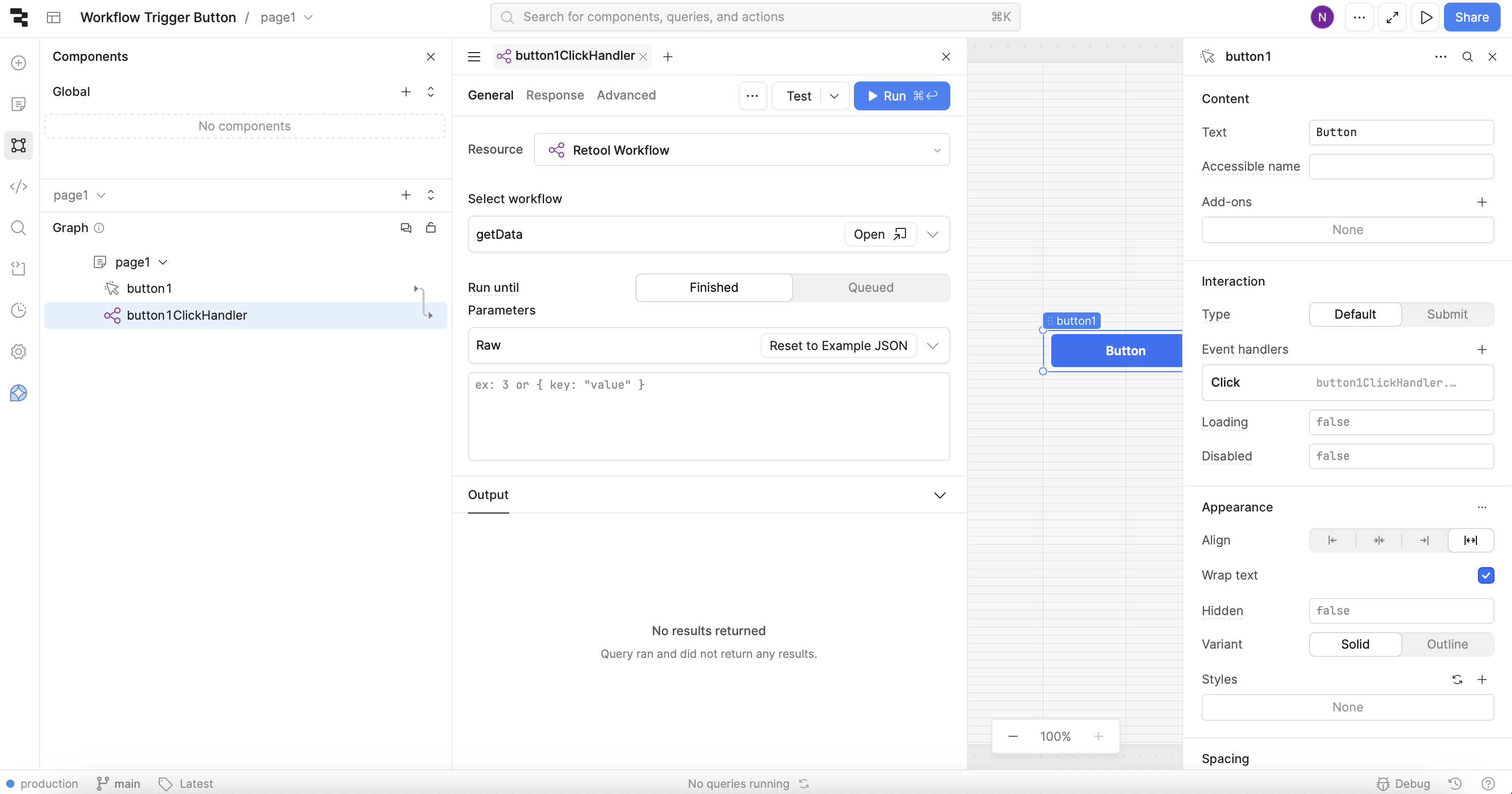
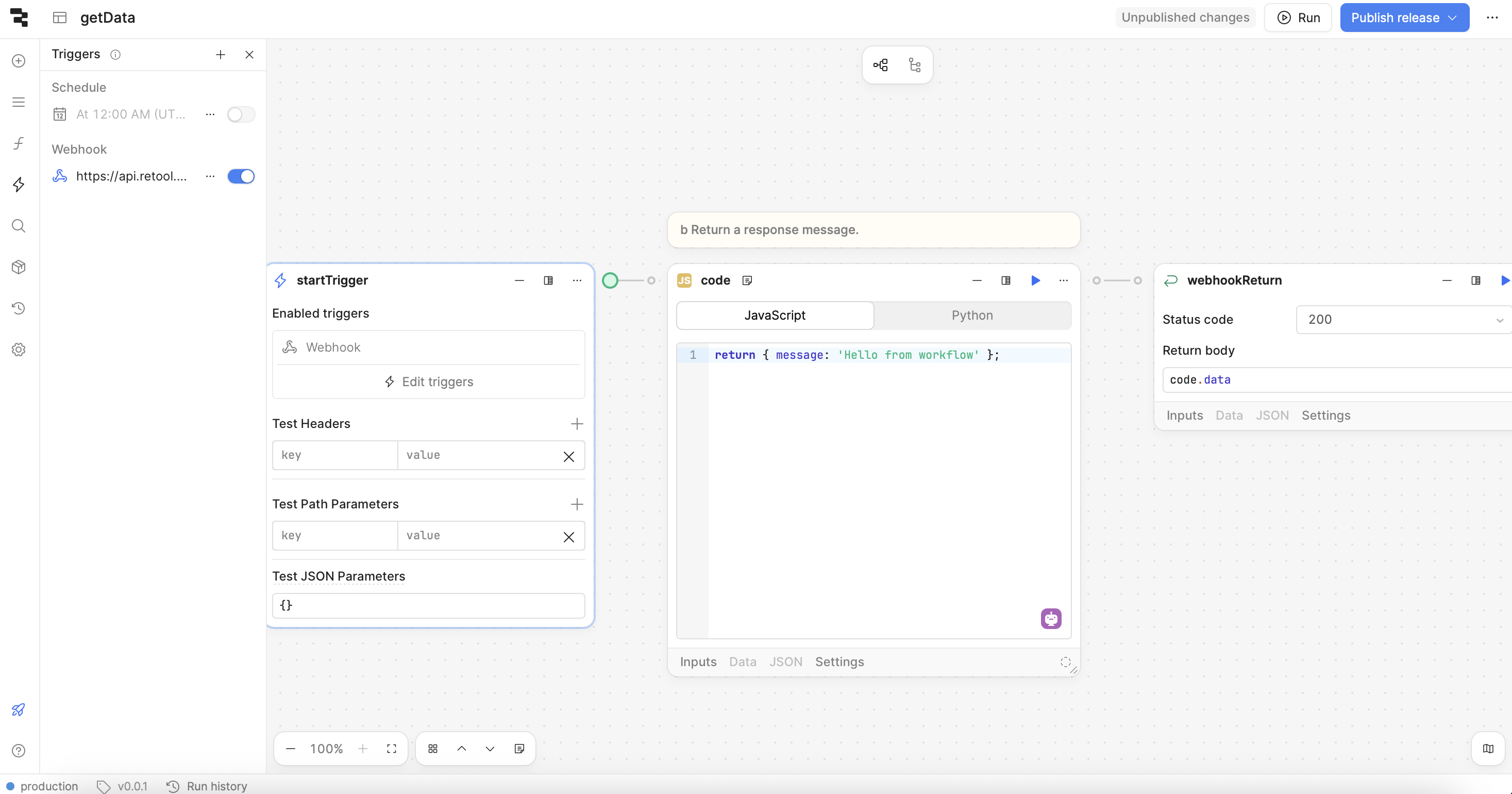
Hey @Nilay — this behavior usually means the workflow isn’t actually returning a value to the place you’re calling it from, so the Retool query ends up with no “results” → {} and “No results returned”.
From your screenshots, you’re using a Webhook Return block. That will return a response only for webhook HTTP calls. But in your app you’re triggering it via the Retool Workflow resource, which expects the workflow to return a value back to the app run (not a webhook response).
Fix
Option A (recommended): Return a value to the Retool app
-
In the workflow, add/use a Return / Return value block (the one meant for “return to caller / Retool app”), and connect it as the last step in the main path.
-
Set the returned value to your code output, e.g.:
- return body/value:
code.data(make sure it’s treated as an expression/value, not plain text)
- return body/value:
Then in the app, you should be able to display:
{{ getDataQuery.data.message }}(or whatever your query is named)
Option B: If you want webhook response, call the webhook
If you want to keep Webhook Return, then don’t use the “Retool Workflow” resource from the app — instead call the workflow’s webhook URL using a RESTQuery and read the JSON response.
Quick check in the app
Also ensure you’re referencing the right thing:
-
The query result lives in
yourQueryName.data -
For your example:
{{ yourQueryName.data.message }}
Once the workflow returns properly, the “No results returned” message will go away and you’ll see the object coming back (e.g. { message: "Hello from workflow!" }).
1 Like
Chiming in here as I wouldn't like the abive answer being used by Retool's Assist as guidance.
@Nilay, what you did was the right approach: i.e. using a response block to get the data back into your app.
The issue most likely is due to your workflow not being published to the latest version, you can see the workflow runs to see which blocks ran (and most likely the response block will be missing from the logs).
1 Like