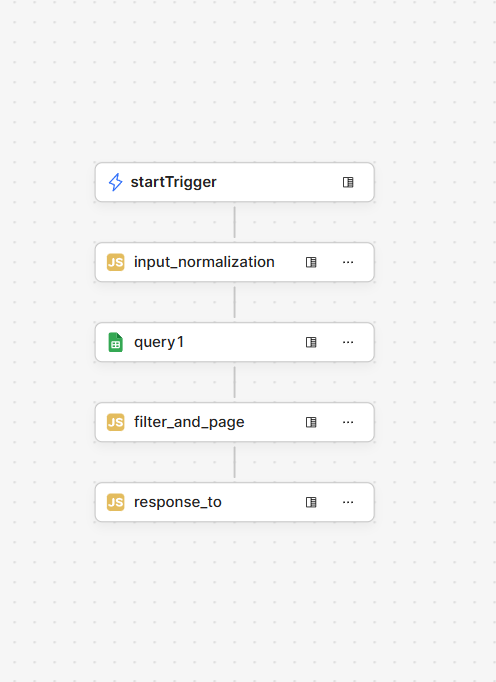
I’m using Retool Workflows to implement server-side filtering + pagination.
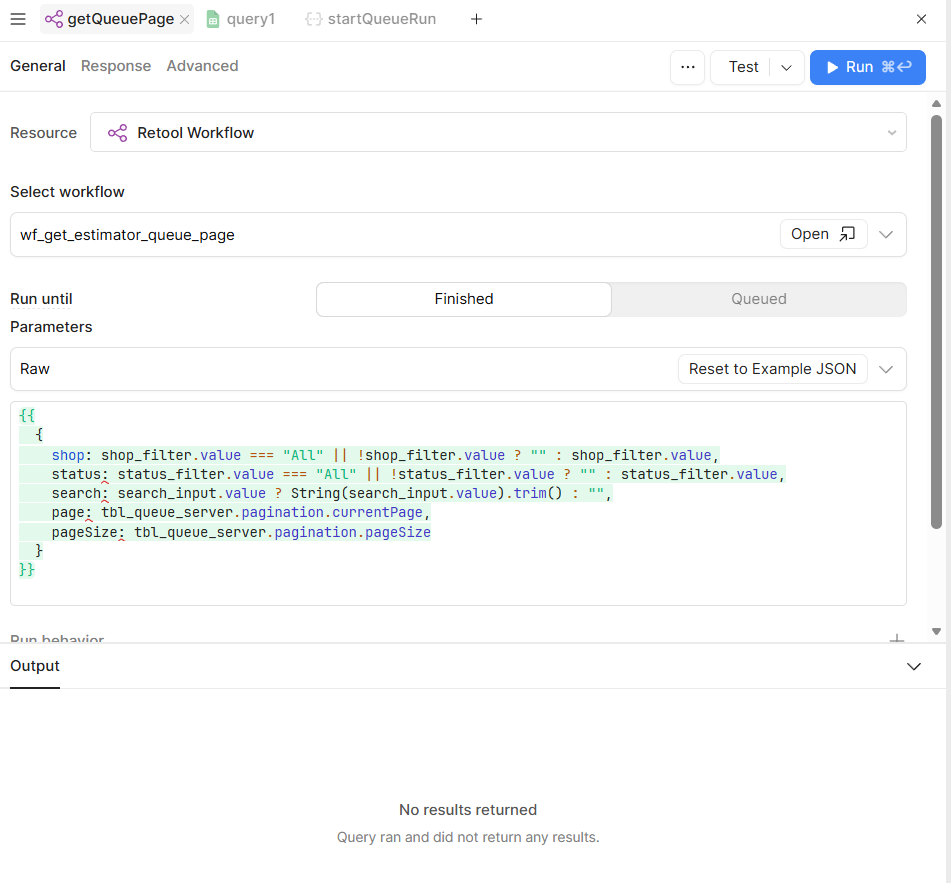
The workflow executes correctly and returns an object with { rows, total }, but when I call the workflow from a Retool App query, the query output is empty (No results returned), and the table cannot read rows or total.
I am not asking about REST API calls or external endpoints — this question is only about Retool Workflows → Retool App integration.
-
My goal: I’m using Retool Workflows to implement server-side filtering + pagination. The workflow executes correctly and returns an object with { rows, total }, but when I call the workflow from a Retool App query, the query output is empty (No results returned), and the table cannot read rows or total.
I am not asking about REST API calls or external endpoints — this question is only about Retool Workflows → Retool App integration. -
Issue:
- Workflow logic works
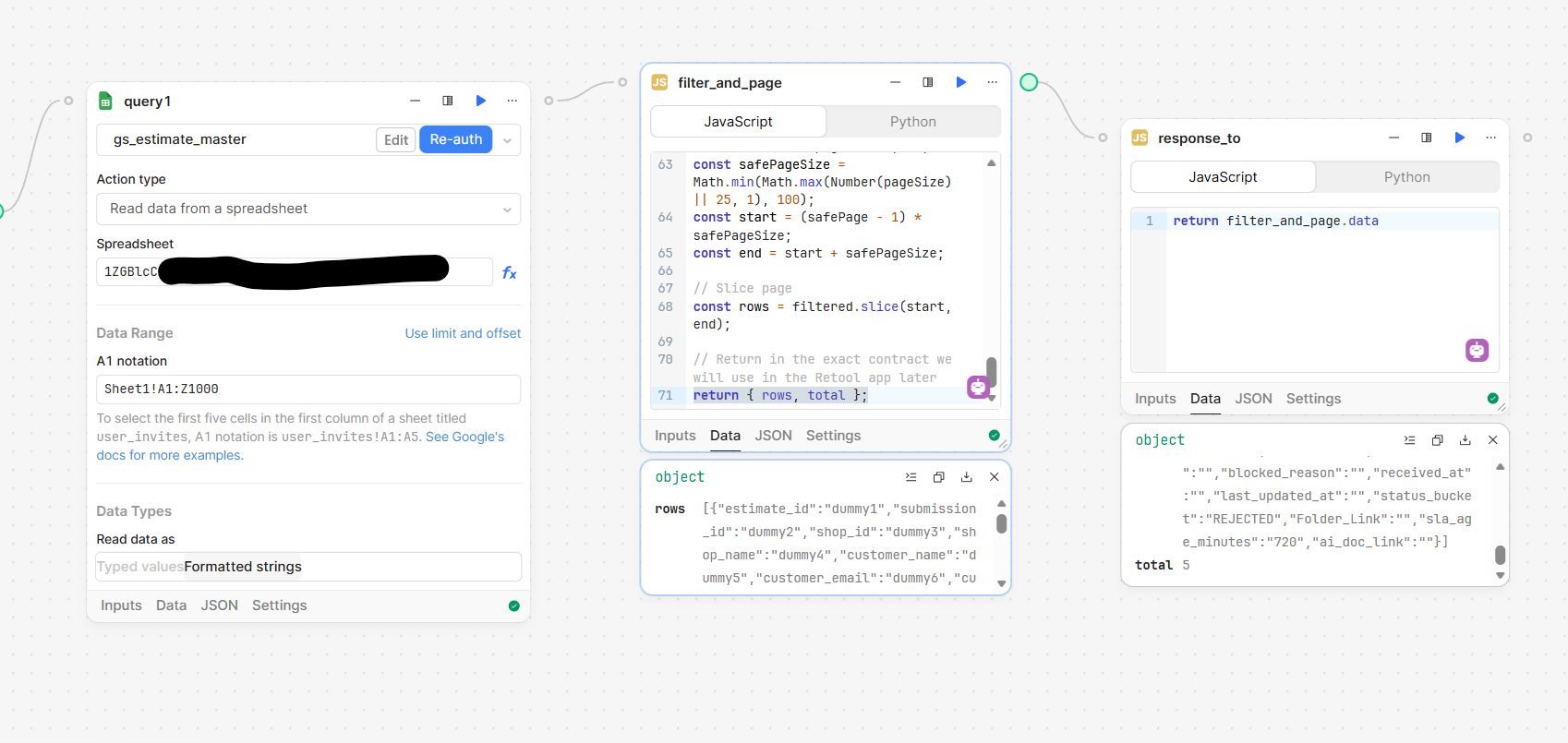
we are pulling data from google sheet to workflow Retool and then push to Retool APP to read it and push it to our table in app. when we choose source data the workflow retool it says source data is empty and when we try the FX .data.rows keep saying undeined and return Null on “.data”
Inside the Workflow editor, the final JS block (
filter_and_page) returns a valid object:return {
rows: [...], // array of records
total: number
};
The Data panel of the block clearly shows:-
rows→ populated array -
total→ correct count
So the workflow logic itself is correct.
What does NOT workRetool App query calling the Workflow
In the Retool App:
-
I created a query with Resource = Retool Workflow
-
Selected the workflow
-
Click Test
In the table:-
{{ getQueuePage.data }}→ empty object or null -
{{ getQueuePage.data.rows }}→ undefined -
Table shows “Value given is empty”
This happens even when the workflow’s final block returns hardcoded data.
-
- Workflow logic works
-
Workflow setup details
-
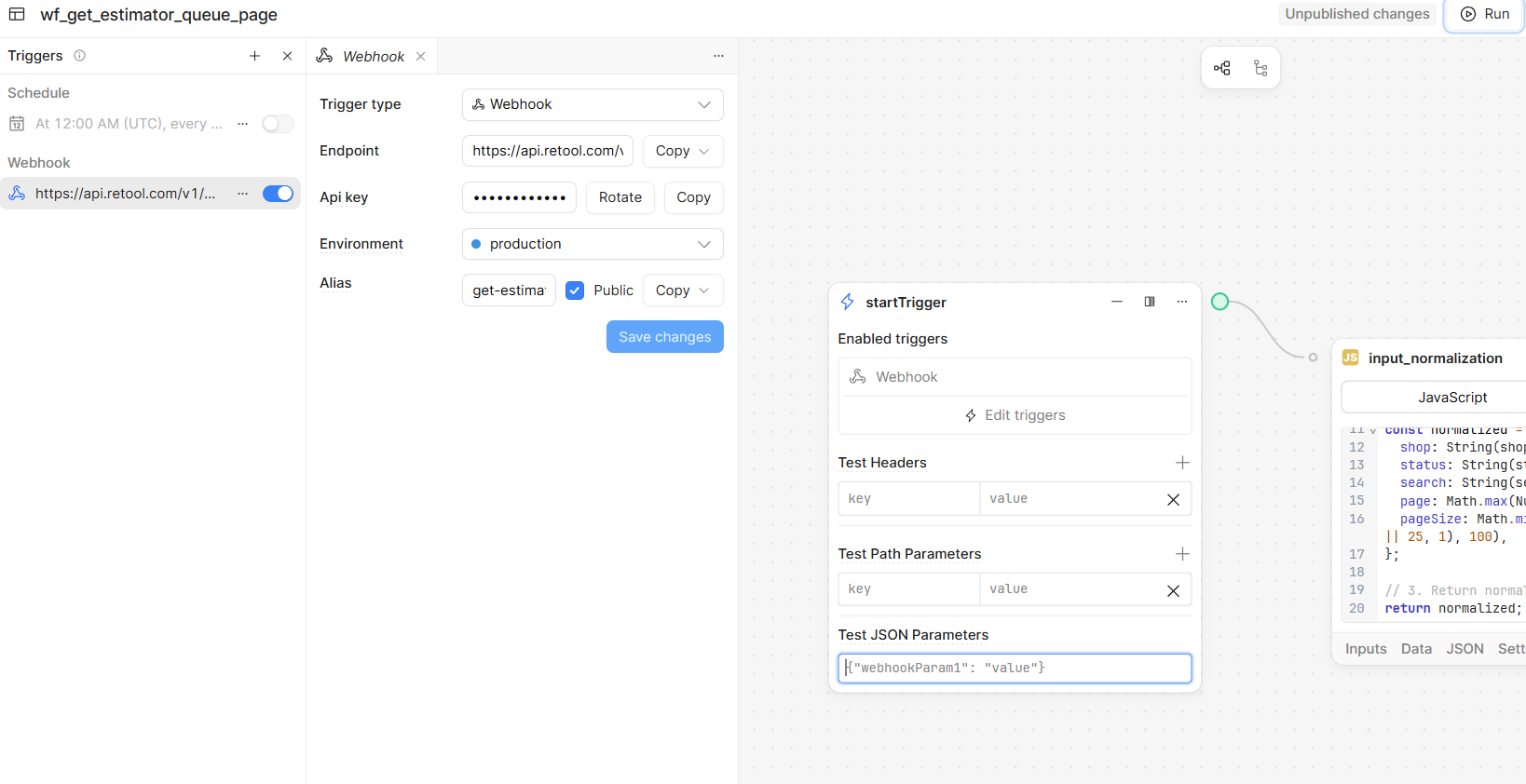
Trigger: Webhook
-
Environment: production
-
Alias: set
-
Workflow is saved and published
-
Final block is a JavaScript block returning
{ rows, total } -
No REST calls involved in this question
-
-
What I’m trying to understand
-
What is the correct way to return data from a Retool Workflow so that a Retool App query can read it?
-
Why does the Workflow editor show correct output, but the App query receives nothing?
-