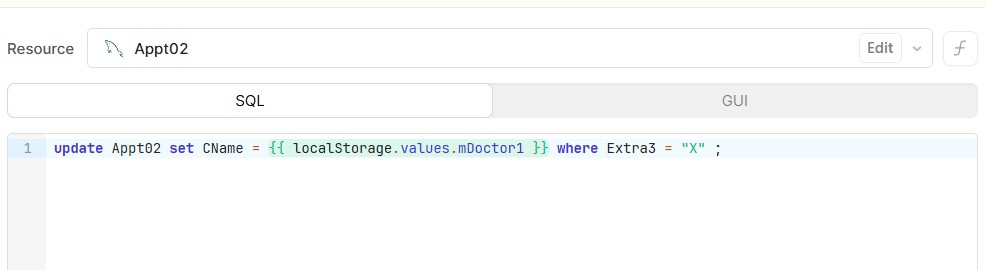
I am showing some code that applies to a data table Appt02 where Extra3 = "X".
I have been working on this carefully to check on capitalization and on names. The code is good,
But when it runs it applies to the entire table.
I am using cPanel to monitor my data files and Extra3 = "X" is on the correct rows.
Yes, the code runs for the entire table.
Any thoughts?
Mike
Hi @mdsmith1 I think you need to use single quotes on the string literal.
E.g. Does this return the correct number of rows?
select * from Appt02 where Extra3 = 'X'
Thanks
1 Like
I second Jon’s suggestion.
Single quotes for strings in SQL.
Double quotes are used for forcing literal schema/table/column names.
Jon:
I got some help from Clause AI and it suggested that. But it does not seem to work for longer strings.
I use the same code for putting the first name and last name of the doctor but it does not work for a longer string like "Barry Coghlin, Oncologist".
I have found a work around so I am OK.
Mike
1 Like
Are you saying when you do something like Tim Grey, MD works. However, when you insert something like Christopher Browning, D.Clin.Psych it fails?
If so, is there a character limit in the column you’re inserting into?
Hi Mike,
Glad you found a solution. Overall I believe that the route cause is the comma, not the length.
In an UPDATE, MySQL treats commas as separators between columns (set CName = 'a', Title = 'b'), so "Barry Coghlin, Oncologist" can get read as two assignments and error out. This can be confirmed by checking the value of {{ localStorage.values.mDoctor1 }}.
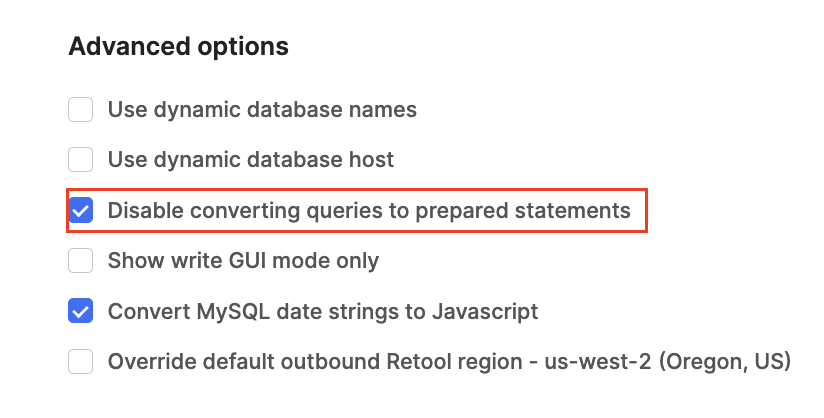
A quick check is to ensure that in the resource settings, "Disable converting queries to prepared statements" is turned on.
With prepared statements on and a plain-string value, this query handles any name, comma or apostrophe included:
update Appt02 set CName = {{ localStorage.values.mDoctor1 }} where Extra3 = 'X'
And as others have mentioned, single quotes are correct.
Hi Jordan:
Thank you for your reply.
How do I go about changing the Resource Settings?
Mike
Please navigate to the resources section of Retool, click into your mysql resource where you can see the configuration, scroll to the bottom and there you will find the option which I’ve highlighted in my screenshot. Thanks!
Jordan:
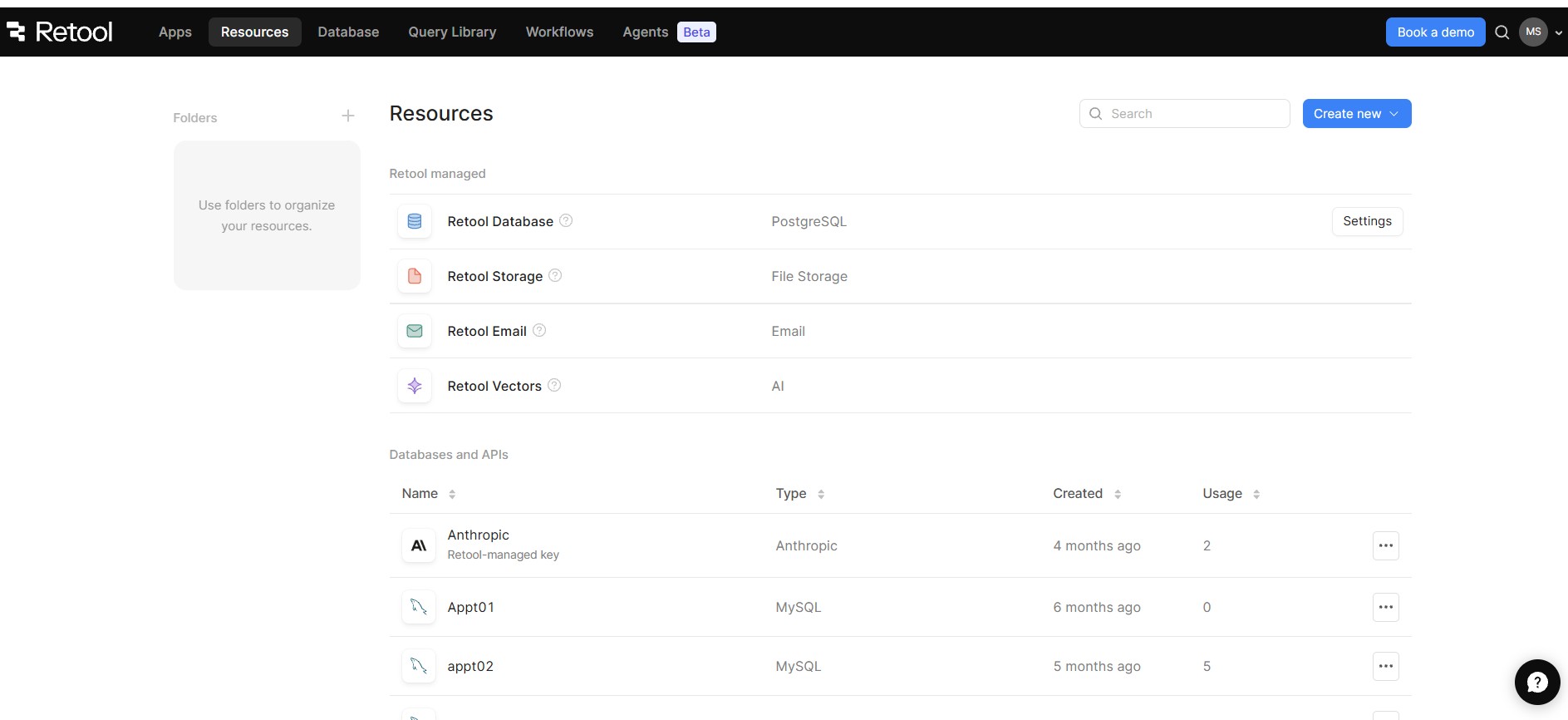
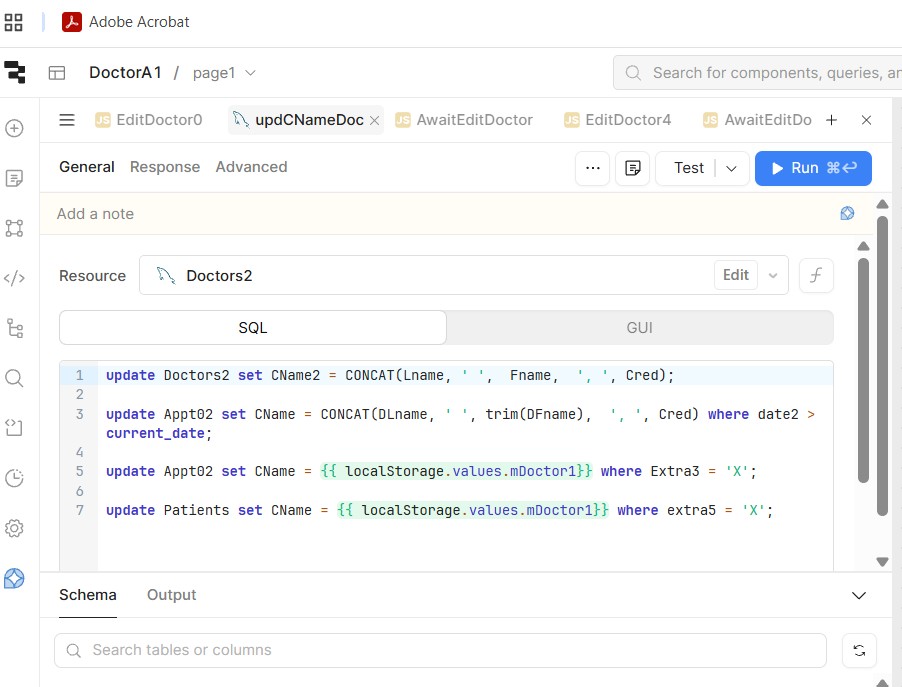
I am attaching 2 screens that refer to Resources.
The first one is at the opening screen for Retool.
The second one is related to the actual App.
I have not been able to navigate in either screen to get to what you mention.
Can you clarify the navigation please.
Thanks.
Mike
The first screenshot is in the right location, in the search bar type in Doctors2, or scroll down to find it. Once you have, click anywhere or on the ‘Settings’ button (it’ll take you to the same configuration screen). Once there, scroll down all the way to the ‘Advanced options’ section.
Let me know how you get on!
Best,
Jordan
1 Like
Jordan:
Thank you so much.
I found the Advanced Options and made the changes.
I will not be able to test this for a few days. In the meantime, I will mark your answer as the solution.
Thank you very much.
Mike
1 Like
Cheers Mike, glad you found it, let me know when you are back!