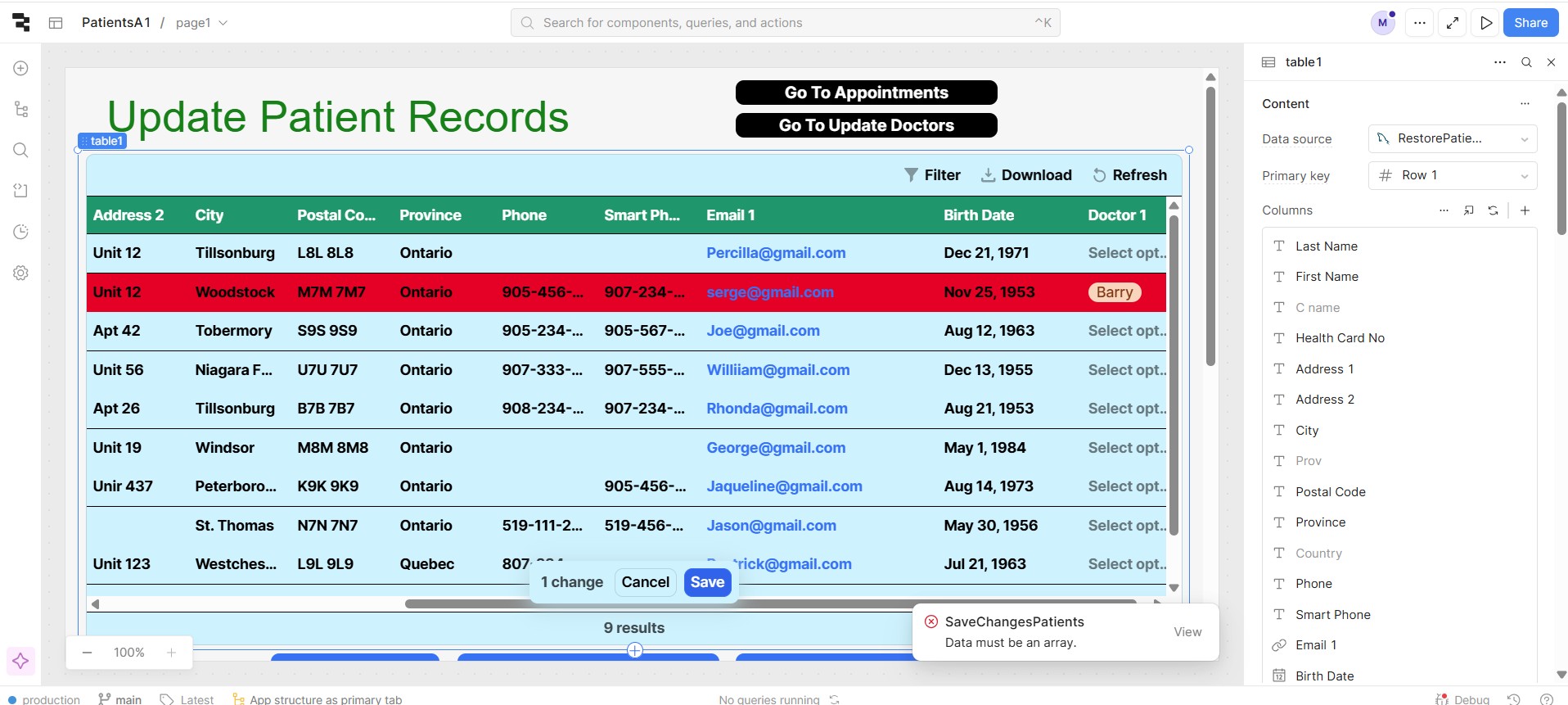
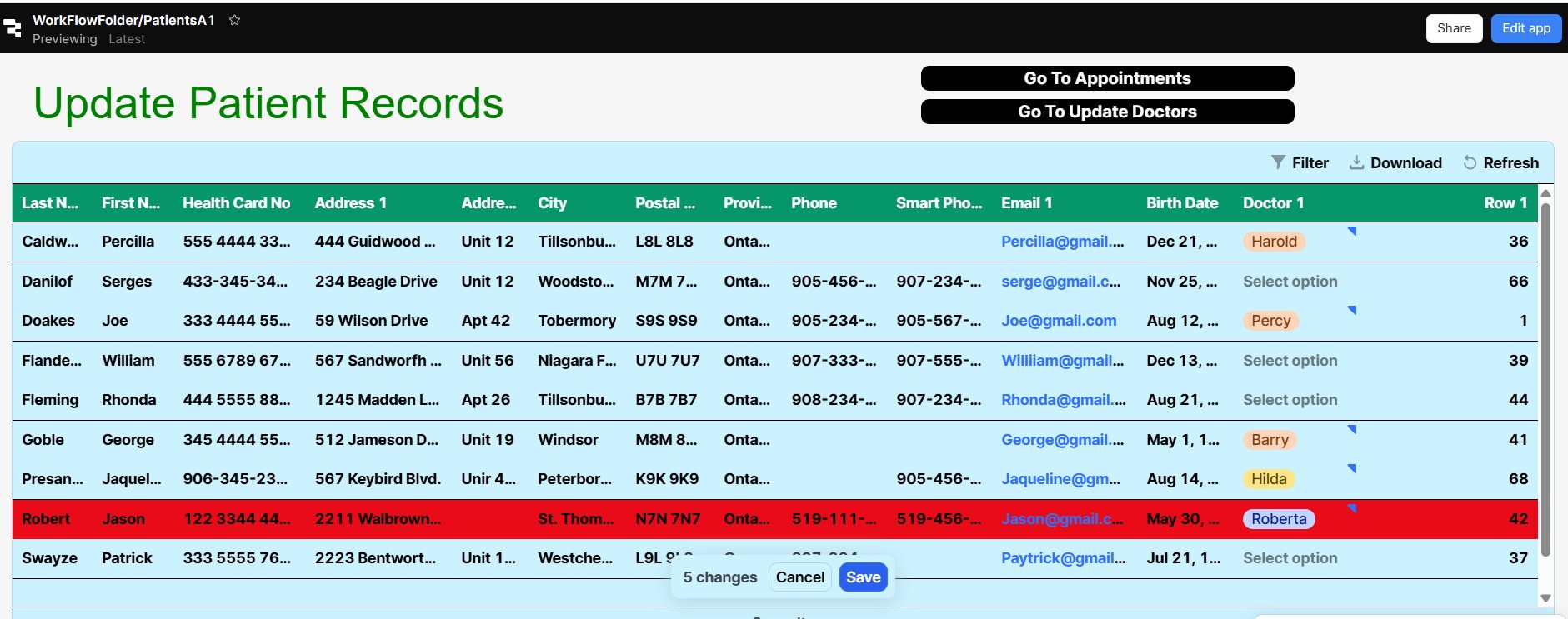
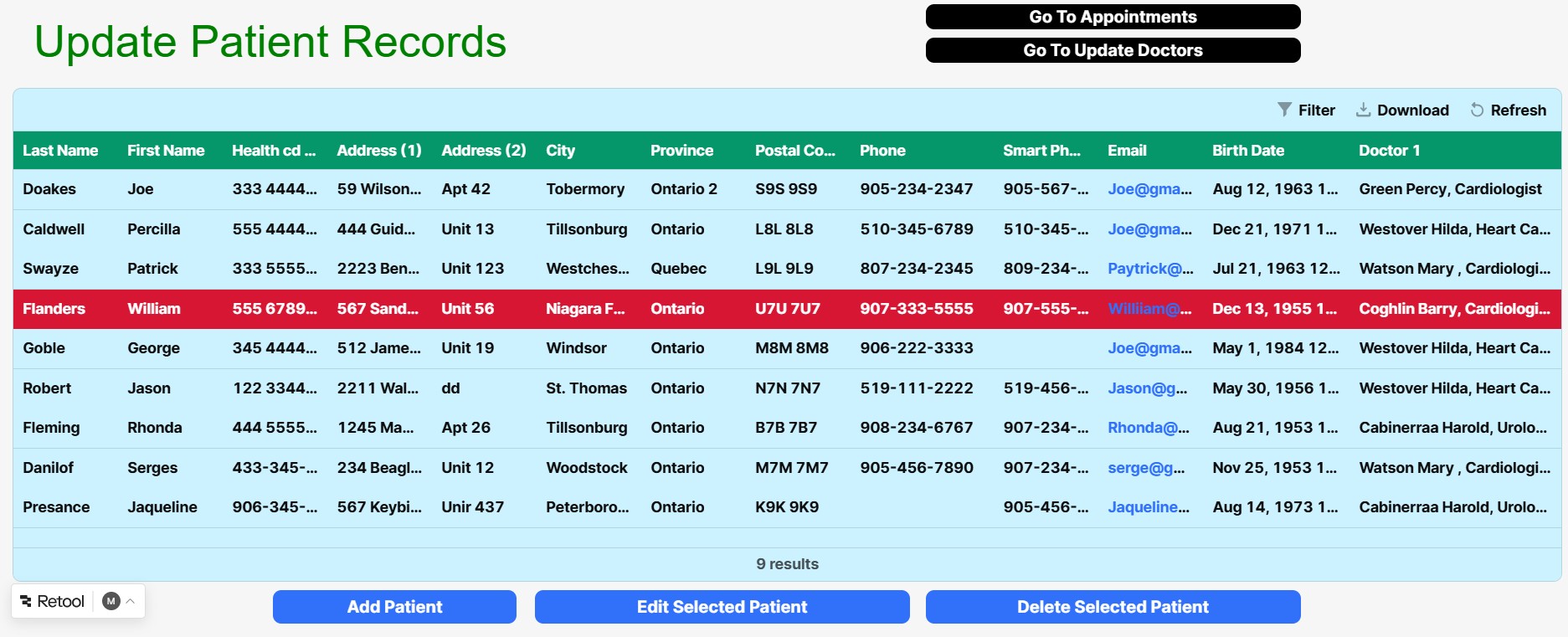
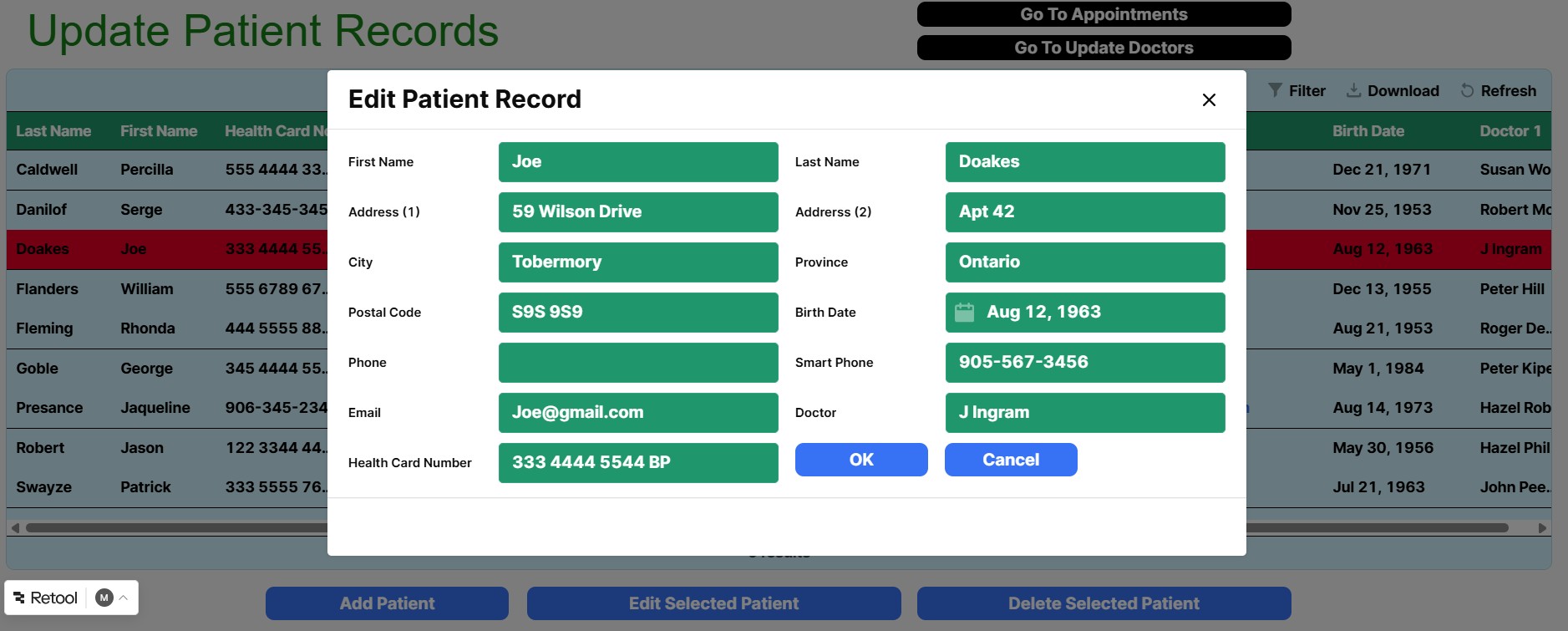
I have followed your steps for the Table and it seems to work in development mode but the values do not Save. There is a Save button at the bottom but this does not help.
If I leave the screen then come back to it, the selected values are all gone.
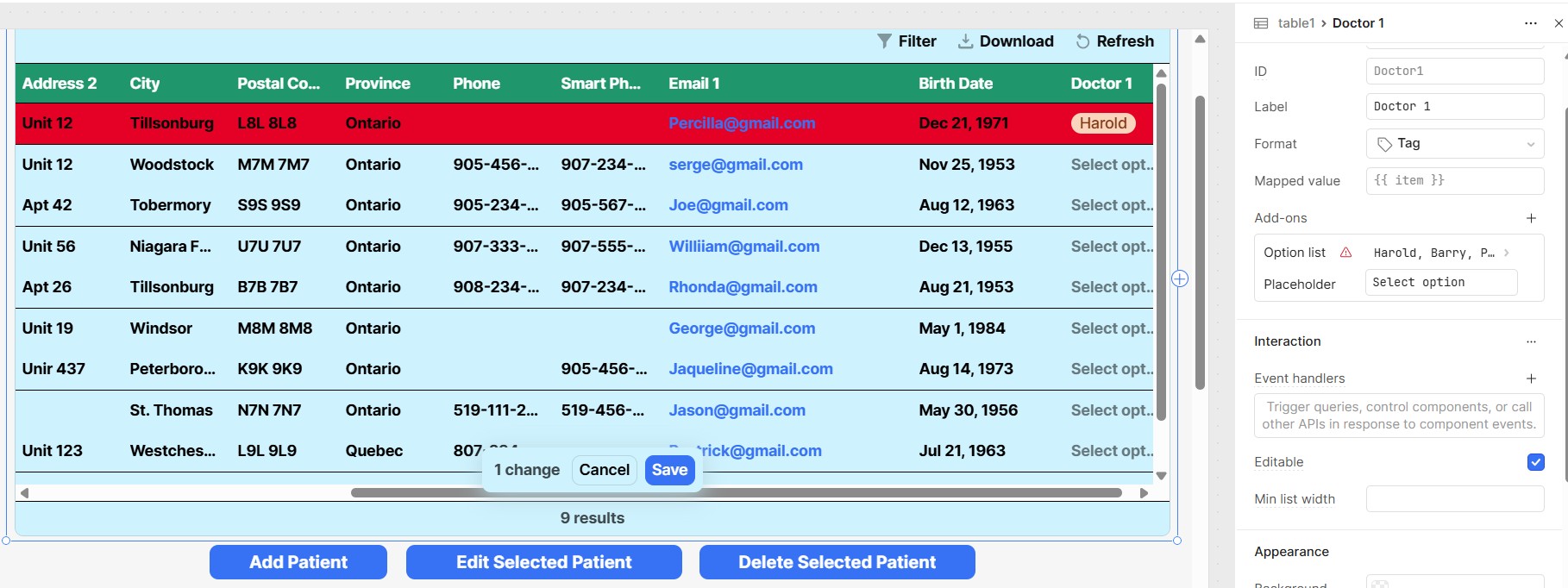
In your screenshot, you’ve shown the column-level properties. Could you also share the table-level properties so we can review the full configuration?
Also, please confirm whether you’ve added a Save actions in the table-level settings. Without this, changes made in the table won’t be persisted to your database.
To set it up:
Go to the table’s Add-ons and select Save Actions.
Inside Save Actions, create an Event Handler.
Set this handler to update the table and link it to the appropriate update query.
This ensures that when a user clicks the Save button, the changes will be saved by triggering the update query.
Here’s a reference image for configuring Save Actions:
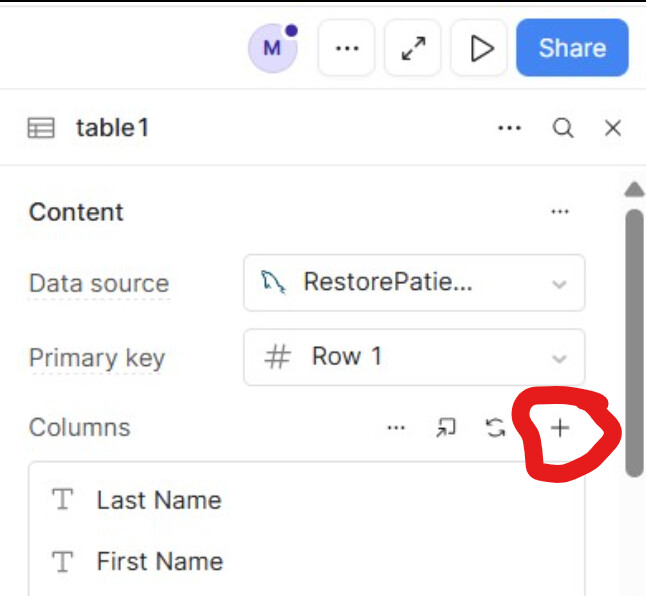
Select your table and open the Inspector. Under the list of columns, you’ll find the Add-ons section (as shown in the screenshot above). Click the + icon to add a Save Action for that table, and configure it to trigger your update query.
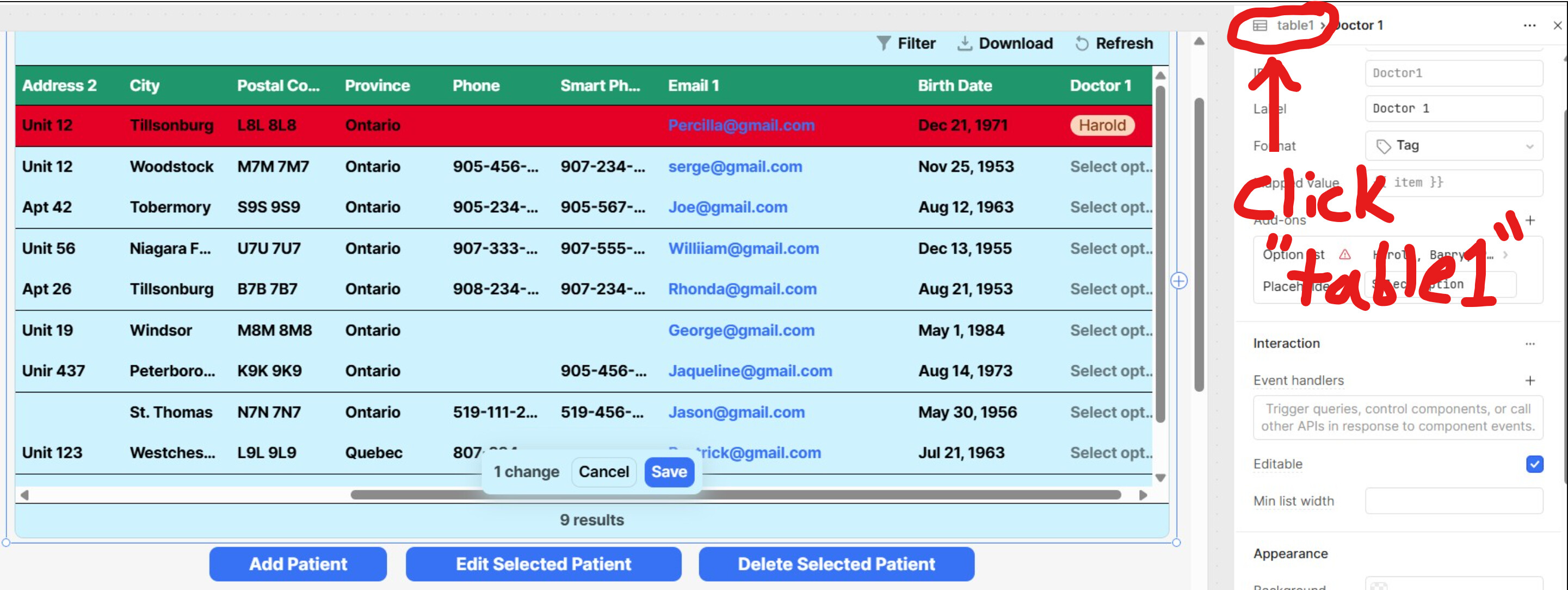
Just click the circled table1 to get to the table-level properties
If you're curious, the picture currently shows the column-level properties of the Doctor 1 column inside the table1 table. the breadcrumb notation style of (icon) table1 > Doctor 1 is best read right to left, making the right most value (bold text) your current location. You'll often see it also written as:
parent -> child
parent > child
parent › child
parent → child
parent: {
   child: {
   }
 }
so looking at (icon) table1 > Doctor 1
starting with where we're at - we know we are viewing Doctor 1 because it's bold.
Next working right to left, we know Doctor 1 has a parent because of the >. to the left of its name.
To the left of that we have the name of this parent, which is table1
Next on the left, we have an icon and no > telling us the icon signifies the the type of table1. In this case it's Table Component, this lets us infer that Doctor 1 is column-level
I guess just to connect things to over to programming/code, this is also how you read variable declarations, only you start at the math symbol:
c/c++/c# int my_variable = 0
my_variable is of type integer with a value of 0 int* my_adv_variable = &my_variable my_adv_variable is a pointer(*) to an integer(int) whos value is(=) stored at the address of(&) my_variable
python my_variable: str = "bar"
we have a str/string named my_variable whos value is "bar"
java (ya i know, it's weird, but java came first... js is the weird one ) int my_variable = 0
my_variable is of type integer with a value of 0
javascript var my_varaible = "foo"
my_variable is of type var with a value of "foo"
js also uses let my_caraible = "foo" breaking this rule.... sorry, this is one of the only languages that goes out of it's way to break this convention. tldr; they did this as a type of security measure to help protect programmers from a common misconception resulting in broken buggy code (it wasn't the languages fault, it was due to a lack of understanding). the rest of the story; JS is meant to protect programmers from sneaky stuff that can be done on accident but doesn't result in any warnings or errors... in other languages you can get a way with these sneaky shortcuts because they assume you know what your doing. JS doesn't assume this and when trying to take one of these shortcuts it throws a hissy fit, even if you know what you're doing.
In fact, if you look at the progression of languages you'll notice the programmer loses control in each by making things more accessible/learnable (including my fun take on the reasoning for creating each language):
assembly/punch cards (do whatever you want, just bring pain killers so you can keep track of everything)
BASIC (omg what did we do, we need something to introduce people to this stuff)
c (we lied, we want assembly, but make it simpler to do whatever you want... and now you only need Advil)
c++ (we want c, but we need to make it even MORE simpler to do anything you want plus the option of complexity... it's the 80s use natures "advil")
java (we want c++, but we hate windows so we're including every OS)
javascript(we want java, but it's too complex for new coders so remove the optional complexity)
go/golang (were Google and we need a programming language FOR A PROGRAMMING LANGUAGE so our programmers are more productive... yup)
typescript (we got it wrong, we removed too much. we need to add types back)
solidity (we're crypto cough gen z cough people, so we want c++ but the bare min because we don't know everything we actually want but we want it anyway and we deserve to use it right now.... we're also calling the frontend web3, because we want to confuse everybody but especially web2 people)
sorry, for another essay on a random tangent.
bonus points for anybody that wants to try and read the following statement: bool (*this_fails_students)(int, int)
hint -> we see parenthesis, so we need to use order of operations and read each set individually, but from left to right (because why not, but honestly it only makes sense knowing it's named a Function Pointer and functions are declared in the order: return type, function name, followed by arguments but order of operations makes it easy to remember.... and it fits imo)
Answer
we have a variable named this_fails_students that is a pointer(*) to a function(1st set of parenthesis) that takes 2 arguments(2nd set of parenthesis) of type int and int and returns a bool.
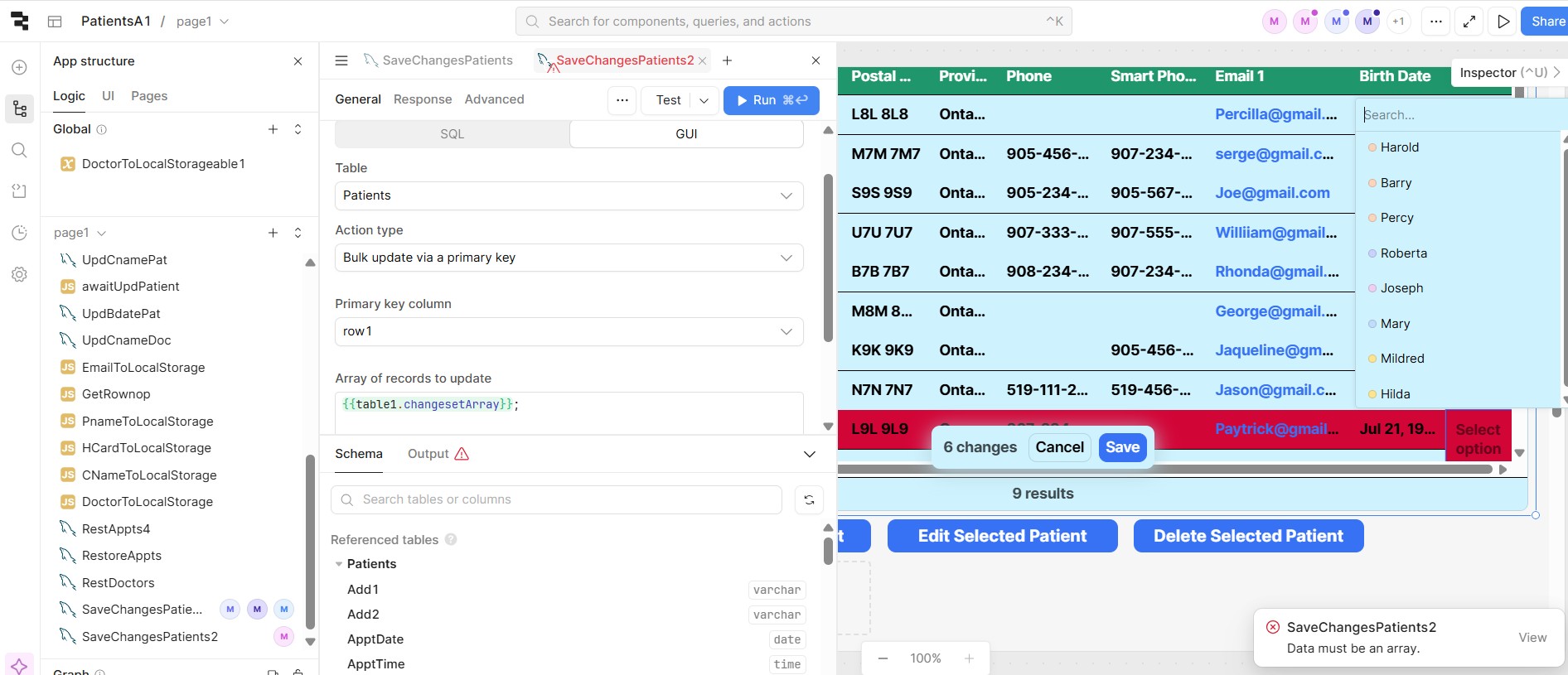
This behavior is happening because of how the data is being passed.
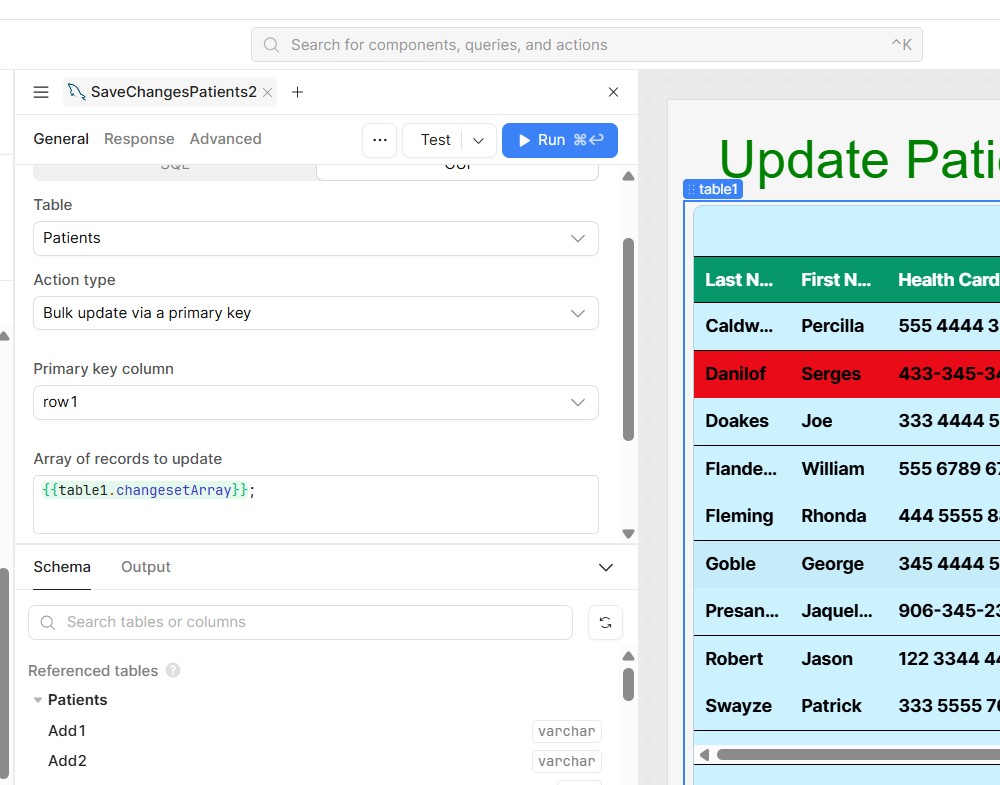
You’ll need to pass the data into your query like this: {{ table1.changesetArray }}.
If you’re still facing the issue, could you please share the query you’re using so we can take a closer look?
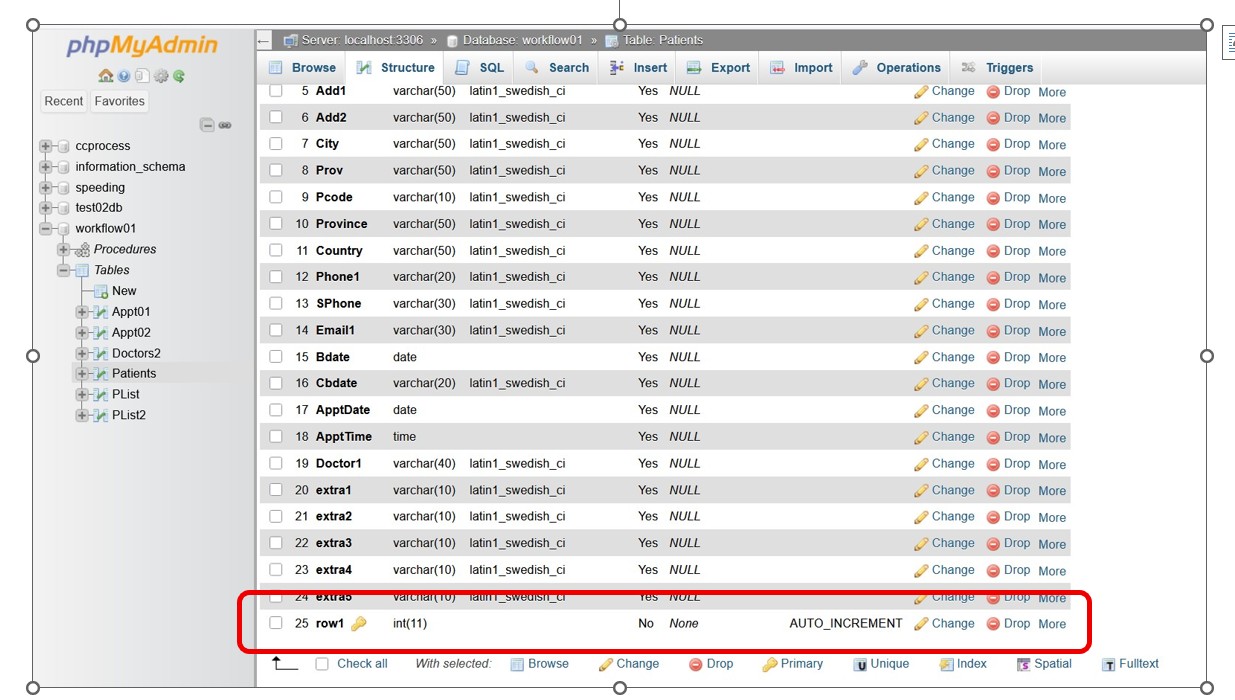
I could be wrong, but looking at your column labels I don't think Primary key column should be row1. do you have a default ID column? or what column do you have set as the Primary Key on the actual table in your MySQL DB?
mk, so we know the database has everything it should need.
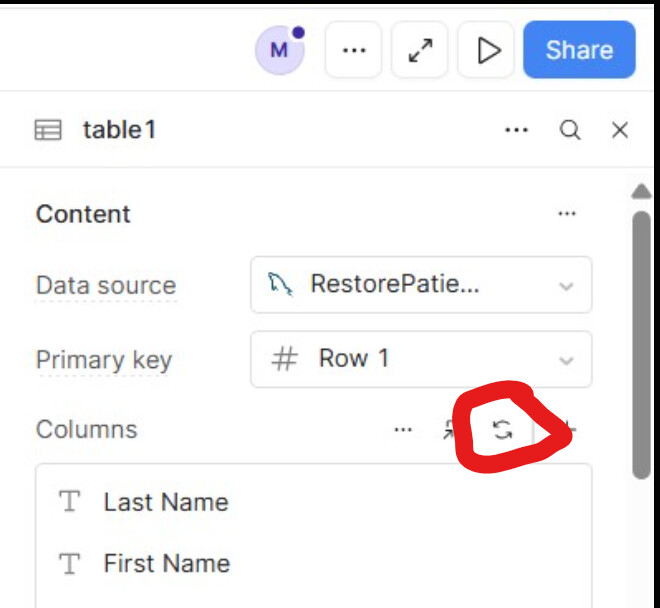
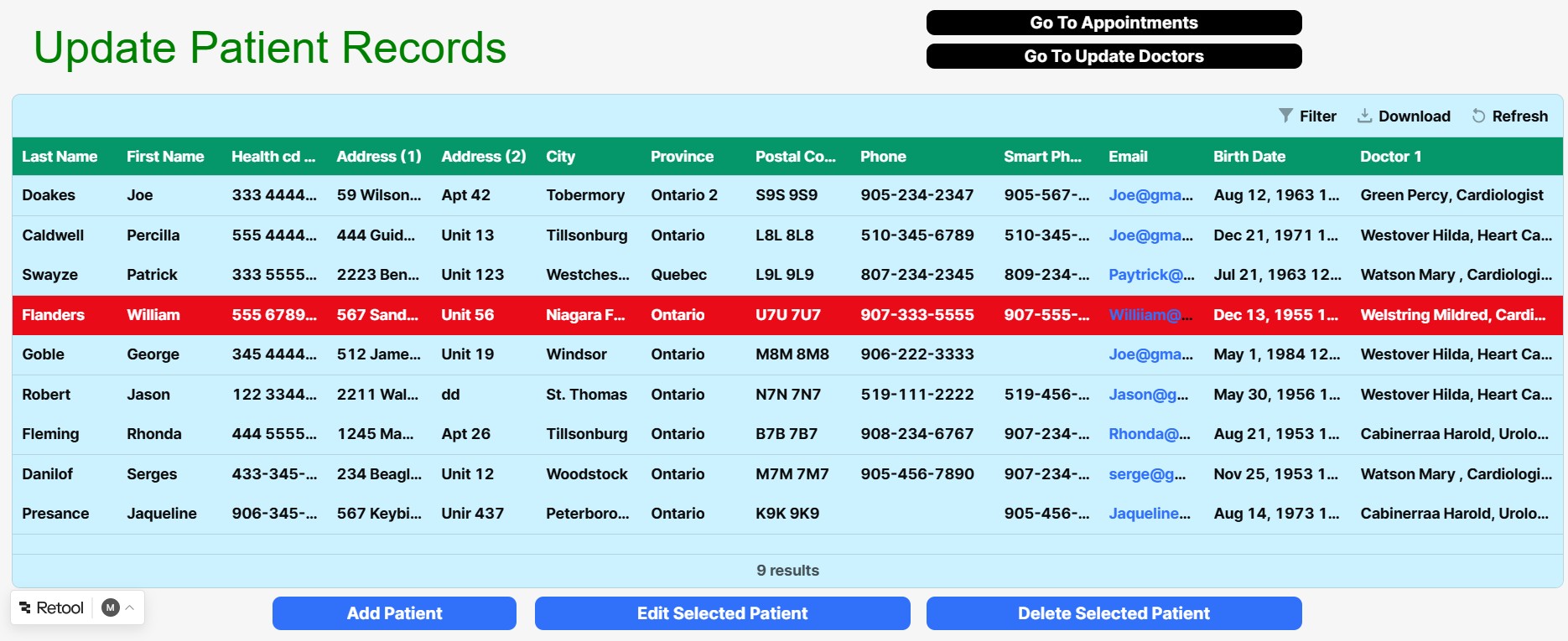
next we need to check that the Retool Table Component matches your database table from cPanel. I can't quite see all the columns in the picture below, but unless there's a hidden one after Birth Date it looks like the retool table is missing the row1 column.
this can happen when you add a column to the database using cPanel but forget to inform the table component inside retool that there are changes made to its Data source. we can fix this 1 of 2 ways.
OPTIONAL: scroll through the columns list until you see the newly added row1 and click it, then use the picture found below step 3 under 'the manual way' to confirm it was generated correctly
heyyyyy nice find!!!! your UI looks SUPER clean by the way.... I might have to start using that light blue background, it looks so much better with just that.




 Here’s a reference image for configuring Save Actions:
 )
) sorry, this is one of the only languages that goes out of it's way to break this convention. tldr; they did this as a type of security measure to help protect programmers from a common misconception resulting in broken buggy code (it wasn't the languages fault, it was due to a lack of understanding). the rest of the story; JS is meant to protect programmers from sneaky stuff that can be done on accident but doesn't result in any warnings or errors... in other languages you can get a way with these sneaky shortcuts because they assume you know what your doing. JS doesn't assume this and when trying to take one of these shortcuts it throws a hissy fit, even if you know what you're doing.
 sorry, for another essay on a random tangent.