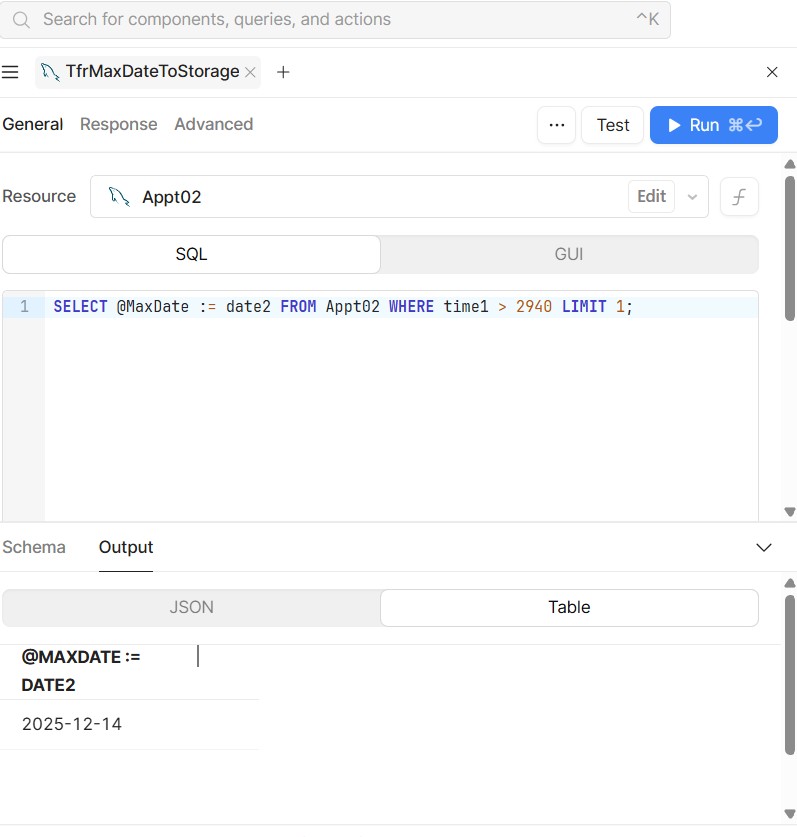
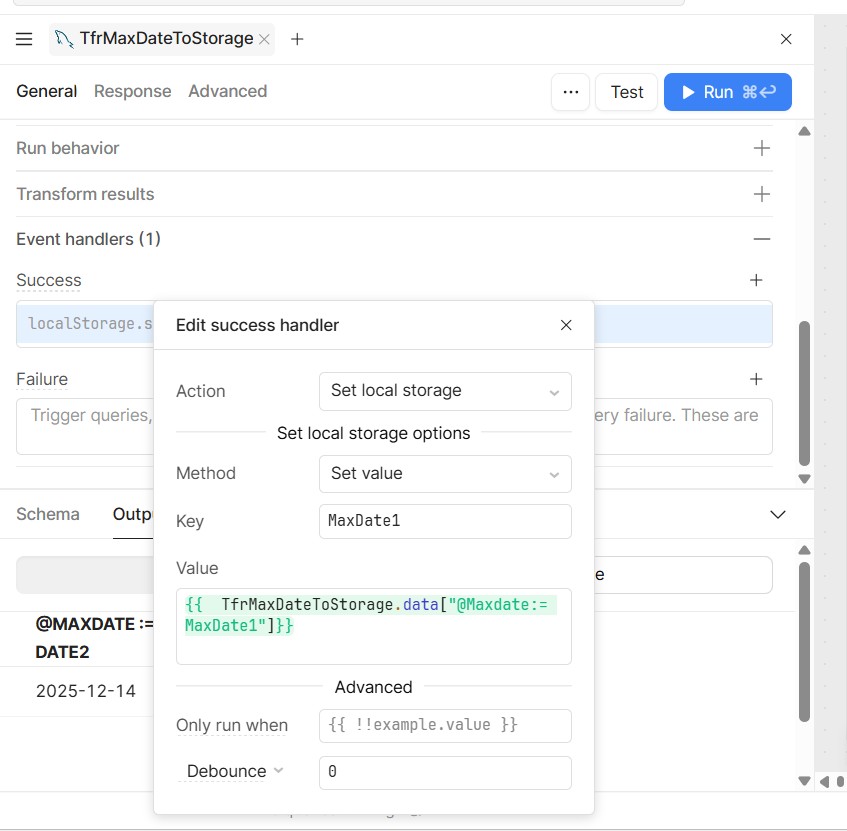
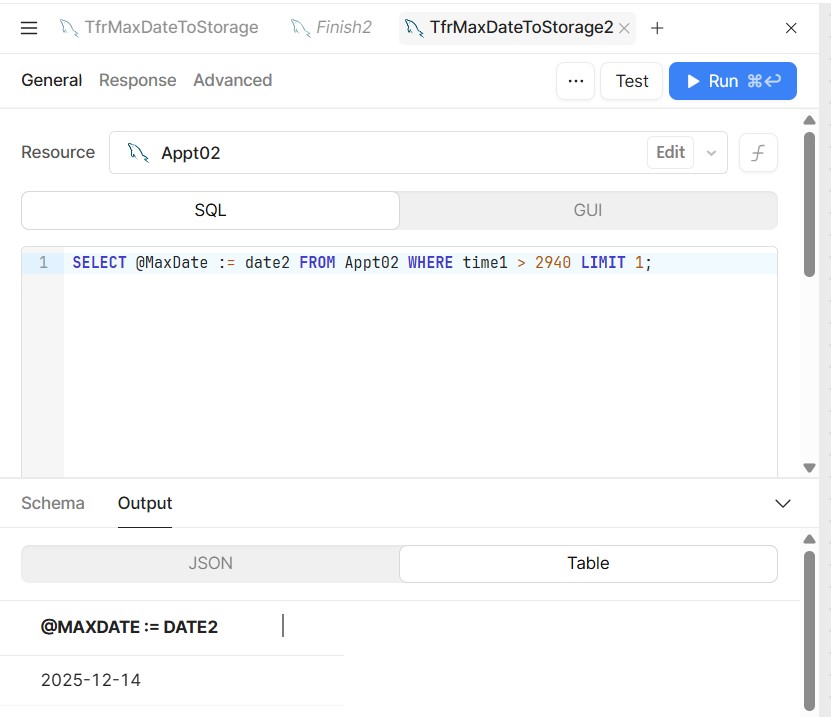
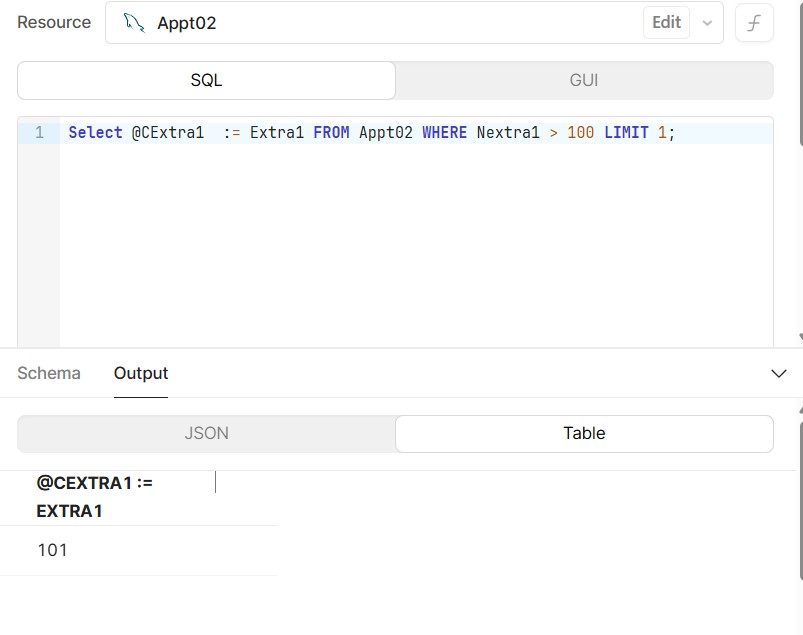
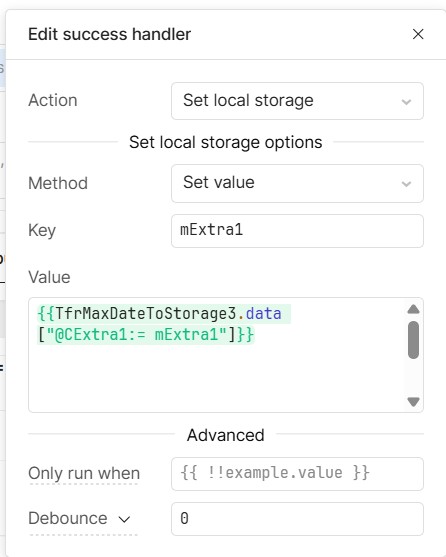
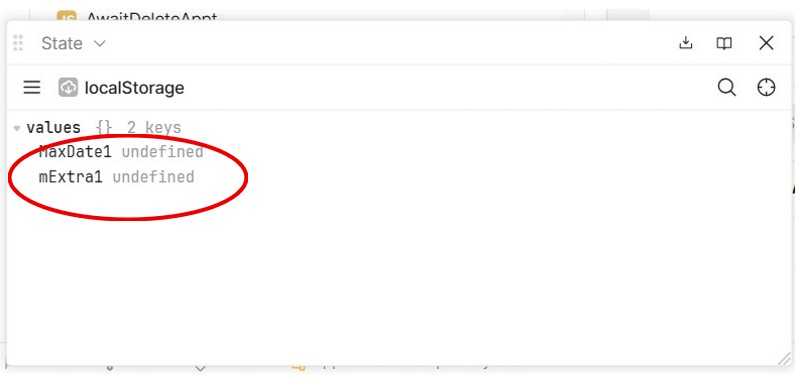
I have been able to get the LocalStorage feature in the Success Event to work in the past but no I can’t get it to work.
Please see the screens below.
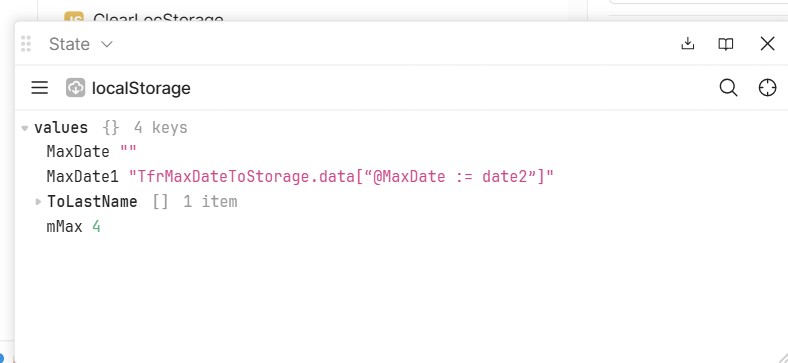
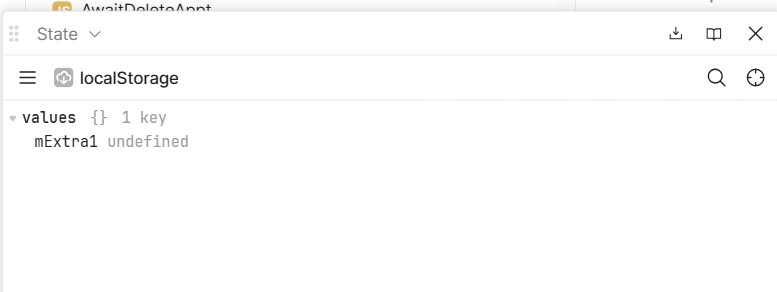
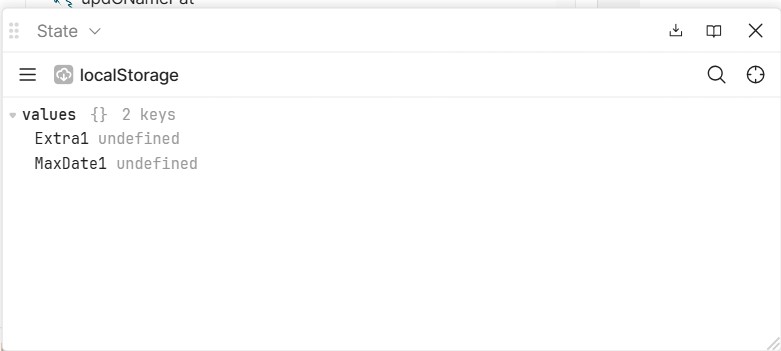
After I run this and check the local storage I get “Maxdate1 undefined”.
Why is this?
Mike
I have been able to get the LocalStorage feature in the Success Event to work in the past but no I can’t get it to work.
Please see the screens below.
After I run this and check the local storage I get “Maxdate1 undefined”.
Why is this?
Mike
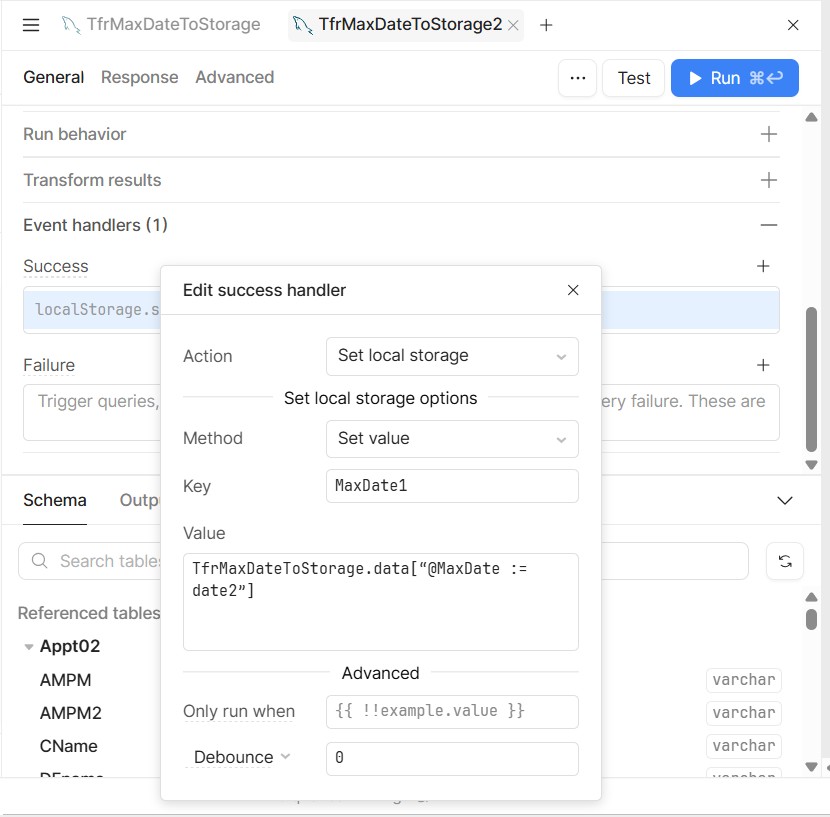
Hey Mike, by eye it looks like this might be an issue with the column reference not matching your query. Does TfrMaxDateToStorage.data[“@MaxDate := date2”] work?
Edit: capitalization
You still have to escape it to JS using the double curly braces.
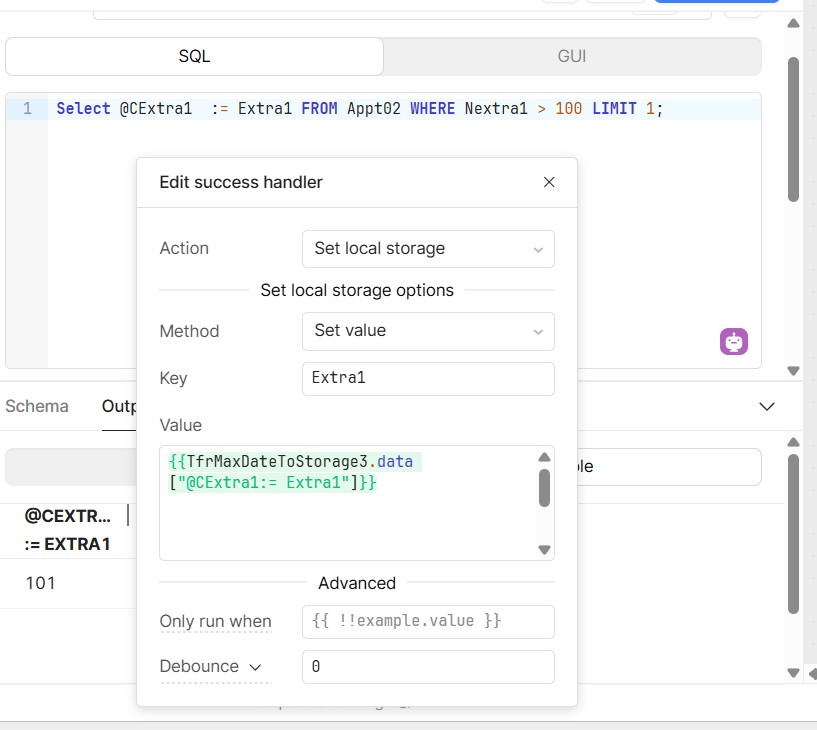
The issue I’m seeing with your original code is that you’re attempting to access a column named “Maxdate:=MaxDate1” from the results of your SQL query. Since that column doesn’t exist, as we can see from the output in your first screenshot, you’re getting undefined as the result of that JS expression in the value box of your second screenshot, which then gets loaded into the localstorage key MaxDate1
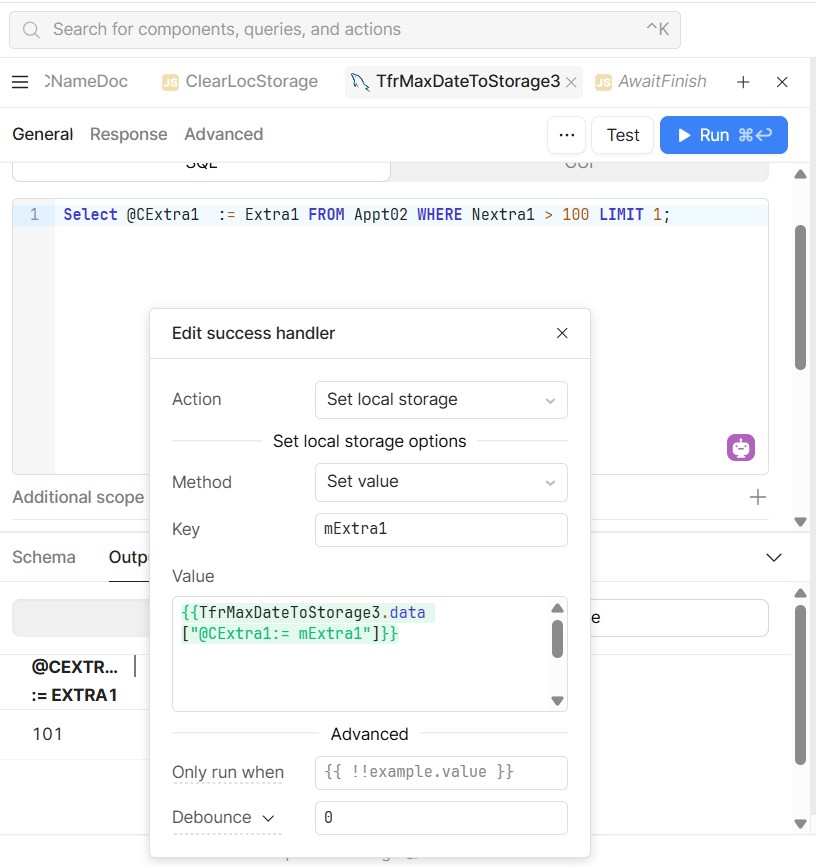
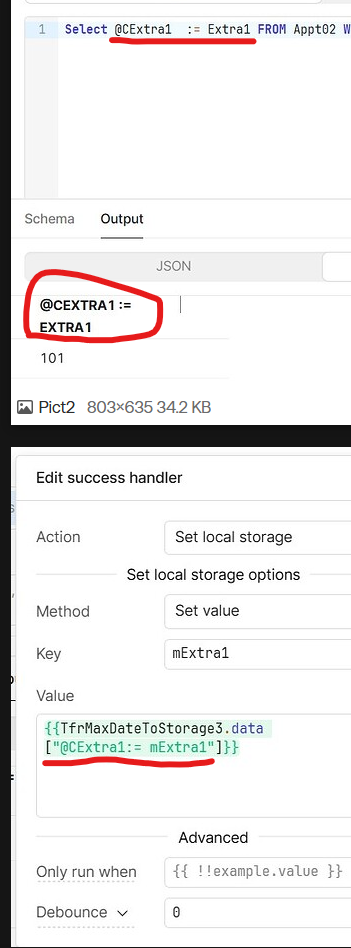
In your 4th screenshot (the second one of this response), since you aren’t escaping to JS using the double curly braces {{ }} it’s just putting exactly the string that you typed into localstorage, which is what you’ve told it to do but clearly not your intention.
What you need to do is access the correct column from your SQL function. It’s important that it is spelled EXACTLY as in your output. So capitalization and spacing matter.
Mitchel:
To make this simpler, I have used a string instead of a date and have added in the curly brackets but it still doesn’t work.
An y thoughts?
Mike
Hey Mike, it looks like you still have some typos here, but it’s tough to say without seeing the exact values that are available in TfrMaxDateToStorage3.data. It looks like the key should be named “@CExtra1 := Extra1” but you’re trying to access “@CExtra1 := nExtra1”. As I said above, it’s important that the key be exactly in the query data and the key you are trying to access be exactly the same.
A quick debugging step is to run the query and check the state of the query itself to see if the key you’re looking for exists there. If it does and when you hover the value block in your success handler it says undefined, you’ve got an access issue somewhere (9/10 times it’s a typo).
If you see it exists in both places but is still not making it to your localStorage, then it’s maybe something else like a race condition causing it to get cleared before being set.
As I said, in your case, it looks to be a typo. Make sure you’re matching EXACTLY.
-Mitchel
Michel:
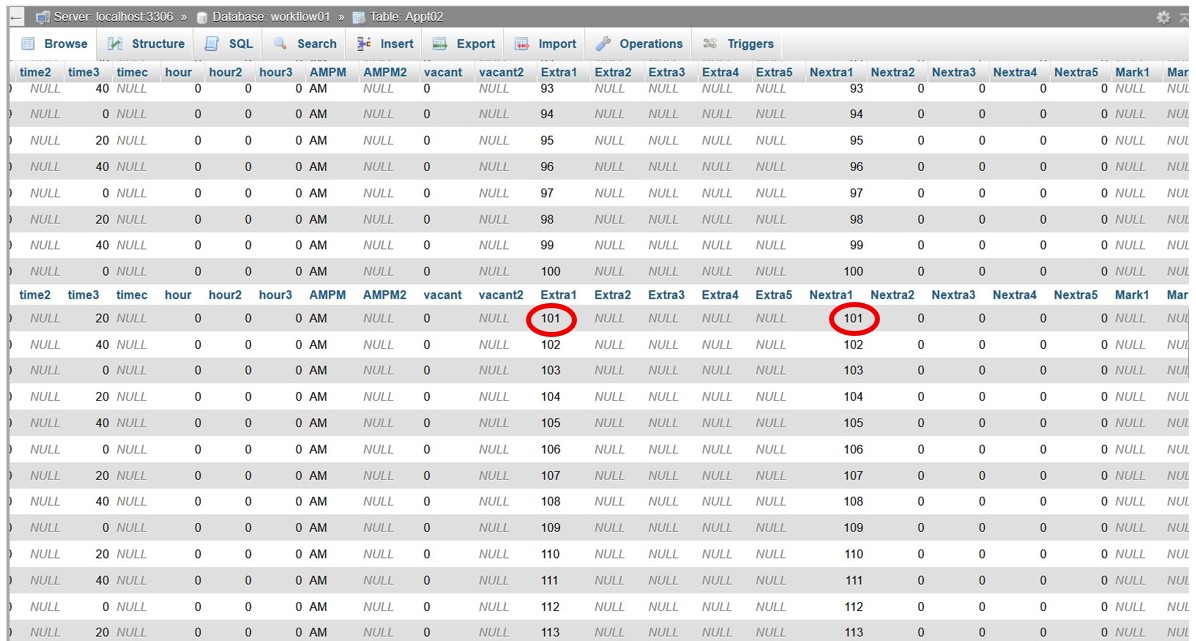
I am showing the table with the values highlighted. Plus the succeeding screens.
I do not see any typos. I think we have a bug.
Mike
What are the keys available in the JSON results of your SQL query? It looks like it should be “@CExtra1 := Extra1” which is not the key you are referencing in your value assignment success handler.
These 3 lines should be the same
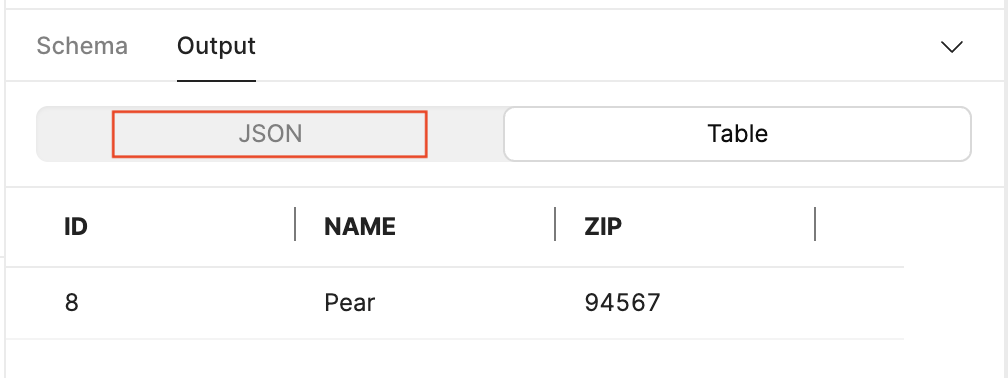
Hey @mdsmith1 - I'm pretty sure this is just a matter of keying into the query results correctly. You can switch from Table to JSON view to get a clearer picture of the exact key string that you need to use. In this case, it looks like you might be missing some whitespace.
Darren:
How do I switch from Table to JSON view?
Mike
Yes, I got that to work, but it makes no difference.
Have you been able to get this process to work recently?
I have been able to get it to work in the past but I think it does not work any more.
I think there is a bug,
Mike
Can you share what you see in the JSON output? In your success handler, you'll need to ensure that you use the correct string when keying into TrfMaxDateToStorage3.data[--key--]. Any extra spaces in the key, for example, will cause this to return undefined.
Daren:
Thank you for your reply.
I have found a better way of doing this by using Java script. If you would like me to send you the code I will do so.
I believe that the Local Storage of the Success Event is unstable and difficult. I don’t think we should be asked to write such complex code into that form.
Sometimes I can get it to work, sometimes I can’t. For me Java script is much more stable.
Mike
Glad to hear it, Mike. I'd be interested in seeing what ended up working, as a success handler written in pure JS should essentially use the same syntax.
Darren:
Here it is. Java script
const targetRow = table2.data.find(row => row.SelDoctor === "X" && row.SelDoctor2 === "Y");if (targetRow) {localStorage.setValue('mDFname', targetRow.Fname); localStorage.setValue('mDLname', targetRow.Lname); localStorage.setValue('mDCname2', targetRow.CName2);} else {console.log("No matching row found for the specified doctor criteria.");}
This thing involves scrolling though a table of doctors and running some code for each doctor with the values put in local storage.
Note: you have to put the doctor table on to the local screen first. It will not transfer from the server table.
I got this from Google Genesis.
Mike