Is there any way to increase the border thickness for table cells and for containers?
Hi @tomm ,
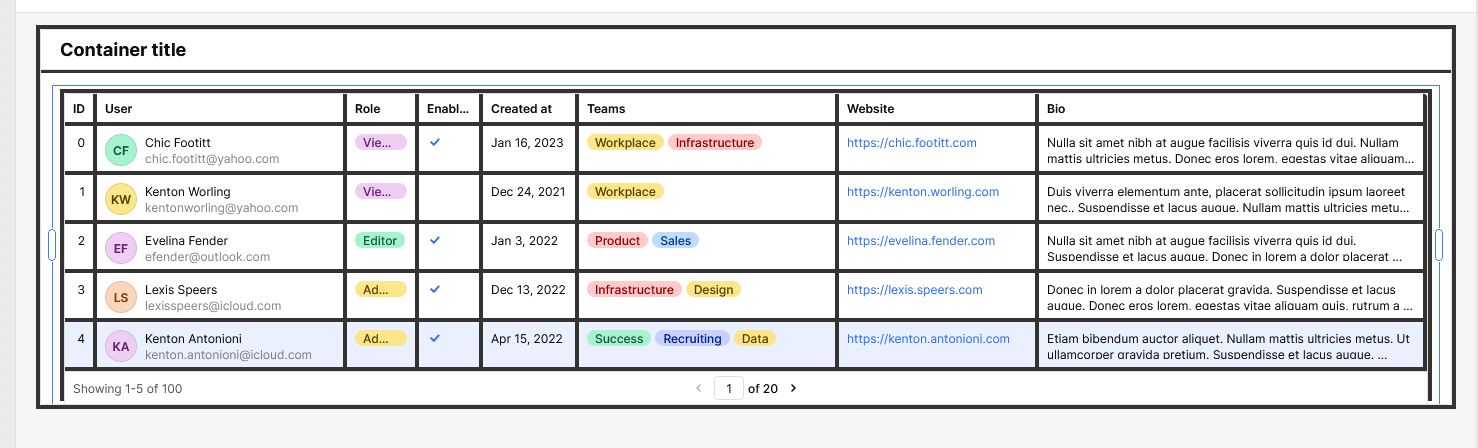
By default, Retool does not provide a built-in option to adjust the border thickness of table cells or containers. However, you can achieve this by applying custom CSS. Below is the CSS I’ve used to increase the border thickness:
._retool-container5, ._retool-table9 {
    border: 4px solid #333 !important;
}
._retool-container5 header {
    border-bottom: 4px solid #333 !important;
}
._main_145ea_1 {
    border-right: 4px solid #333 !important;
    border-bottom: 4px solid #333 !important;
}
This styling applies thicker borders to both the container and the table, as well as their headers and cells. Please see the attached screenshot for reference.
2 Likes
Hi @WidleStudioLLP,
Thanks for the reply. I have tried using CSS and that doesn't seem to work for me. Here is what I used, but I'm not sure that ._main_u88be_1 is correct.
._main_u88be_1 {
border-right: 4px solid #333 !important;
border-bottom: 4px solid #333 !important;
}
Hi @tomm ,
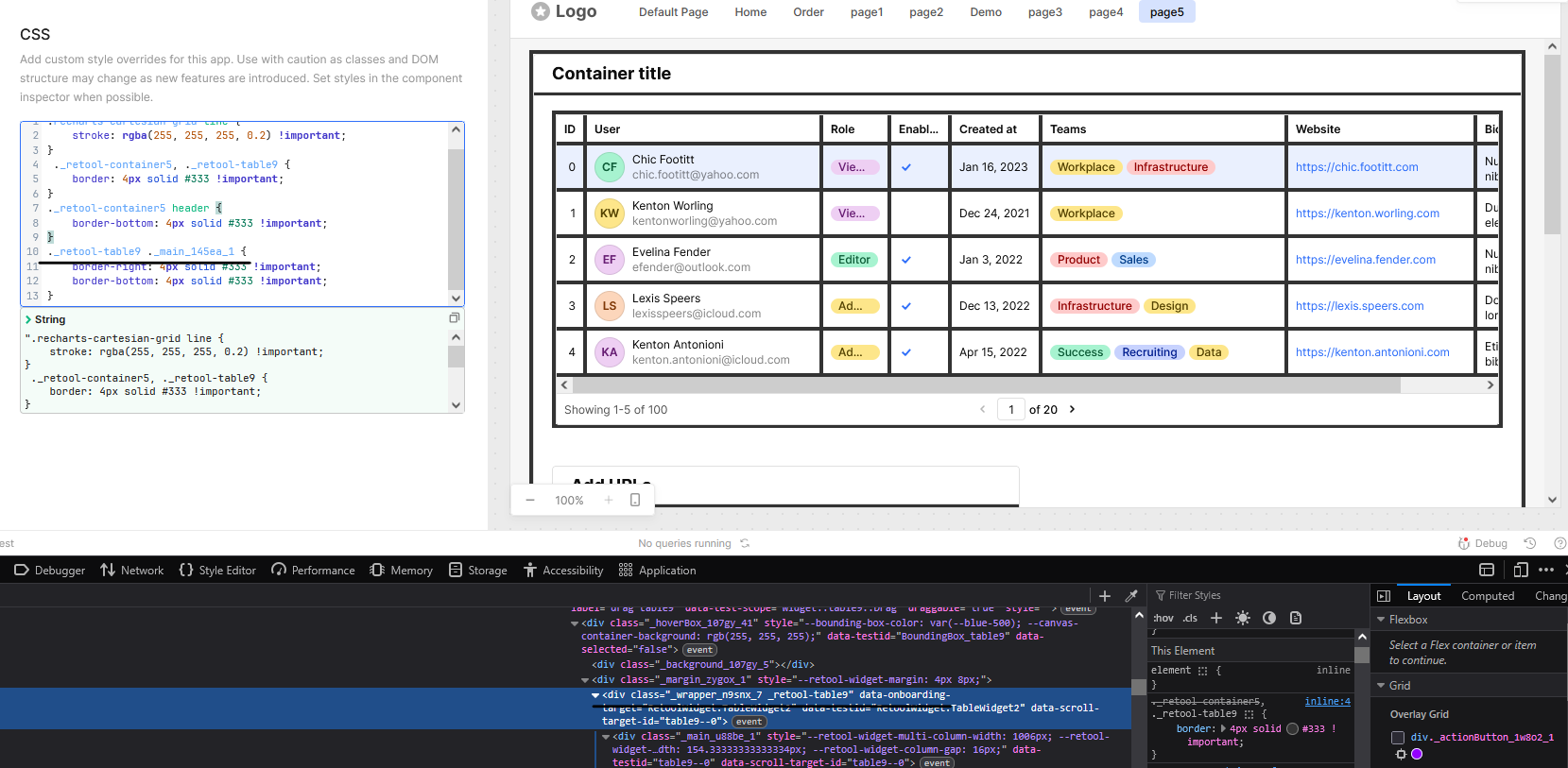
You can try using the following custom CSS with the ._retool-table9 class:
._retool-table9 ._main_145ea_1 {
border-right: 4px solid #333 !important;
border-bottom: 4px solid #333 !important;
}
OR
._retool-table9 > div ._main_145ea_1 {
border-right: 2px solid #333 !important;
border-bottom: 2px solid #333 !important;
}
1 Like
Still no luck.
@tomm, can you share the screenshot?
1 Like
Thank you @WidleStudioLLP, I was able to get it working with your CSS. @tomm just make sure to update it with the name of your Table component.
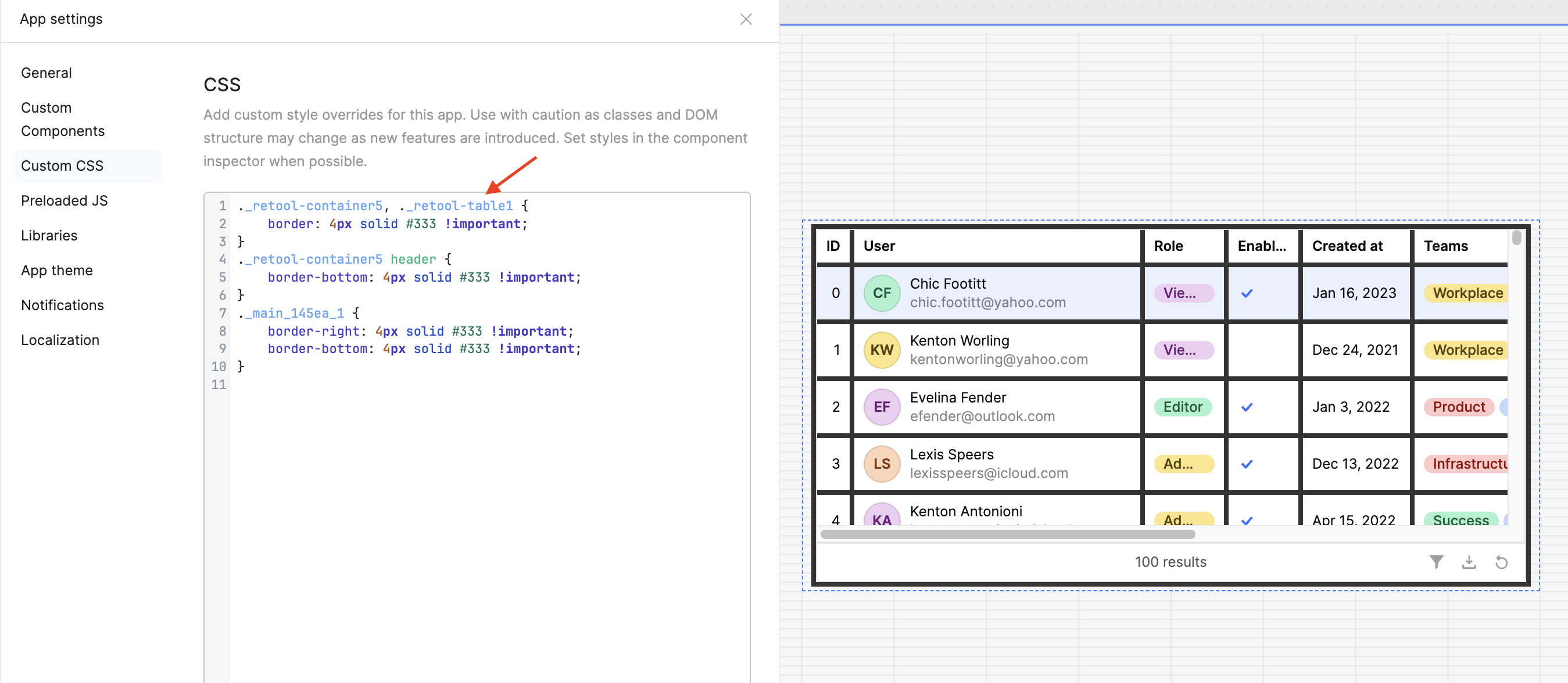
If it still doesn’t work, can you share a screenshot of your code along with your Table component?
Also, we have an upcoming Office Hours session today (Aug 19) at 2pm EST where you can get live help from the Retool team and other developers. We host these sessions twice a week! 
That is where the problem lies. I don't seem to be able to find the name of the table component.
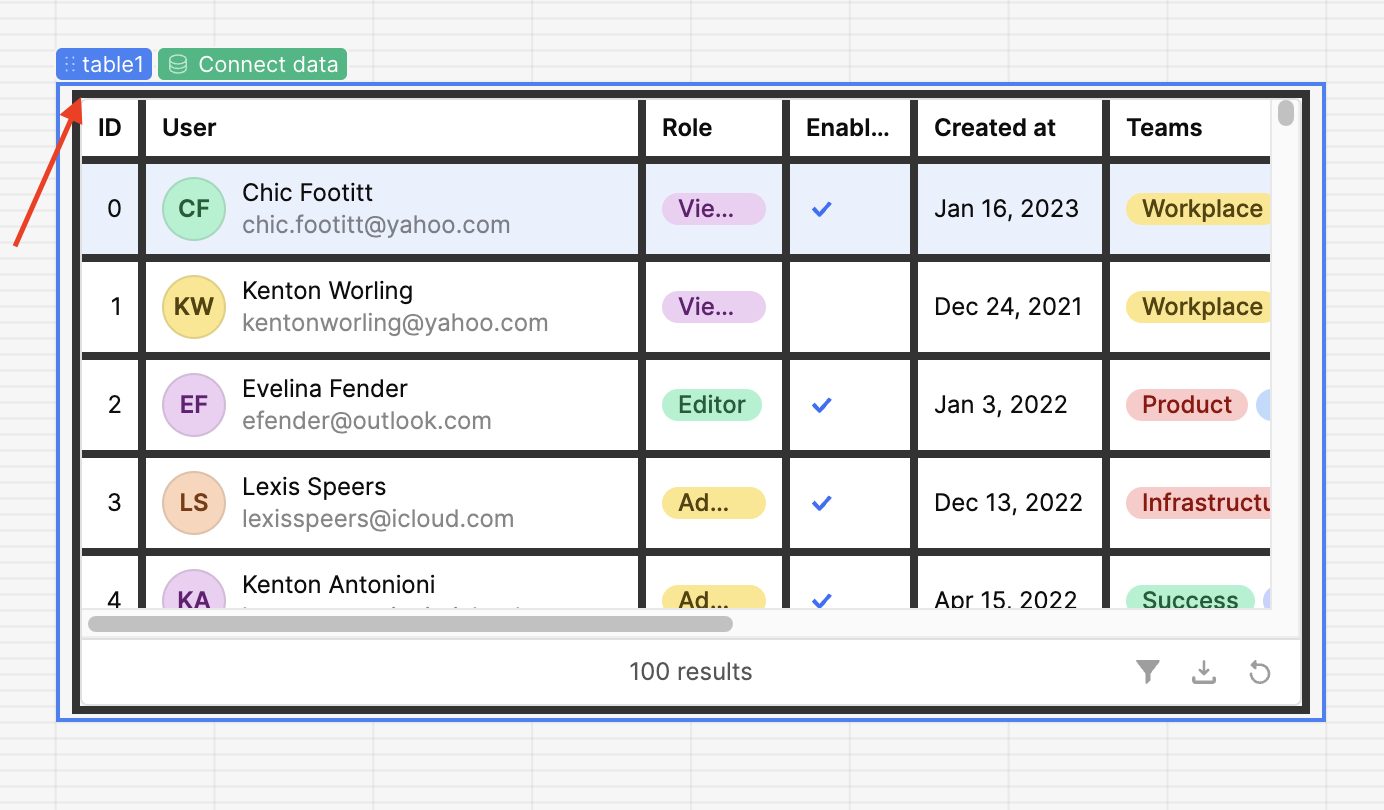
I thought I had to go into the code and look it up in there.
That seems to put a border around the entire table. How do you get the border around each cell?
Were you able to add this block of code in your custom CSS? @tomm
._main_145ea_1 {
    border-right: 4px solid #333 !important;
    border-bottom: 4px solid #333 !important;
}
That did it. Thank you so much.
1 Like
Hey both @WidleStudioLLP and @tomm, I checked in with our engineering team and just a heads up, writing custom CSS isn’t always the most durable solution. It may need occasional maintenance, and if something breaks, the component will revert to its default styling. Thanks for understanding! 
1 Like