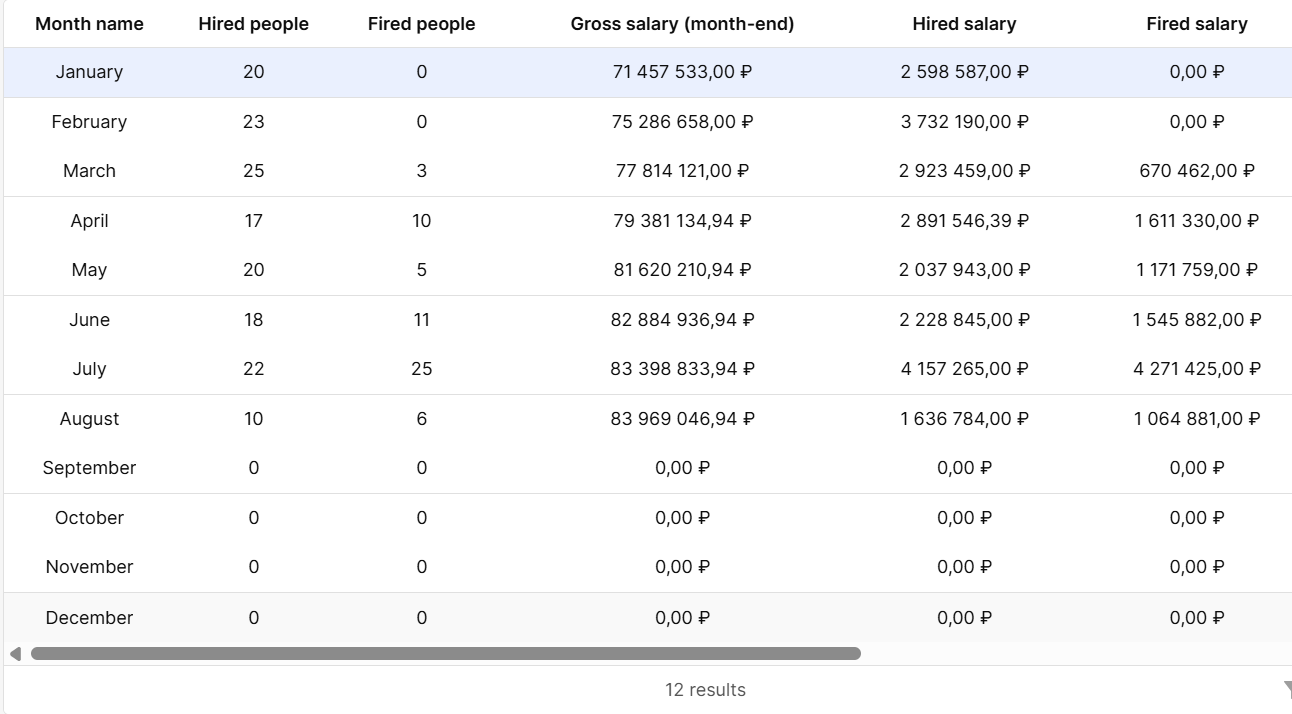
- I want to apply custom styles to the table and the components inside it, rows and columns.
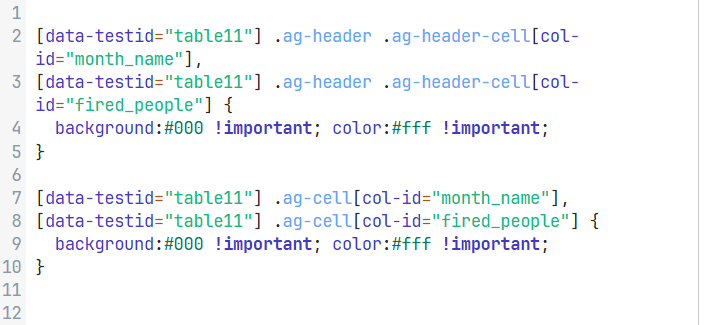
- I added custom styles to the table itself and they were applied. I accessed the columns directly and everything worked, but when I accessed specific columns, they were not applied.
- My Retool is on my server

Hello @Timur_Tuhtaev,
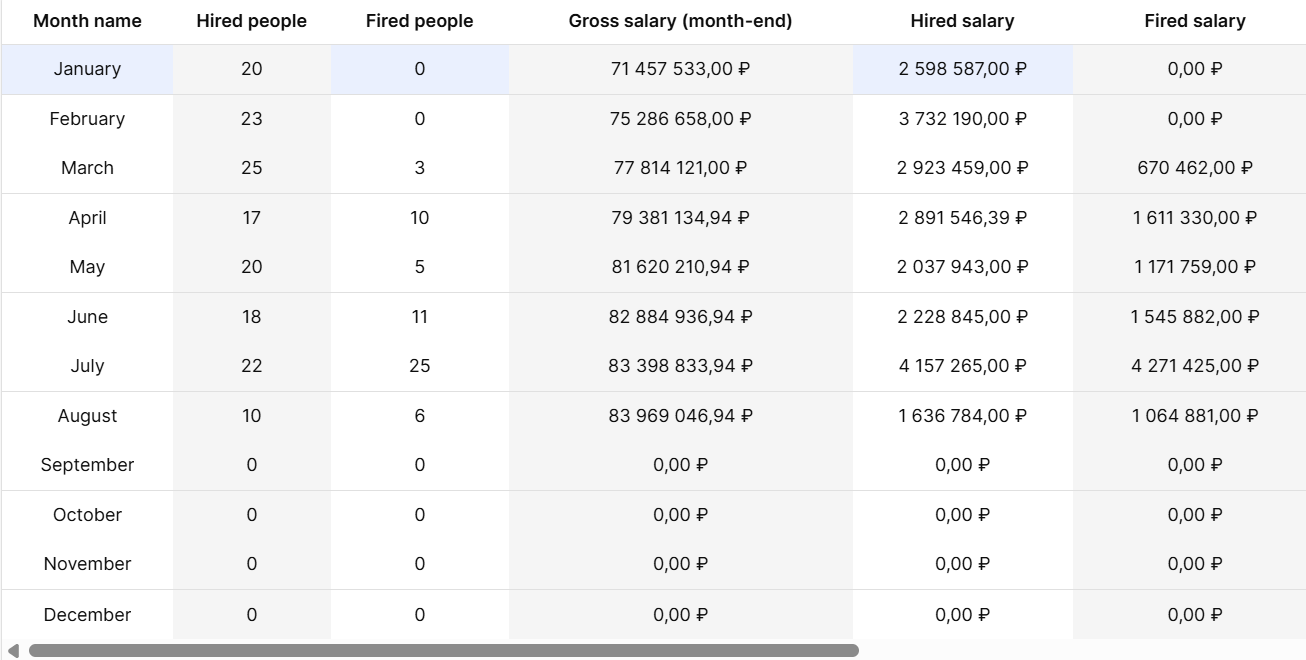
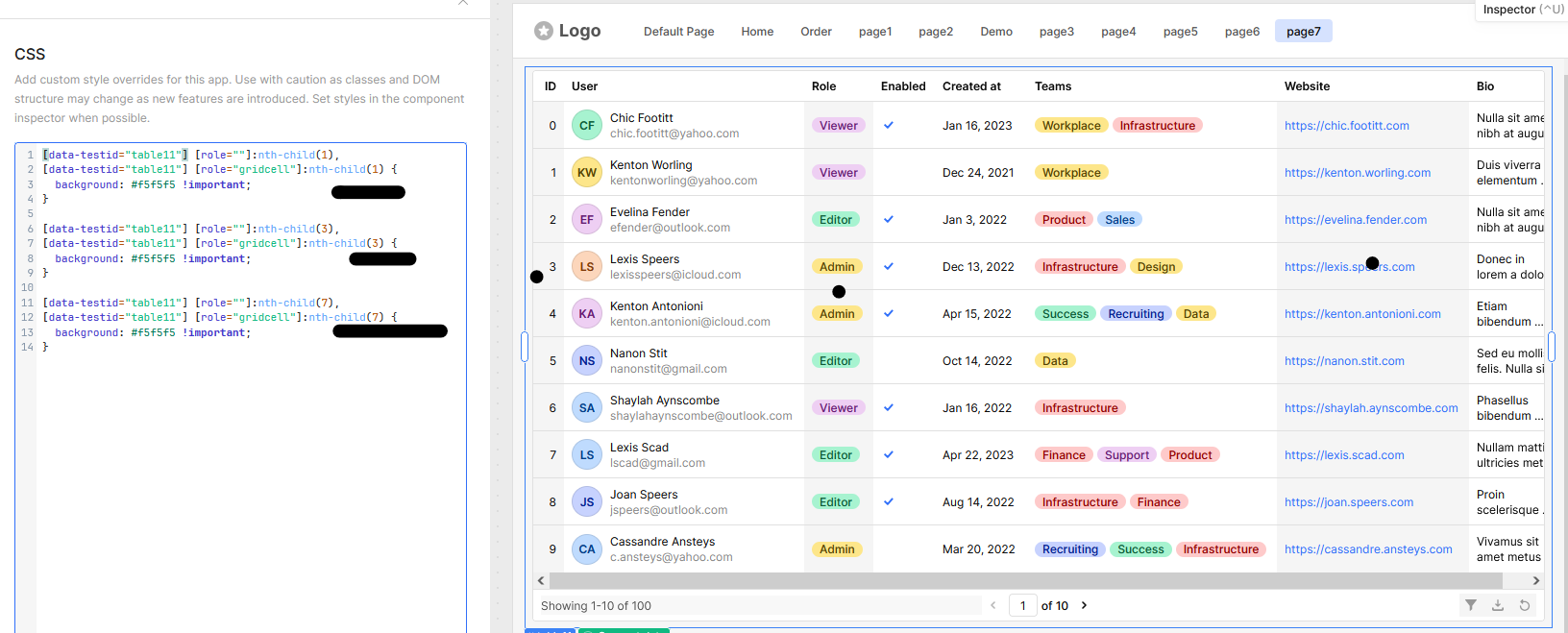
I checked the issue and have a solution. Instead of targeting column names, you can style the table using column numbers — this works effectively in Retool tables. Here’s an example along with a screenshot and CSS:
[data-testid="table11"] [role=""]:nth-child(1),
[data-testid="table11"] [role="gridcell"]:nth-child(1) {
  background: #f5f5f5 !important;
}

[data-testid="table11"] [role=""]:nth-child(3),
[data-testid="table11"] [role="gridcell"]:nth-child(3) {
  background: #f5f5f5 !important;
}

[data-testid="table11"] [role=""]:nth-child(7),
[data-testid="table11"] [role="gridcell"]:nth-child(7) {
  background: #f5f5f5 !important;
}
Note: According to the Retool team, custom CSS isn’t always the most reliable or durable solution. You can check out their explanation in this community post:
 https://community.retool.com/t/increasing-border-thickness-of-table-cells-and-containers/61056/16
1 Like
Thank you very much for the answer, test
1 Like