Disclaimer:
This guide is not official documentation from Retool or Okta. It is a general reference based on what has worked with the current version of Okta's developer tools, and has been found helpful for many users as of writing this. If you encounter issues or have specific questions related to Okta, we recommend contacting Okta Support for official assistance.
 General: These pictures are here to support our Retool docs on Role mapping with Okta Group Claims.
1. Add a Okta Authentication Server

2. Add Scope:

3. Add a Claim: This will be used in step-6
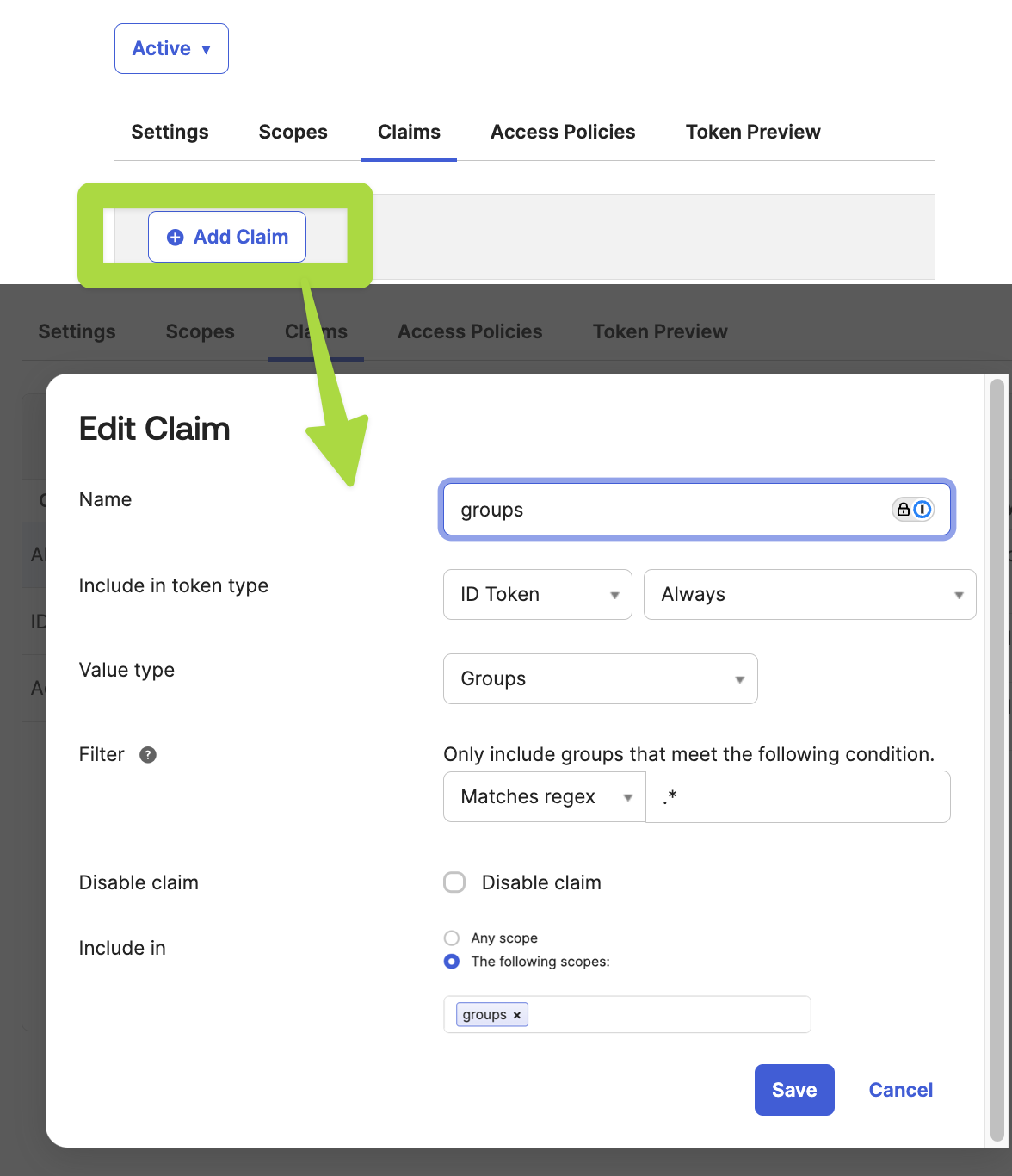
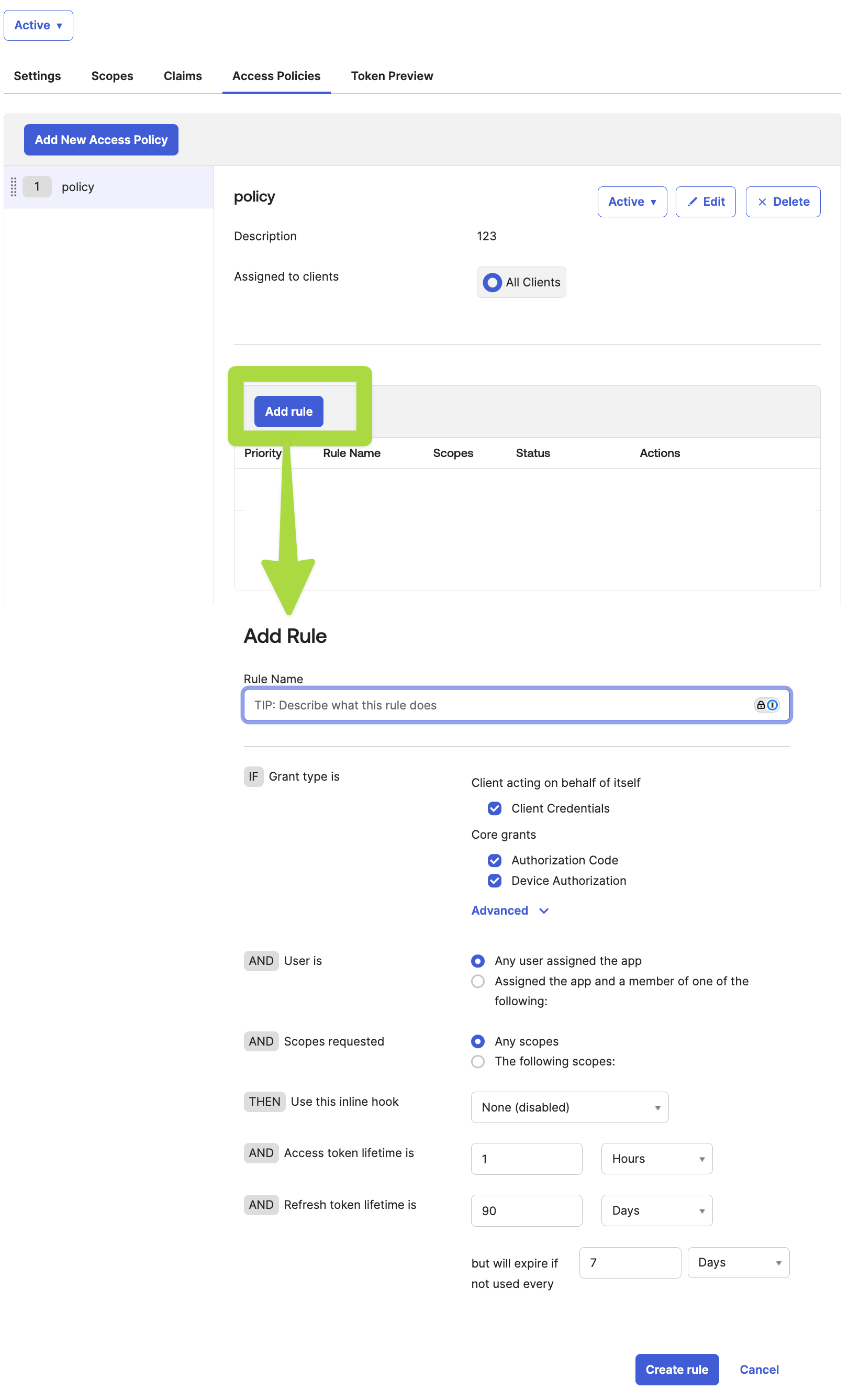
4. Add Access Policy:
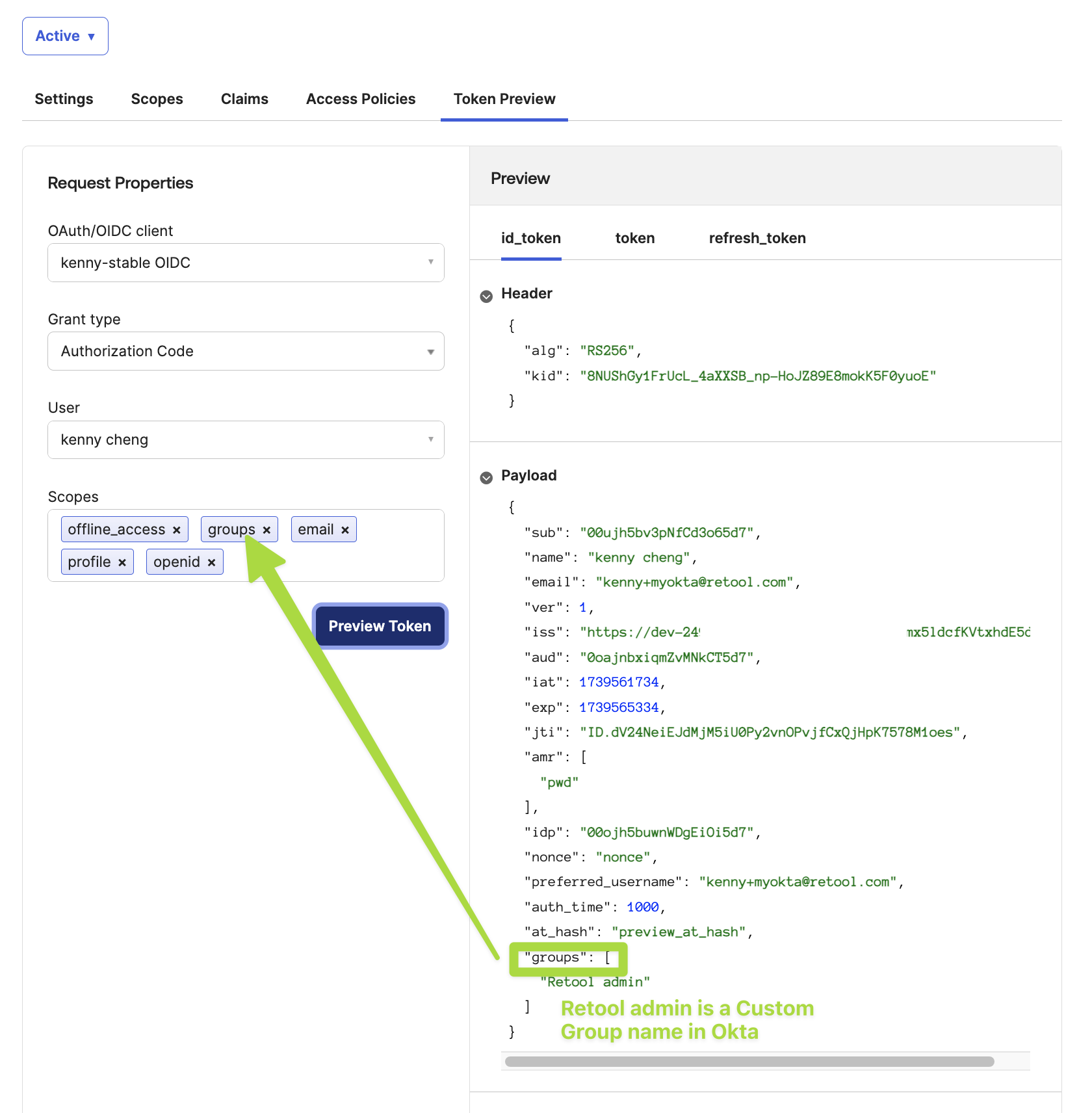
5. Test and Preview your token in Okta: this will be the data that's sent to Retool
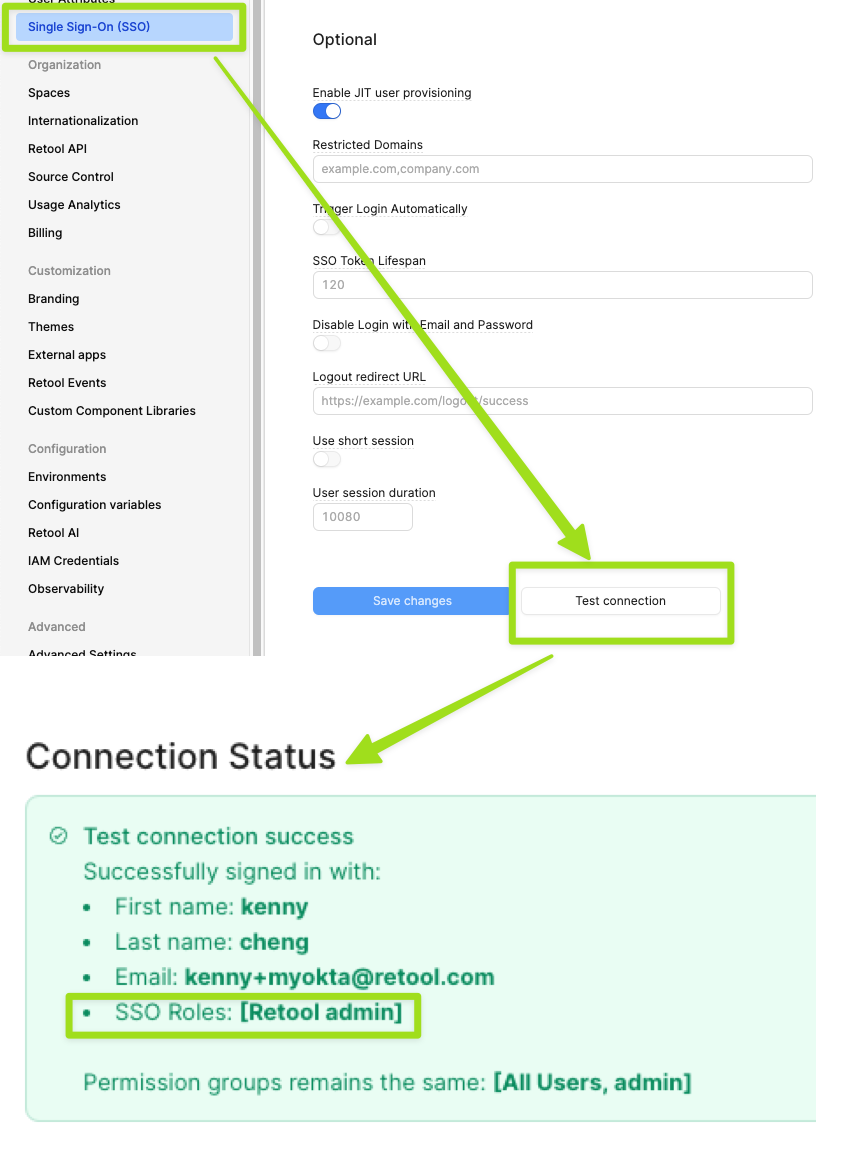
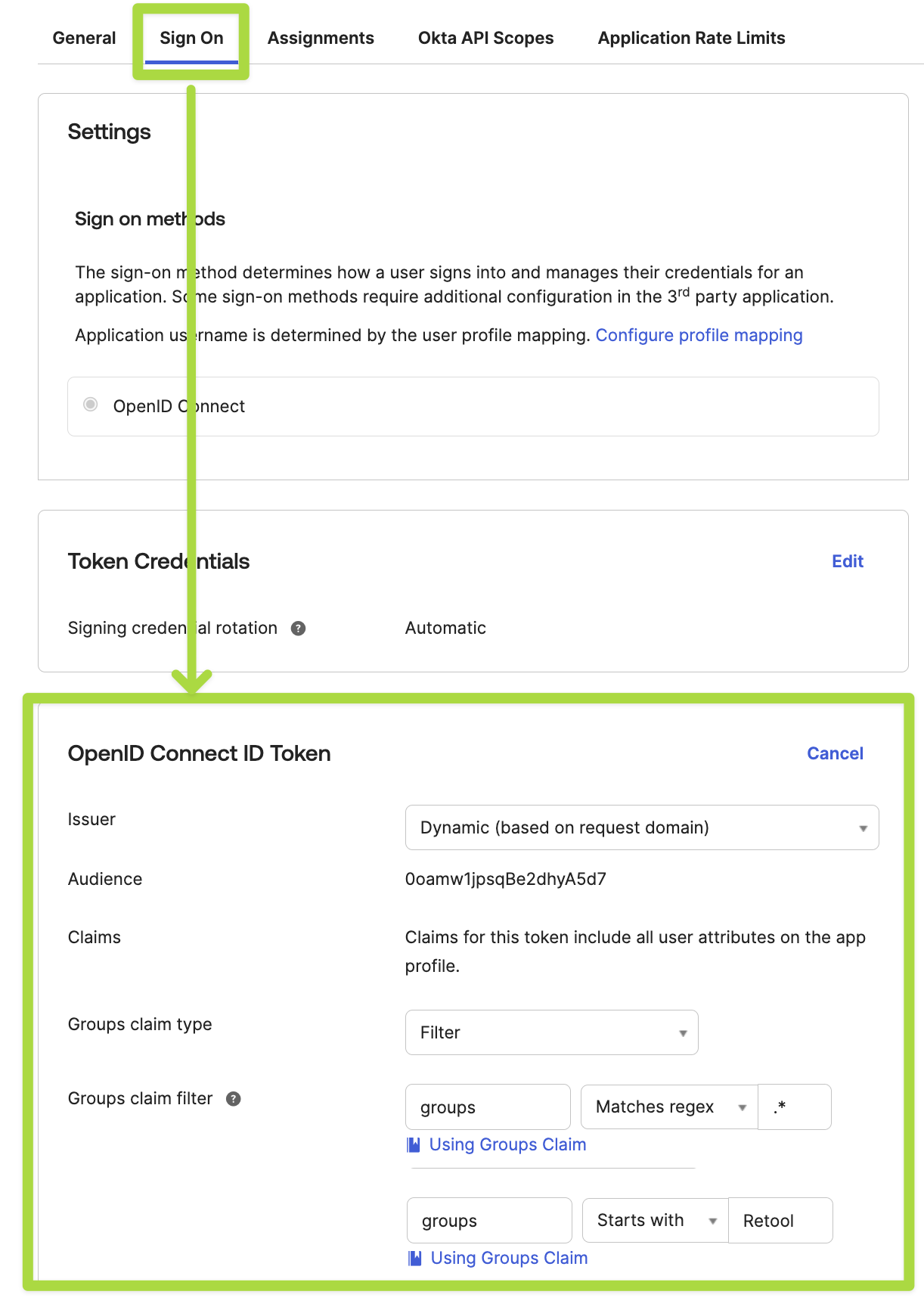
6. Add an 'OpenID Token' to your Okta OIDC Application: Use your 'Claim' name from step-3 here.
7. Set up OIDC in Retool:

8. Test your connection in Retool: We highly recommend Testing your connection to make sure this works for your current user account. Not testing this connection can lead to getting locked out of your account in Retool or being removed from your Admin role.