Hi,
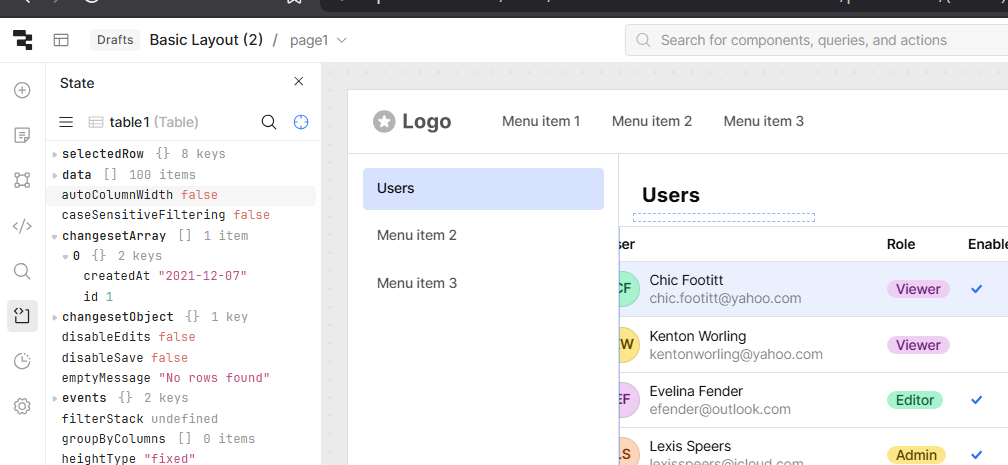
what is the easiest way to copy the changesetArray/object ? can we have a small click to copy button on state module ?
Thanks
Hi,
what is the easiest way to copy the changesetArray/object ? can we have a small click to copy button on state module ?
Thanks
Hi @mpmohi,
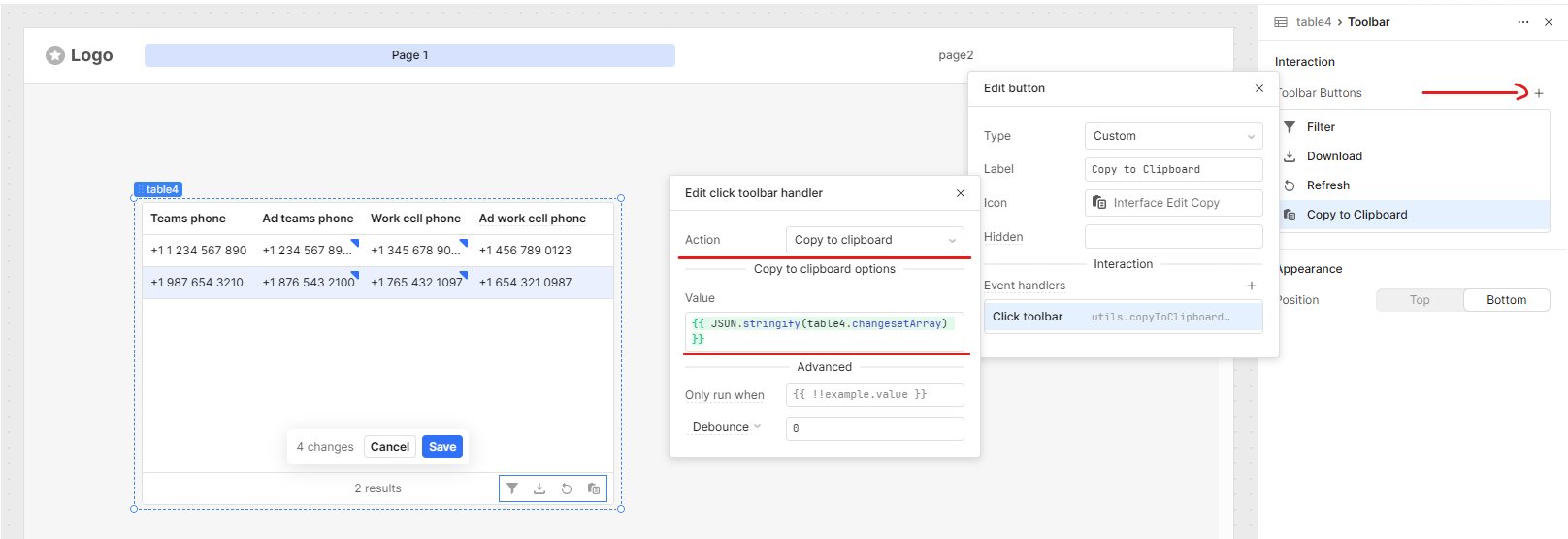
You can easily copy the changeset data by adding a new button to the toolbar. Set its event handler to “Copy to clipboard” and use the appropriate value based on what you want to copy:
changesetArray:{{ JSON.stringify(table4.changesetArray) }}
changesetObject:{{ JSON.stringify(table4.changesetObject) }}
Here's a reference screenshot showing it working perfectly:
Feel free to ask if you need further assistance or have additional questions. We're here to help!
Just to add my two cents—if you need to use the "Copy to Clipboard" functionality within your JavaScript logic, you can use:
utils.copyToClipboard(JSON.stringify({ /* data to copy */ }))
I often use this approach in various scenarios, such as copying the .data property of a resource for testing, analysis, or comparison purposes. It’s a simple and effective way to quickly access structured data during development.
hi @WidleStudioLLP and @rh25170 thanks for both your approch .
While both way we can achieve this, my point is : if we can have a button on the state (in retool itself) to copy these values , this will be helpful in develepment and debugging time.
Hi @mpmohi,
Great suggestion, it looks like we currently have a feature request for this.
I can attach this thread onto the ticket and add your +1. Will post here if I hear nay news on the ticket.