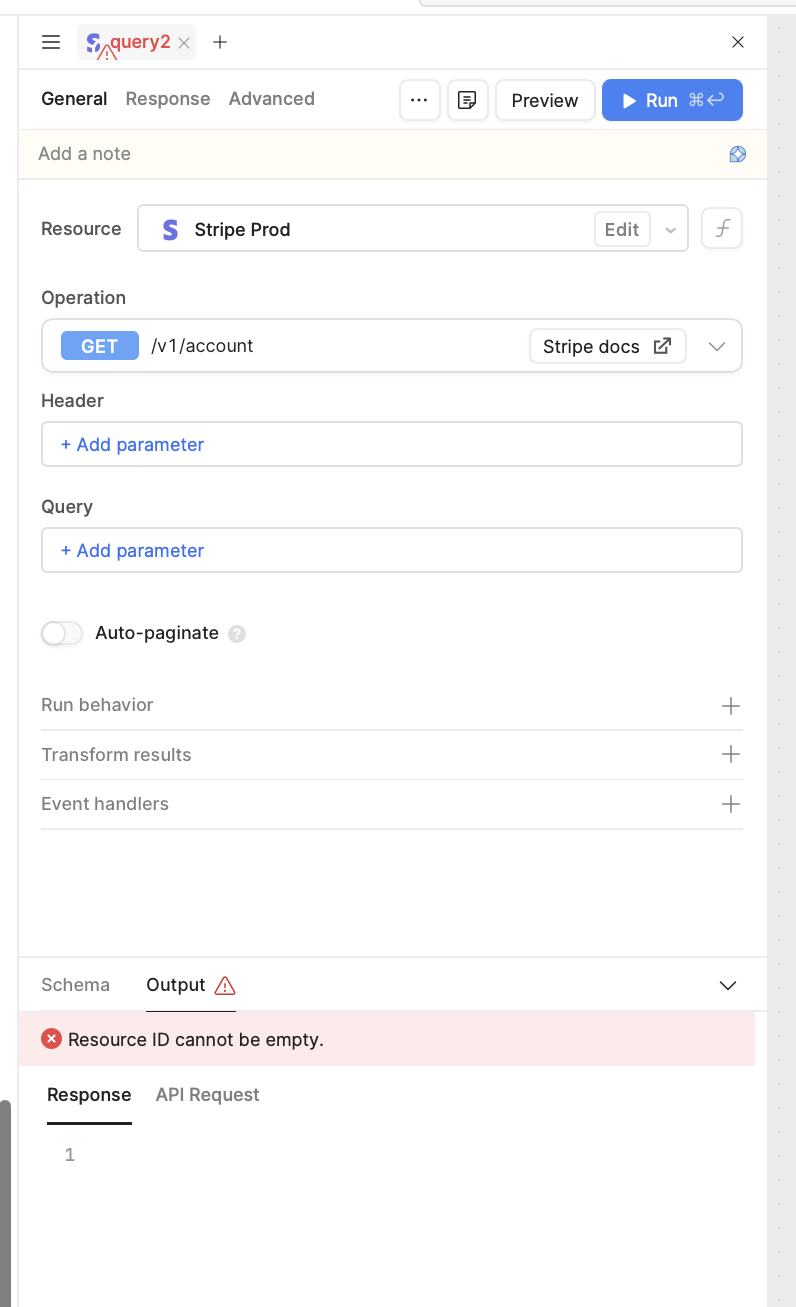
I was wondering if there is a query limit per page as we currently have over 50 queries in our current page and when I am trying to create a new query, regardless of the resource, I am getting an error that Resource ID not found. I tried the Query Library path, and it didn’t work either. All my other queries on the page are working just fine.
Hello @Divij_Nahata, welcome to the Retool Community!
I don't believe there's a hard limit on the number of queries you can have on a page, so having 50+ queries by itself shouldn't cause this error.
The "Resource ID not found" message is more likely related to the resource configuration rather than the number of queries. Here are a few things I'd recommend checking:
Verify that the resource still exists and hasn't been deleted or renamed.
Confirm that you have access to the resource and that the necessary permissions are still in place.
Try creating the same query in a new app or on a new page to determine whether the issue is specific to the current app.
If you're working across multiple environments (Development, Staging, Production), make sure the resource is configured and available in the environment you're currently using.
If the app was duplicated or imported, verify that the queries are still pointing to the correct resource.
You may also find this troubleshooting guide helpful:
Hello
I can confirm the resource still exists and hasn’t been deleted or renamed, all the other queries with the same resource works just fine on the same page. I have tried creating the same query in a new app/page and it works just fine.
As soon as I create a query I get the below errors:
I have tried creating different queries with the different resource types on this page and it gives me the same error which is not the case on different apps/pages and seems the issue with this page.
Hi @Jen
Yes, I was able to find a resolution based on the suggestions we discussed during Office Hours last week. It was because of an nginx error, where usually the client max body size is defaulted to 1mb, and since I had so many queries on the app, the size of the payload that I was sending was exceeding that. Upon increasing the max body size, I was able to make it work. Thank you.