Hi all, Gery from Tokyo here 
I’ve been working with Retool for around six months now, and one thing I really enjoy is how customizable it is. I wanted to share a PDF approach that has been working well for me in case it helps someone else.
Problem (課題)
I was trying to generate a rich PDF from my Retool app, but I ran into two issues:
-
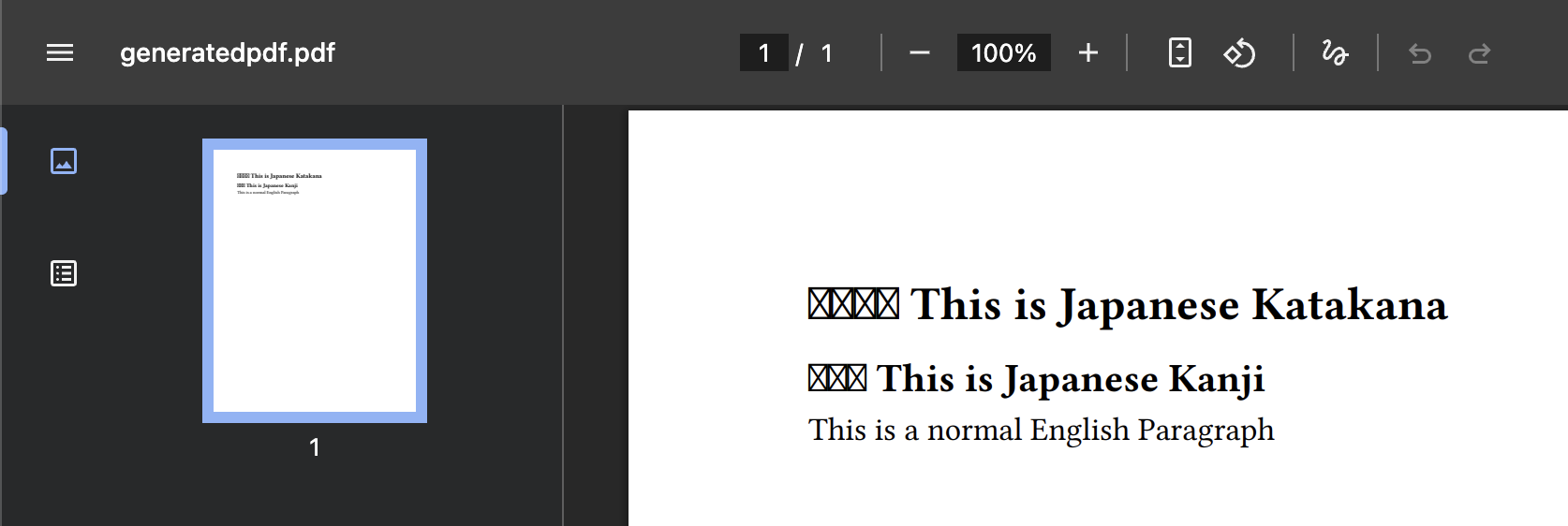
The PDF Exporter from the Generate PDFs | Retool Docs did not render Japanese text correctly.
-
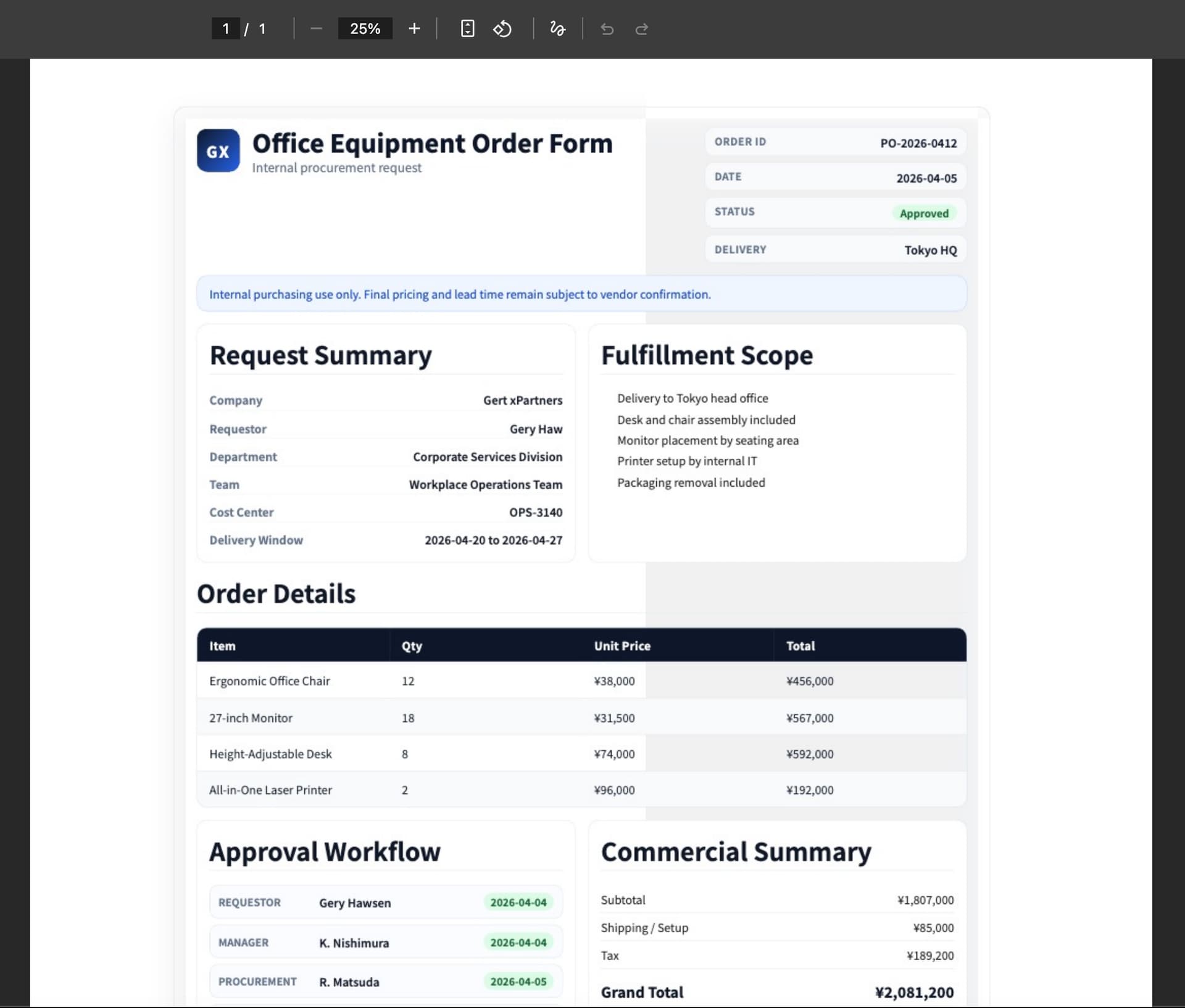
utils.downloadPage()felt too image-like in quality, and since it captures the whole app, it also felt a bit slow.
Solution (ソリューション)
I built a Custom Component that accepts HTML and CSS, then converts them into a downloadable PDF using jsPDF and html2canvas. This ended up being much simpler than building a more complex workflow around PDF generation.
import React from 'react'
import { type FC } from 'react'
import { Retool } from '@tryretool/custom-component-support'
import jsPDF from 'jspdf'
import html2canvas from 'html2canvas'

/**
 * HtmlToPdf
 *
 * A Retool custom component that renders an HTML+CSS string into an A4 PDF
 * and triggers a browser download when the button is clicked.
 *
 * Props (Retool state):
 *  - htmlContent   — The HTML markup to render into the PDF.
 *  - cssContent    — Optional CSS to scope-style the rendered HTML.
 *  - fileName      — Output filename for the downloaded PDF (default: "document.pdf").
 *  - buttonLabel   — Label shown on the download button (default: "Download PDF").
 *
 * Events:
 *  - onGenerate    — Fired after the PDF has been successfully saved.
 */
export const HtmlToPdf: FC = () => {
    // --- Retool state bindings ---

    const [htmlContent] = Retool.useStateString({
        name: 'htmlContent',
        label: 'HTML Content',
        description: 'The HTML string to convert to PDF',
    })
    const [cssContent] = Retool.useStateString({
        name: 'cssContent',
        label: 'CSS Content',
        description: 'Optional CSS styles to apply when rendering the PDF',
    })
    const [fileName] = Retool.useStateString({
        name: 'fileName',
        label: 'File Name',
        description: 'Name of the downloaded PDF file (e.g. document.pdf)',
        initialValue: 'document.pdf',
    })
    const [buttonLabel] = Retool.useStateString({
        name: 'buttonLabel',
        label: 'Button Label',
        initialValue: 'Download PDF',
    })

    const onGenerate = Retool.useEventCallback({ name: 'onGenerate' })

    // --- PDF generation ---

    const generatePdf = async () => {
        // Mount an off-screen container so html2canvas can measure and screenshot
        // the content without it being visible to the user.
        const container = document.createElement('div')
        container.style.cssText =
            'position:fixed;left:-9999px;top:0;width:794px;background:white;padding:0;box-sizing:border-box;'

        // Prepend the supplied CSS inside a <style> tag so it scopes to this render only.
        container.innerHTML = (cssContent ? `<style>${cssContent}</style>` : '') + (htmlContent || '')
        document.body.appendChild(container)

        try {
            // Rasterise the container at 2× resolution for crisp PDF output.
            const canvas = await html2canvas(container, {
                scale: 2,
                useCORS: true,
                logging: false,
            })

            const imgData = canvas.toDataURL('image/png')
            const pdf = new jsPDF({ orientation: 'portrait', unit: 'mm', format: 'a4' })
            const pageWidth = pdf.internal.pageSize.getWidth()   // 210 mm
            const pageHeight = pdf.internal.pageSize.getHeight() // 297 mm

            // Scale the image to the full page width while preserving aspect ratio.
            const imgWidth = pageWidth
            const imgHeight = (canvas.height * imgWidth) / canvas.width

            // Paginate: slide the image up by one page height on each new page so each
            // page window reveals the next portion of the content.
            let heightLeft = imgHeight
            let position = 0

            pdf.addImage(imgData, 'PNG', 0, position, imgWidth, imgHeight)
            heightLeft -= pageHeight

            while (heightLeft > 0) {
                position = heightLeft - imgHeight
                pdf.addPage()
                pdf.addImage(imgData, 'PNG', 0, position, imgWidth, imgHeight)
                heightLeft -= pageHeight
            }

            // Trigger the browser download and fire the Retool event.
            pdf.save(fileName || 'document.pdf')
            onGenerate()
        } catch (err) {
            console.error('PDF generation failed:', err)
        } finally {
            // Always remove the off-screen container regardless of success or failure.
            document.body.removeChild(container)
        }
    }

    // --- Render ---

    return (
        <div>
            <button onClick={generatePdf} disabled={!htmlContent}>
                {buttonLabel || 'Download PDF'}
            </button>
        </div>
    )
}
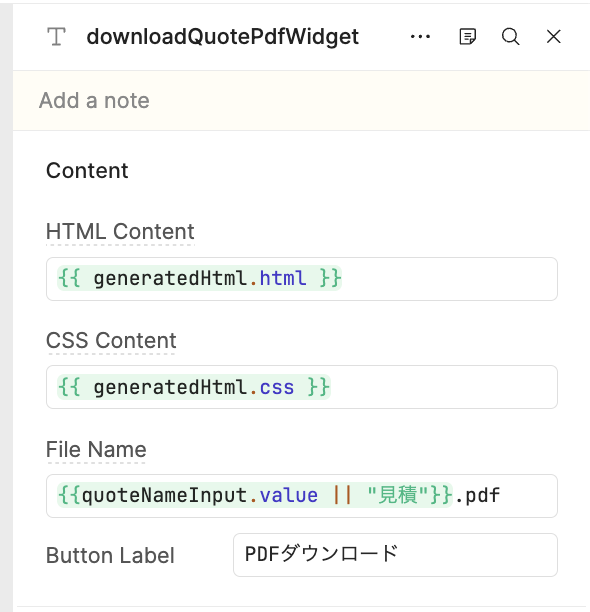
Here’s what the inspector looks like in the IDE 
Usage (使い方)
My sales team is already using a quote generator app I built in Retool, and because of that they no longer need to create quotes manually in Excel.
They enter the necessary data, review the generated HTML preview, and then download the PDF with one click. A process that used to take around 30 minutes in Excel now takes about 1 minute, with validations built in to catch mistakes before export 
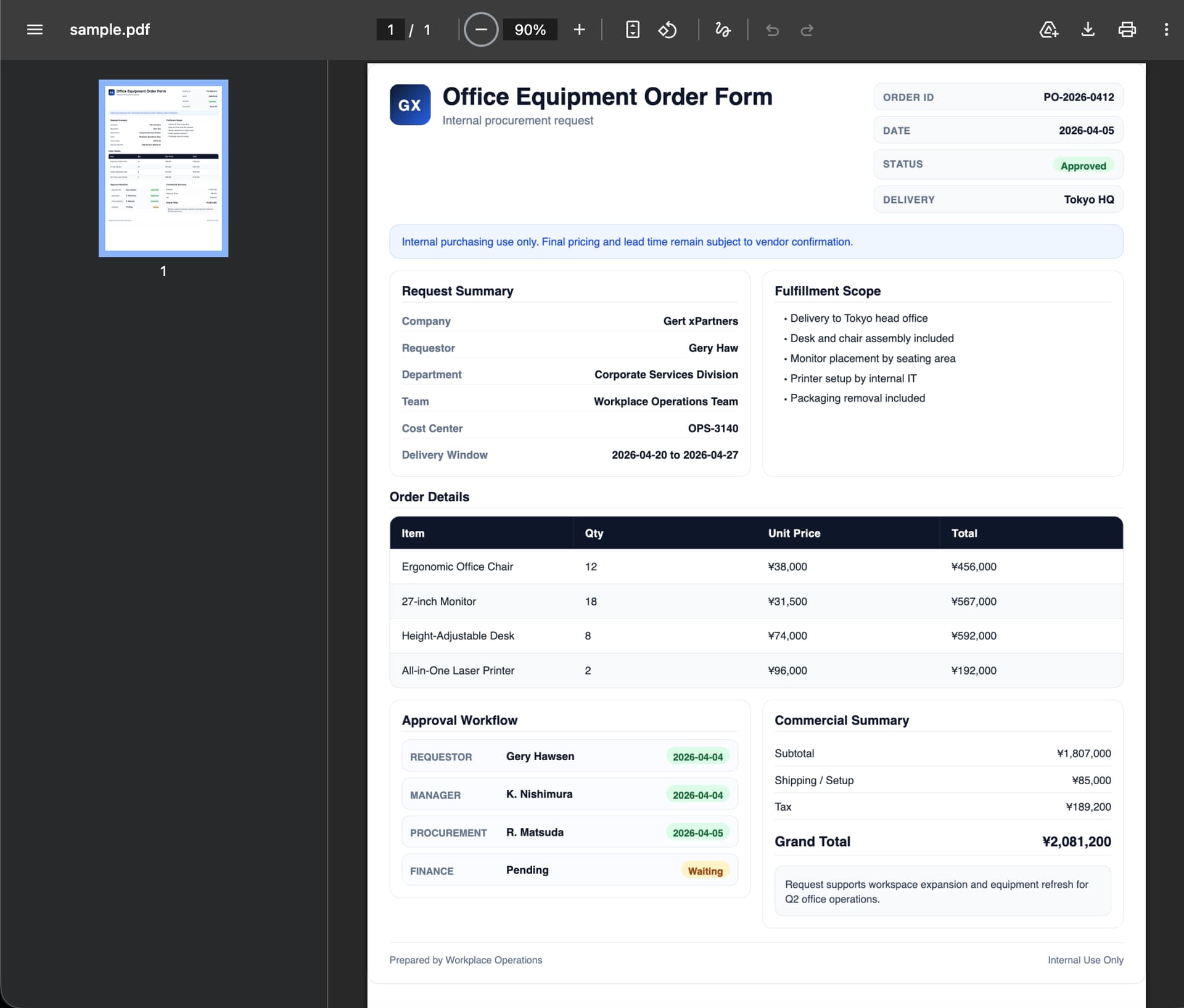
Here is a sample of the kind of PDF this component can generate:
Future improvements (今後)
The next thing I want to improve is page-break handling for longer content. Right now, long tables can still get cut between pages.
Still, for one-page PDFs, this has been working really well for us 

